1. Product Overview
The Signia Fun SP is an easy-to-fit hearing aid designed for individuals with severe to profound hearing loss. It incorporates trusted German technology to deliver superb sound quality and high amplification. Featuring a user-friendly rocker switch, 6 channels, and 4 sound profiles, the Fun SP ensures a high level of wearing comfort and reliable performance in various environments.

Image: The compact Signia Fun SP hearing aid, designed for discreet and comfortable wear.
2. Key Features
- High Amplification: Specifically designed to provide higher amplification for severe to profound hearing loss.
- Easy to Operate Rocker Switch: Simplifies volume adjustments and program changes.
- 6 Channels & 4 Sound Profiles: Offers versatile sound processing and customization for different listening environments.
- Superb Sound Quality: Delivers clear and natural sound for an enhanced listening experience.
- High Wearing Comfort: Ergonomically designed for comfortable, all-day wear.
- Reliable Performance: Tried and tested in challenging environments to ensure durability and consistent performance.

Image: Designed for comfort, allowing balanced sound and optimal volume.

Image: The discreet design of the Signia Fun SP ensures comfort during daily activities.
3. Setup Guide
3.1 Unpacking and Inspection
Carefully remove the hearing aid and its accessories from the packaging. Inspect all components for any visible damage. Ensure you have the hearing aid, earhook, and any included accessories.

Image: The Signia Fun SP hearing aid with its earhook, ready for setup.
3.2 Battery Insertion
- Open the battery compartment door gently.
- Insert the correct battery size (refer to specifications) with the positive (+) side facing up.
- Close the battery compartment door firmly until it clicks. The hearing aid will typically power on automatically.
3.3 Placing the Hearing Aid
- Place the main body of the hearing aid behind your ear.
- Gently insert the earhook and eartip into your ear canal, ensuring a comfortable and secure fit.
- Adjust the position until the hearing aid sits comfortably and discreetly behind your ear.

Image: Proper placement of the Signia Fun SP behind the ear for optimal fit.
4. Operating Instructions
4.1 Power On/Off
- To Power On: Close the battery compartment door. The hearing aid will typically start with a short melody or tone.
- To Power Off: Open the battery compartment door fully.
4.2 Volume Control
The Signia Fun SP features an intuitive rocker switch for volume adjustments:
- Press the upper part of the rocker switch to increase the volume.
- Press the lower part of the rocker switch to decrease the volume.
4.3 Program Selection
The Fun SP comes with 4 pre-set sound profiles. To switch between programs:
- A longer press on the rocker switch (either upper or lower part) will cycle through the available sound programs.
- Each program change is usually indicated by a series of beeps or a voice prompt.
5. Care and Maintenance
5.1 Daily Cleaning
- Use a soft, dry cloth to wipe the hearing aid daily.
- Use the provided cleaning tools (if any) to remove wax or debris from the eartip and earhook.
- Never use water, solvents, or cleaning fluids on the hearing aid.
5.2 Battery Care
- Always open the battery compartment when the hearing aid is not in use to allow moisture to evaporate and prolong battery life.
- Replace batteries promptly when the low battery indicator sounds.
- Store spare batteries in a cool, dry place, away from children and pets.

Image: Long-life and powerful performance batteries are essential for your hearing aid.
5.3 Storage
- When not in use, store the hearing aid in its protective case.
- Keep the hearing aid in a dry place, away from direct sunlight, extreme temperatures, and humidity.
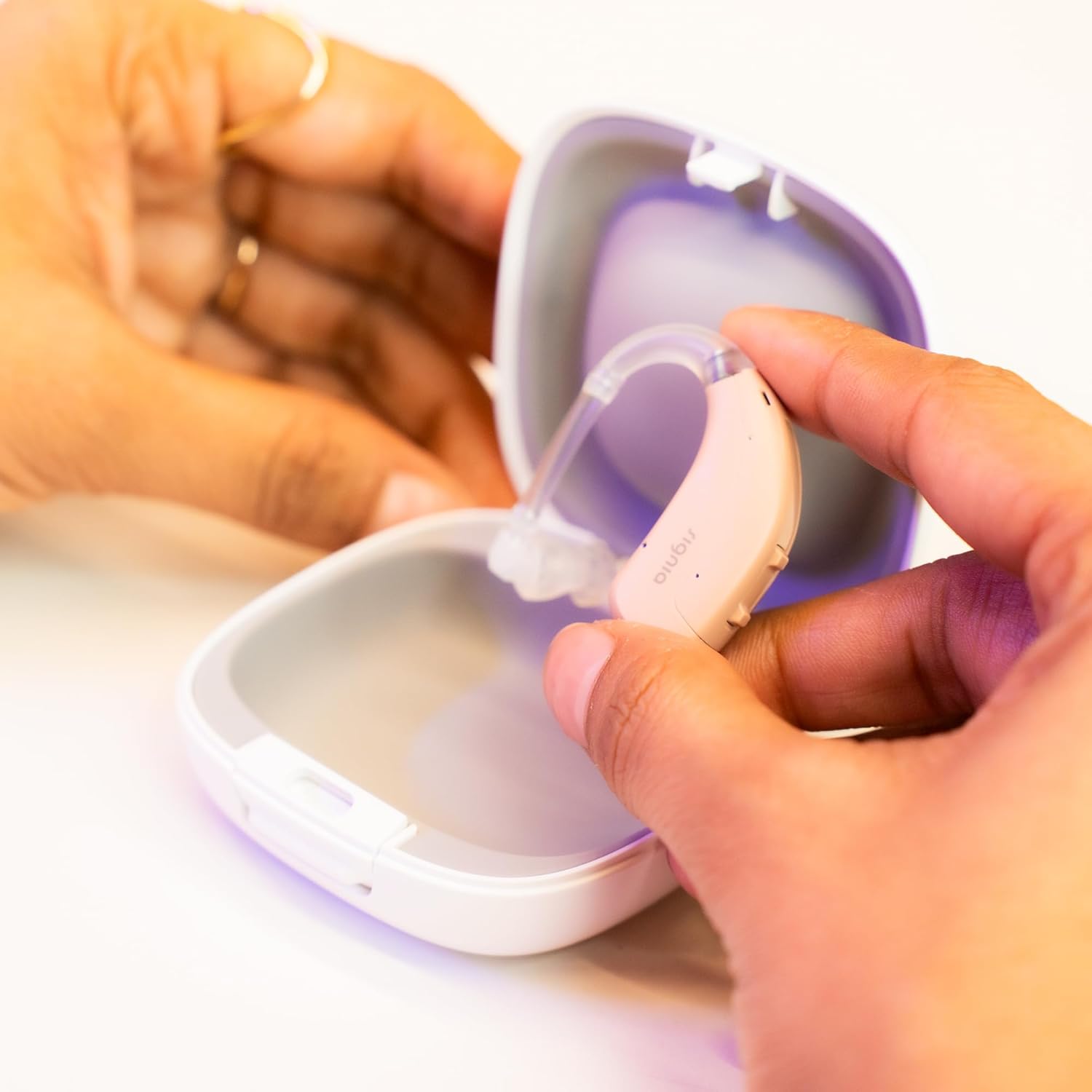
Image: Always store your Signia Fun SP in its case when not in use to protect it.
6. Troubleshooting
If you experience issues with your Signia Fun SP, refer to the table below for common problems and solutions:
| Problem | Possible Cause | Solution |
|---|---|---|
| No Sound / Weak Sound | Dead battery, clogged eartip/earhook, incorrect volume setting, hearing aid off. | Replace battery, clean eartip/earhook, increase volume, ensure battery door is closed. |
| Whistling / Feedback | Improper fit, earwax buildup, hand/object near ear. | Re-insert hearing aid for a snug fit, clean ear canal (consult doctor), move objects away. |
| Sound is Distorted | Low battery, moisture, damaged component. | Replace battery, dry hearing aid thoroughly, contact support if problem persists. |
| Rocker Switch Not Responding | Battery issue, internal malfunction. | Replace battery, if issue persists, contact customer support. |
If the problem persists after attempting these solutions, please contact Signia customer support for further assistance.
7. Technical Specifications
| Feature | Detail |
|---|---|
| Model Number | Fun SP |
| Channels | 6 Channels |
| Sound Profiles | 4 Sound Profiles |
| Control Type | Rocker Switch |
| Hearing Loss Level | Severe to Profound |
| Dimensions (LxWxH) | 12.5 x 10.5 x 16.5 cm |
| Item Weight | 150 g |
| Manufacturer | Signia GmbH |
8. Warranty and Support
8.1 Legal Disclaimer
Hearing aids are medical devices and must be prescribed by trained and qualified hearing care specialists. For detailed information or consultation, please contact a professional.
8.2 Customer Support
For complete fine-tuning support and assistance across India, or for any queries regarding your Signia Fun SP hearing aid, please use the following contact methods:
- Email: store@hear.com (for programming support, email your audiometry report)
- Call/WhatsApp: 9910887323

Image: Contact information for free programming support and general inquiries.


