
1. Introduction
Thank you for choosing the OGORI MHG654 Portable Rechargeable Camping Fan. This versatile device combines a powerful fan with an LED light and a power bank function, making it ideal for various outdoor and indoor scenarios such as camping, job sites, power outages, and travel. Please read this manual thoroughly before use to ensure proper operation and maintenance.
2. Safety Instructions
- Do not insert fingers or any objects into the fan grille when the fan is operating.
- Keep the fan away from water or other liquids to prevent electric shock.
- Do not disassemble or modify the fan. Repairs should only be performed by qualified personnel.
- Ensure the fan is placed on a stable surface or securely clipped to prevent it from falling.
- Keep out of reach of children.
- Use only the provided charging cable or a certified Type-C cable for charging.
- Avoid exposing the battery to extreme temperatures or direct sunlight for prolonged periods.
3. Package Contents
- OGORI MHG654 Portable Rechargeable Camping Fan
- USB Type-C Charging Cable
- User Manual
4. Product Overview
Familiarize yourself with the components of your OGORI MHG654 fan:
- Fan Grille: Protective cover for fan blades.
- Fan Blades: Generate airflow.
- LED Light Ring: Provides illumination.
- Control Panel: Houses power, oscillation, light, and timer buttons, along with battery indicators.
- Stepless Speed Knob: Adjusts fan speed.
- Type-C Input Port: For charging the fan.
- USB Output Port: For charging external devices.
- Adjustable Stand/Clip: Allows for tabletop use, hanging, or clipping to various surfaces.
- 360° Rotation Axis: Enables horizontal oscillation.
- Manual Tilt Adjustment: Allows for 45° vertical adjustment.

Image: Front view of the OGORI MHG654 Portable Rechargeable Camping Fan, showcasing its compact design and protective grille.
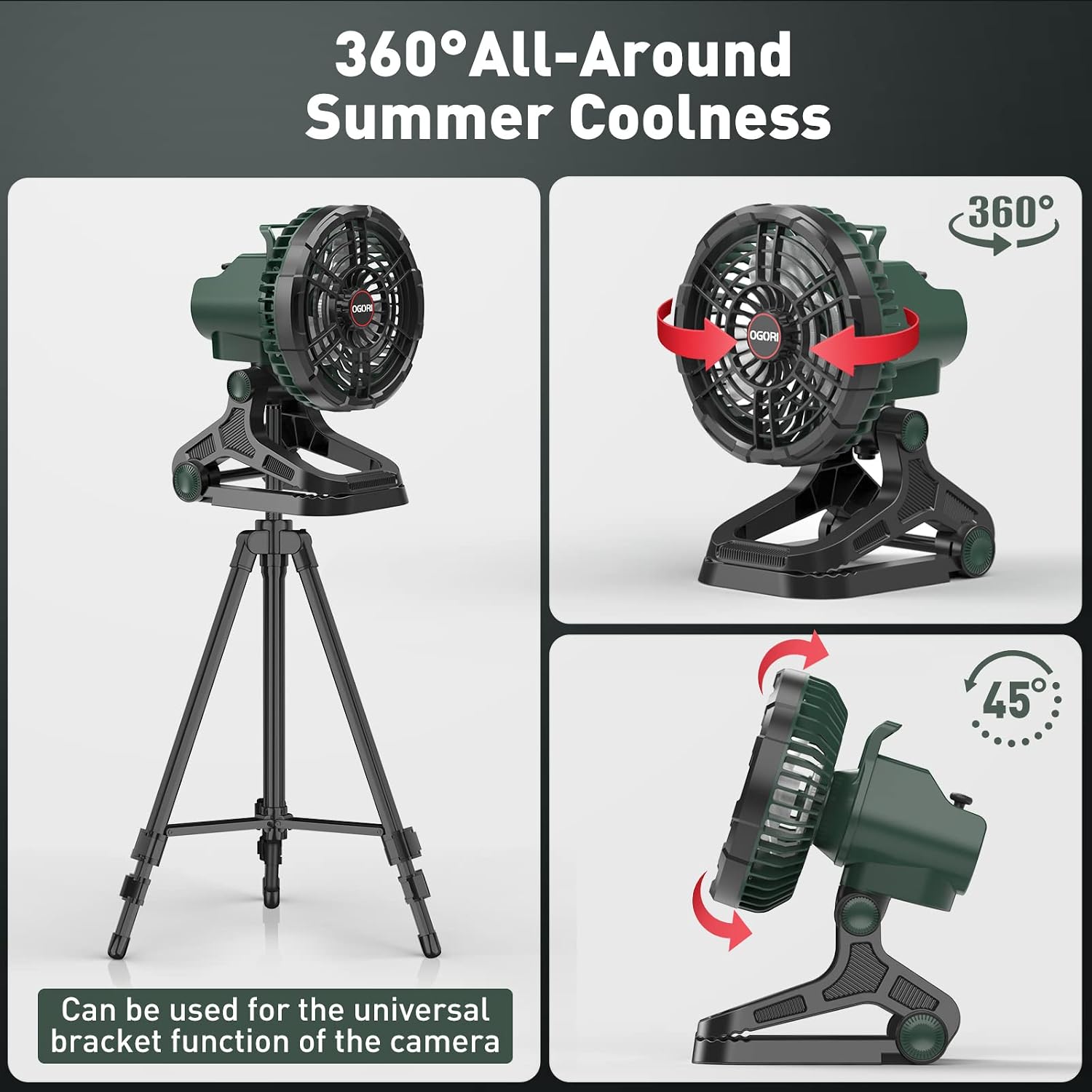
Image: The OGORI MHG654 fan demonstrating its 360-degree horizontal rotation and the versatile clip-on base for various mounting options.
5. Setup
Before first use, ensure the fan is fully charged.
- Unpack: Carefully remove all components from the packaging.
- Positioning: Place the fan on a flat, stable surface using its integrated stand, or use the bottom clip to attach it to a tent pole, table edge, or other suitable structure.
- Adjust Angle: Manually tilt the fan head up or down by 45 degrees to direct airflow as needed.
6. Operating Instructions
6.1 Fan Operation
- Power On/Off: Rotate the stepless speed knob clockwise to turn the fan on. Continue rotating to increase speed. Rotate counter-clockwise to decrease speed and turn off.
- Stepless Speed Control: The fan features stepless speed regulation, allowing you to precisely adjust the airflow from a gentle breeze to a powerful 2600 RPM.
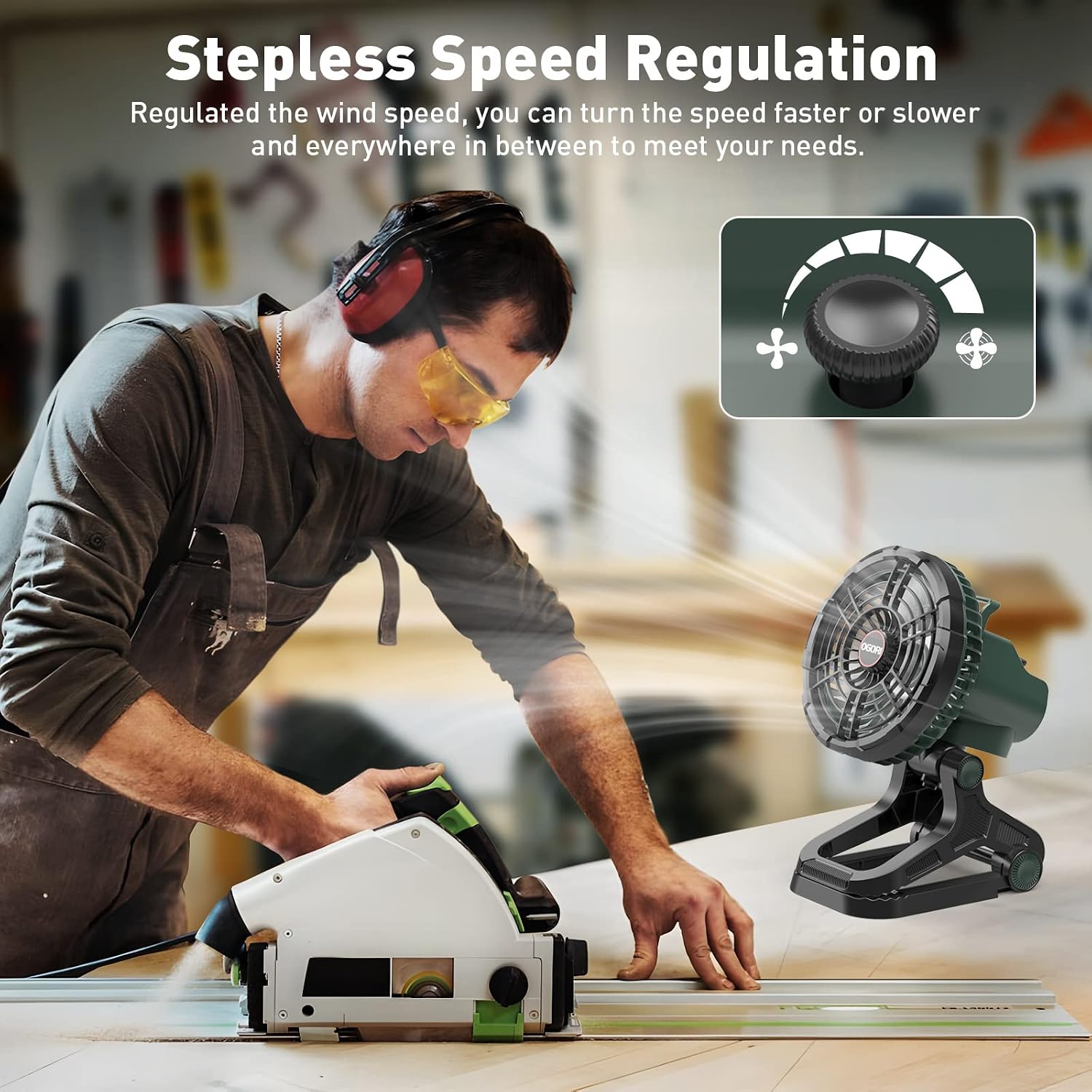
Image: A user adjusting the stepless speed control knob on the OGORI MHG654 fan, demonstrating the precise airflow adjustment.
6.2 LED Light Operation
- Turn On/Off: Press the light button (indicated by a light bulb icon) on the control panel to turn the LED light on.
- Adjust Brightness: Repeatedly press the light button to cycle through 4 levels of adjustable brightness.

Image: The OGORI MHG654 fan's LED light illuminated, showing the four distinct brightness levels available for various lighting needs.
6.3 Oscillation Function
- Activate Oscillation: Press the oscillation button (indicated by a circular arrow icon) on the control panel to activate the 360-degree horizontal rotation.
- Deactivate Oscillation: Press the oscillation button again to stop the rotation.
- Manual Tilt: The fan head can be manually tilted 45 degrees vertically to direct airflow.
6.4 Timer Function
- Set Timer: Press the timer button (indicated by 'H' or a clock icon) on the control panel to set an auto-off timer.
- Timer Options: Cycle through 1-hour, 2-hour, 4-hour, or 7-hour settings. The corresponding indicator light will illuminate.
- Deactivate Timer: Press the timer button until all timer indicator lights are off.

Image: The control panel of the OGORI MHG654 fan, highlighting the timer function buttons and indicators for setting automatic shut-off times.
6.5 Power Bank Function
The fan's built-in 30000mAh battery can also serve as a power bank.
- Connect Device: Plug your device's USB charging cable into the USB output port on the fan's control panel.
- Charging: The fan will automatically begin charging your device. Monitor the fan's battery indicators to ensure sufficient power.

Image: The OGORI MHG654 fan demonstrating its power bank feature, with a smartphone connected to its USB output port for charging.
7. Charging
The OGORI MHG654 fan is equipped with a 30000mAh rechargeable battery.
- Connect Charger: Insert the provided USB Type-C charging cable into the fan's Type-C input port. Connect the other end to a compatible USB power adapter (not included) or power source.
- Battery Indicators: The 4 LED indicators on the control panel will show the charging status and remaining battery level (25%, 50%, 75%, 100%).
- Full Charge: All 4 indicators will be solid blue when the fan is fully charged.
8. Maintenance
- Cleaning: Disconnect the fan from power before cleaning. Use a soft, dry cloth to wipe the exterior. For the fan blades, use a soft brush or compressed air to remove dust. Do not use abrasive cleaners or immerse in water.
- Storage: Store the fan in a cool, dry place when not in use. Ensure it is fully charged before long-term storage to prolong battery life.
- Care Instructions: Hand wash only if any part requires direct cleaning, ensuring electronic components are protected.
9. Troubleshooting
| Problem | Possible Cause | Solution |
|---|---|---|
| Fan does not turn on | Low battery; Power knob not rotated sufficiently | Charge the fan; Rotate the speed knob clockwise until it clicks on. |
| Weak airflow | Low speed setting; Obstruction in front/back of fan | Increase fan speed using the knob; Clear any obstructions. |
| LED light not working | Light button not pressed; Low battery | Press the light button; Charge the fan. |
| Oscillation not working | Oscillation button not pressed | Press the oscillation button to activate. |
| Device not charging via USB | USB cable faulty; Fan battery low; Device incompatible | Try a different USB cable; Charge the fan; Check device compatibility. |
10. Specifications
- Brand: OGORI
- Model Name: MHG654
- Product Dimensions: 6"D x 8"W x 5"H
- Item Weight: 3.39 pounds
- Power Source: Battery Powered (1 Lithium Ion battery required, built-in)
- Battery Capacity: 30000mAh
- Operating Time: 9-48 hours (depending on speed)
- Charging Port: USB Type-C
- Output Port: USB-A (for power bank function)
- Fan Speed: Up to 2600 RPM (Stepless Speed Regulation)
- Noise Level: 70 Decibels (Max)
- LED Light: 4 adjustable brightness levels (up to 120 hours illumination)
- Oscillation: 360° horizontal rotation, 45° manual vertical tilt
- Timer Settings: 1H, 2H, 4H, 7H
- Material: High-quality ABS+PC
- Indoor/Outdoor Usage: Outdoor
- Special Features: LED Light, Power Bank, Timer, Clip-on/Freestanding Mount
11. Product Videos
OGORI Portable Camping Fan Features Overview
Video: A detailed overview of the OGORI Portable Camping Fan, highlighting its high output, integrated LED light, and power bank capabilities for charging phones and other devices.
The Only Fan You Need While Camping - LED Rechargeable
Video: Demonstrates the fan's utility for camping, emphasizing its LED light and rechargeable features, showcasing its versatility in outdoor settings.
MUST See Before You Buy: OGORI Camping Fan Review
Video: A comprehensive review of the OGORI camping fan, highlighting its various features and benefits for potential users, including its robust design and functionality.
12. Warranty and Support
For warranty information and customer support, please refer to the contact details provided on the product packaging or visit the official OGORI website. Keep your purchase receipt as proof of purchase.