
Ergodyne 6090
Ergodyne Chill-Its 6090 Portable Jobsite Fan Instruction Manual
Model: 6090 | Brand: Ergodyne
Introduction
This manual provides essential information for the safe and effective operation of your Ergodyne Chill-Its 6090 Portable Jobsite Fan. Please read these instructions thoroughly before first use and retain for future reference.
The Ergodyne Chill-Its 6090 is a rechargeable portable fan designed to provide airflow in various work environments, both indoors and outdoors. It features a durable, impact-resistant design, versatile mounting options, and adjustable airflow settings.

Image: The Ergodyne Chill-Its 6090 Portable Jobsite Fan, showing its orange and black design, clip-on base, and included USB-C charging cable.
Setup and Charging
Before initial use, ensure the fan is fully charged. A USB-C charging cord is included.
- Charging the Fan: Connect the included USB-C charging cable to the fan's charging port. Connect the other end to a compatible USB power adapter (not included).
- Charge Level Indicator: The LED lights on the fan indicate the current charge level. Refer to the charging image for visual guidance.
- Initial Charge: For optimal battery life, fully charge the fan before its first use.

Image: Close-up of the fan showing the USB-C charging port and LED indicators for battery status. The charging cable is connected.
Mounting Options
The fan offers versatile mounting for various jobsite conditions:
- Flat Surface Placement: Place the fan on any stable, flat surface.
- Clamp Mount: Use the heavy-duty base clamp to securely attach the fan to studs, conduit, or other suitable structures.
- Magnetic Mount: The base clamp features four powerful magnets for attachment to metallic work surfaces.
- Hanging Hole: A dedicated hanging hole allows the fan to be suspended from various jobsite fixtures.

Image: Visual representation of the fan being mounted using its clamp, magnets, and hanging hole on different surfaces.
Operating Instructions
The fan is designed for straightforward operation.
- Power On/Off: Locate the power button on the fan's base. Press once to turn on the fan to the low setting. Press again to cycle through speed settings and turn off.
- Adjusting Fan Speed: The fan offers two speed settings:
- Low Setting: Provides approximately 290 CFM airflow with a runtime of up to 12 hours.
- High Setting: Provides approximately 360 CFM airflow with a runtime of up to 5 hours.
- Adjusting Airflow Direction: The fan head and cage can swivel 360 degrees independently. Manually adjust the fan head to direct airflow as needed.
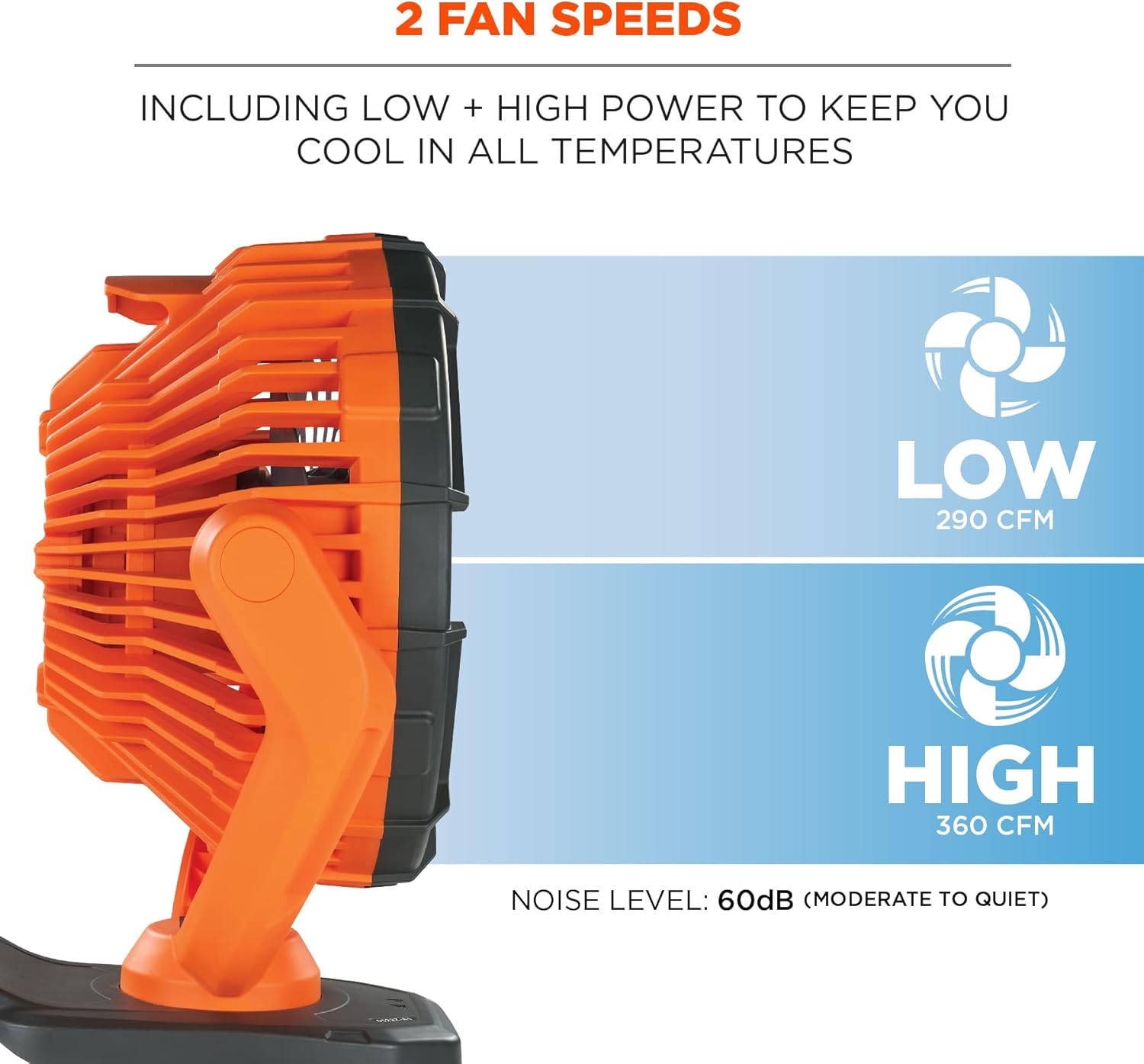
Image: Diagram illustrating the two fan speed settings (Low and High) with their respective CFM values and noise level (60dB).

Image: Illustration showing the fan head rotating 360 degrees horizontally and vertically, allowing for flexible airflow direction.
Maintenance
Regular maintenance ensures optimal performance and longevity of your fan.
- Cleaning: Periodically wipe the fan's exterior with a soft, damp cloth. Ensure the fan is turned off and unplugged before cleaning. Do not immerse the fan in water.
- Dust Removal: Use a soft brush or compressed air to gently remove dust from the fan blades and grille.
- Storage: When not in use for extended periods, store the fan in a cool, dry place, away from direct sunlight and extreme temperatures.
Troubleshooting
If you encounter issues with your fan, refer to the following common solutions:
- Fan Does Not Turn On:
- Ensure the battery is charged. Connect the fan to a power source using the USB-C cable.
- Verify the power button is pressed correctly.
- Reduced Airflow:
- Check for obstructions around the fan grille.
- Clean any dust or debris from the fan blades and grille.
- Ensure the fan is on the desired speed setting (Low or High).
- Short Battery Runtime:
- Battery runtime varies by speed setting (High uses more power).
- Ensure the fan is fully charged before use.
- Battery performance may degrade over time with extensive use.
If problems persist, contact Ergodyne customer support for further assistance.
Specifications
| Feature | Detail |
|---|---|
| Brand | Ergodyne |
| Model Name | Chill-Its 6090 Rechargeable Portable Jobsite Fan |
| Item Model Number | 6090 |
| Color | Orange |
| Electric Fan Design | Table Fan |
| Power Source | Battery Powered |
| Style | Rechargeable and Portable |
| Product Dimensions | 9.5"D x 12.9"W x 10.4"H |
| Item Weight | 4.76 pounds |
| Room Type | Any |
| Special Feature | Portable |
| Recommended Uses | Air Circulation |
| Finish Type | Sealed |
| Number of Blades | 3 |
| Air Flow Capacity | 360 Cubic Feet Per Minute (High Setting) |
| Voltage | 5 Volts (DC) |
| Included Components | USB-C Charging Cord |
| Indoor/Outdoor Usage | Indoor |
| Control Method | Touch |
| Reusability | Rechargeable |
| Efficiency | High efficiency |
| Cordless | Yes |
| Number of Power Levels | 2 |
| UPC | 720476128007 |
| Assembly Required | No |
| Batteries Required | No (Internal Rechargeable Battery) |

Image: Table showing the fan's overall dimensions, cage diameter, and USB-C cord length.
Warranty Information
Ergodyne guarantees its products to be free of defects in materials and workmanship to the original purchaser for the lifetime of the product. This warranty does not cover damage resulting from abuse, misuse, or normal wear and tear.
Customer Support
For further assistance, technical support, or warranty claims, please contact Ergodyne customer service. Refer to the official Ergodyne website for current contact information.
Website: www.ergodyne.com
Ask a question about this manual
Ask about setup, troubleshooting, compatibility, parts, safety, or missing instructions. Manuals+ will review the question and use this page’s manual context to help answer it.