
1. Introduction
This manual provides essential information for the proper use and care of your OEM Power Cord Cable. This cable is designed to provide reliable power connectivity for compatible Onn Smart TV models. Please read this manual thoroughly before installation and use to ensure optimal performance and safety.
2. Product Overview
The OEM Power Cord Cable is a 5-foot AC power cord rated for 10A 125V. It features a standard Type B male plug on one end and a specific female connector designed for compatible Onn Smart TV models on the other.

Figure 2.1: Overall view of the power cord, showing its length and general appearance.
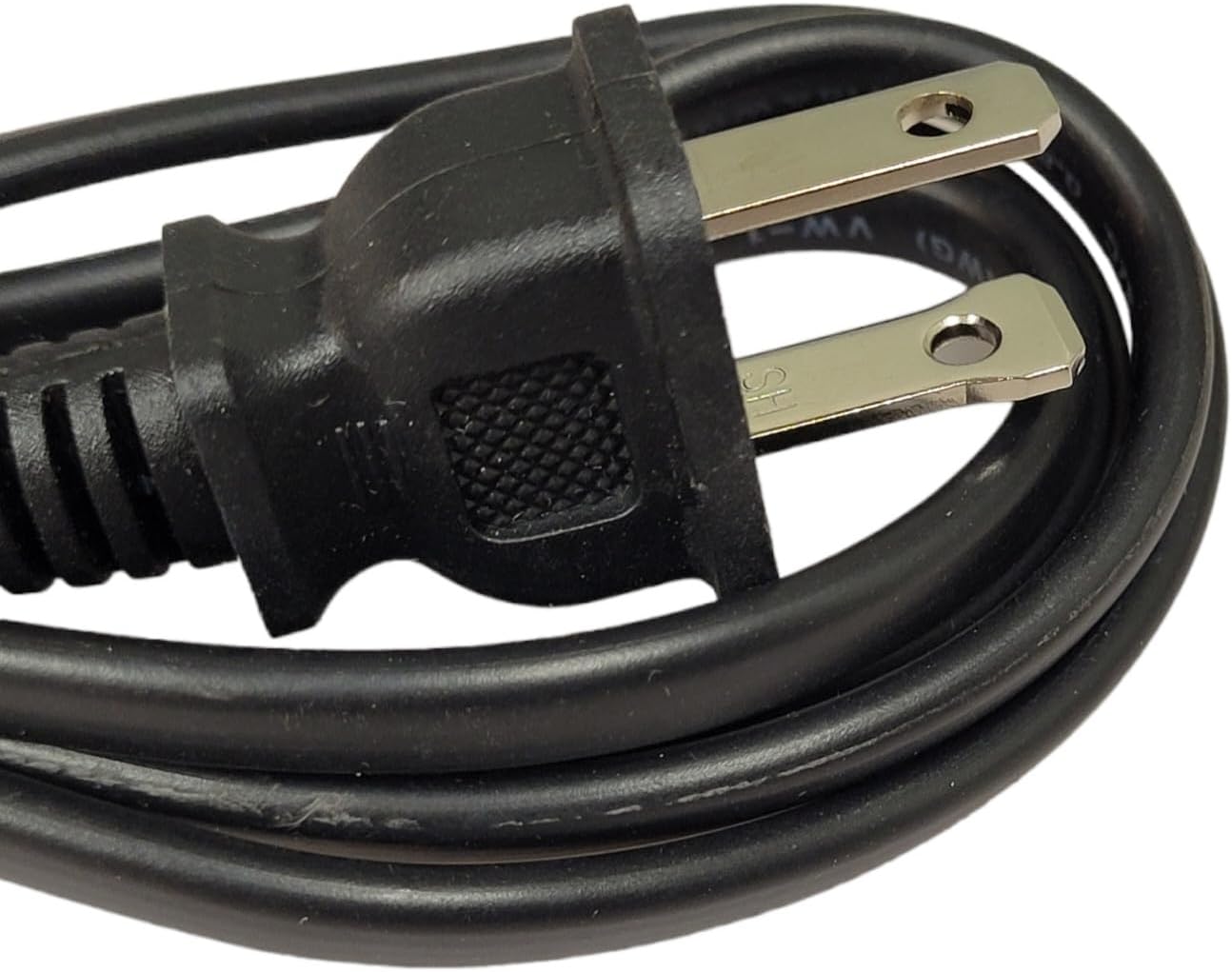
Figure 2.2: Detail of the male plug (Type B) designed for wall outlets.
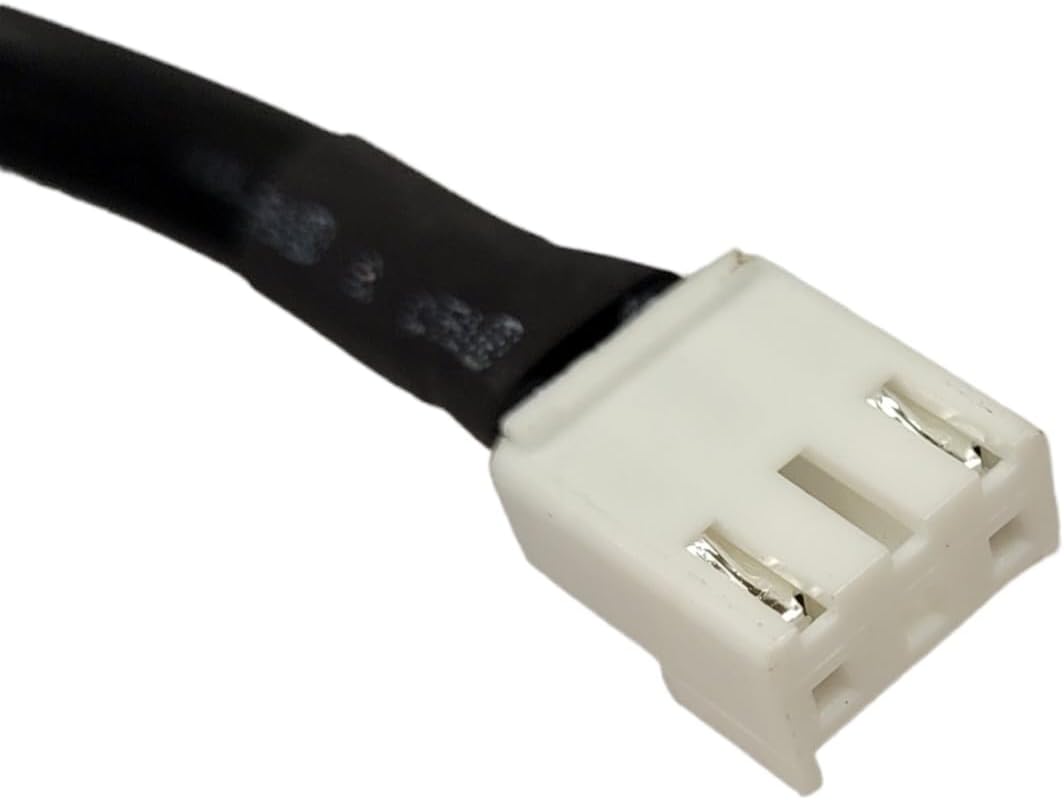
Figure 2.3: Front view of the female connector, which connects to the TV.

Figure 2.4: Side view of the female connector, highlighting its shape.

Figure 2.5: Both ends of the power cord shown together for comparison.
3. Specifications
| Feature | Detail |
|---|---|
| Cable Length | 5 feet (approx. 1.5 meters) |
| Voltage Rating | 125 Volts |
| Current Rating | 10 Amps |
| Plug Type | Type B (Male) |
| Connector Gender | Male-to-Female |
| Manufacturer | Generic |
4. Compatibility
This power cord is specifically designed to be compatible with the following Onn Smart TV models:
- Model 100097810
- Model 100012589
- Model 100069992
- Model 100068372
If your specific TV model is not listed, it is recommended to verify compatibility before purchase or contact the manufacturer for assistance to ensure the correct part is used.
5. Setup and Installation
- Ensure Power is Off: Before connecting or disconnecting any cables, ensure that your Onn Smart TV and the power outlet are turned off and unplugged from the wall to prevent electrical shock or damage.
- Locate Power Port: Identify the power input port on the back of your Onn Smart TV. This port is typically labeled "AC IN" or "POWER".
- Connect Female End: Carefully insert the white female connector end of the new power cord into the power input port on your TV. Ensure it is fully seated and secure. Do not force the connection.
- Connect Male End: Insert the male plug end of the power cord into a standard 125V AC wall outlet. Ensure the outlet is functioning correctly.
- Power On: Once both ends of the cable are securely connected, you may plug your TV back into the wall outlet and power it on.
Note: Always handle power cords by the plug, not by the cable itself, to avoid damaging the internal wiring.
6. Operating Instructions
This power cord functions as a direct replacement for the original power cable of your compatible Onn Smart TV. Once properly connected as described in the Setup section, the cable will supply the necessary electrical power to your television. No further operational steps are required for the cable itself.
7. Maintenance and Care
- Regular Inspection: Periodically inspect the power cord for any signs of damage, such as fraying, cuts, kinks, or exposed wires. If any damage is observed, discontinue use immediately and replace the cable.
- Cleaning: To clean the cable, unplug it from both the TV and the wall outlet. Wipe the cable gently with a dry, soft cloth. Do not use liquid cleaners or abrasive materials.
- Storage: When not in use, store the power cord in a cool, dry place, away from direct sunlight and extreme temperatures. Avoid tightly coiling or bending the cable, which can lead to internal wire damage.
- Avoid Stress: Do not place heavy objects on the cable, run it under carpets, or position it where it can be tripped over or pulled taut. This can cause damage to the cable or the connected device.
8. Troubleshooting
If your TV is not receiving power after connecting the new cable, consider the following troubleshooting steps:
- Check Connections: Ensure both ends of the power cord are fully and securely inserted into the TV and the wall outlet.
- Test Outlet: Plug another working appliance into the same wall outlet to confirm the outlet is providing power. If the outlet is not working, try a different one or check your circuit breaker.
- Inspect Cable: Visually inspect the entire length of the power cord for any visible damage. If damage is found, the cable must be replaced.
- TV Power Button: Ensure the power button on the TV itself (if applicable) is pressed, or the remote control is functioning.
- Compatibility: Double-check that your TV model is listed as compatible with this power cord.
If the issue persists after these steps, it may indicate a problem with the TV itself or require professional assistance.
9. Warranty and Support
This product comes with a warranty to ensure your satisfaction:
- Refund Policy: 30 Days Refund
- Exchange Policy: 12 Months Exchange
For warranty claims, technical support, or inquiries regarding compatibility with unlisted TV models, please contact the manufacturer or seller through the platform where the product was purchased. Provide your product details and a description of the issue for prompt assistance.