
1. Introduction
Thank you for choosing the HIACINTO ES502 Industrial Endoscope. This manual provides essential information for the safe and effective operation, maintenance, and troubleshooting of your device. Please read this manual thoroughly before use and retain it for future reference.
The HIACINTO ES502 is a versatile inspection camera designed for examining hard-to-reach areas. It features a 10-meter detachable cable, a triple-lens system for a 180-degree field of view, a 5-inch IPS display, 1080P resolution, and IP68 waterproofing, making it suitable for various industrial and household inspection tasks.
2. Product Overview
2.1 Package Contents
- HIACINTO ES502 Industrial Endoscope Unit
- 10m Detachable Probe Cable with Triple Lens Camera
- 32GB TF Card
- USB Charging Cable
- Accessory Kit (Magnets, Hooks)
- Carrying Case
- User Manual
2.2 Key Features
- Triple Lens System: Equipped with a main camera and two side cameras, providing a 180-degree field of view for comprehensive inspection.
- Detachable 10m Cable: Flexible and durable IP68 waterproof snake cable, easily detachable for replacement or storage.
- 5-inch IPS Display: Large, high-definition IPS screen for clear, real-time viewing of images and videos at 1080P resolution.
- Adjustable LED Illumination: 10 integrated LEDs with adjustable brightness levels to ensure clear visibility in dark environments.
- Long Battery Life: Built-in 3000mAh rechargeable battery provides up to 4 hours of continuous operation.
- Ergonomic Design: Designed for comfortable, single-handed operation.
2.3 Product Diagram
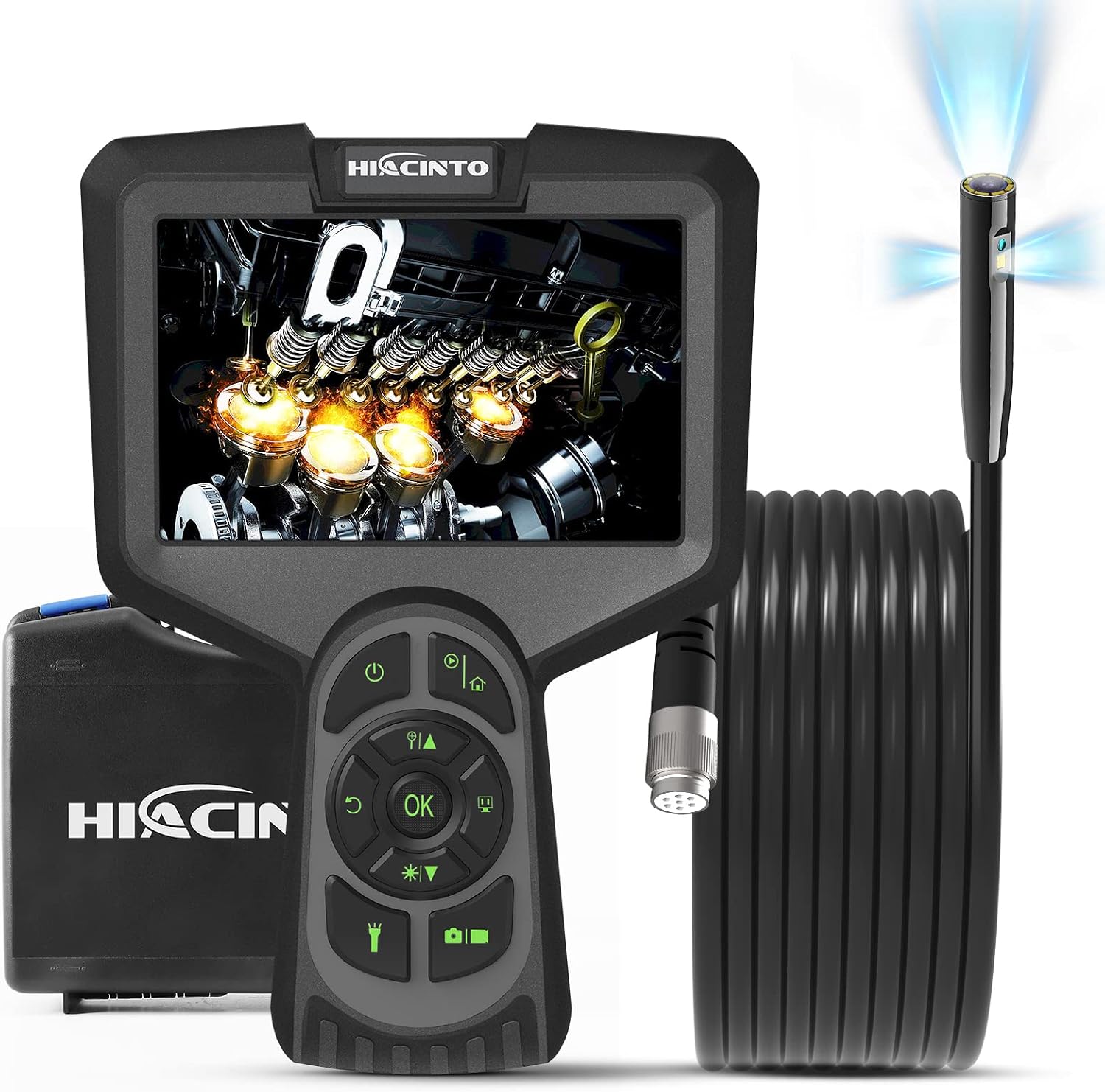
Figure 1: HIACINTO ES502 Industrial Endoscope. Shows the main unit with a 5-inch display, control buttons, and the coiled 10-meter probe cable.

Figure 2: ES502 Triple Lens Inspection Camera. An exploded view illustrating the main camera (A) and two side cameras (B and C) built into the end of the endoscope probe, providing a wider 180-degree clear field of view.
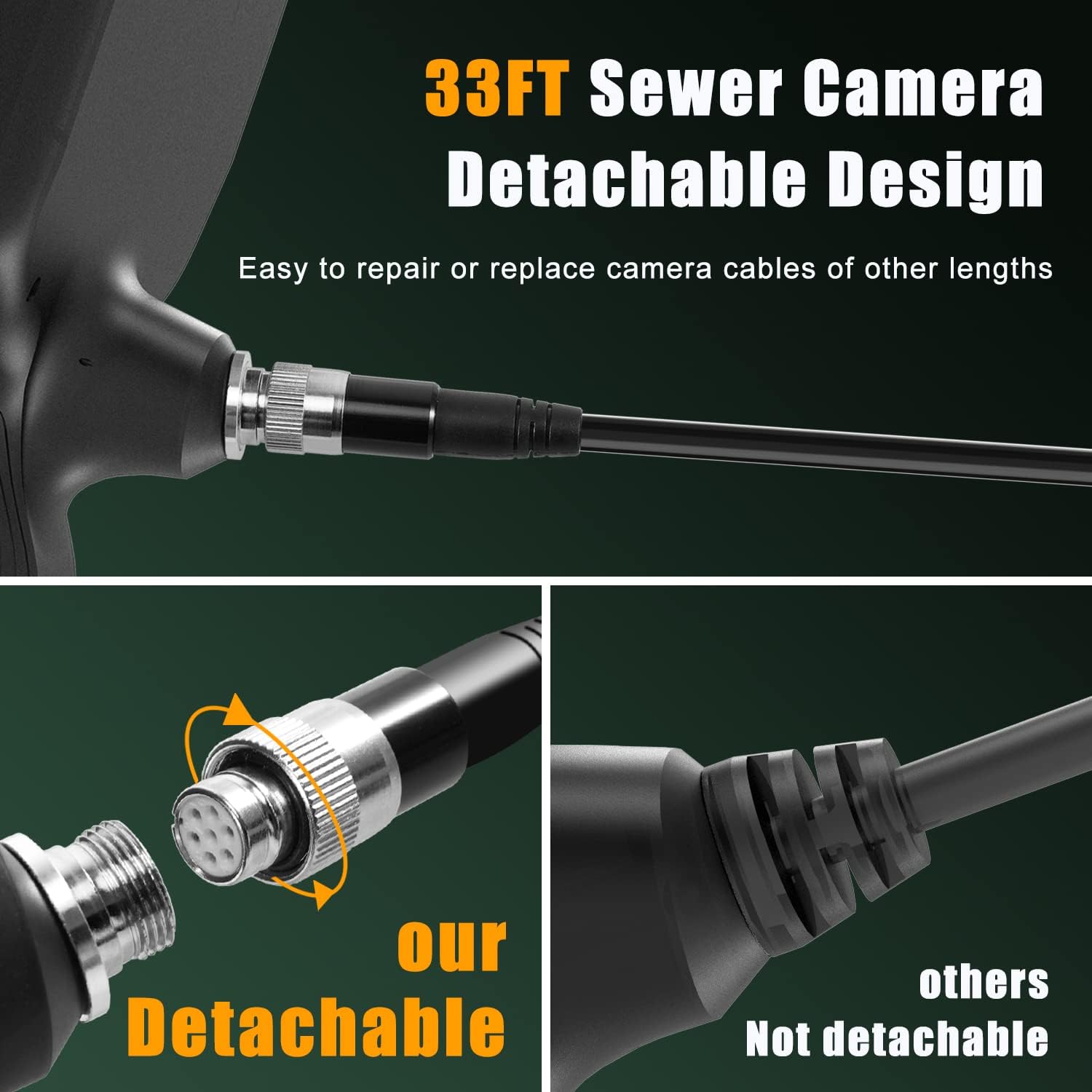
Figure 3: Detachable Cable Design. This image highlights the easy-to-connect and disconnect mechanism of the endoscope cable, allowing for simple repair or replacement with cables of different lengths.

Figure 4: IP68 Snake Camera Cable. The image shows the waterproof camera head with 10 adjustable LED lights, demonstrating three levels of light adjustment for optimal visibility in dark or wet conditions.

Figure 5: Large IPS Display. This image emphasizes the 5-inch HD screen, showcasing its features like 1080p resolution, 3x zoom, 3-10cm focal length, 30 FPS, and 3-camera switching capability.
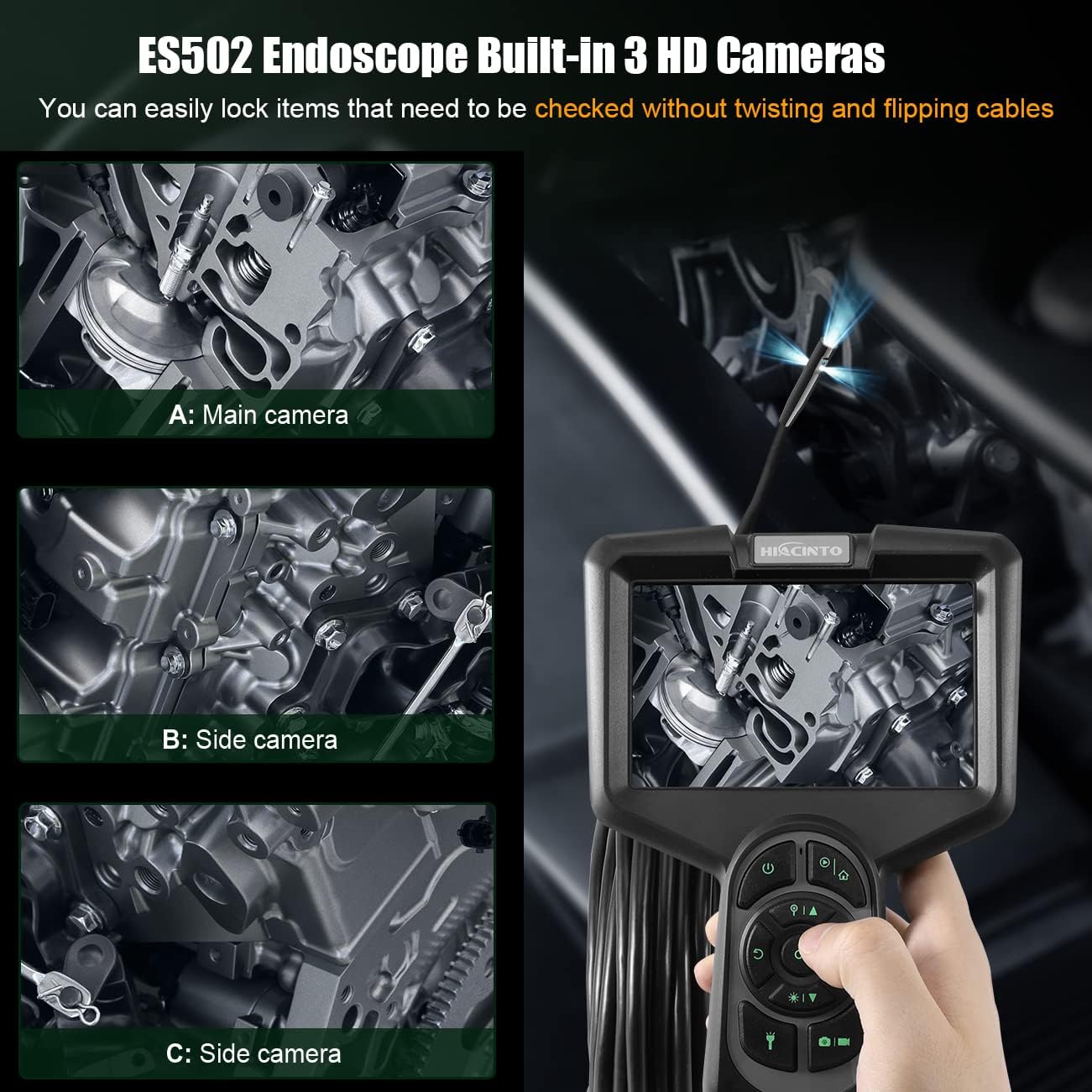
Figure 6: ES502 Endoscope Built-In 3 HD Cameras. The image displays the main unit with its screen showing an engine component, alongside three smaller inset images demonstrating the views from the main camera (A) and two side cameras (B and C).
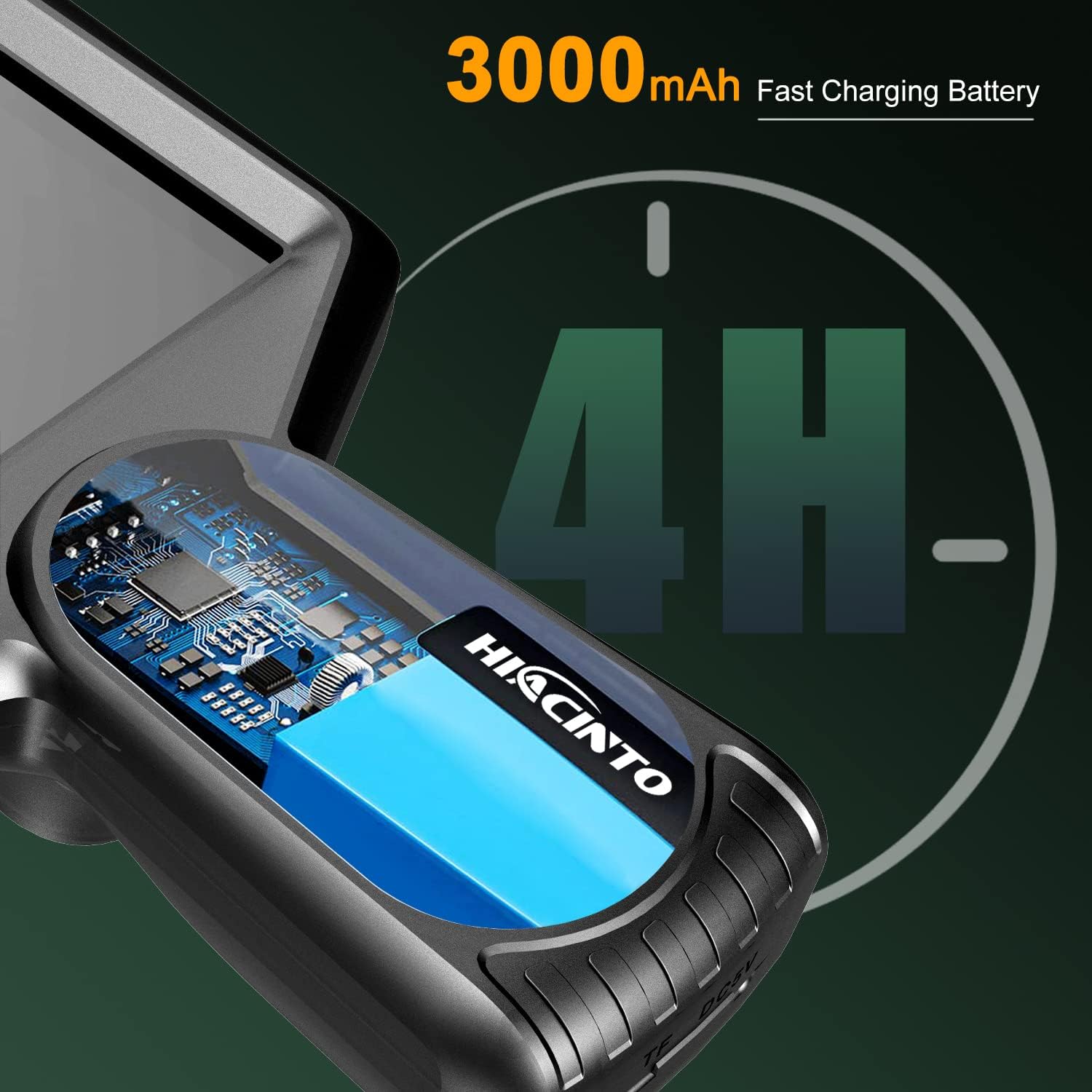
Figure 7: 3000mAh Fast Charging Battery. An illustration showing the internal battery of the endoscope, indicating a 4-hour operating time on a full charge.
3. Setup
3.1 Charging the Device
- Connect the provided USB charging cable to the charging port on the endoscope unit.
- Plug the other end of the USB cable into a standard 5V/1A USB power adapter (not included) or a computer's USB port.
- The charging indicator light will illuminate during charging and turn off when fully charged. A full charge typically takes approximately 3-4 hours.
3.2 Inserting the TF Card
- Locate the TF card slot on the side of the endoscope unit.
- Gently insert the provided 32GB TF card into the slot with the gold contacts facing down until it clicks into place.
- To remove, push the card in slightly until it springs out.
3.3 Attaching the Probe Cable
- Align the connector of the probe cable with the port on the main unit.
- Push the connector firmly into the port and twist the locking ring clockwise to secure it.
- Ensure the connection is secure to maintain waterproofing and stable signal transmission.
4. Operating Instructions
4.1 Powering On/Off
- Power On: Press and hold the Power button (⏻) for 2-3 seconds until the screen illuminates.
- Power Off: Press and hold the Power button (⏻) for 2-3 seconds until the screen turns off.
4.2 Navigating the Menu
- Use the directional buttons (Up, Down, Left, Right) to navigate through menu options.
- Press the OK button to confirm a selection.
- Press the Menu button to access settings or return to the previous screen.
4.3 Switching Between Lenses
The ES502 features a triple-lens system. To switch between the main camera and the side cameras:
- While in live view, press the OK button to cycle through the available camera views (Main, Side 1, Side 2, or combined views).
4.4 Adjusting LED Brightness
The camera probe is equipped with 10 adjustable LED lights.
- Press the LED brightness adjustment button (often marked with a light bulb icon or up/down arrows) to increase or decrease the illumination level. There are typically 3 levels of brightness.
4.5 Capturing Photos and Videos
- Take a Photo: In live view, press the Photo button (often marked with a camera icon) to capture an image.
- Record Video: Press the Video button (often marked with a video camera icon) once to start recording. Press it again to stop recording.
- All captured media will be saved to the inserted TF card.
4.6 Zoom Function
- While in live view, use the zoom buttons (often marked with '+' and '-' or magnifying glass icons) to digitally zoom in or out on the image. The ES502 supports up to 3x digital zoom.
4.7 Reviewing Media
- Press the Playback button (often marked with a play icon) to enter the media gallery.
- Use the directional buttons to browse through your photos and videos.
- Press OK to view a photo or play a video.
- Press the Playback button again or the Menu button to exit the gallery.
5. Maintenance
5.1 Cleaning the Lens and Cable
- After each use, especially in dirty or wet environments, gently wipe the camera lens with a soft, lint-free cloth. For stubborn dirt, use a small amount of lens cleaning solution.
- Clean the probe cable with a damp cloth. Ensure no debris is left on the cable, which could hinder future inspections.
- Do not use abrasive cleaners or solvents on any part of the device.
5.2 Storage
- Store the endoscope and its accessories in the provided carrying case when not in use.
- Keep the device in a cool, dry place, away from direct sunlight and extreme temperatures.
- Ensure the cable is neatly coiled to prevent kinks or damage.
5.3 Battery Care
- To prolong battery life, avoid fully discharging the battery frequently.
- If storing the device for an extended period, charge the battery to approximately 50% every 3-6 months.
6. Troubleshooting
| Problem | Possible Cause | Solution |
|---|---|---|
| Device does not power on | Low battery; Device malfunction | Charge the device fully; Contact customer support if issue persists. |
| No image on screen | Cable not connected properly; Camera lens blocked; Software error | Ensure probe cable is securely connected; Clean the camera lens; Restart the device. |
| Image is blurry or unclear | Lens is dirty; Insufficient lighting; Object too close/far | Clean the camera lens; Adjust LED brightness; Ensure object is within 3-10cm focal range. |
| Cannot save photos/videos | TF card full; TF card not inserted; TF card error | Delete old files or replace TF card; Insert TF card correctly; Format TF card (backup data first). |
| Short battery life | Battery not fully charged; Aging battery | Ensure full charge before use; Contact customer support for battery replacement if necessary. |
7. Specifications
| Feature | Specification |
|---|---|
| Brand | Hiacinto |
| Model Number | ES502 |
| Display | 5-inch IPS HD Screen |
| Camera Resolution | 1080P |
| Lenses | Triple Lens (Main + 2 Side Cameras) |
| Field of View | 180 degrees |
| Cable Length | 10 meters (detachable) |
| Water Resistance | IP68 (Camera Probe) |
| Illumination | 10 Adjustable LED Lights |
| Battery | 3000mAh Lithium-polymer |
| Operating Time | Up to 4 hours |
| Digital Zoom | 3x |
| Focal Range | 3-10 cm |
| Frame Rate | 30 FPS |
| Storage | Supports TF Card (32GB included) |
| Connectivity | USB |
| Product Dimensions | 26.67 x 7.62 x 22.86 cm |
| Item Weight | 1.07 Kilograms |
8. Warranty and Support
8.1 Warranty Information
The HIACINTO ES502 Industrial Endoscope comes with a 24-month money-back guarantee from the date of purchase. This warranty covers manufacturing defects and ensures product quality. Please retain your proof of purchase for warranty claims.
8.2 Customer Support
For any questions, technical assistance, or warranty claims, please contact HIACINTO customer support through the platform where you purchased the product. Our support team is available to assist you with any issues you may encounter.
