
1. Introduction
Thank you for choosing the iWALK PowerSquid Portable Charger. This compact and versatile power bank is designed to keep your devices charged on the go, featuring integrated cables and fast-charging capabilities. This manual provides essential information for the safe and efficient use of your device.
2. Product Overview
2.1 Key Features
- 9000mAh Capacity: Provides approximately 2 to 3 full charges for most smartphones.
- 18W PD Fast Charging: Capable of charging compatible devices like the Samsung S22 up to 50% in 30 minutes.
- Integrated Cables: Includes built-in Lightning, Micro USB, and USB-C cables for universal compatibility.
- Additional USB-A Output: For charging devices with your own USB-A cable.
- LED Display: Clear digital indicator for battery level.
- Compact & Airline-Friendly: Designed for portability and approved for air travel.
- Fast Recharge: The power bank itself recharges in approximately 1.5 hours.
2.2 Package Contents
- 1 x iWALK PowerSquid Portable Charger
- 1 x USB-C Charging Cable (1 meter)
- 1 x User Manual
Note: A wall charger is not included and must be purchased separately.
2.3 Component Identification
Familiarize yourself with the different parts of your iWALK PowerSquid:

Image: Overview of the iWALK PowerSquid with its integrated cables (Lightning, Micro USB, USB-C) and additional USB-A output port.
- Integrated Lightning Cable: For Apple devices.
- Integrated Micro USB Cable: For older Android devices and various accessories.
- Integrated USB-C Cable: For modern Android devices and other USB-C compatible electronics. This cable also serves as the input for recharging the power bank.
- USB-A Output Port: Use with your own USB-A charging cables for additional device compatibility.
- USB-C Input Port: For recharging the power bank (can also be used as an output port).
- LED Digital Display: Shows the remaining battery percentage.
3. Setup
3.1 Initial Charging of the Power Bank
Before first use, it is recommended to fully charge your iWALK PowerSquid.
- Connect the provided USB-C charging cable to the USB-C input port on the power bank.
- Plug the other end of the USB-C cable into a compatible USB wall charger (not included).
- The LED display will show the charging progress. The power bank is fully charged when the display shows 100%.
A full charge typically takes about 1.5 hours with an 18W PD compatible charger.
4. Operating Instructions
4.1 Charging Your Devices
The iWALK PowerSquid allows you to charge multiple devices simultaneously using its integrated cables or the USB-A output port.

Image: The iWALK PowerSquid simultaneously charging a tablet via USB-C, a fan via Micro USB, and a smartphone via Lightning cable.
- Using Integrated Cables: Select the appropriate integrated cable (Lightning, Micro USB, or USB-C) for your device. Gently pull out the cable and plug it into your device's charging port.
- Using USB-A Output: If your device requires a different cable, connect your own USB-A charging cable to the USB-A output port on the power bank, then connect the other end to your device.
- Charging will begin automatically. The LED display on the power bank will show the remaining battery percentage.
- When charging is complete, disconnect your device and gently return the integrated cable to its storage slot.
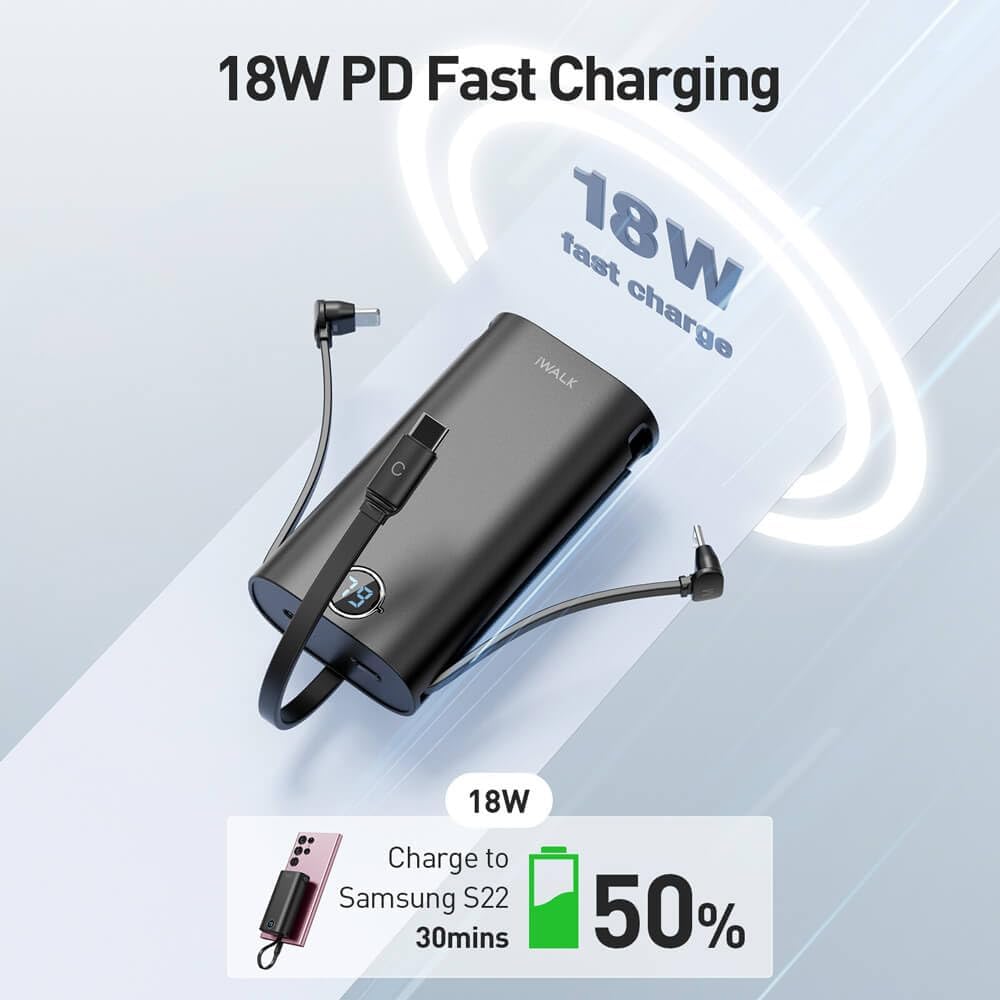
Image: The iWALK PowerSquid illustrating its 18W PD fast charging capability, showing a Samsung S22 charging to 50% in 30 minutes.

Image: Visual representation of the 9000mAh portable power, indicating approximately 1.8 charges for an iPhone 14 and 1.5 charges for a Samsung Z Flip4.
4.2 LED Display
The LED digital display shows the current battery percentage of the power bank. This allows you to easily monitor the remaining power and know when it's time to recharge the unit.
5. Maintenance
5.1 Cleaning
To maintain the appearance and functionality of your power bank:
- Wipe the exterior with a soft, dry, lint-free cloth.
- Do not use abrasive cleaners, solvents, or harsh chemicals.
- Keep ports free of dust and debris.
5.2 Storage
When not in use for extended periods:
- Store the power bank in a cool, dry place, away from direct sunlight and extreme temperatures.
- It is recommended to charge the power bank to about 50-75% before long-term storage to preserve battery health.
6. Troubleshooting
If you encounter issues with your iWALK PowerSquid, refer to the table below for common problems and solutions.
| Problem | Possible Cause | Solution |
|---|---|---|
| Power bank not charging devices. | Low battery on power bank; loose connection; incompatible device. | Recharge the power bank; ensure cables are securely connected; verify device compatibility. |
| Power bank not recharging. | Faulty charging cable or wall adapter; USB-C port obstruction. | Try a different USB-C cable and wall adapter; check the USB-C port for debris. |
| Slow charging speed. | Device not supporting fast charging; multiple devices charging simultaneously; cable issue. | Ensure your device supports 18W PD; try charging one device at a time; use original or certified cables. |
| LED display not working. | Power bank completely discharged; internal fault. | Attempt to recharge the power bank; if issue persists, contact customer support. |
7. Specifications
| Feature | Detail |
|---|---|
| Brand | iWALK |
| Model | PowerSquid |
| Battery Capacity | 9000mAh |
| Battery Composition | Lithium-polymer |
| Output Power | 18W Power Delivery (PD) |
| Input Voltage | 5 Volts |
| Integrated Cables | Lightning, Micro USB, USB Type C |
| Additional Output Port | 1 x USB-A |
| Charging Time (Power Bank) | Approx. 1.5 hours (with 18W PD charger) |
| Compatible Devices | Smartphones, Tablets, and other USB-powered devices |
| Color | Black |
| Portability | Yes |
8. Safety Information
Please read and follow these safety guidelines to prevent damage to your device or injury to yourself:
- Do not expose the power bank to extreme temperatures (above 45°C or below 0°C), direct sunlight, or fire.
- Do not disassemble, modify, or attempt to repair the device.
- Keep the power bank away from water, moisture, and corrosive materials.
- Do not drop, puncture, or apply excessive force to the power bank.
- Keep out of reach of children.
- Dispose of the power bank responsibly according to local regulations for electronic waste.
- The 9000mAh capacity is generally approved for airline carry-on luggage; however, always check with your airline's specific regulations before traveling.
9. Warranty and Support
For warranty information or technical support, please refer to the warranty card included with your purchase or visit the official iWALK website. If you have any questions or require assistance, please contact iWALK customer service.


