
Introduction
Thank you for choosing the LitezAll Rechargeable Wand Work Light. This versatile tool combines a powerful COB LED floodlight with a focused end-mounted flashlight, designed for various tasks requiring hands-free illumination. Its durable construction, magnetic base, and hanging hook provide convenience and reliability for professional and DIY use.

Image: The LitezAll COBWAND Rechargeable Work Light in use, demonstrating its hanging capability.
Safety Information
- Do not look directly into the light source. High intensity light can cause eye damage.
- Keep out of reach of children.
- Do not disassemble or modify the device. This may cause damage and void the warranty.
- Avoid exposing the light to extreme temperatures or direct sunlight for prolonged periods.
- This product is not water resistant. Avoid exposure to water or high humidity.
- Use only the provided USB-C charging cable or a certified equivalent.
Product Overview
The LitezAll Wand Work Light features a dual-purpose design for versatile illumination. It includes a main COB LED strip for wide area lighting and a smaller LED at the end for focused tasks.
- COB LED Floodlight: 900 lumens, wide beam, ideal for large workspaces.
- End-Mounted Flashlight: 85 lumens, focused beam, suitable for tight spaces.
- Magnetic Base: Three strong magnets for hands-free attachment to metal surfaces.
- Hanging Hook: Integrated flip-up hook for overhead positioning.
- USB-C Rechargeable: Built-in 18650 1800mAh 3.7v Li-Ion battery.
- Durable Construction: High-strength resin with a non-slip rubber coating.

Image: A comprehensive view of the LitezAll Rechargeable Wand Work Light.
Setup
Initial Charging
- Locate the USB-C charging port on the side of the work light.
- Connect the provided USB-C charging cable to the port on the light.
- Plug the other end of the USB-C cable into a compatible USB power source (e.g., wall adapter, computer USB port).
- The charging indicator light will illuminate (typically red) to show that the device is charging.
- Charging takes approximately 4.5 hours for a full charge. The indicator light will change (e.g., to green or turn off) when fully charged.

Image: The work light being charged via USB-C, connected to a power bank.

Image: A close-up of the USB-C charging port and indicator light.
Operating Instructions
Power On/Off and Mode Selection
- To turn on the light, press the power button located on the side of the wand.
- The first press will activate the 900-lumen COB LED floodlight (Task Light Mode).
- Press the power button a second time to switch to the 85-lumen end-mounted flashlight (Flashlight Mode).
- Press the power button a third time to turn the light off.

Image: Comparison of Task Light Mode and Flashlight Mode.
Hands-Free Operation
- Magnetic Mount: Utilize the three strong magnets on the back of the light to attach it securely to any ferrous metal surface, such as toolboxes, car hoods, or metal beams.
- Hanging Hook: Flip out the integrated hook at the end of the light to hang it from pipes, wires, or other suitable fixtures for overhead illumination.
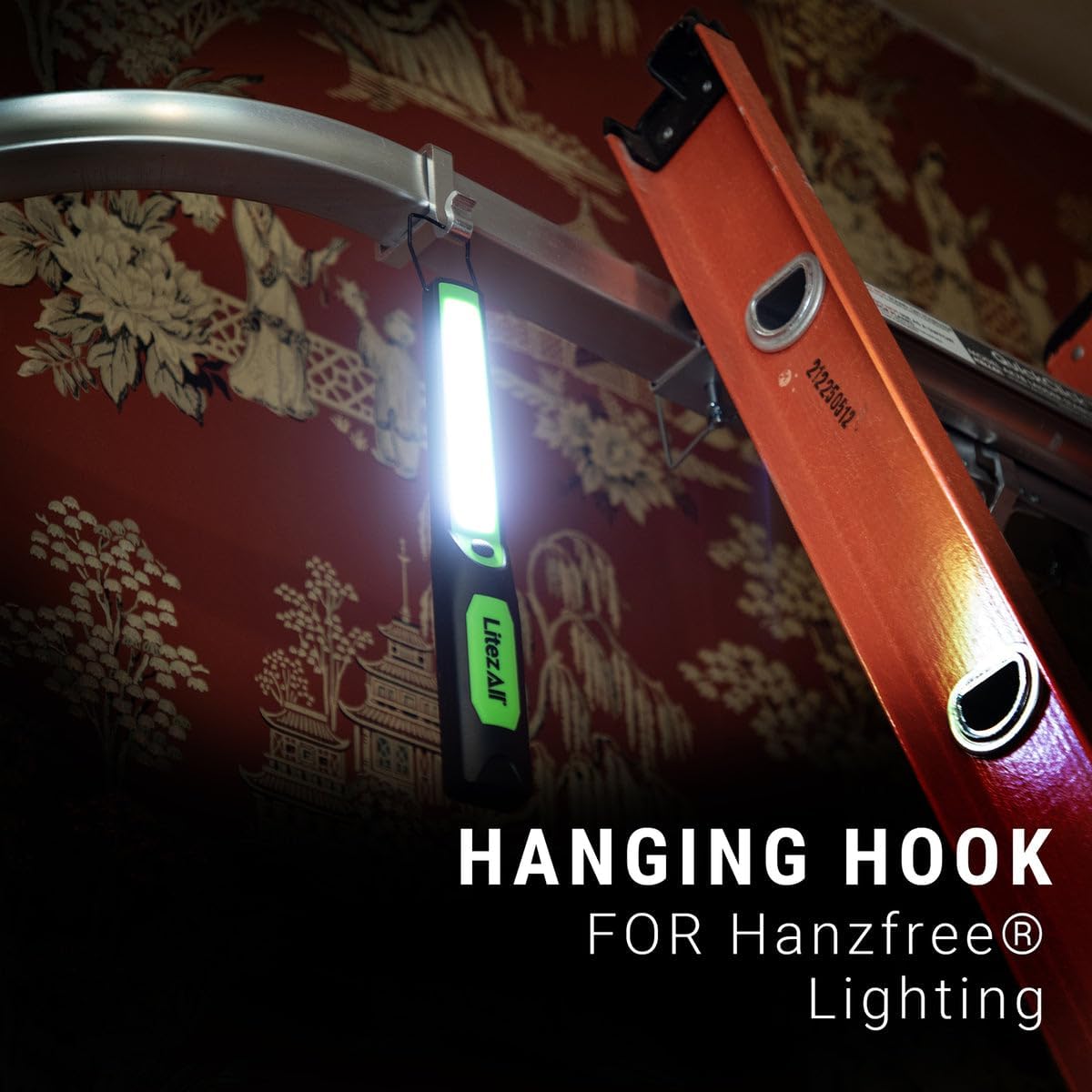
Image: The work light demonstrating its hanging hook feature.

Image: The work light demonstrating its magnetic mount feature.
Video Demonstration
Video: A demonstration of the LitezAll Wand Light's features, including its dual light modes, magnetic base, and hanging hook.
Maintenance
- Cleaning: Wipe the light with a soft, damp cloth. Do not use abrasive cleaners or solvents.
- Storage: Store the light in a cool, dry place away from direct sunlight when not in use. For long-term storage, ensure the battery is partially charged (around 50%) to prolong battery life. Recharge every 3-6 months if stored for extended periods.
- Battery Care: The built-in Li-Ion battery is not user-replaceable. Do not attempt to open the unit.
Troubleshooting
| Problem | Possible Cause | Solution |
|---|---|---|
| Light does not turn on. | Battery is depleted. | Recharge the light using the USB-C cable. |
| Light flickers or is dim. | Low battery charge. | Recharge the light fully. |
| Charging indicator light does not turn on. | Cable or power source issue; light already fully charged. | Check USB-C cable connection and power source. Try a different cable or adapter. If the light is already charged, the indicator may not light up. |
| Magnets are not holding securely. | Surface is not ferrous metal or is too thin/uneven. | Ensure the surface is clean, flat, and made of a magnetic material. |
Specifications
| Feature | Detail |
|---|---|
| Model Number | 26093-6 |
| Light Output (Task Light) | 900 Lumens |
| Light Output (Flashlight) | 85 Lumens |
| Runtime (Task Light) | Up to 2.5 hours |
| Runtime (Flashlight) | Up to 5 hours |
| Battery Type | Built-in 18650 1800mAh 3.7v Li-Ion |
| Charging Time | Approx. 4.5 hours |
| Charging Port | USB-C |
| Material | High-strength resin, rubber coating |
| Water Resistance | Not Water Resistant |

Image: Visual summary of key product specifications.
Warranty and Support
For warranty information or technical support, please refer to the documentation included with your purchase or visit the official LitezAll website. Keep your proof of purchase for any warranty claims.
You can visit the LitezAll store on Amazon for more products and information: LitezAll Amazon Store