
1. Introduction
Thank you for choosing the MELLCOM 70-inch Fireplace TV Stand. This product combines a spacious TV cabinet with a functional 36-inch electric fireplace, designed to enhance your living space. This manual provides essential information for the safe and proper assembly, operation, and maintenance of your new TV stand and electric fireplace.

2. Safety Information
Please read all safety warnings and instructions carefully before assembly and operation to prevent injury or damage.
- Do not place any obstructions on the air outlet of the electric fireplace.
- The electric fireplace is ETL-certified and includes thermal cut-offs that automatically stop heating if overheating occurs.
- Ensure the product is placed on a stable, level surface.
- Keep flammable materials away from the fireplace.
- Always unplug the fireplace before cleaning or maintenance.

3. Setup and Assembly
Assembly of the MELLCOM Fireplace TV Stand is required. The TV table and fireplace insert are shipped separately, and you may receive two packages at different times. Detailed assembly instructions are included with your product. Please follow them carefully.
3.1 Product Dimensions and TV Compatibility
The TV stand is designed to accommodate TVs up to 70 inches. Refer to the dimensions below for proper placement and space planning.


3.2 Adjustable Shelves and Cable Management
The TV stand features 4 adjustable glass shelves, providing flexible storage for audio components, DVDs, or video games. The backboard includes pre-drilled holes for convenient cable management, helping to keep wires organized and out of sight.

3.3 LED Lighting Installation
The side shelves are equipped with RGB LED lights that can be turned on or off. The LED light strips are typically adhered using two-sided tape. Ensure the receiver for the LED remote is positioned where it can communicate effectively with the remote control.

4. Operating Instructions
4.1 Electric Fireplace Operation
The 36-inch electric fireplace provides both aesthetic flame effects and auxiliary heating. It can be controlled via a remote control or the integrated touch screen panel.
- Heating Function: The 5120 BTU heater can warm areas up to 400 square feet. It features two constant temperature systems:
- Automatic heating stop/start: Heating stops when the room temperature exceeds the set temperature and resumes when it falls below.
- Power settings: "LL" indicates 750W low power heating, and "HH" indicates 1500W high power heating.
- Flame Effect: The flame effect can be operated independently, with or without the heating function. You can choose from 12 flame colors and 5 brightness levels to customize the ambiance.
- Timer Function: A timing function allows you to set the fireplace to operate for a specific duration (0-8 hours), providing convenience and energy saving.


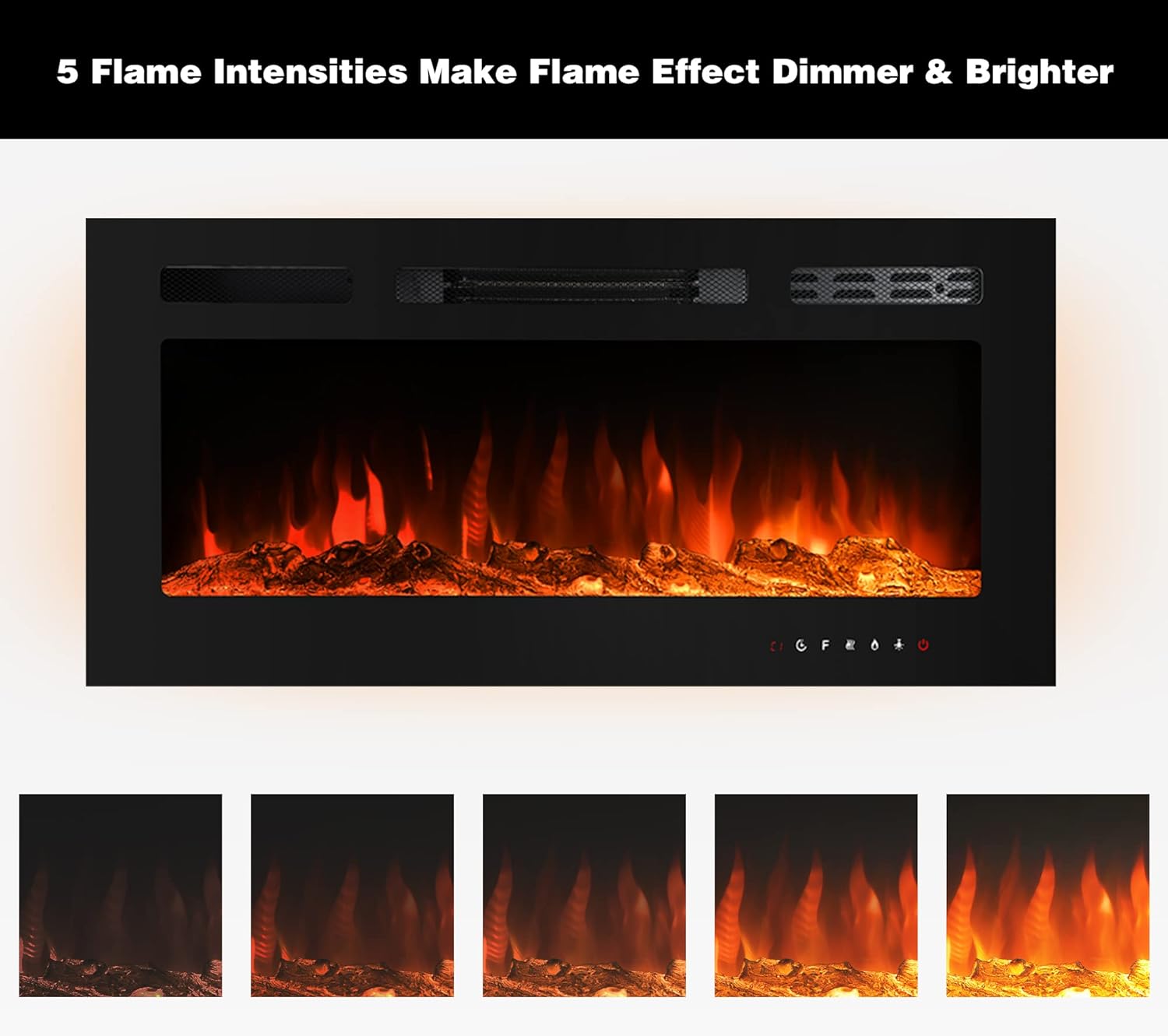
4.2 LED Shelf Lighting
The RGB LED lights on the side shelves can be controlled to create various lighting effects. Use the dedicated remote control to turn them on/off or change colors.
5. Maintenance
Regular maintenance ensures the longevity and optimal performance of your MELLCOM Fireplace TV Stand.
- Cleaning: Dust the TV stand and fireplace exterior regularly with a soft, dry cloth. For the glass shelves, use a glass cleaner. Ensure the fireplace is unplugged and cool before cleaning.
- Air Vents: Periodically check the air inlet and outlet vents of the fireplace for any dust or debris accumulation. Gently clean them to ensure proper airflow.
- Electrical Connections: Ensure all electrical connections for the fireplace and LED lights are secure and free from damage.
6. Troubleshooting
If you encounter issues with your MELLCOM Fireplace TV Stand, refer to the following common troubleshooting tips:
- Fireplace Not Heating: Check if the unit is plugged in and the power switch is on. Verify the temperature setting is above the current room temperature. If overheating occurred, the thermal cut-off might have activated; allow the unit to cool down before restarting.
- Flame Effect Not Working: Ensure the flame effect function is activated via the remote or touch panel. Check power supply.
- LED Lights Not Working: Confirm the LED strip is properly connected and the remote control's receiver is unobstructed. Check the remote's battery.
- Unusual Noises from Fireplace: A slight fan noise is normal during heating. If you hear loud or unusual noises, discontinue use and contact customer support.
- Damaged Parts: If any parts were damaged during shipping or assembly, contact MELLCOM customer service for assistance.
7. Specifications
| Feature | Specification |
|---|---|
| Brand | MELLCOM |
| Model Name | MELLCOM 70" Fireplace TV Stand |
| Product Dimensions | 14"D x 73"W x 21"H |
| Color | Black |
| Material | Wood, Glass, Resin |
| Mounting Type | Floor Mount |
| Special Feature | Adjustable Shelves, Electric Fireplace |
| Weight Limit | 88 Pounds |
| Number of Shelves | 4 |
| Assembly Required | Yes |
| Fireplace BTU Output | 5120 BTU |
| Heating Area | Up to 400 sq ft |
| Fireplace Power Settings | 750W (LL), 1500W (HH) |
| Flame Colors | 12 |
| Flame Brightness Levels | 5 |
| Fireplace Timer | 0-8 Hours |
8. Warranty and Support
For any questions, concerns, or assistance with your MELLCOM Fireplace TV Stand, please contact MELLCOM customer service. Refer to your purchase documentation for specific warranty details and contact information.