Introduction
Thank you for choosing the B.C Zeb Fame 1 USB Powered 2.0 Speaker. This manual provides essential information for setting up, operating, and maintaining your new speakers. Please read these instructions carefully before use to ensure optimal performance and longevity of your product.
Package Contents
Verify that all items are present in the package:
- 2 x B.C Zeb Fame 1 Speakers
- 1 x Integrated USB Power and 3.5mm Audio Cable
Product Overview
The B.C Zeb Fame 1 speakers are designed to deliver clear audio for your computer or laptop. They feature USB power, a 3.5mm audio input, and integrated RGB lighting with multiple modes.

Front view of the B.C Zeb Fame 1 speakers showcasing the RGB lighting. Each speaker features a vibrant, illuminated front panel.
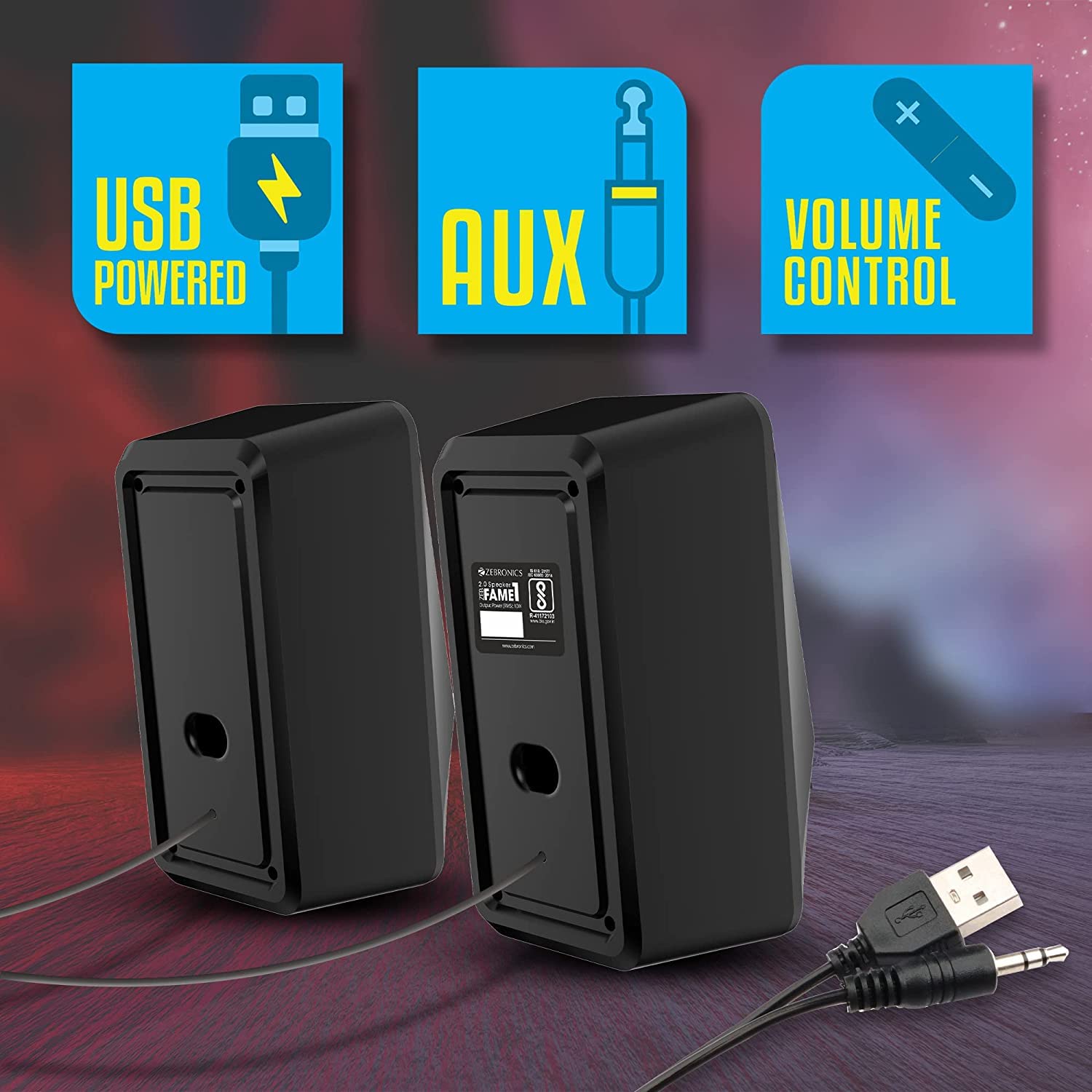
Rear view of the B.C Zeb Fame 1 speakers, illustrating the integrated USB power cable and 3.5mm audio input cable for connectivity.
Controls
The speakers feature an in-line control unit for easy access to volume and RGB lighting adjustments.

Detailed view of the in-line control unit. The top section shows the RGB control switch, and the middle section displays the volume control knob.
- Volume Control: A rotary knob to adjust the audio output level.
- RGB Control Switch: A button to cycle through the various RGB lighting modes.
Setup
Follow these steps to connect your B.C Zeb Fame 1 speakers:
- Connect Audio: Plug the 3.5mm audio jack from the speaker cable into the audio output port (headphone jack) of your computer, laptop, or smartphone.
- Connect Power: Insert the USB-A connector from the speaker cable into an available USB port on your computer, laptop, or a 5VDC USB power adapter (not included). The speakers will power on automatically.
- Position Speakers: Place the two speakers on either side of your monitor or listening area for optimal stereo sound.
Operating Instructions
Audio Playback
- Ensure the speakers are properly connected for both audio and power as described in the Setup section.
- Play audio from your connected device (computer, laptop, or smartphone).
- Adjust the volume using the in-line volume control knob on the speaker cable. You may also need to adjust the volume on your connected device.
RGB LED Modes
The speakers feature 7 distinct RGB LED modes. To change the lighting mode:
- Press the RGB control switch on the in-line control unit to cycle through the available lighting effects.
- Continue pressing until you find your desired lighting mode.
Maintenance
To ensure the longevity and proper functioning of your speakers, follow these maintenance guidelines:
- Cleaning: Use a soft, dry cloth to wipe the speaker surfaces. Do not use liquid cleaners or abrasive materials.
- Environment: Keep the speakers in a dry environment, away from direct sunlight, extreme temperatures, and excessive dust.
- Handling: Avoid dropping the speakers or subjecting them to strong impacts. Do not attempt to disassemble the speakers, as this will void the warranty.
Troubleshooting
If you encounter issues with your speakers, refer to the following common problems and solutions:
| Problem | Possible Cause | Solution |
|---|---|---|
| No sound from speakers |
|
|
| RGB lights are not working |
|
|
| Sound is distorted or unclear |
|
|
Specifications
- Model: B.C ZEB FAME 2.0
- Output Power: 10W RMS (5W x 2)
- Driver Size: Dual 63.5mm
- Power Input: DC 5V (via USB)
- Connectivity: 3.5mm Audio Jack, USB (for power)
- RGB Modes: 7
- Product Dimensions: 9.5D x 19W x 19H Centimeters
- Item Weight: 500 g
- Compatible Devices: Laptops, Personal Computers, Smartphones
Warranty and Support
This product comes with a 1 Year Warranty from the date of purchase. Please retain your purchase receipt as proof of purchase for warranty claims.
For technical support or warranty inquiries, please contact your retailer or refer to the warranty information provided with your product packaging.


