
Welcome to Your Itel A60
This manual provides essential information for setting up, operating, and maintaining your Itel A60 smartphone. Please read it carefully to ensure optimal performance and longevity of your device. The Itel A60 features a 6.6-inch HD+ IPS Waterdrop Display, a 5000mAh battery, and a fingerprint sensor for enhanced security and user experience.
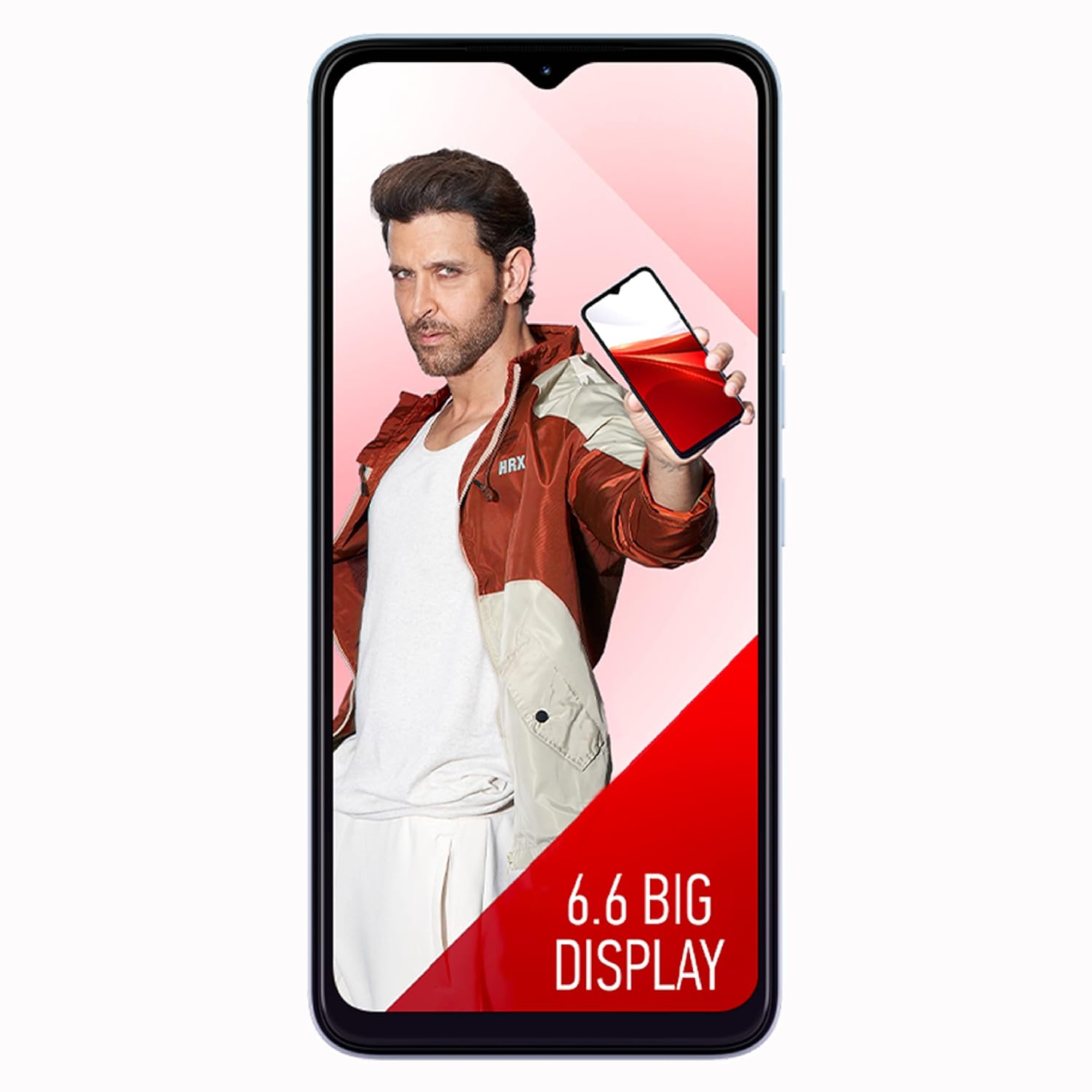
Figure 1: Front view of the Itel A60 smartphone, showcasing its 6.6-inch display.
1. Getting Started
1.1 Package Contents
Upon unboxing your Itel A60, verify that all the following items are included:
- Itel A60 Handset
- Charger
- USB Cable
- Plastic Case
- SIM Ejector Tool
- User Guide / Warranty Card
1.2 Device Layout
Familiarize yourself with the physical components of your Itel A60.
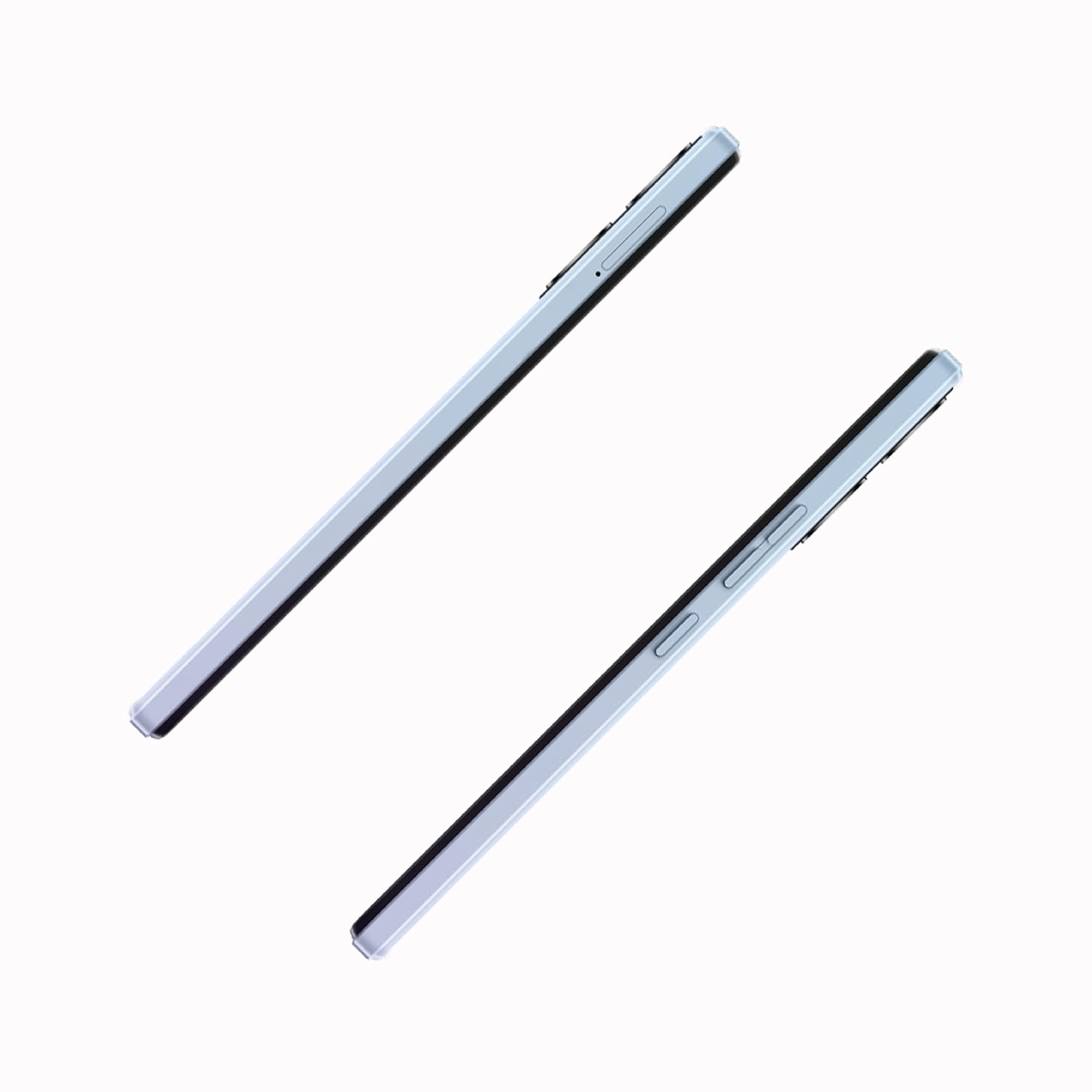
Figure 2: Side view of the Itel A60 smartphone, illustrating the power and volume buttons.
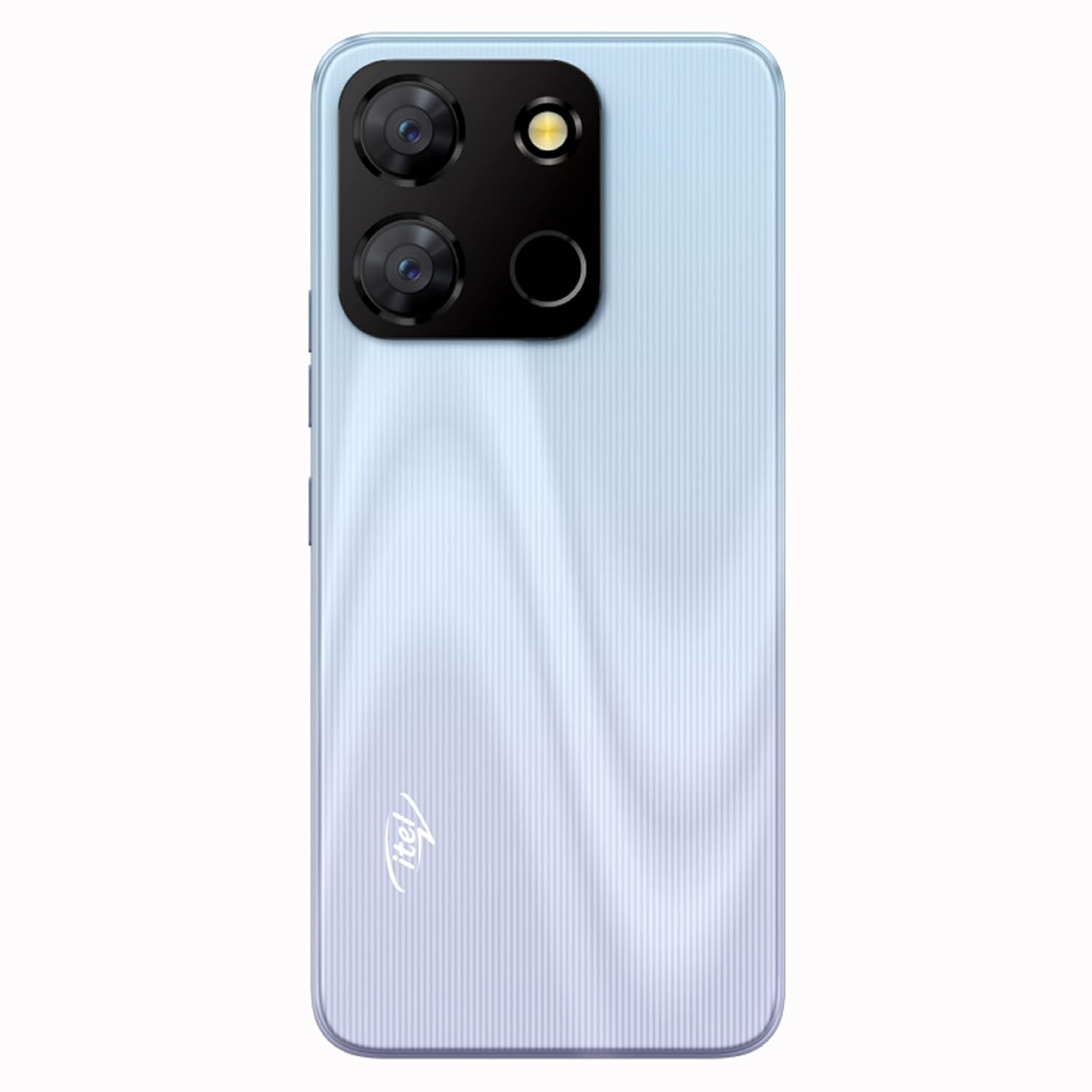
Figure 3: Back view of the Itel A60 smartphone, showing the camera module and fingerprint sensor.
1.3 Inserting SIM Cards and Memory Card
Your Itel A60 supports Dual SIM functionality and expandable storage up to 128GB.
- Locate the SIM tray on the side of your device.
- Insert the SIM ejector tool into the small hole next to the tray to open it.
- Place your Nano SIM cards and/or microSD card into the designated slots on the tray. Ensure the gold contacts face downwards.
- Carefully push the tray back into the device until it clicks into place.
1.4 Powering On/Off
- To Power On: Press and hold the Power button until the Itel logo appears.
- To Power Off: Press and hold the Power button until the power options appear on the screen, then select "Power Off".
- To Restart: Press and hold the Power button until the power options appear, then select "Restart".
2. Basic Operation
2.1 Touchscreen Gestures
Navigate your device using standard touchscreen gestures:
- Tap: Touch the screen once to select an item or open an application.
- Long Press: Touch and hold an item for a few seconds to access additional options.
- Swipe: Drag your finger across the screen to scroll or move between screens.
- Pinch: Use two fingers to zoom in or out on images and web pages.
2.2 Making Calls
To make a call:
- Open the "Phone" application.
- Enter the phone number using the dial pad or select a contact from your address book.
- Tap the call icon to initiate the call.
2.3 Sending Messages
To send a text message:
- Open the "Messages" application.
- Tap the "New Message" icon.
- Enter the recipient's number or select from contacts.
- Type your message and tap the send icon.
2.4 Connecting to the Internet
Your Itel A60 supports Wi-Fi and 4G cellular data for internet connectivity.
- Wi-Fi: Go to Settings > Network & internet > Wi-Fi. Turn Wi-Fi on and select your desired network.
- Mobile Data (4G): Go to Settings > Network & internet > Mobile network. Ensure Mobile data is turned on.
2.5 Camera Usage
Capture photos and videos with your Itel A60's 8MP Dual AI Rear Camera and 5MP Front Camera.
- Open the "Camera" application.
- Switch between front and rear cameras using the camera switch icon.
- Select your desired shooting mode (e.g., Photo, Video, Portrait).
- Tap the shutter button to take a photo or start/stop recording a video.

Figure 4: Overview of Itel A60 features, including camera specifications.
3. Security Features
Your Itel A60 offers multiple security options to protect your device and data.
3.1 Fingerprint Sensor
The fingerprint sensor allows for quick and secure unlocking of your device.
- Go to Settings > Security > Fingerprint.
- Follow the on-screen instructions to register your fingerprint.
- Once registered, you can use your fingerprint to unlock the device or authorize purchases.
3.2 Face Unlock
Face Unlock provides another convenient way to access your phone.
- Go to Settings > Security > Face Unlock.
- Follow the on-screen instructions to register your face.
- Ensure you are in a well-lit environment for optimal performance.

Figure 5: Dual security options: Fingerprint Sensor and Face Unlock.
4. Maintenance and Care
4.1 Battery Management
Your Itel A60 is equipped with a powerful 5000mAh Lithium-Ion battery for extended usage. To maximize battery life:
- Avoid extreme temperatures.
- Use the original charger and USB cable provided.
- Close unused applications running in the background.
- Adjust screen brightness to a comfortable level.

Figure 6: The Itel A60 features a 5000mAh long-lasting battery.
4.2 Software Updates
Your device runs on Android 12.0. Regularly check for and install software updates to ensure your phone has the latest features, security patches, and performance improvements. Go to Settings > System > System update.
4.3 Cleaning Your Device
To clean your Itel A60, use a soft, lint-free cloth. Avoid using harsh chemicals or abrasive materials that could damage the screen or casing. The device is made of Poly Carbonate Material and is not water resistant.
4.4 Screen Replacement Policy
The Itel A60 includes a one-time screen replacement offer within 100 days of purchase. Service costs may be applicable. Refer to your warranty card for full terms and conditions.
5. Troubleshooting
If you encounter issues with your Itel A60, refer to the following common problems and solutions:
5.1 Common Issues and Solutions
- Device will not turn on: Ensure the battery is charged. Connect the charger and wait a few minutes before attempting to power on again. If it still doesn't turn on, try a forced restart by holding the power button for an extended period (e.g., 10-15 seconds).
- Poor battery life: Reduce screen brightness, disable unused features like Wi-Fi or Bluetooth, close background apps, and check for software updates.
- Network issues (no signal/slow data): Check if your SIM card is properly inserted. Ensure mobile data is enabled in settings. Try restarting the device. If issues persist, contact your network provider.
- Apps crashing or freezing: Clear the cache and data for the problematic app (Settings > Apps > [App Name] > Storage > Clear Cache/Clear Data). Update the app to its latest version. If the problem continues, uninstall and reinstall the app.
- Fingerprint sensor not working: Ensure your finger is clean and dry. Re-register your fingerprint in settings if necessary.
6. Technical Specifications
Below are the detailed technical specifications for the Itel A60 smartphone:
| Feature | Specification |
|---|---|
| Brand | Itel |
| Model | A60 |
| Operating System | Android 12.0 |
| RAM | 2 GB |
| Internal Storage | 32 GB (Expandable up to 128GB) |
| CPU Model | A-Series |
| CPU Speed | 1.3 GHz |
| Display Size | 6.6 inches (16.66 Centimetres) |
| Display Type | HD+ IPS Waterdrop Display |
| Maximum Display Resolution | 1612x720 Pixels |
| Rear Camera | 8 MP Dual AI Camera |
| Front Camera | 5 MP |
| Battery Capacity | 5000 mAh Lithium-Ion |
| SIM Card Slot Count | Dual SIM (Nano) |
| Cellular Technology | 4G |
| Connectivity | Bluetooth, USB (Micro USB), Wi-Fi, 3.5mm Jack |
| Biometric Security | Fingerprint Recognition, Face Unlock |
| GPS | Built-In GPS |
| Material | Poly Carbonate Material |
| Color | Dawn Blue |
| Item Weight | 192 Grams |
| Item Dimensions (L x W x H) | 16.5 x 7.6 x 0.9 Centimeters |

Figure 7: Physical dimensions of the Itel A60 smartphone.
Video 1: An overview of the Itel A60 smartphone's key features and technical specifications. This video provides a visual summary of the device's capabilities, including its display, battery, and security features.
7. Warranty and Support
7.1 Warranty Information
Your Itel A60 smartphone comes with a 1-year manufacturer warranty. Please retain your purchase receipt and the warranty card for any warranty claims. The warranty covers manufacturing defects but typically excludes damage caused by misuse, accidents, or unauthorized repairs.
7.2 Contact Support
For technical assistance, warranty claims, or further inquiries, please contact Itel customer support. You can find contact details on the official Itel website or through the information provided in your warranty card. The manufacturer is S MOBILE DEVICES PRIVATE LTD.


