
1. Introduction
This manual provides essential information for the proper handling, installation, and maintenance of the Dahao P/N EF171B Control Card CPU Main Board. This board is specifically designed for use in Chinese embroidery machines utilizing the Dahao control system. Adhering to the guidelines in this manual will help ensure the longevity and optimal performance of the control board.
2. Product Overview and Features
The Dahao P/N EF171B is a critical electronic component serving as the CPU main board for compatible embroidery machines. It processes commands and controls various functions of the embroidery machine, ensuring precise and efficient operation.
Key Features:
- Designed for Dahao control systems in Chinese embroidery machines.
- Acts as the central processing unit for machine operations.
- Constructed with durable electronic components for reliable performance.
- Essential spare part for maintaining embroidery machine functionality.
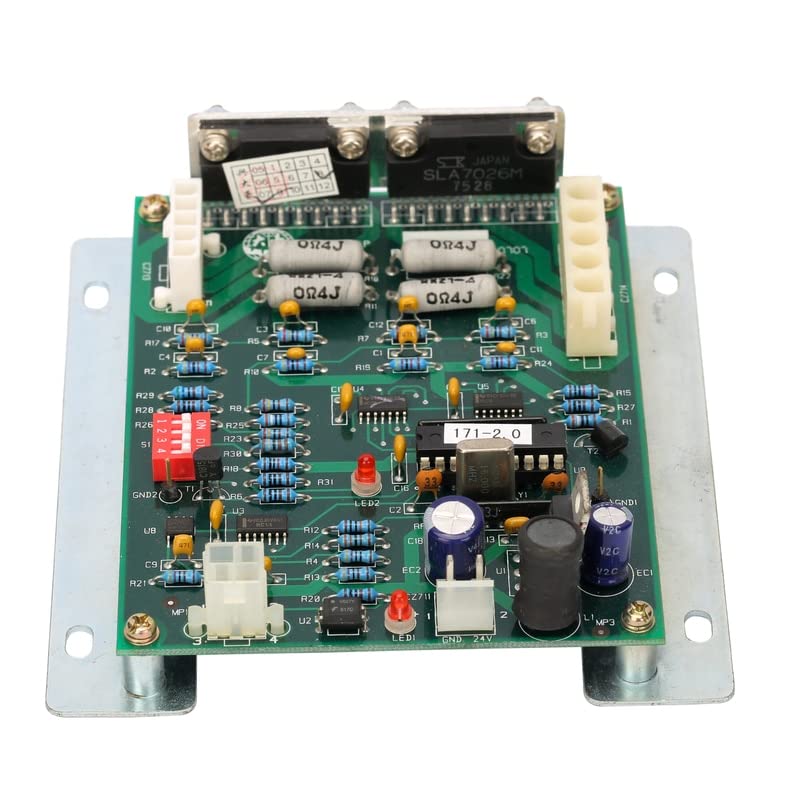
Figure 2.1: Overall view of the Dahao P/N EF171B Control Card CPU Main Board, showing its various components mounted on a green PCB with a metal base.
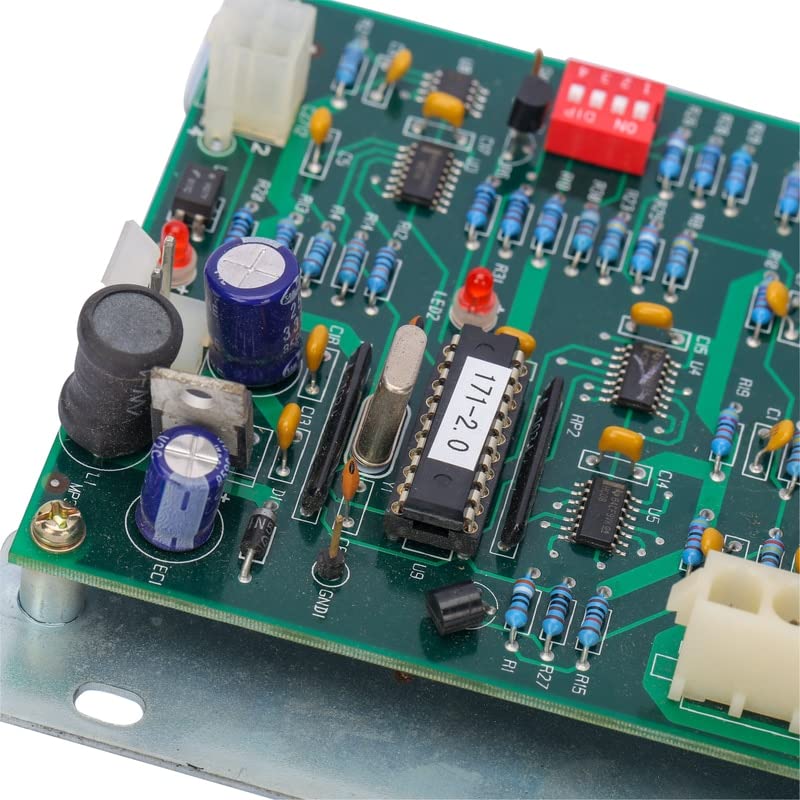
Figure 2.2: Detailed view of the central part of the control board, highlighting the main integrated circuit labeled "171-2.0" and surrounding capacitors, which are vital for the board's processing capabilities.
3. Safety Information
Always observe the following safety precautions when handling or installing the control board:
- Power Disconnection: Ensure the embroidery machine is completely powered off and unplugged from the main power supply before attempting any installation or maintenance.
- Static Electricity: Electronic components are sensitive to static discharge. Use anti-static precautions (e.g., anti-static wrist strap, mat) when handling the board.
- Professional Installation: Installation should only be performed by qualified technicians familiar with industrial embroidery machine electronics.
- Handling: Hold the board by its edges to avoid touching components or connectors directly.
- Environment: Do not expose the board to moisture, extreme temperatures, or corrosive substances.
4. Setup and Installation
This section outlines the general steps for installing the Dahao P/N EF171B Control Card. Refer to your specific embroidery machine's service manual for detailed, model-specific instructions.
- Preparation:
- Power off and unplug the embroidery machine.
- Open the machine's control panel or access compartment where the main board is located.
- Wear anti-static wrist strap and work on an anti-static mat.
- Removal of Old Board (if applicable):
- Carefully disconnect all cables and connectors from the existing control board. Note their positions for re-connection.
- Unscrew any mounting screws securing the old board.
- Gently remove the old board from its housing.
- Installation of New Board:
- Align the new Dahao P/N EF171B board with the mounting points in the machine's housing.
- Secure the board with the appropriate screws. Do not overtighten.
- Carefully re-connect all cables and connectors to their corresponding ports on the new board. Ensure secure and correct connections. Refer to the machine's wiring diagram if necessary.
- Verification:
- Double-check all connections for proper seating and orientation.
- Close the machine's access panel.
- Plug in the machine and power it on. Observe for any error codes or unusual behavior.
- Perform a test run of the embroidery machine to confirm full functionality.
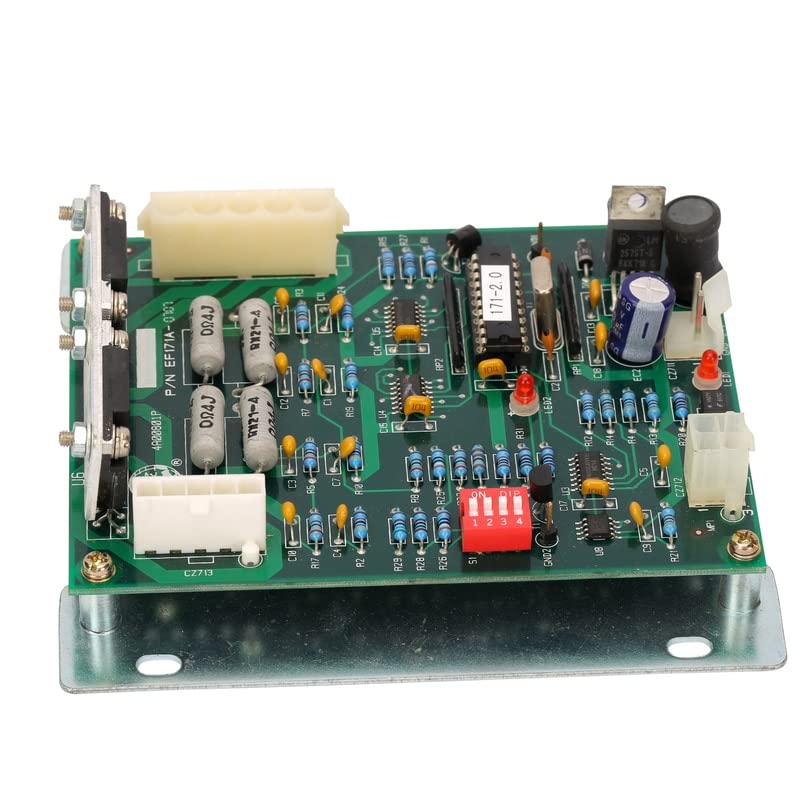
Figure 4.1: Angled view of the control board, highlighting the various connectors and DIP switches for proper installation and configuration.
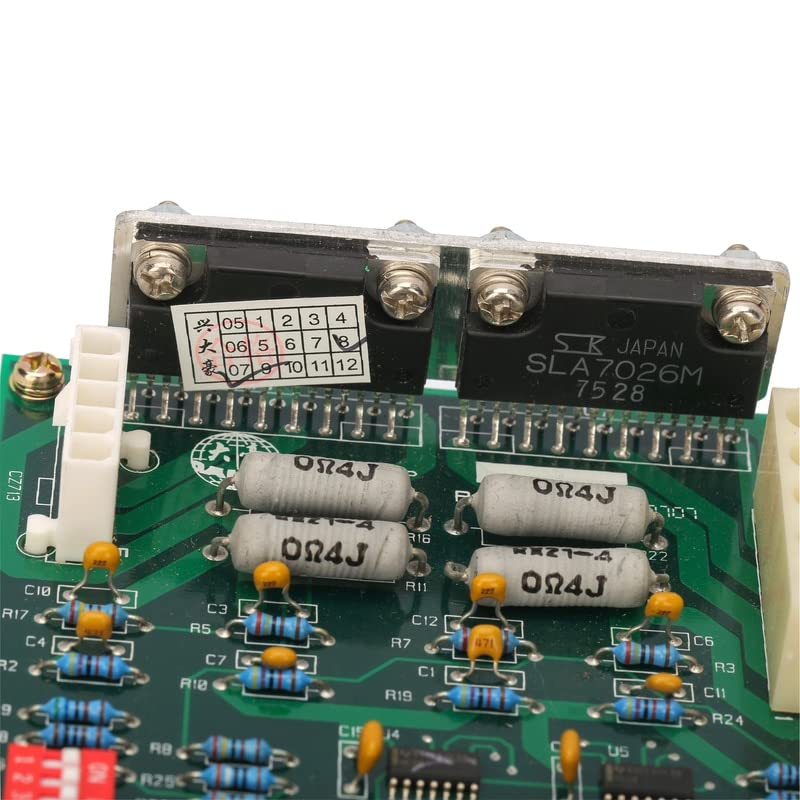
Figure 4.2: Detailed view of the top section of the board, showing integrated circuits, resistors, and capacitors, which are crucial for its operation.
5. Operation
The Dahao P/N EF171B Control Card functions as the brain of the embroidery machine's Dahao control system. Once correctly installed and powered, it automatically manages the machine's operations based on the programmed embroidery designs and user inputs. There are no direct user operational controls on the board itself; its function is entirely integrated with the machine's overall control system.
For specific operational procedures of your embroidery machine, refer to the machine's user manual.
6. Maintenance
Proper maintenance ensures the longevity and reliability of the control board. Perform these steps periodically:
- Cleaning: With the machine powered off and unplugged, gently clean the board using a soft, dry brush or compressed air to remove dust and debris. Do not use liquids or abrasive cleaners.
- Inspection: Periodically inspect the board for any signs of damage, such as burnt components, loose connections, or corrosion. Address any issues promptly.
- Environment: Ensure the operating environment of the embroidery machine is clean, dry, and free from excessive vibrations or extreme temperature fluctuations.
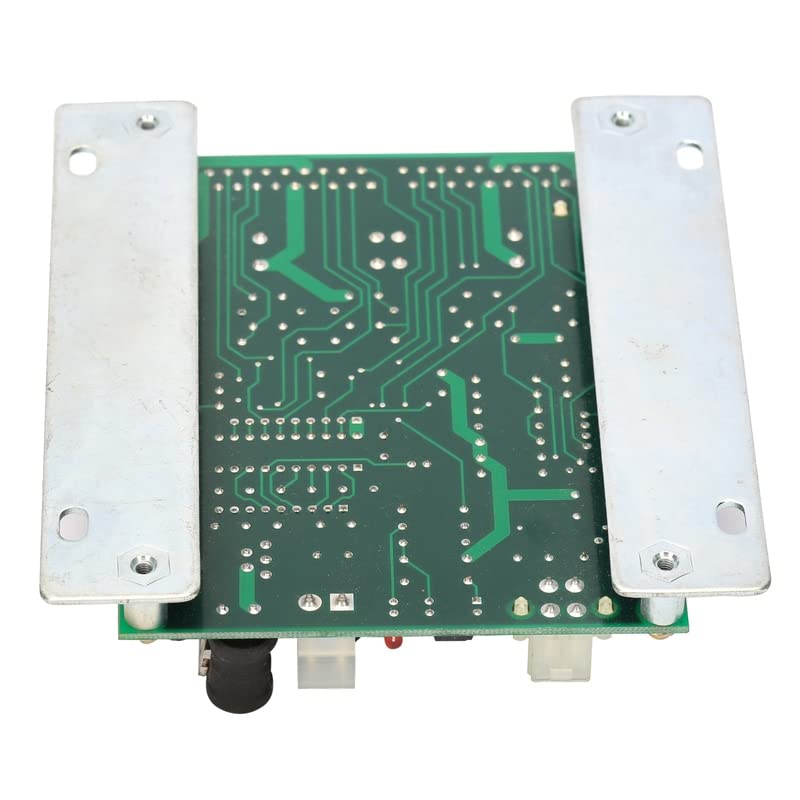
Figure 6.1: Rear view of the control board's printed circuit board (PCB), showing the intricate traces and solder points that facilitate its electronic functions.
7. Troubleshooting
If you experience issues with your embroidery machine after installing or while using the Dahao P/N EF171B Control Card, consider the following basic troubleshooting steps:
| Symptom | Possible Cause | Solution |
|---|---|---|
| Machine does not power on or respond. | Loose power connection, faulty power supply, incorrect board installation. | Check all power connections. Verify the board is seated correctly and all cables are securely attached. Consult a technician. |
| Machine displays error codes related to control system. | Incorrect board installation, component failure, software incompatibility. | Refer to your machine's error code manual. Re-check all connections. Ensure the board is the correct model for your machine. Contact technical support. |
| Intermittent machine operation. | Loose connections, environmental factors (e.g., dust, humidity), component degradation. | Inspect all cables and connectors. Clean the board. Ensure proper operating environment. |
If troubleshooting steps do not resolve the issue, it is recommended to contact a certified technician or the machine manufacturer's support for further assistance.
8. Specifications
| Attribute | Detail |
|---|---|
| Product Name | Dahao P/N EF171B Control Card CPU Main Board |
| Model Number | EF171B |
| Compatibility | China Embroidery Machines with Dahao Control System |
| Material | Electronic Components, PCB, Metal Base |
| Use | Embroidery Machine Control |
| Origin | Mainland China |
| Manufacturer | Generic |
| ASIN | B0BWY98728 |
9. Warranty and Support
Specific warranty terms for the Dahao P/N EF171B Control Card CPU Main Board are provided by the seller or distributor at the time of purchase. Please retain your proof of purchase for any warranty claims.
For technical support, installation guidance beyond this manual, or warranty inquiries, please contact the vendor from whom you purchased this product. They will be able to provide the most accurate and up-to-date information regarding support and service for this specific part.