
HP 15-fc0010nr
HP 15 Laptop 15-fc0010nr User Manual
Model: 15-fc0010nr
1. Introduction
This manual provides essential information for setting up, operating, and maintaining your HP 15 Laptop, model 15-fc0010nr. Please read this guide thoroughly to ensure proper use and to maximize the lifespan of your device.
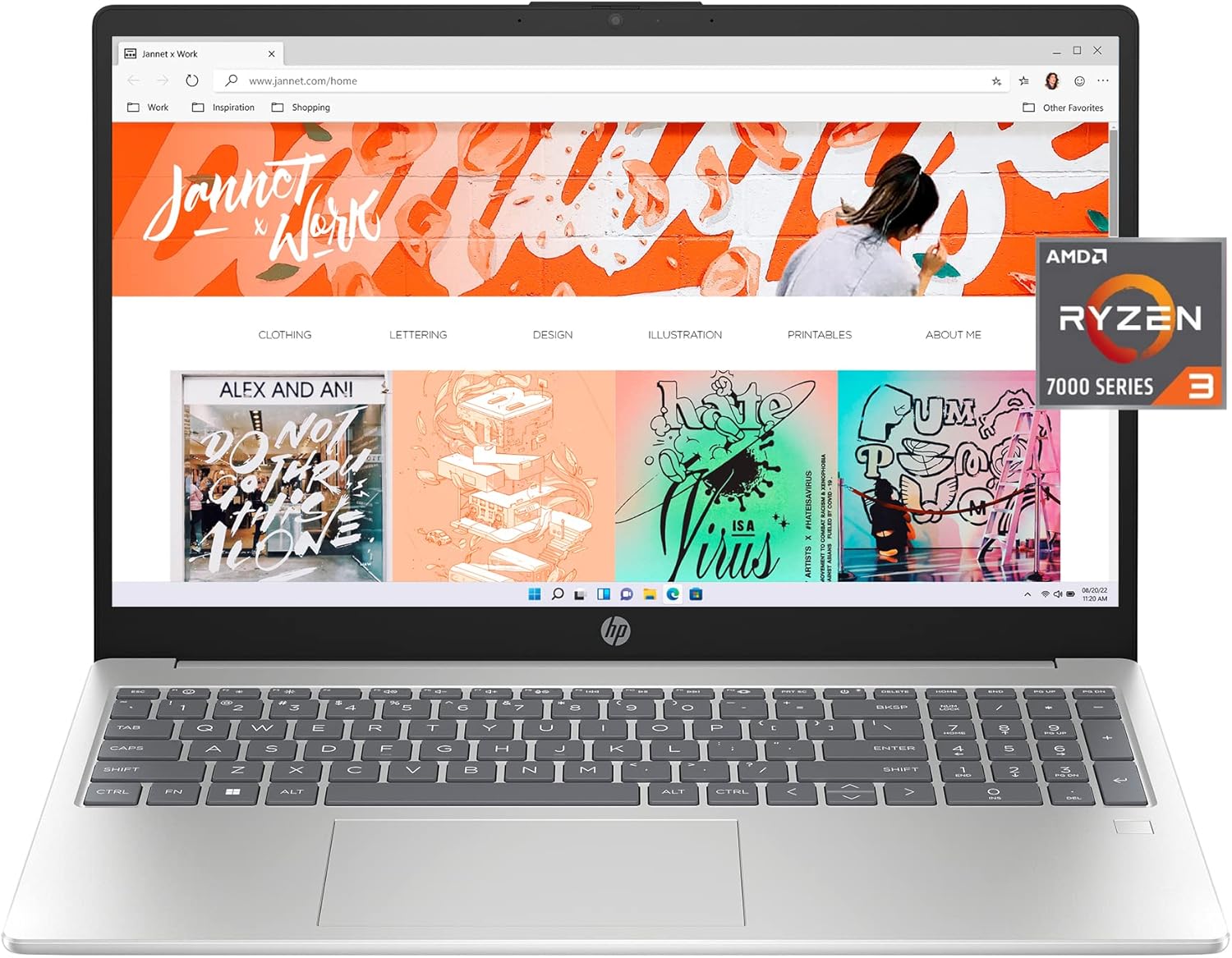
Image 1.1: The HP 15 Laptop 15-fc0010nr, showcasing its display and keyboard.
2. What's in the Box
Verify that all items are present in the packaging:
- HP 15.6 inch Laptop PC 15-fc0010nr
- Power Adapter (Charger)
- Warranty Documentation

Image 2.1: Packaging contents, including the laptop and its accessories.
3. Setup
3.1 Initial Power-On
- Connect the power adapter to the laptop and a power outlet.
- Open the laptop lid and press the power button, typically located on the top right of the keyboard.
- Follow the on-screen instructions to complete the Windows 11 Home in S Mode setup. This includes selecting your region, connecting to a Wi-Fi network, and creating a user account.
3.2 Connecting Peripherals
Your HP 15 Laptop includes various ports for connecting external devices:
- USB Ports: For connecting USB devices such as mice, keyboards, or external storage.
- HDMI Port: For connecting to external displays or projectors.
- Headphone/Microphone Jack: For audio input/output.
- USB-C Port: For data transfer and potentially charging (check specifications for power delivery).

Image 3.1: Side view illustrating the available ports on the laptop.
4. Operating Instructions
4.1 Power Management
- Power Button: Press to turn on the laptop. Press briefly to put it to sleep. Press and hold for several seconds to force a shutdown.
- Battery Life: The laptop offers up to 11 hours of battery life.
- HP Fast Charge: The laptop can charge from 0% to 50% in approximately 45 minutes using the provided 45W Smart AC power adapter.

Image 4.1: Laptop in use, demonstrating its capability for various tasks.
4.2 Display and Graphics
The laptop features a 15.6-inch Full HD (1920x1080) IPS anti-glare display with micro-edge bezels, providing a wide viewing experience. It is equipped with AMD Radeon Graphics for visual processing.

Image 4.2: The laptop screen displaying high-definition content.
4.3 Communication and Audio
- Webcam: Integrated HP True Vision HD camera with temporal noise reduction.
- Microphones: Dual array digital microphones with noise reduction software for clear audio during calls.
- Audio: Tuned stereo speakers for enhanced sound.
- Microphone Mute Key: A dedicated key on the keyboard allows for quick microphone muting, indicated by an LED light.

Image 4.3: Laptop in use for a video conference.
4.4 Security Features
- Fingerprint Reader: For secure login and data protection.
- Camera Shutter: Provides physical privacy when the webcam is not in use.
4.5 HP QuickDrop
HP QuickDrop allows for wireless transfer of photos, videos, and documents between your laptop and Android or iOS phone without the need for cables.
5. Maintenance
5.1 Cleaning
- Use a soft, lint-free cloth slightly dampened with water or a screen cleaner to clean the display.
- For the keyboard and chassis, use a soft cloth. Avoid harsh chemicals or abrasive materials.
- Ensure the laptop is powered off and unplugged before cleaning.
5.2 Battery Care
- Avoid extreme temperatures when storing or operating the laptop.
- For optimal battery health, avoid consistently discharging the battery completely or keeping it at 100% charge for extended periods.
6. Troubleshooting
If you encounter issues with your HP 15 Laptop, consider the following basic troubleshooting steps:
- No Power: Ensure the power adapter is securely connected to both the laptop and a working power outlet. Try a different outlet.
- Blank Screen: Connect an external monitor to check if the display issue is with the laptop screen or the graphics output. Restart the laptop.
- Slow Performance: Close unnecessary applications. Check for available Windows updates. Ensure sufficient free space on the SSD.
- Connectivity Issues: Restart your Wi-Fi router. Check network settings on the laptop.
For more complex issues, refer to the HP support website or contact technical support.
7. Specifications
Detailed technical specifications for the HP 15 Laptop 15-fc0010nr:

Image 7.1: Overview of key laptop specifications.
| Feature | Specification |
|---|---|
| Model Number | 15-fc0010nr |
| Processor | AMD Ryzen 3 7320U (4.1 GHz) |
| RAM | 8 GB LPDDR5 RAM |
| Storage | 256 GB PCIe NVMe M.2 SSD |
| Graphics | AMD Radeon Graphics (Integrated) |
| Display | 15.6-inch FHD (1920 x 1080) IPS Anti-Glare |
| Operating System | Windows 11 Home in S Mode |
| Wireless Connectivity | 802.11bgn |
| USB 2.0 Ports | 1 |
| USB 3.0 Ports | 2 |
| Battery Life (Average) | 11 Hours |
| Dimensions (LxWxH) | 14.17 x 0.73 x 9.29 inches |
| Weight | 4.99 pounds |
| Color | Silver |

Image 7.2: Physical dimensions of the laptop.
8. Warranty and Support
Your HP 15 Laptop includes:
- 1-year limited hardware warranty.
- 90-days limited technical support for software and initial setup.
Support is available 24 hours a day, 7 days a week via web support. For detailed warranty terms and support options, please visit the official HP support website.
9. Environmental Information
The HP 15 Laptop is designed with environmental considerations:
- EPEAT Gold registered.
- ENERGY STAR certified.
- Contains sustainable, post-consumer recycled plastics.

Image 9.1: Environmental certifications of the HP 15 Laptop.
Ask a question about this manual
Ask about setup, troubleshooting, compatibility, parts, safety, or missing instructions. Manuals+ will review the question and use this page’s manual context to help answer it.