
1. Introduction
Welcome to the user manual for your Philips Airfryer Connected XXL HD9285/96 Series 5000. This appliance is designed to prepare your favorite foods with little to no added oil, utilizing Rapid Air Technology for healthier cooking results. Please read this manual thoroughly before first use to ensure safe and optimal operation of your Airfryer. Keep this manual for future reference.
2. Important Safety Information
Before using the appliance, carefully read this user manual and save it for future reference. Always follow basic safety precautions, including the following:
- Do not immerse the appliance in water or any other liquid.
- Ensure the voltage indicated on the appliance corresponds to your local mains voltage before connecting.
- Do not use the appliance if the plug, the mains cord, or the appliance itself is damaged.
- Keep the mains cord away from hot surfaces.
- This appliance is not intended for use by persons (including children) with reduced physical, sensory or mental capabilities, or lack of experience and knowledge, unless they have been given supervision or instruction concerning use of the appliance by a person responsible for their safety.
- Children should be supervised to ensure that they do not play with the appliance.
- Do not place the appliance against a wall or against other appliances. Leave at least 10 cm free space on the back and sides and 10 cm free space above the appliance.
- During hot air frying, hot steam is released through the air outlet openings. Keep your hands and face at a safe distance from the steam and from the air outlet openings.
- The surfaces may become hot during use. Do not touch hot surfaces. Use handles or knobs.
- Always unplug the appliance after use.
3. Product Overview
The Philips Airfryer Connected XXL HD9285/96 Series 5000 features a large capacity basket, an intuitive digital control panel, and smart connectivity for enhanced cooking convenience.
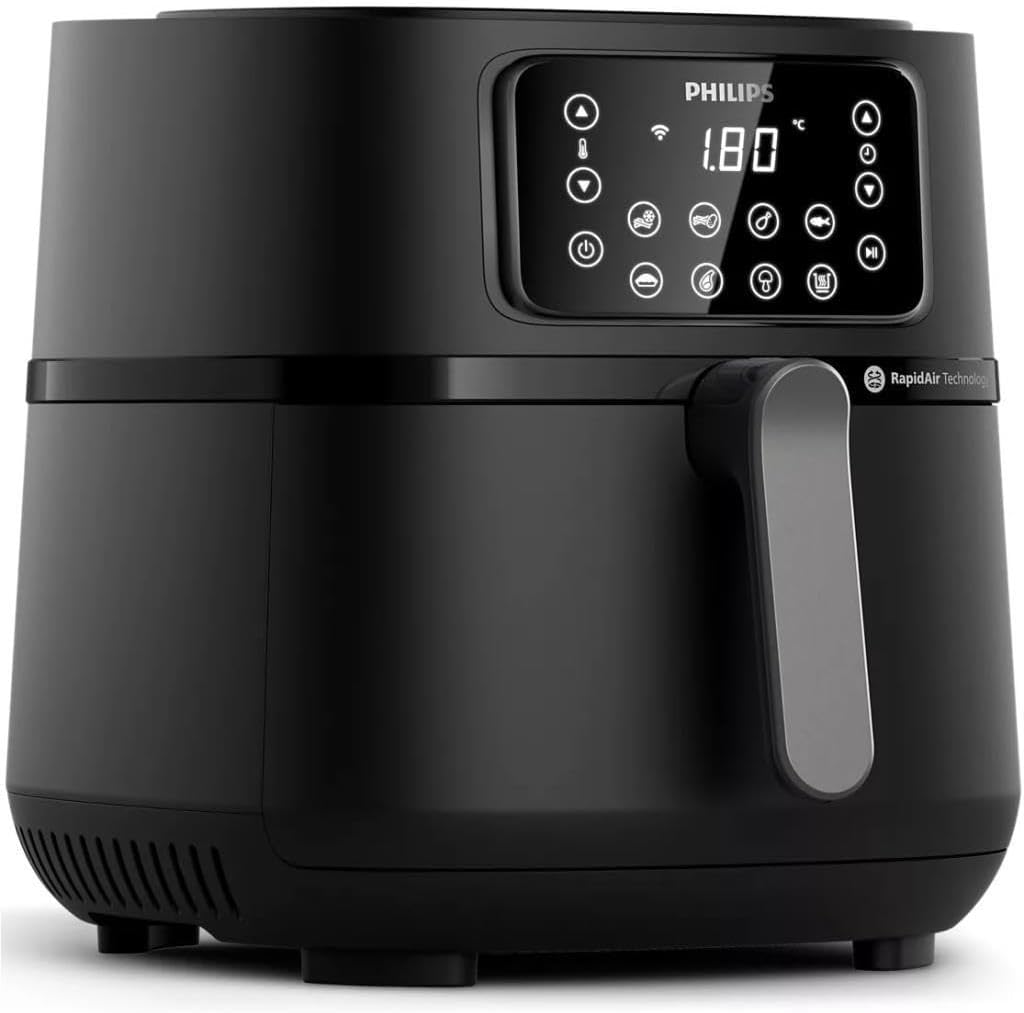
Image 1: Front view of the Philips Airfryer Connected XXL HD9285/96, showcasing its digital display and control buttons.
Components:
- Main Unit: Houses the heating element and fan.
- Basket: Removable cooking basket for food.
- Pan: Collects fat and food debris.
- Digital Control Panel: For setting time, temperature, and selecting pre-set programs.
- Handle: For safely pulling out the basket and pan.

Image 2: The Philips Airfryer shown with a grill pan accessory and an icon representing the NutriU app connectivity.
4. Setup
4.1 Unpacking
- Remove all packaging materials from the appliance.
- Remove any stickers or labels from the appliance.
4.2 Cleaning Before First Use
- Clean the basket and pan with hot water, some dishwashing liquid, and a non-abrasive sponge.
- Wipe the inside and outside of the appliance with a moist cloth.
4.3 Placement
- Place the appliance on a stable, horizontal, and level surface.
- Do not place the appliance on non-heat-resistant surfaces.
- Ensure there is at least 10 cm of free space around the appliance for proper ventilation.
4.4 Power Connection
Plug the main power cord into a grounded wall outlet. Ensure the voltage matches the appliance's requirements (240V).
5. Operating Instructions
5.1 Basic Operation
- Pull the pan out of the Airfryer.
- Place the ingredients in the basket. Do not exceed the MAX indication.
- Slide the pan back into the Airfryer.
- Press the power button to turn on the appliance.
- Use the temperature and time control buttons to set the desired cooking parameters.
- Press the start button to begin cooking.
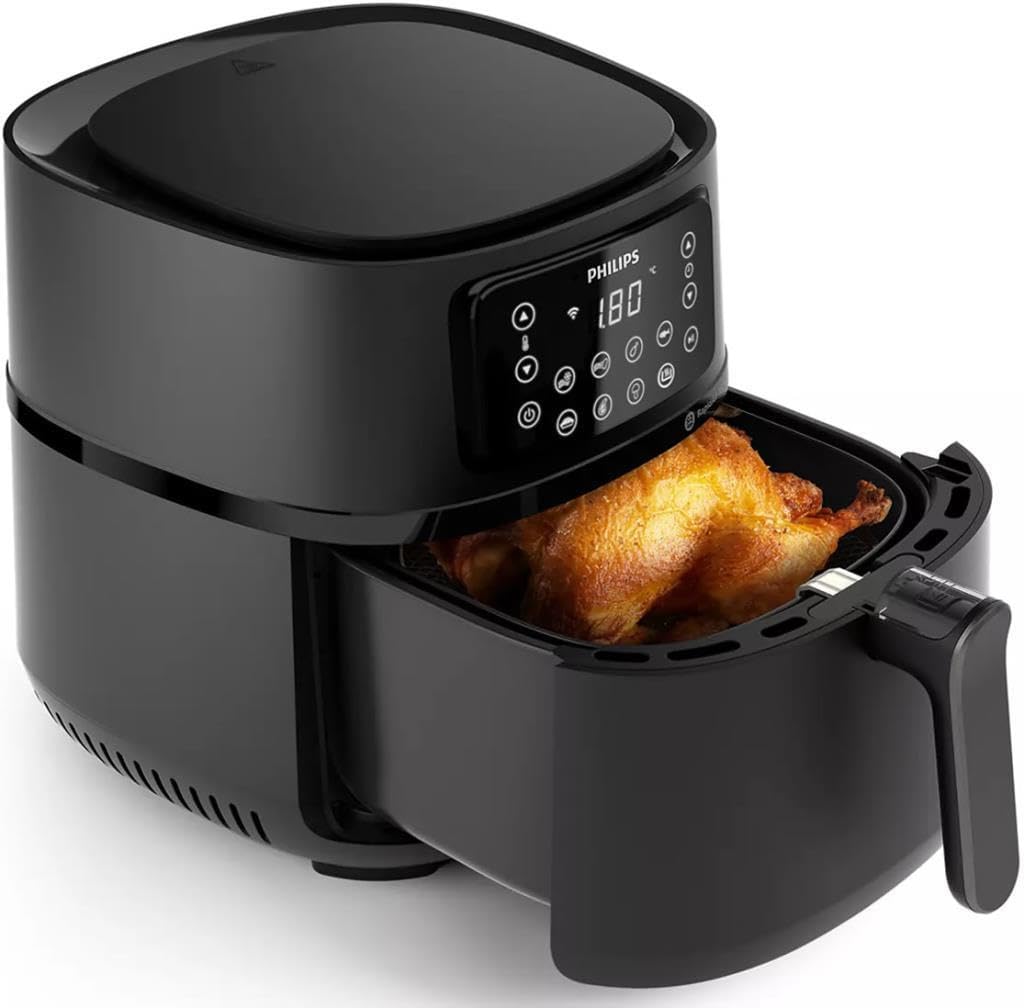
Image 3: The Philips Airfryer with its cooking basket extended, showing a whole roasted chicken inside, ready for cooking or serving.
5.2 Smart App Connection (NutriU App)
The Airfryer can be connected to the Philips NutriU app for remote control, recipe guidance, and cooking progress monitoring.
- Download the Philips NutriU app from your smartphone's app store.
- Ensure your Airfryer is plugged in and powered on.
- Follow the in-app instructions to pair your Airfryer with your smartphone via Wi-Fi. This typically involves pressing a Wi-Fi button on the Airfryer's control panel and confirming the connection in the app.
- Once connected, you can select recipes, send cooking settings to your Airfryer, and monitor cooking status remotely.

Image 4: The Philips Airfryer positioned next to a smartphone displaying the NutriU app interface, highlighting its smart connectivity feature.
5.3 Pre-set Programs
The Airfryer features 16 pre-set programs for common dishes. To use a pre-set program:
- Place ingredients in the basket.
- Press the pre-set program button on the control panel.
- Select the desired program using the navigation buttons.
- Press the start button. The Airfryer will automatically set the optimal time and temperature.
5.4 Cooking Tips
- Shake smaller ingredients halfway through the cooking time for even results.
- For crispy results, ensure ingredients are dry before adding them to the Airfryer.
- Do not overcrowd the basket; cook in batches if necessary.
- Use oven-safe accessories (e.g., baking dishes) for liquid-based recipes or delicate items.

Image 5: An internal view of the Philips Airfryer illustrating the Rapid Air Technology, with arrows depicting the hot air circulation for even cooking.

Image 6: The Philips Airfryer in a kitchen setting, surrounded by a variety of cooked dishes such as roasted chicken, fries, and baked goods, demonstrating its versatility.
6. Maintenance and Cleaning
Regular cleaning ensures optimal performance and extends the lifespan of your Airfryer.
6.1 Cleaning the Basket and Pan
- Unplug the Airfryer and allow it to cool down completely.
- Remove the basket and pan.
- Clean them with hot water, dishwashing liquid, and a non-abrasive sponge. For stubborn food residue, soak them in hot water for about 10 minutes.
- The basket and pan are dishwasher-safe.
6.2 Cleaning the Interior and Exterior
- Wipe the exterior of the appliance with a moist cloth.
- Clean the interior with hot water and a non-abrasive sponge.
- Clean the heating element with a cleaning brush to remove any food residue.
6.3 Storage
Ensure the appliance is clean and dry before storing. Store it in a cool, dry place.
7. Troubleshooting
If you encounter issues with your Airfryer, refer to the following common problems and solutions:
| Problem | Possible Cause | Solution |
|---|---|---|
| The Airfryer does not work. | The appliance is not plugged in. | Plug the mains plug into a grounded wall socket. |
| Food is not cooked evenly. | Too many ingredients in the basket; ingredients not shaken. | Reduce the amount of ingredients; shake smaller ingredients halfway through cooking. |
| White smoke comes out of the appliance. | Fat splashes from the pan onto the heating element; food residue in the pan. | Clean the pan and heating element thoroughly after each use. |
| Cannot connect to the NutriU app. | Incorrect Wi-Fi settings; network interference; app issues. | Ensure correct Wi-Fi password; try restarting your router and Airfryer; check app for updates or troubleshooting guides. Some networks (e.g., 5GHz only) may not be compatible. |
8. Specifications
| Feature | Specification |
|---|---|
| Model Number | HD9285/96 |
| Brand | Philips |
| Capacity | 7.2 Liters |
| Power | 2000 Watts |
| Voltage | 240.0 Volts |
| Color | Black |
| Material | Plastic and Aluminum |
| Product Dimensions (L x W x H) | 41 x 33 x 30 cm |
| Item Weight | 470 grams |
| Special Feature | Smart App Connection |
| Recommended Uses | Frying, Roasting, Grilling, Baking, Wok, Freezing, Reheating, Defrosting, Drying fruits and vegetables |
9. Warranty and Support
This Philips Airfryer is covered by a manufacturer's warranty. Please refer to the warranty card included with your purchase for specific terms and conditions, including the warranty period and coverage details.
For technical support, product registration, or to find replacement parts, please visit the official Philips website or contact Philips customer service in your region. Contact information can typically be found in the warranty documentation or on the Philips support website.