
1. Introduction
The AiJoy Tower Surge Protector Power Strip is designed to provide a centralized and protected power solution for multiple electronic devices. Featuring a vertical tower design, it offers 9 AC outlets and 5 USB ports (2 USB-C and 3 USB-A) to power up to 14 devices simultaneously. This unit incorporates 1200 Joules of surge protection and a 6.5-foot flat plug extension cord for convenient placement and enhanced safety.

Figure 1: AiJoy Tower Surge Protector with 9 AC outlets and 5 USB ports, charging multiple devices.
2. Safety Information
To ensure safe operation and prevent damage to your devices, please observe the following safety guidelines:
- Surge Protection: This unit is equipped with 1200 Joules of surge protection to safeguard connected electronics from power surges and voltage spikes.
- Overload Protection: An integrated overload protection system automatically shuts off power if the total current exceeds 13 Amps to prevent overheating and damage.
- Grounding Protection: Ensures proper grounding for all connected devices.
- Fire-Resistant Shell: Constructed with a fire-resistant ABS shell for added safety.
- Do not exceed the maximum power rating of 1625W.
- Avoid using in wet environments or near water sources.
- Do not disassemble or modify the device.
- Keep out of reach of children.

Figure 2: Diagram illustrating multiple safety protections including over current, surge, overload, short circuit, and heat resistance.

Figure 3: Infographic detailing the 8-point safety system: Grounded Protection, Lightning Protection, Over-Current Protection, Overload Protection, Fireproof Shell, Short-Circuit Protection, Over-Voltage Protection, Surge Protection.
3. Package Contents
- 1 x AiJoy Tower Surge Protector Power Strip (Model: AJHE24-H)
- 1 x User Manual
4. Setup
- Placement: Position the AiJoy Tower Surge Protector on a stable, flat surface. Its vertical design and wide-spaced outlets are ideal for desktops, home offices, dorm rooms, and living areas, minimizing clutter.
- Plug In: Connect the 6.5-foot flat plug extension cord into a standard 3-prong wall outlet. The 45-degree flat plug is designed to fit easily behind furniture and in tight spaces.
- Power On: Press the main power switch located on the top of the unit to activate the power strip. The 'Grounded' and 'Protected' indicator lights will illuminate, confirming the unit is ready for use and providing surge protection.
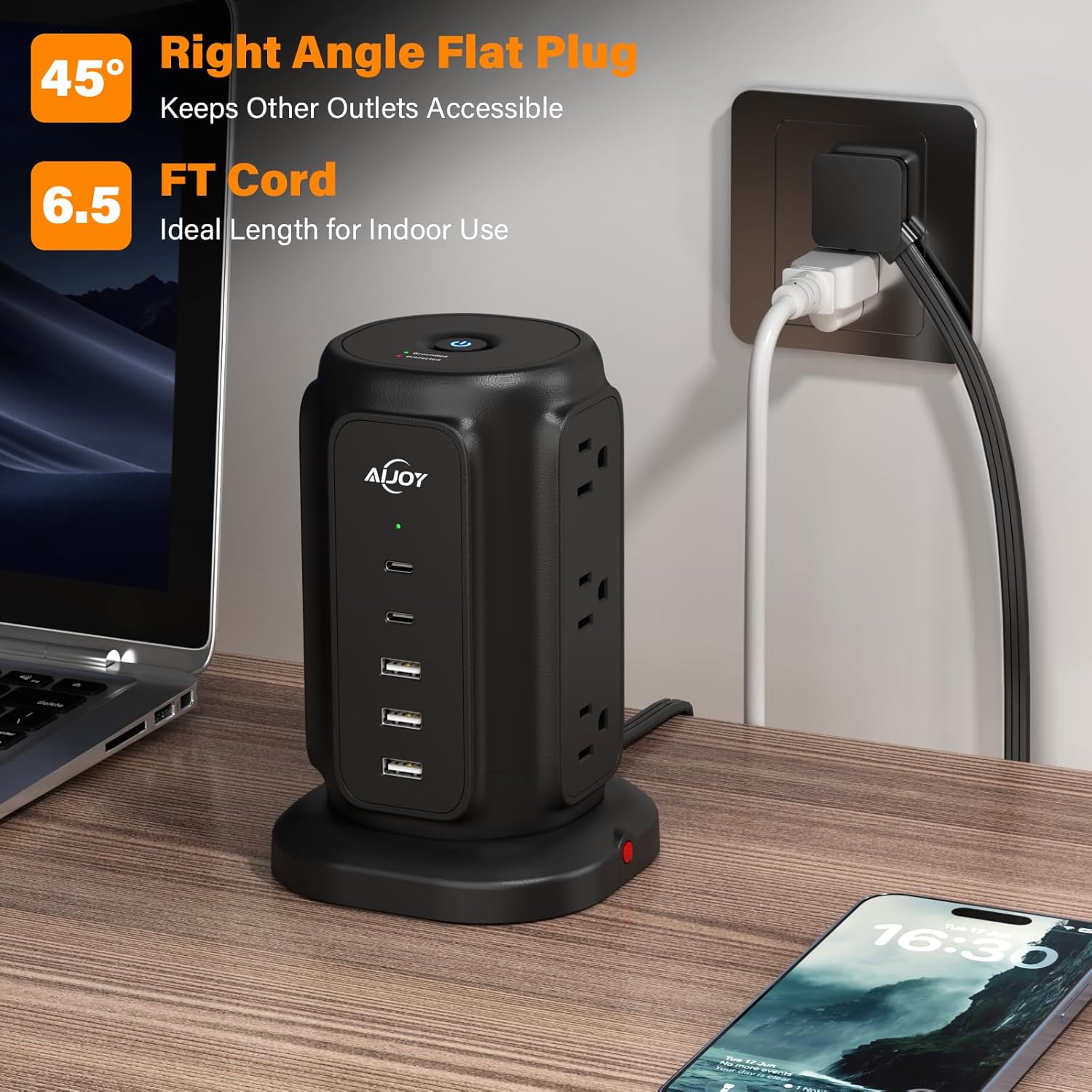
Figure 4: AiJoy Tower Surge Protector with a 45-degree flat plug and 6.5-foot cord, designed for tight spaces.

Figure 5: Close-up of the ultra-thin 0.39-inch flat plug of the AiJoy Tower Surge Protector.
5. Operating Instructions
- Connecting AC Devices: Plug your AC-powered devices (laptops, monitors, gaming consoles, etc.) into any of the 9 widely-spaced AC outlets. The vertical arrangement and wide spacing prevent bulky adapters from blocking adjacent outlets.
- Connecting USB Devices: Utilize the 2 USB-C ports and 3 USB-A ports to charge smartphones, tablets, and other USB-powered devices.
- Individual Power Control: The all-in-one power switch on top allows you to conveniently control power to all connected devices, helping to reduce standby power consumption.
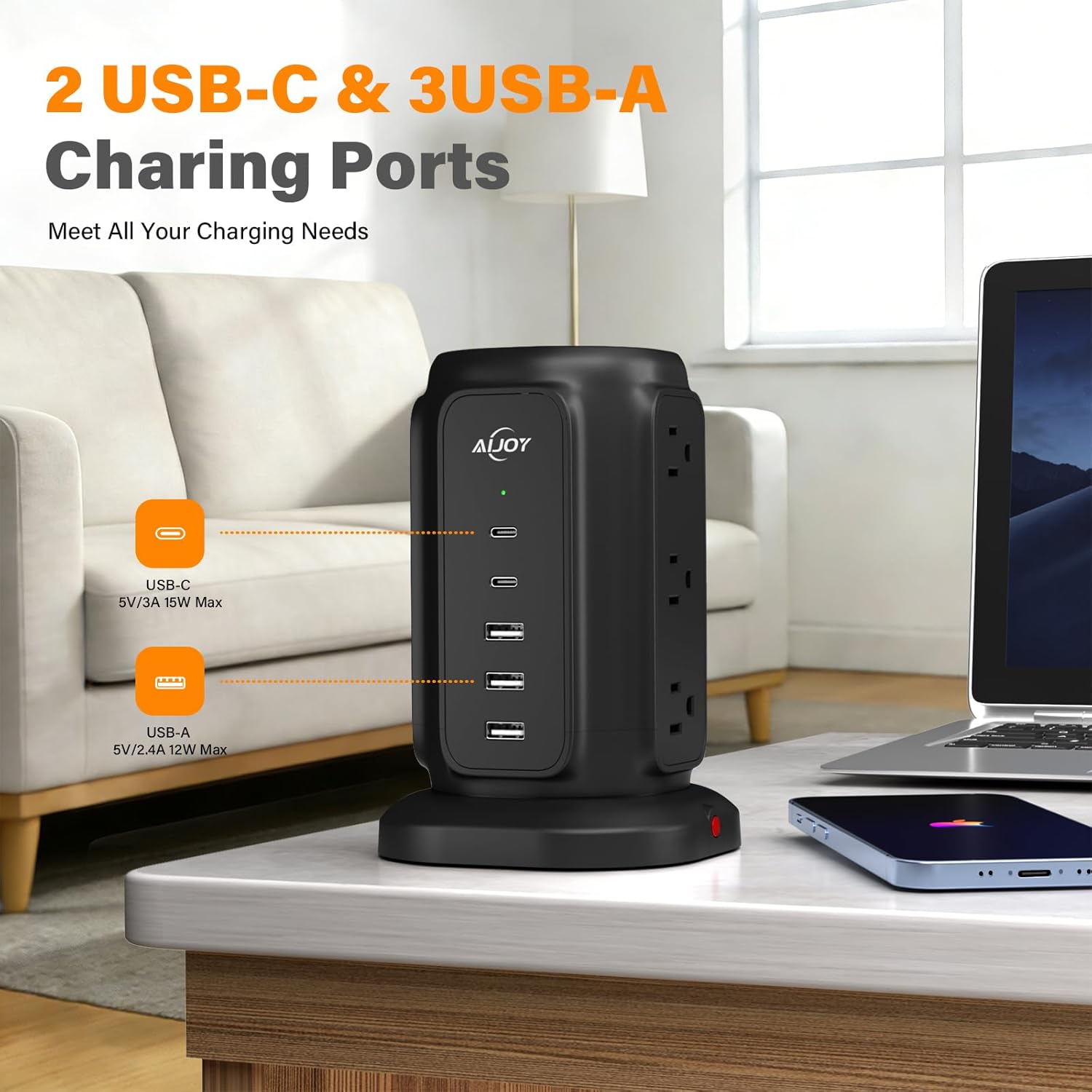
Figure 6: Close-up of AiJoy Tower Surge Protector showing 2 USB-C and 3 USB-A charging ports.

Figure 7: Vertical tower design with wide-spaced outlets to prevent plug blocking and ensure easy access.

Figure 8: Top view of the AiJoy Tower Surge Protector showing the power control button.

Figure 9: Side view highlighting the 1.3-inch wide spacing between AC outlets on the AiJoy Tower Surge Protector.
Video 1: Official product video demonstrating the AiJoy Flat Plug Power Strip Tower with surge protection features.
6. Maintenance
- Keep the power strip clean and free from dust. Use a dry, soft cloth for cleaning.
- Ensure all plugs are fully inserted into the outlets.
- Do not expose the unit to extreme temperatures or direct sunlight.
7. Troubleshooting
- No Power to Devices:
- Check if the power strip's main switch is turned on.
- Verify that the power strip is securely plugged into a functioning wall outlet.
- Check if the circuit breaker in your home/office has tripped.
- If the overload protection has been activated (red light on the side), unplug some devices and press the reset button (if available, usually near the power cord entry) to restore power.
- Devices Not Charging via USB:
- Ensure the USB cables are properly connected to both the power strip and the device.
- Try a different USB port or cable to rule out a faulty connection.
- Confirm that the device itself is functioning correctly and capable of charging.
- 'Protected' Indicator Light Off:
- If the 'Protected' light is off, it indicates that the surge protection feature may have been compromised due to a significant power surge. The unit may still function as a power strip, but its surge protection capabilities are no longer active. It is recommended to replace the unit to ensure continued protection for your electronics.
8. Specifications
| Brand | AiJoy |
| Model Number | AJHE24-H |
| Color | Black |
| Total Power Outlets | 9 |
| Total USB Ports | 5 (2 USB-C, 3 USB-A) |
| Voltage | 125 Volts |
| Maximum Current | 13 Amps |
| Power | 1625W Max |
| Surge Protection Rating | 1200 Joules |
| Power Plug Type | Type B - 3 pin (North American) |
| Cord Length | 6.5 Feet |
| Enclosure Material | Acrylonitrile Butadiene Styrene |
| Item Dimensions L x W | 4.13"L x 3.26"W |
| Shape | Round |
9. Warranty and Support
This AiJoy product is covered by a 2 Year Manufacturer Warranty. For any product inquiries, technical support, or warranty claims, please contact AiJoy customer support through the retailer's platform or refer to the contact information provided in your product packaging.