
Introduction
This manual provides instructions for the VINABTY COV33662806 replacement remote control. This remote is designed to function as a direct replacement for the original remote controls of various LG DVD player models, ensuring seamless operation of your device. Please read this manual carefully before use to ensure proper setup and functionality.
Setup: Battery Installation
The remote control requires two AAA batteries (not included) for operation. Follow these steps to install the batteries:
- Locate the battery compartment on the back of the remote control.
- Press down on the tab and slide the battery cover downwards to open it.
- Insert two AAA batteries, ensuring the positive (+) and negative (-) terminals align correctly with the markings inside the compartment.
- Slide the battery cover back into place until it clicks securely.
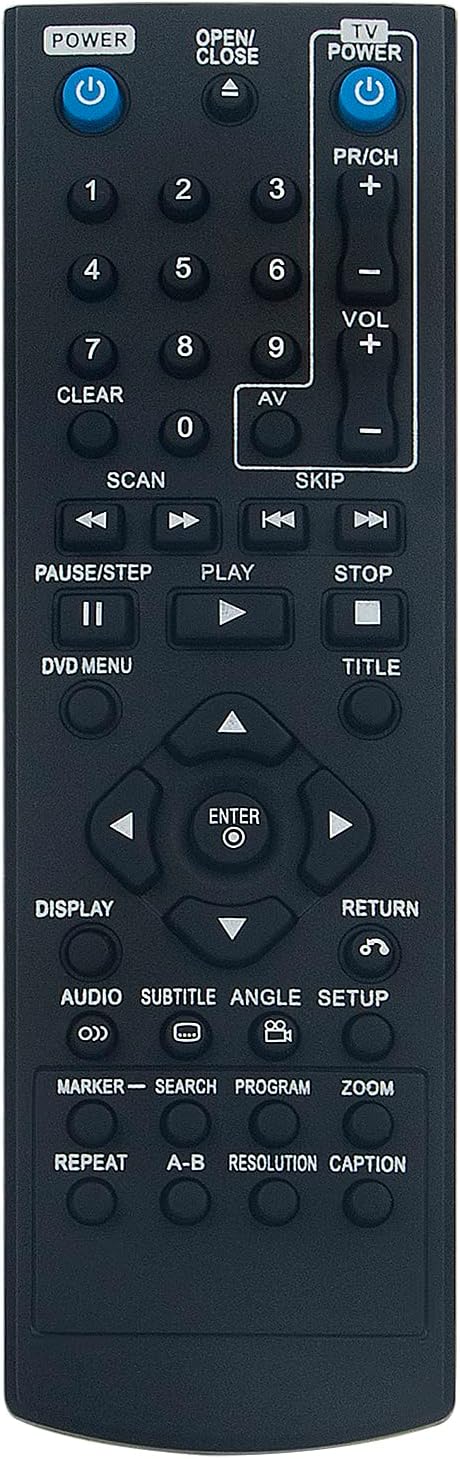
Image: Back of the remote control with the battery compartment open, illustrating the correct orientation for AAA battery insertion.
Operating the Remote Control
Point the remote control directly at your LG DVD player. Ensure there are no obstructions between the remote and the device. The remote operates using infrared (IR) technology.
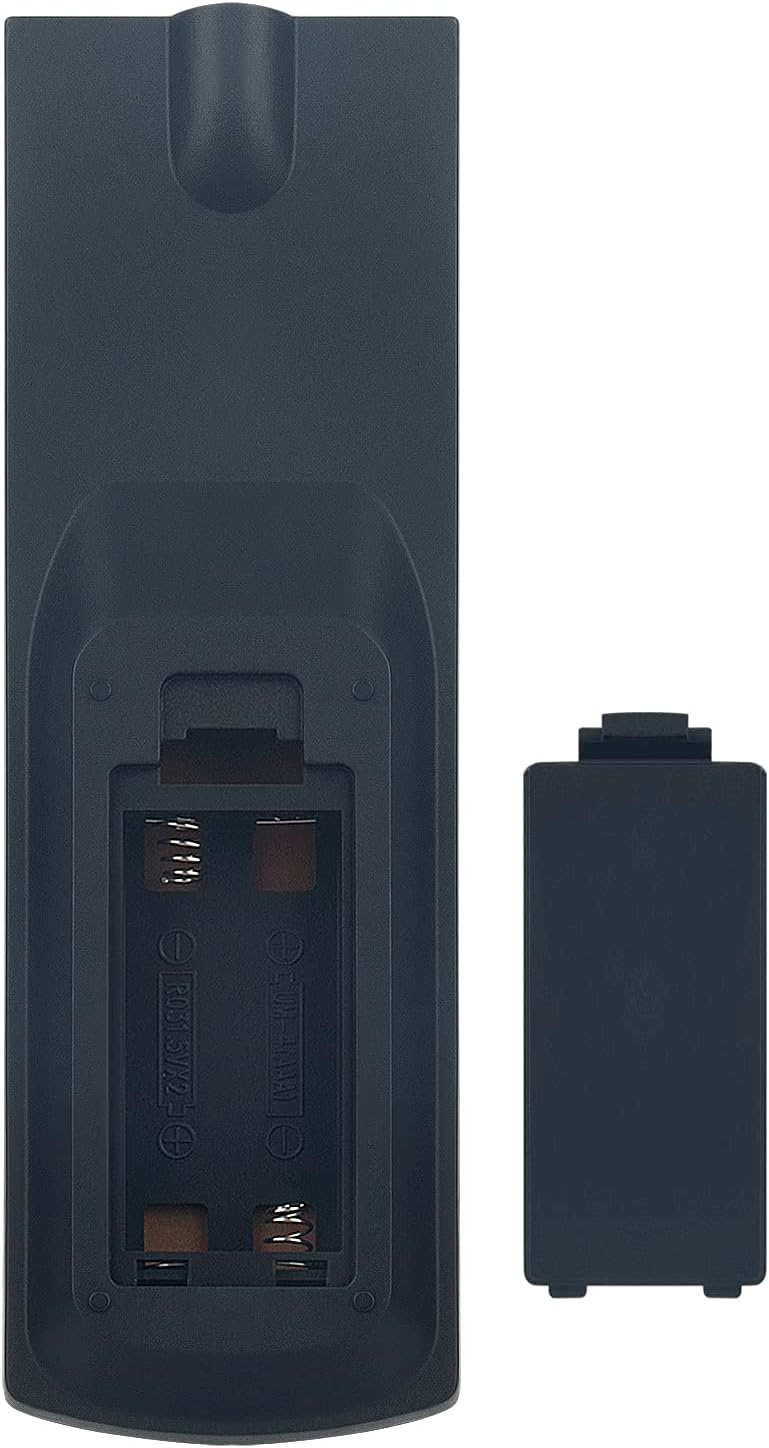
Image: Front view of the remote control, displaying the layout of all functional buttons.
Key Button Functions:
| Button | Function |
|---|---|
| POWER (DVD) | Turns the DVD player on or off. |
| OPEN/CLOSE | Opens or closes the DVD tray. |
| TV POWER | Turns the connected TV on or off (if compatible). |
| VOL +/- | Adjusts the volume level. |
| PR/CH +/- | Changes channels (if controlling a TV). |
| Number Pad (0-9) | Direct input for track numbers or other numerical selections. |
| PLAY (►) | Starts playback of a DVD or track. |
| PAUSE/STEP (▐▐) | Pauses playback or advances frame by frame. |
| STOP (■) | Stops playback. |
| SCAN (◀◀ / ►►) | Fast reverse or fast forward during playback. |
| SKIP (◀◀| / |►►) | Skips to the previous or next track/chapter. |
| Navigation (▲ ◀ ► ▼) | Navigates through menus and selections. |
| ENTER | Confirms a selection in menus. |
| DVD MENU | Accesses the main DVD menu. |
| TITLE | Accesses the DVD title menu. |
| DISPLAY | Shows on-screen display information. |
| AUDIO | Changes audio tracks or languages. |
| SUBTITLE | Toggles or selects subtitle options. |
| SETUP | Accesses the system setup menu. |
| RETURN | Goes back to the previous menu or screen. |
Maintenance
Cleaning:
To clean the remote control, use a soft, dry cloth. Do not use liquid cleaners, sprays, or abrasive materials, as these can damage the remote's surface or internal components.
Battery Replacement:
Replace batteries when the remote's response becomes sluggish or stops working. Always replace both batteries at the same time with new AAA alkaline batteries. Do not mix old and new batteries or different types of batteries. Remove batteries if the remote will not be used for an extended period to prevent leakage.
Storage:
Store the remote control in a cool, dry place away from direct sunlight, extreme temperatures, and high humidity.
Troubleshooting
- Remote not responding:
Check if the batteries are inserted correctly with the correct polarity (+/-). Replace old batteries with new ones. Ensure there is a clear line of sight between the remote and the DVD player's IR sensor. - Limited range:
Ensure batteries are fresh. Reduce the distance between the remote and the DVD player. Remove any obstructions. - Specific buttons not working:
This could indicate a faulty button or very low battery power. Try replacing batteries first. If the issue persists, contact customer support. - Remote controls other devices unintentionally:
This remote is specifically designed for LG DVD players. If it affects other devices, ensure you are pointing it directly at the intended LG DVD player.
Product Specifications
| Feature | Detail |
|---|---|
| Brand | VINABTY |
| Model Number | COV33662806 |
| Compatible Devices | LG DVD/Blu-ray Players (DP132H, DZ9500, DVX9500, DP540H, DP542H, DGK777, DGK778) |
| Connectivity Technology | Infrared (IR) |
| Number of Buttons | 10 (main functional buttons, excluding number pad) |
| Maximum Range | 10 Meters |
| Power Source | 2 x AAA Batteries (not included) |
| Battery Description | Alkaline (recommended) |
| Color | Black |
| Special Feature | Ergonomic Design |
| Item Weight | 44 Grams |
| Country of Origin | China |
Warranty and Customer Support
For any questions, technical assistance, or issues not covered in this manual, please contact the seller or manufacturer directly through your purchase platform. Please retain your proof of purchase for any warranty claims.
