
Jabra 2775-429
Jabra Speak2 75 Wireless Bluetooth Speakerphone User Manual
Model: 2775-429
Introduction
The Jabra Speak2 75 is a state-of-the-art portable speakerphone engineered for exceptional audio performance in hybrid work settings. It delivers crystal-clear sound and ensures your voice is heard with advanced microphone technology. This manual provides essential information on setting up, operating, maintaining, and troubleshooting your device.

Figure 1: Jabra Speak2 75 Wireless Bluetooth Speakerphone with USB-C dongle.
What's in the Box
- 1x Jabra Speak2 75 Speakerphone with integrated USB-C Cable and USB-A Adapter
- 1x Link 380 USB-C Bluetooth Adapter
- 1x Carry Pouch
- 1x Safety Leaflet
Setup
Initial Charging
Before first use, fully charge your Jabra Speak2 75. Connect the integrated USB-C cable to a power source (e.g., computer USB port or wall adapter). The battery indicator lights will show charging status.
Connecting to a Device
The Speak2 75 offers multiple connectivity options:
- USB Connection: Plug the integrated USB-C cable directly into your computer's USB-C port. If your computer only has USB-A ports, use the included USB-A adapter.
- Bluetooth Connection (with USB-C Dongle): Insert the Jabra Link 380 USB-C Bluetooth Adapter into your computer's USB-C port. The speakerphone and dongle are pre-paired for immediate use.
- Bluetooth Connection (Direct to Device): Turn on the speakerphone. On your device (smartphone, tablet, or computer), enable Bluetooth and select 'Jabra Speak2 75' from the list of available devices. Follow any on-screen prompts to complete pairing.
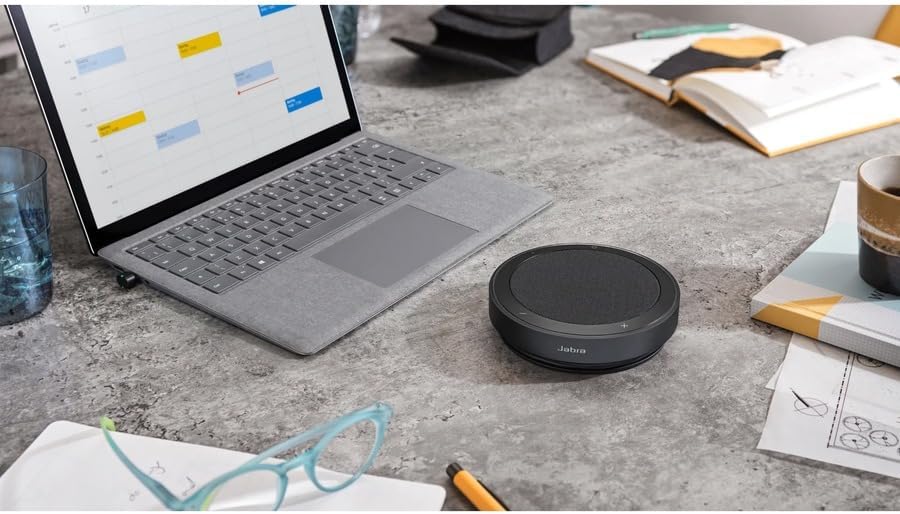
Figure 2: The Jabra Speak2 75 seamlessly integrates into a typical workspace setup.
Operating Instructions
Controls Overview
The Jabra Speak2 75 features intuitive touch controls on its surface. The illuminated ring provides visual feedback on device status and microphone pickup.
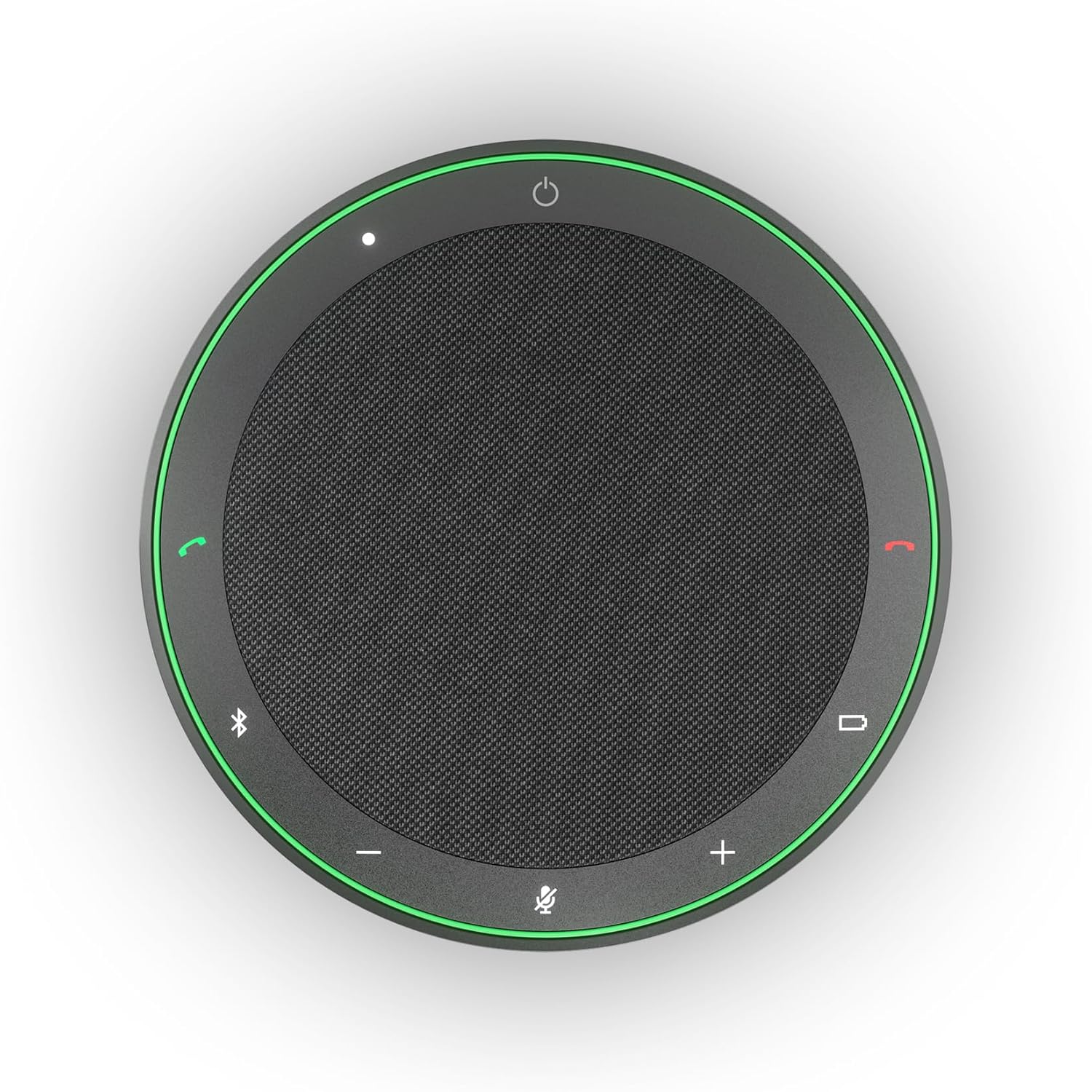
Figure 3: Top view of the speakerphone showing the touch controls and illuminated ring.
- Power Button: Press and hold to turn on/off.
- Volume Up/Down: Adjust audio output level.
- Mute Microphone: Toggle microphone on/off. The illuminated ring will change color to indicate mute status.
- Answer/End Call: Manage calls directly from the speakerphone.
- Bluetooth Button: Initiate Bluetooth pairing mode.
Audio Performance
The Speak2 75 is equipped with a 65mm full-range speaker for rich audio and four beamforming microphones for clear voice capture. It supports super wideband audio for an enhanced listening experience (requires compatible UC client and device support).
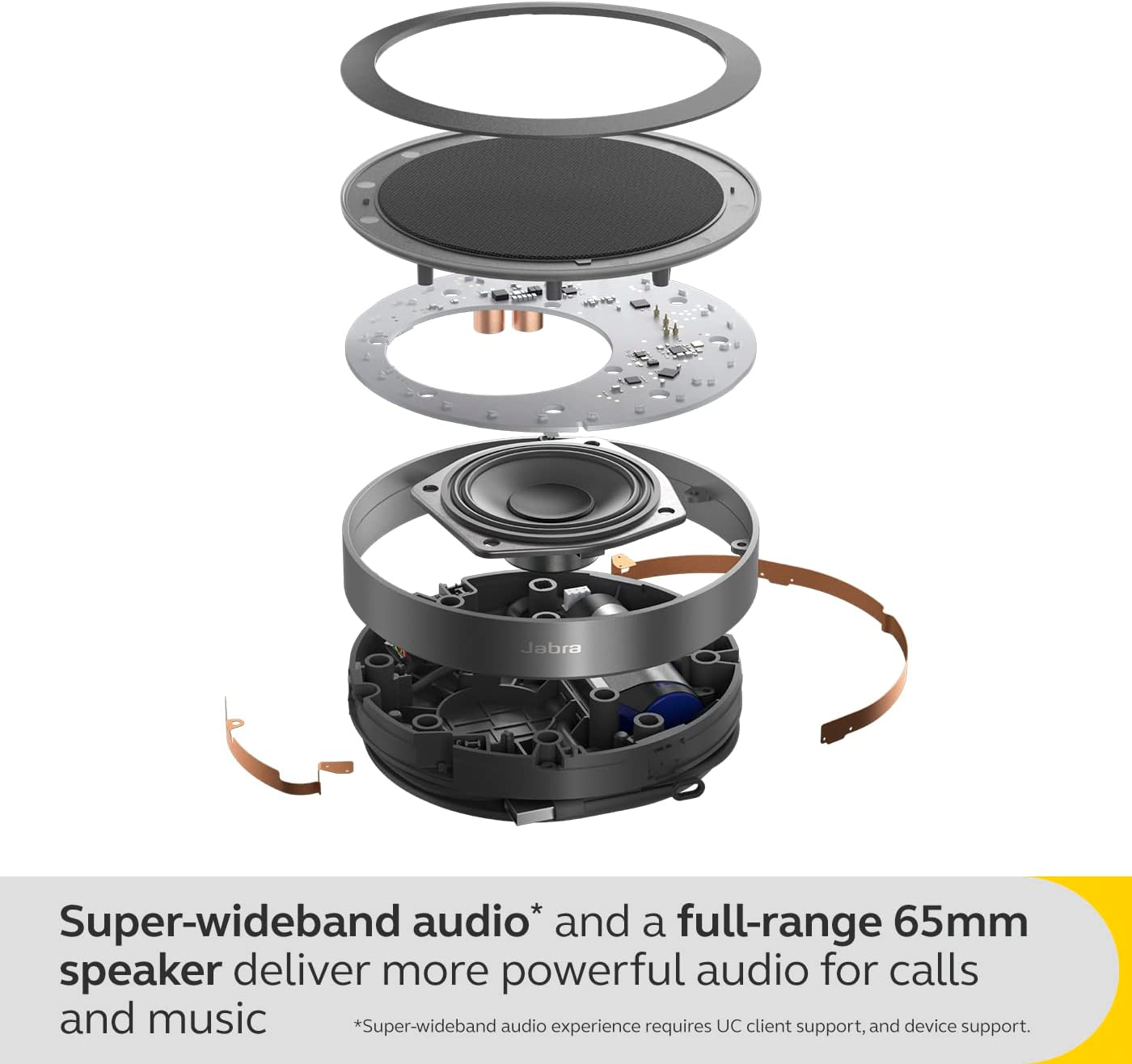
Figure 4: Internal components illustrating the 65mm speaker and microphone array for superior audio.
Microphone Quality Indicator
Utilize the Microphone Quality Indicator feature (activated via Jabra Sound+ or Jabra Direct apps) to visually confirm how well your voice is being picked up by the speakerphone's microphones. This helps optimize your speaking position for clarity.

Figure 5: The Microphone Quality Indicator provides real-time feedback on voice pickup.
Voice Level Normalisation & Full Duplex Audio
The Speak2 75 incorporates Voice Level Normalisation technology, ensuring consistent volume levels for all participants, regardless of how loudly or softly they speak. Advanced Full Duplex audio allows multiple people to speak and be heard simultaneously without audio clipping or interruption.
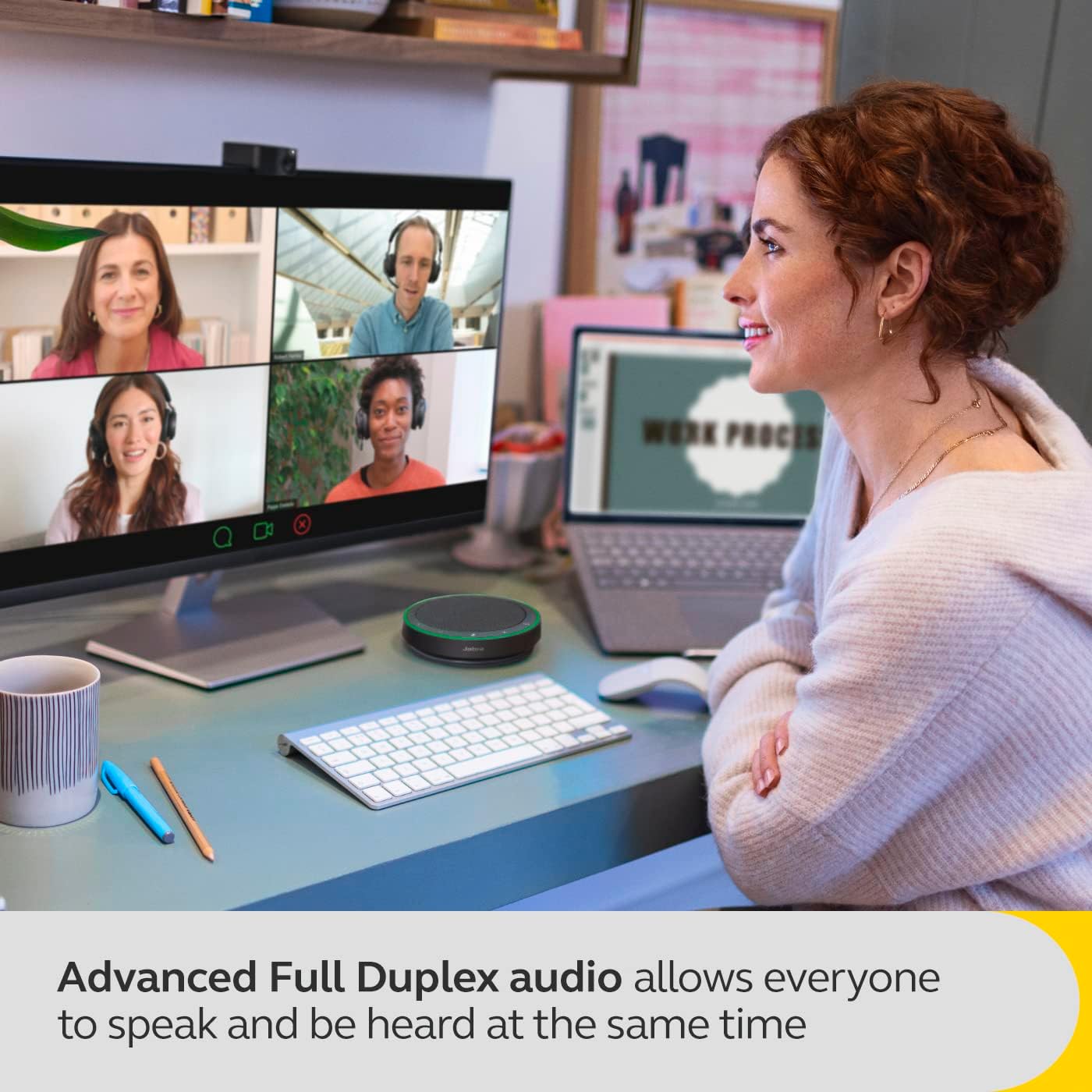
Figure 6: Full Duplex audio enables natural, simultaneous conversation during calls.
Platform Compatibility
The Jabra Speak2 75 is certified for leading Unified Communications platforms, including Zoom and Google Meet, ensuring seamless integration and optimized call quality.

Figure 7: The speakerphone is certified for popular virtual meeting platforms.
Maintenance
Cleaning and Care
To maintain the performance and appearance of your Speak2 75, wipe it with a soft, dry cloth. Avoid using abrasive cleaners or solvents. The device is IP64-rated for dust and water resistance, meaning it is protected against dust ingress and splashing water from any direction. However, it is not designed for submersion.
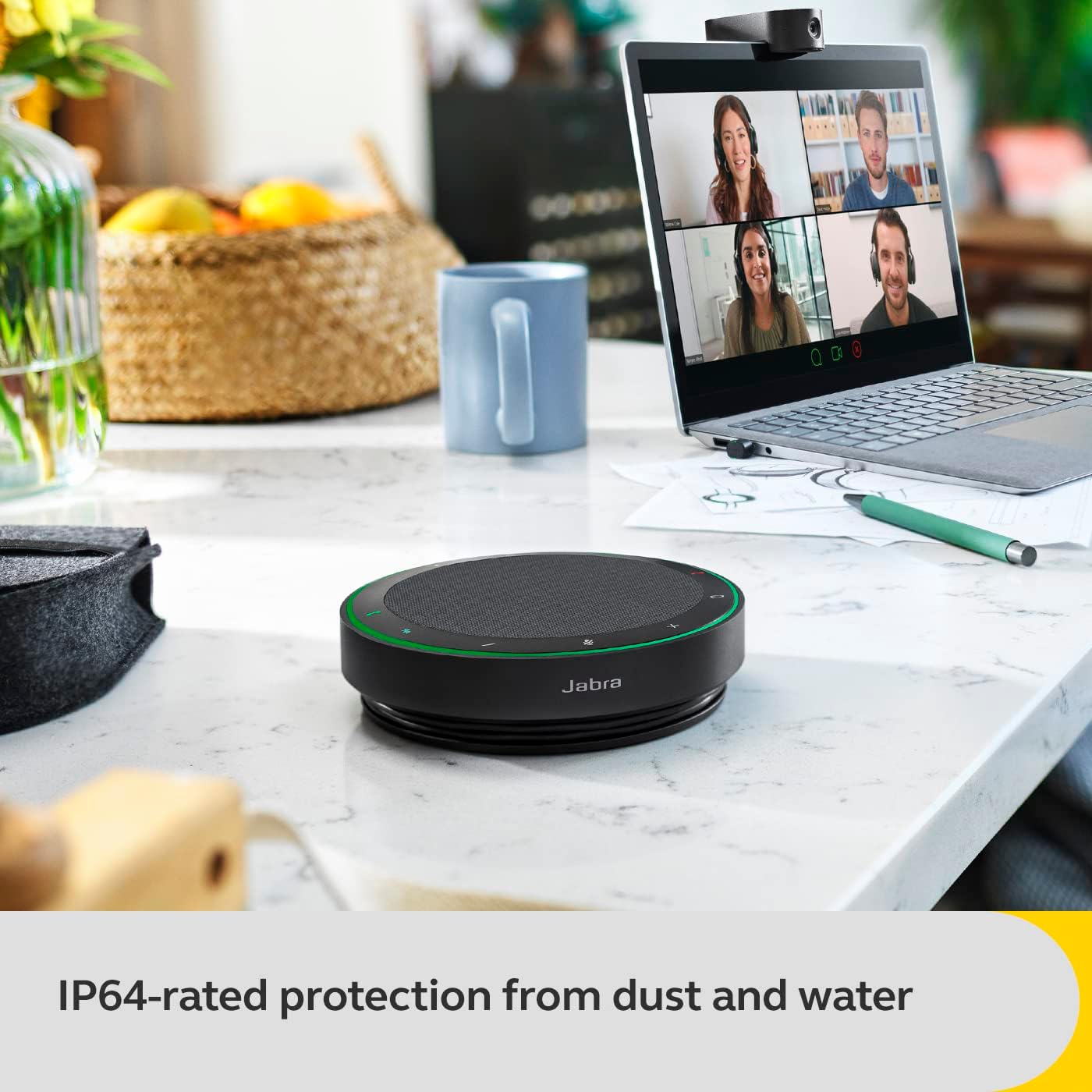
Figure 8: The IP64 rating ensures protection against dust and water splashes.
Battery Life
The Speak2 75 provides up to 32 hours of battery life on a single charge. For optimal battery longevity, avoid fully discharging the battery frequently and store the device in a cool, dry place when not in use for extended periods.
Troubleshooting
| Problem | Possible Cause | Solution |
|---|---|---|
| No audio from speakerphone | Device not powered on; Volume too low; Not connected to device; Incorrect audio output selected on computer. | Ensure device is powered on and charged. Increase volume. Verify USB or Bluetooth connection. Select 'Jabra Speak2 75' as the default audio output in your computer's sound settings. |
| Microphone not picking up sound | Microphone muted; Incorrect audio input selected on computer; Speakerphone too far away. | Unmute the microphone. Select 'Jabra Speak2 75' as the default audio input in your computer's sound settings. Ensure the speakerphone is within optimal range. |
| Bluetooth connection unstable | Interference; Device too far from speakerphone; Low battery. | Move speakerphone closer to the connected device. Ensure no other strong wireless signals are interfering. Charge the speakerphone. Re-pair the Bluetooth connection. |
| Echo or feedback during calls | Speakerphone volume too high; Other participants using speakerphone in the same room. | Reduce speakerphone volume. Ensure only one speakerphone is active per meeting room to avoid audio conflicts. |
Specifications
| Model Name | Speak2 75 |
| Speaker Type | Multimedia |
| Recommended Uses | For Conference Calls and Hybrid Work |
| Compatible Devices | Universal |
| Color | Black |
| Battery Life | Up to 32 Hours |
| Product Dimensions | 5.22"D x 5.22"W x 1.38"H (13.26 cm D x 13.26 cm W x 3.51 cm H) |
| Item Weight | 1.3 Pounds (0.59 kg) |
| Waterproof Rating | IP64 (Dust and splash resistant) |
| Maximum Wireless Range | 100 Feet (30 meters) |
| Wireless Communication Technology | Bluetooth |
| Speaker Size | 65 Millimeters |
| Power Source | Battery Powered (1 Lithium Ion battery included) |
| Audio Output Mode | Stereo |
| Manufacturer | Jabra |
Warranty and Support
Limited Warranty
The Jabra Speak2 75 comes with a 2-year limited warranty. This warranty covers defects in materials and workmanship under normal use. Please refer to the safety leaflet included in your product packaging for full warranty terms and conditions.
Customer Support
For technical assistance, product registration, or further information, please visit the official Jabra support website or contact their customer service. Keep your proof of purchase for warranty claims.
Related Documents - 2775-429
 |
Jabra Speak2 75: Professional Speakerphone for Hybrid Work | Datasheet Discover the Jabra Speak2 75, a professional speakerphone designed for hybrid working. Featuring outstanding audio quality, full duplex audio, advanced microphone technology, and a durable, portable design. Learn about its features, benefits, and connectivity options for seamless collaboration. |
 |
Jabra Speak2 40/55 LED Meanings and Applicable Products Understand the LED ring indicators on your Jabra Speak2 40 and Jabra Speak2 55 speakerphones. Learn about call status, mute, and other functions. View applicable product models. |
 |
Jabra Link 390c UC - USB-C: Getting Started with a Replacement Bluetooth Adapter Learn how to start using a replacement Jabra Link Bluetooth adapter with your computer and Jabra Direct. This guide covers setup and pairing for various Jabra audio devices. |
 |
Jabra Speak2 40 User Manual: Setup, Features, and Support Official user manual for the Jabra Speak2 40 speakerphone. Learn about setup, connectivity, button functions, Microsoft Teams integration, firmware updates, and device care. Includes technical specifications and support information. |
 |
Jabra Speak 510 User Manual Addendum: Getting the Most from Your Speaker This guide provides quick answers to common questions, illustrates typical use cases, and highlights how the Jabra Speak 510 conference speaker solves frequent communication challenges in professional settings. It covers connectivity, compatibility, audio features, and common use cases. |
 |
Jabra Speak2 55 Quick Start Guide Quick start guide for the Jabra Speak2 55 portable speakerphone, detailing connection methods, device controls, LED indicators, and multi-language user instructions. |