
MOKA SFX B0BWJFLTZK
MOKA SFX Haze Fog Machine User Manual
Model: B0BWJFLTZK
Introduction
Thank you for choosing the MOKA SFX Haze Fog Machine. This device is designed to produce a fine, atmospheric haze, enhancing lighting effects for various indoor events such as DJ sets, club nights, and stage performances. Please read this manual thoroughly before operation to ensure safe and efficient use.
Safety Information
- Always use the machine in a well-ventilated area.
- Ensure the power supply matches the machine's requirements (110V 60Hz).
- Use only approved haze fluid. Do not use fog fluid or other liquids.
- Keep a safe distance from the fog outlet. The vapor is hot.
- Do not block the cooling holes.
- Unplug the machine from the power outlet before cleaning or maintenance.
- Keep out of reach of children.
- Do not operate if the power cord is damaged.
What's in the Box
Upon opening the package, please verify that all items listed below are present and in good condition:
- 1 x MOKA SFX Mini Haze Machine
- 1 x Power Cable
- 1 x Remote Control (battery not included)
- 1 x User Manual
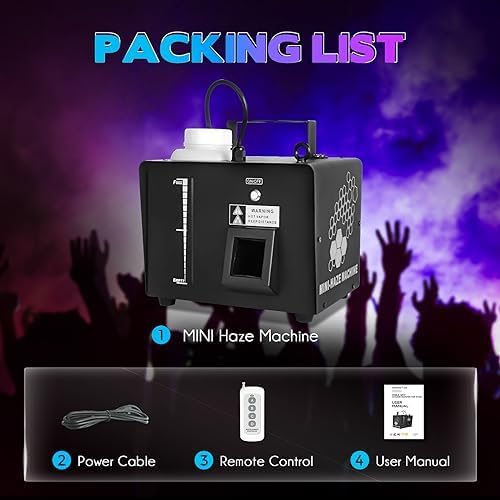
Figure 1: Packaging list for the MOKA SFX Mini Haze Machine.
Product Overview
The MOKA SFX Haze Fog Machine is a compact and efficient unit designed for creating atmospheric effects. Key components include the fluid tank, fog outlet, cooling holes, and a control panel with an LCD display.
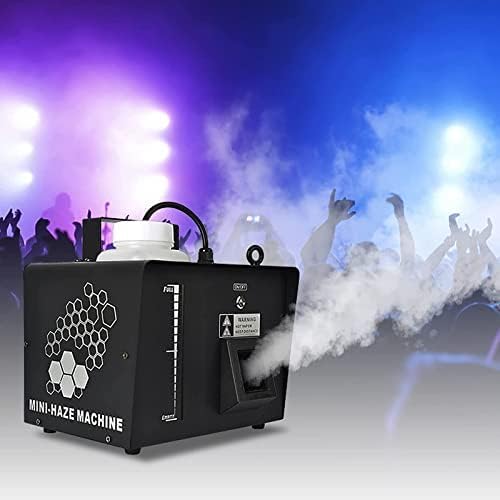
Figure 2: Front view of the Haze Fog Machine.

Figure 3: Product details highlighting the 1L oil tank, cooling holes, durable materials, and LCD display.
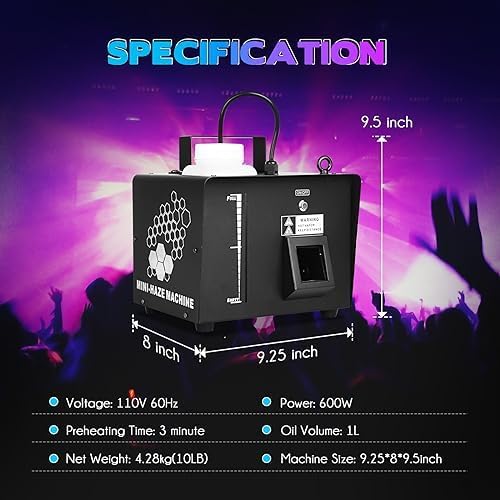
Figure 4: Machine specifications and dimensions.
Setup
- Placement: Place the haze machine on a stable, flat, and heat-resistant surface. Ensure there is adequate ventilation around the unit.
- Fluid Filling: Unscrew the cap of the 1L oil tank and carefully pour MOKA SFX haze fluid into the tank. Do not overfill. Ensure the fluid level is between the "FULL" and "EMPTY" marks on the fluid level indicator.
- Power Connection: Connect the power cable to the machine's power input and then plug it into a standard 110V 60Hz power outlet.
- Power On: Flip the main power switch on the rear panel to the "ON" position. The machine will begin to preheat.
- Preheating: Allow approximately 3 minutes for the machine to reach its operating temperature. The LCD display will indicate when it is ready.
- Remote Control Battery: Insert the required battery (not included) into the remote control unit.
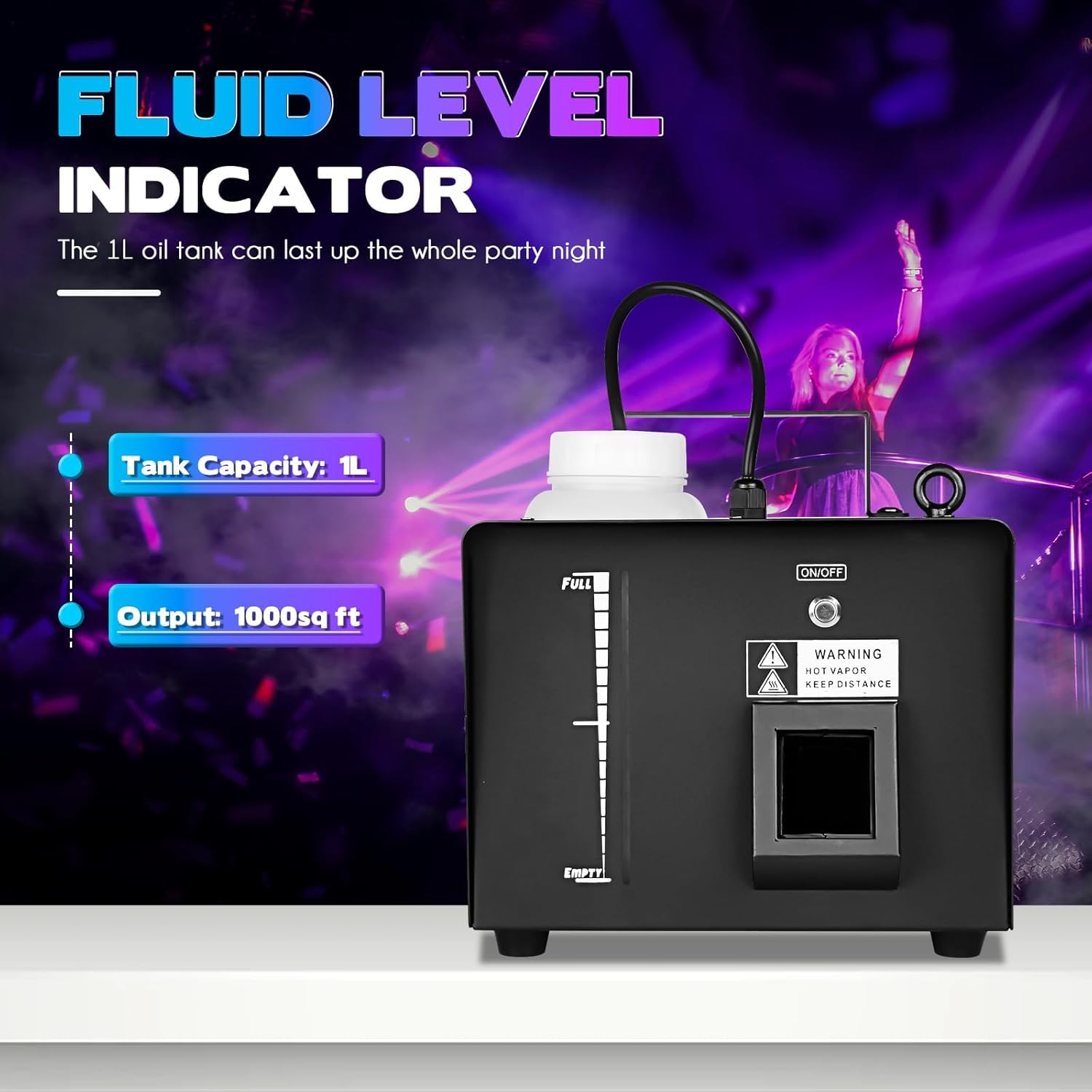
Figure 5: Fluid level indicator and tank capacity.
Operating Instructions
The MOKA SFX Haze Fog Machine can be operated via its onboard control panel, DMX, or the included wireless remote control.
Remote Control Operation
The wireless remote control provides convenient operation from a distance. Ensure the remote has a working battery.
- Button A: Power On - Activates haze output.
- Button B: Power Off - Stops haze output.
- Button C: Haze Increase - Increases the density of the haze.
- Button D: Haze Decrease - Decreases the density of the haze.

Figure 6: Remote control functions.
DMX Control
For advanced control, the machine supports DMX512. Connect your DMX controller to the "DMX IN" port on the rear panel. Refer to your DMX controller's manual and the machine's LCD display for DMX address settings and channel assignments.
Manual Operation (Onboard Control Panel)
The onboard control panel allows for direct control of the machine's functions. Use the buttons next to the LCD display to navigate menus and adjust settings such as timer, volume, and manual haze output.
Video 1: Demonstration of the MOKA SFX Mini Haze Machine in operation, showcasing its features and remote control functionality.
Video 2: Preview of the MOKA SFX Mini Haze Machine demonstrating its haze output and effect on stage lighting.
Maintenance
Regular maintenance ensures the longevity and optimal performance of your haze machine.
- Fluid Tank: Regularly check the fluid level and refill as needed. Do not let the tank run completely dry during operation.
- Cleaning: Periodically clean the exterior of the machine with a soft, dry cloth. Do not use abrasive cleaners or solvents.
- Nozzle Cleaning: If the haze output becomes weak or inconsistent, the nozzle may be partially clogged. Consult a qualified technician for cleaning or replacement.
- Storage: When not in use for extended periods, drain any remaining fluid from the tank and store the machine in a cool, dry place.
Troubleshooting
| Problem | Possible Cause | Solution |
|---|---|---|
| No haze output | No power; fluid tank empty; machine not preheated; nozzle clogged. | Check power connection; refill fluid; wait for preheating; consult technician for nozzle. |
| Weak haze output | Low fluid level; incorrect fluid type; partial nozzle clog. | Refill fluid; ensure correct haze fluid is used; consult technician. |
| Remote control not working | No battery; dead battery; out of range. | Insert battery; replace battery; move closer to the machine. |
| Machine overheating | Blocked cooling vents; continuous operation for too long. | Ensure vents are clear; allow machine to cool down. |
Specifications
- Item Weight: 10.25 pounds
- Product Dimensions: 11 x 10 x 11.5 inches
- Voltage: 110V 60Hz
- Power: 600W
- Preheating Time: Approximately 3 minutes
- Oil Volume: 1 Liter
- Output: 1000 sq ft (approximate coverage)
Warranty & Support
For warranty information, technical support, or to purchase replacement parts and accessories, please visit the official MOKA SFX Store or contact customer service through your retailer.
Consider purchasing an extended protection plan for additional coverage:
Ask a question about this manual
Ask about setup, troubleshooting, compatibility, parts, safety, or missing instructions. Manuals+ will review the question and use this page’s manual context to help answer it.