
1. Product Overview
The Yupiteru WDT024Rd is a sophisticated dual-camera drive recorder designed to enhance driving safety and provide reliable incident recording. This model integrates an Orbis (speed camera) alert function with front and rear Full HD recording capabilities. It features High Dynamic Range (HDR) and SUPER NIGHT vision for clear video capture in various lighting conditions, including low-light environments. The wide-angle lenses ensure a broad field of view, capturing critical details both ahead and behind your vehicle. Equipped with GPS and a G-sensor, it supports continuous recording, event-triggered recording, and optional parking surveillance modes.
2. Setup and Installation
Proper installation is crucial for optimal performance. It is recommended to have the device professionally installed, especially for the power connection and rear camera routing. An optional on-site installation service may be available.
2.1 Package Contents
- Main Unit (Front Camera)
- Rear Camera
- 5V Converter Power Direct Connection Cord (approx. 4m)
- Front Camera Mounting Bracket
- Rear Camera Cable (approx. 9m)
- Drive Recorder Sticker
- microSD Card (32GB)
- Warranty Card
2.2 Mounting the Front Camera
- Clean the windshield area where the camera will be mounted.
- Attach the front camera to the mounting bracket.
- Securely attach the bracket to the windshield using the adhesive pad, ensuring a clear view of the road. The bracket allows for angle adjustment (up, down, left, right).
This image illustrates the compact design of the front and rear cameras, showing how they can be discreetly installed without obstructing the driver's view.

2.3 Mounting the Rear Camera
- Identify a suitable location on the rear window that provides an unobstructed view.
- Attach the rear camera using its adhesive.
- Route the rear camera cable to the main unit, ensuring it does not interfere with airbags or other vehicle components.
2.4 Power Connection
Connect the 5V converter power direct connection cord to the vehicle's 12V power supply. Ensure the connection is secure. The device operates on DC12V (5V input) and consumes 7.5W.
3. Operating Instructions
3.1 Basic Recording
The device automatically begins continuous recording when the vehicle's ignition is turned on. Video is recorded in 30-second or 3-minute 20-second segments, overwriting the oldest files when the microSD card is full.
3.2 Orbis Alert Function
The WDT024Rd includes a built-in Orbis (speed camera) alert function. It uses pre-recorded GPS data to notify the driver via visual display and voice announcements approximately 1km or 500m before an Orbis location. This function is based on internal data and does not rely on radio wave reception. Please note that updated Orbis data is not planned for sale.
This image demonstrates the Orbis alert display, showing a speed limit of 100 km/h and a target distance of 1000m to a loop coil. Various alert types are shown for different Orbis systems.

3.3 Night Vision (SUPER NIGHT)
Both front and rear cameras are equipped with HDR and SUPER NIGHT vision, utilizing a SONY STARVIS sensor to record clear and bright images even in low-light conditions. This feature helps to suppress blackouts in dark areas and whiteouts from bright lights, ensuring important details are captured.
This image compares night recording quality between a STARVIS-equipped model (left) and a non-STARVIS model (right), highlighting the superior clarity of the STARVIS model in dark environments.

3.4 Event Recording
The built-in G-sensor detects sudden impacts or rapid acceleration/deceleration, automatically triggering event recording. You can also manually initiate event recording with a one-touch button. Event files are saved separately to prevent overwriting.
3.5 Parking Surveillance (Optional)
With an optional accessory, the WDT024Rd supports parking surveillance. Available modes include time-lapse recording and motion detection. This feature allows the device to record incidents while the vehicle is parked, providing evidence for hit-and-runs or vandalism.
This image shows the parking surveillance feature, illustrating how the device can record events like a hit-and-run while parked. It also details optional accessories for parking recording, such as a voltage monitoring unit and a multi-battery.

3.6 Video Playback
Recorded videos can be played back directly on the unit's 2.0-inch full-color TFT LCD screen. For more detailed viewing and analysis, you can use the free dedicated PC viewer software for Windows or standard Windows Media Player.
4. Maintenance
4.1 SD Card Management
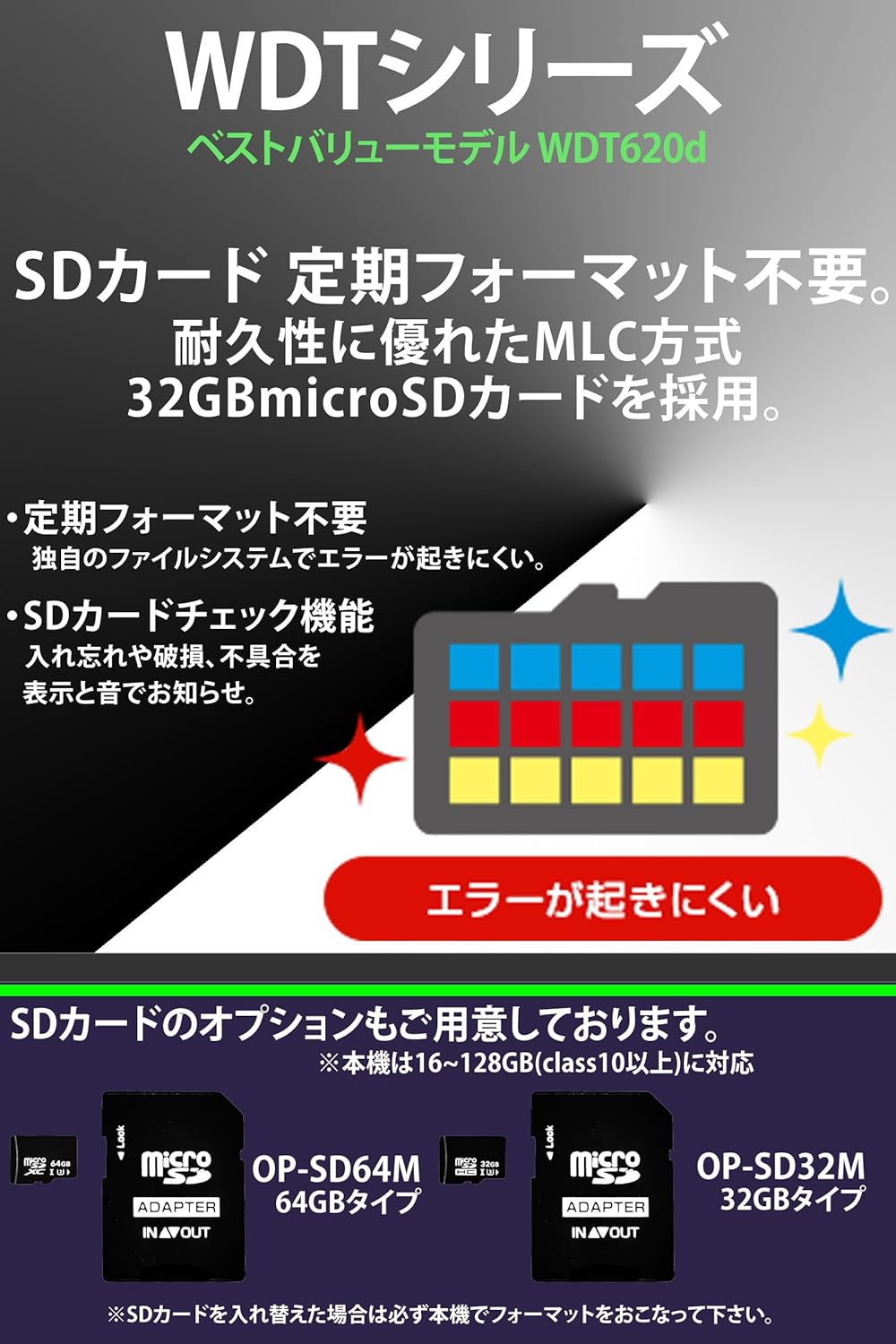
The WDT024Rd uses a high-durability MLC-type 32GB microSD card (included), supporting up to 128GB (Class 10 or higher). Yupiteru's unique file system minimizes errors due to fragmentation, reducing the need for frequent manual formatting. The device also includes an SD card check function to notify you of any issues.
This image highlights the high-durability MLC method for the SD card, emphasizing that it reduces the need for regular formatting and prevents errors.
5. Troubleshooting
5.1 Playback Issues on PC
Some users have reported issues with video playback on PC, such as distorted images or missing audio, especially with the dedicated PC viewer software. If you encounter such problems, try playing the video at the lowest speed setting or using a different media player. Ensure your PC's drivers are up to date.
5.2 Rear Camera Angle Adjustment
If the rear camera's angle is not optimal, especially in vehicles with sloped rear windows, consider using an aftermarket mounting base that allows for angle adjustment. The included rear camera mount is fixed and may not suit all vehicle types.
5.3 G-Sensor Sensitivity
If the G-sensor is too sensitive, triggering event recordings unnecessarily (e.g., over bumps), adjust its sensitivity settings through the device menu. Refer to the digital user manual for detailed steps.
6. Specifications
| Feature | Detail |
|---|---|
| External Dimensions (Front) | 65(W) × 53(H) × 28(D) mm |
| External Dimensions (Rear) | 54(W) × 25(Dia) mm |
| Recording Media | microSD card (32GB included), supports 16-128GB (Class 10 or higher) |
| Screen Size | 2.0 inch Full Color TFT LCD |
| Image Resolution | Front/Rear HDR 2 Million Pixels Full HD 1080P (1920×1080) |
| F-Value | Front F2.2, Rear F2.0 |
| Minimum Subject Illuminance | 0.5 LUX |
| Max Recording Angle (Front) | Diagonal 162° (Horizontal 138°, Vertical 78°) |
| Max Recording Angle (Rear) | Diagonal 155° (Horizontal 128°, Vertical 63°) |
| GPS | Yes |
| G-Sensor | Yes (Sensitivity adjustable) |
| Recording Method | Continuous, Event (G-sensor, One-touch) |
| Parking Recording | Time-lapse, Motion Detection (Optional accessory required) |
| Power Supply Voltage | DC12V (5V input) |
| Power Consumption | 7.5W |
| Operating Temperature Range | -10°C to +60°C |
| Color | Black |
| Origin | Republic of Korea |
7. Warranty and Support
The Yupiteru WDT024Rd comes with a 1-year manufacturer's warranty. Please note that consumables, such as the microSD card, are excluded from this warranty. For detailed warranty information and support, please refer to the included warranty card or visit the official Yupiteru website.
A digital version of the user manual (PDF) is available for free download from the manufacturer's website or can be accessed via a link on the product page. This allows for convenient access and saving to your smartphone.
8. Product Videos
8.1 Night Vision Performance
This video demonstrates the superior night vision capabilities of the Yupiteru WDT024Rd, showcasing clear recording in low-light conditions, even with smoke-tinted rear windows.
8.2 3-Camera Recording Example
This video illustrates the comprehensive recording provided by a 3-camera setup (front, rear, and interior), capturing situations from all angles that traditional 2-camera systems might miss. Note: The WDT024Rd is a 2-camera system, but this video demonstrates the concept of wider coverage.
8.3 SD Card Reliability Features
This video explains the SD card's enhanced durability and error prevention features, including the high-endurance MLC method and the system's ability to minimize fragmentation, ensuring reliable recording without frequent manual formatting.
8.4 4K Front Camera Sample
This video provides a sample of 4K front camera footage, demonstrating the clarity and detail captured by Yupiteru's high-resolution dash cams, particularly useful for identifying license plates at various distances, both day and night. Note: The WDT024Rd records in Full HD, but this video showcases the brand's commitment to high image quality.