
Introduction
The A&D Medical UltaConnect UA-1200BLE is a Bluetooth-enabled multi-user blood pressure monitor designed for convenient home use. This device provides accurate readings of systolic, diastolic, and pulse rate, and can function offline. It supports up to 5 users plus a guest, making it a practical solution for families. The integrated wide-range cuff (8.6-16.5" / 22-42cm) includes cuff fit detection to help prevent measurement errors. Data can be tracked over time with 60 memory slots per user and a date/time stamp. For enhanced data management, the monitor wirelessly syncs with the A&D Heart Track App (iOS & Android), offering unlimited storage and trend analysis.
Package Contents
The product package includes the following items:
- 1 Cordless Upper Arm Blood Pressure Monitor (UA-1200BLE)
- 1 Instruction Manual
- 1 Quick Start Guide
- 1 USB Charging Adapter
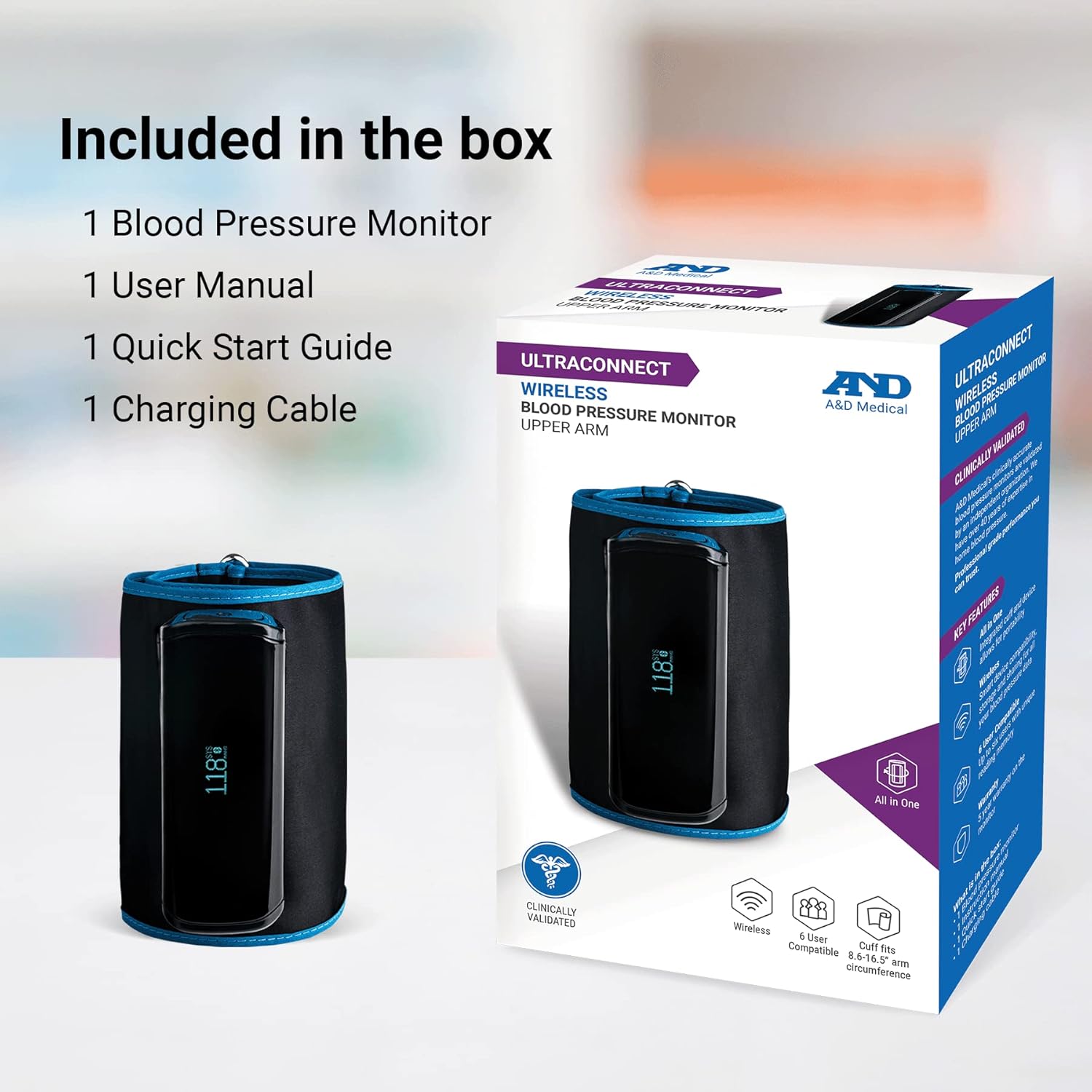
Image: The product box displaying the blood pressure monitor, user manual, quick start guide, and charging cable.
Setup
Charging the Device
The UA-1200BLE monitor is equipped with a 3.7V 325mAh rechargeable lithium-ion battery. Before first use, ensure the device is fully charged using the provided USB charging adapter. A full charge typically provides approximately 100 measurements under standard conditions (170 mmHg pressure, 23°C room temperature).
App Installation and Pairing
Download the A&D Heart Track App from your device's app store (available for iOS and Android). Follow the in-app instructions to pair your UA-1200BLE monitor via Bluetooth. This enables wireless syncing of your measurements and provides unlimited storage for your health data.
Operating Instructions
Cuff Placement
Correct cuff placement is crucial for accurate readings. The UA-1200BLE features an all-in-one compact wide-range cuff (8.6-16.5" / 22-42cm) with cuff fit detection.
- Pass your arm through the cuff hole with your palm facing up.
- Position the cuff about half an inch (1 to 2 cm) above the inside of your elbow.
- Ensure the hose is in line with your middle finger.
- Wrap the cuff snugly around your upper arm, but not too tightly. The cuff fit detection feature will help identify incorrect placement.

Image: A diagram illustrating the correct method to measure arm circumference for proper cuff sizing, indicating the midpoint between elbow and shoulder.

Image: A graphic emphasizing the importance of correct cuff size, explaining that a cuff that is too small can lead to artificially high readings, and a cuff that is too large can lead to lower-than-actual readings.
Video: Official A&D Medical guide on the proper procedure for placing the blood pressure cuff to ensure accurate measurements.
Taking a Measurement
The monitor features simple one-button operation for fast and accurate readings. Ensure you are seated comfortably with your feet flat on the floor and your arm resting on a surface at heart level. Avoid talking or moving during the measurement process.
- Press the START/STOP button once to begin the measurement.
- The cuff will inflate, and the OLED screen will display your systolic, diastolic, and pulse rate measurements.
- The measurement will automatically save to the device's memory.
Video: A&D Medical's guide on 5 common blood pressure cuff mistakes to avoid for accurate readings.
App Usage and Data Syncing
The A&D Heart Track App allows for seamless wireless syncing of your blood pressure measurements. This provides a comprehensive history of your readings, enabling you to track trends over time.
- After taking a measurement, open the A&D Heart Track App on your iOS or Android device.
- Ensure Bluetooth is enabled on your device and the monitor is within range.
- The app will automatically sync the new measurement data from the monitor.
- View your history, trends, and share reports with healthcare professionals if needed.

Image: The A&D Medical UltaConnect blood pressure monitor shown alongside a smartphone displaying the Heart Track App interface, which visualizes blood pressure and heart rate trends.

Image: A graphic promoting the free and highly-rated Heart Track App, showing the app's interface with blood pressure and heart rate data, and the A&D Medical logo.
Video: A user demonstrating the A&D Heart Track App's functionality, including saving stats, tracking health parameters, and the guest mode for immediate readings without saving.
Multi-User Functionality
The UA-1200BLE monitor supports up to 5 individual users plus a guest. Each user can have their readings stored separately within the device's memory (60 slots per user) and the A&D Heart Track App.
- To switch between users, refer to the Quick Start Guide or the full Instruction Manual for specific button sequences.
- Guest mode allows for a single measurement without saving it to a user profile.

Image: A man wearing the A&D Medical UltaConnect blood pressure monitor on his upper arm while looking at his smartphone, illustrating the wireless data transfer to the A&D Heart Track App.
Maintenance
Cleaning
Wipe the monitor and cuff with a soft, dry cloth. Do not use abrasive cleaners or immerse the device in water.
Storage
Store the device in a cool, dry place away from direct sunlight and extreme temperatures. Avoid dropping the device or subjecting it to strong impacts.
Troubleshooting
If you encounter issues with your UA-1200BLE monitor, please refer to the following common solutions:
- Error Codes: The monitor may display error codes for issues such as incorrect cuff placement, excessive movement during measurement, or low battery. Refer to the full instruction manual for a complete list of error codes and their solutions.
- Inaccurate Readings: Ensure the cuff is correctly placed and tightened. Remain still and silent during measurement. Check that the battery is sufficiently charged.
- Connectivity Issues: Verify Bluetooth is enabled on your smartphone and the monitor. Ensure the A&D Heart Track App is updated to the latest version.
For further assistance, contact A&D Medical customer support.
Specifications
| Feature | Detail |
|---|---|
| Model Number | UA-1200BLE |
| Product Dimensions | 1.7"L x 1"W x 5"Th |
| Weight | 15.2 ounces |
| Cuff Size Range | 8.6-16.5" / 22-42cm |
| Power Source | Rechargeable Lithium-ion Battery (3.7V 325mAh) |
| Battery Life | Approx. 100 measurements per charge |
| Display Type | Digital LCD |
| User Memory | Up to 5 users + 1 guest, 60 memory slots per user |
| Connectivity | Bluetooth (iOS & Android compatible) |
| Manufacturer | A&D Medical |
| UPC | 093764603693 |
Warranty and Support
Warranty Information
The A&D Medical UltaConnect UA-1200BLE monitor is backed by a 5-year warranty for the monitor unit and a 2-year warranty for the cuff. Please retain your proof of purchase for warranty claims.
Customer Support
For technical support, troubleshooting, or warranty inquiries, please contact A&D Medical customer service. Refer to the product packaging or the official A&D Medical website for current contact information.
Important Safety Information
Statements regarding dietary supplements have not been evaluated by the FDA and are not intended to diagnose, treat, cure, or prevent any disease or health condition. This blood pressure monitor is intended for home use and should not replace professional medical advice or treatment. Always consult with a healthcare professional for diagnosis and treatment of any medical condition.


