
Important Safety Instructions
Please read and save these important safety instructions before using this fan. Failure to follow these instructions may result in electric shock, fire, or injury.
- Always unplug the fan before cleaning or servicing.
- Do not operate the fan with a damaged cord or plug.
- Keep the fan away from water or wet areas.
- Do not insert fingers or other objects through the grille when the fan is operating.
- Ensure the fan is placed on a stable, level surface to prevent tipping.
- This fan is for indoor use only.
Product Overview
The BETTER HOMES & GARDENS 16-inch Retro Metal Pedestal Fan is designed to provide effective airflow with a vintage aesthetic. It features a durable metal construction and offers three speed settings with an oscillation function.
- Style: Retro and vintage appearance.
- Construction: Sturdy metal for long-lasting durability.
- Speed Settings: Three different speed configurations for varied airflow.
- Oscillation: Covers a wider area with adequate airflow.
- Power Cord: 6-foot fabric cord with a built-in fused UL plug.

Setup and Assembly
This fan is designed for easy assembly without the need for additional tools. Follow these steps to set up your fan:
- Unpack Components: Carefully remove all parts from the packaging. Ensure all components are present: fan head, stand pole, base, and any securing knobs.
- Attach Stand to Base: Securely attach the stand pole to the fan base. Ensure it is stable and upright.
- Attach Fan Head: Mount the fan head onto the top of the stand pole.
- Adjust Height: Loosen the height adjustment knob on the stand pole to set the desired fan height. Tighten the knob firmly to secure the height.

Once assembled, place the fan on a firm, level surface and plug the 6-foot fabric power cord into a standard electrical outlet.
Operating Instructions
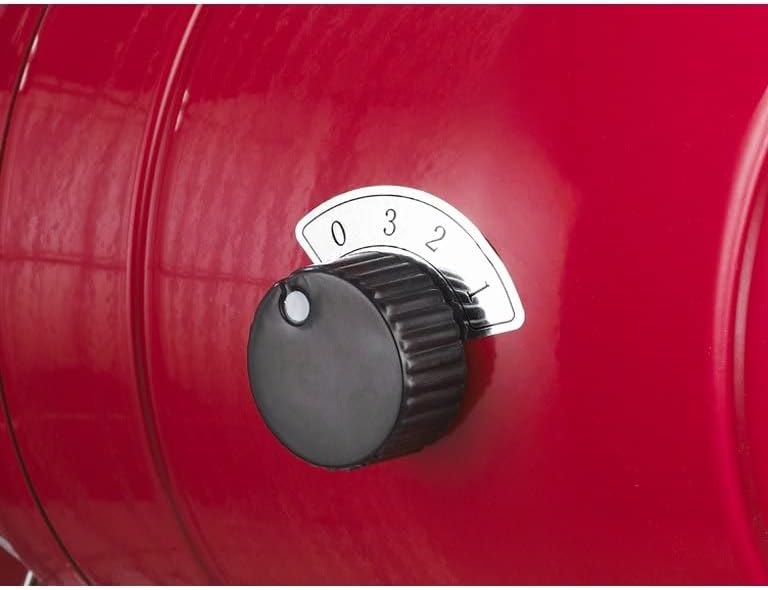
Your fan is equipped with a rotary switch for speed control and a push-button for oscillation.
- Power On/Speed Selection: Locate the rotary switch on the fan motor housing. Turn the knob clockwise to select your desired speed: '1' for low, '2' for medium, and '3' for high. Turn to '0' to power off the fan.
- Oscillation Function: To activate oscillation, press down the oscillation knob located on top of the motor housing. To stop oscillation and direct airflow in a fixed position, pull the knob up.

Maintenance
Regular cleaning will help maintain the fan's performance and extend its lifespan.
- Cleaning: Always unplug the fan before cleaning. Use a soft, damp cloth to wipe the exterior surfaces. Do not use abrasive cleaners or allow water to drip into the motor housing.
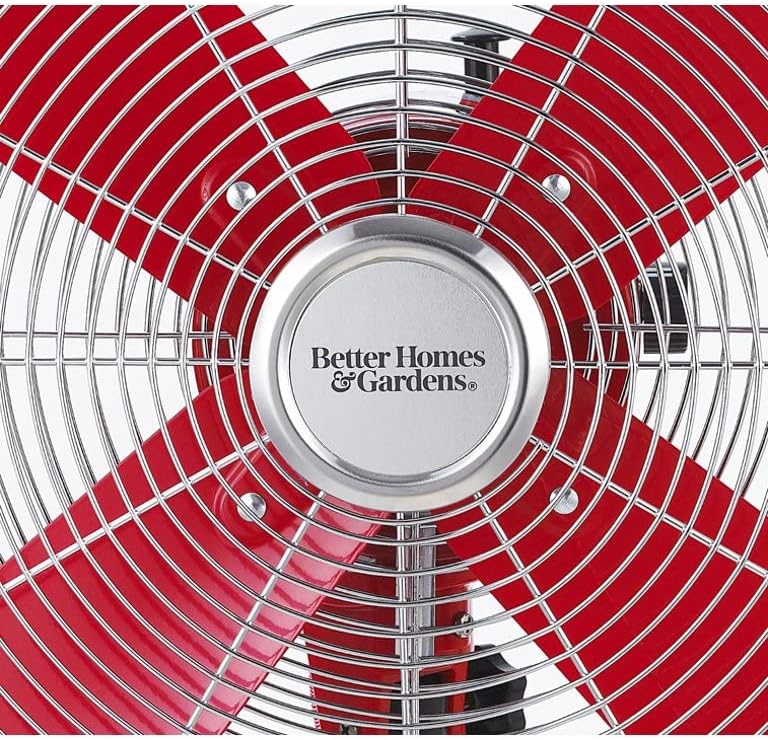
- Grille Cleaning: Periodically, the front grille may be removed (if applicable and safe to do so per design) to clean dust from the fan blades. Refer to the product design for specific grille removal instructions.
- Storage: When not in use, store the fan in a cool, dry place, preferably in its original packaging or covered to protect it from dust.
Troubleshooting
If your fan is not operating correctly, please check the following common issues:
- Fan Does Not Turn On:
- Ensure the power cord is securely plugged into a working electrical outlet.
- Check if the speed control knob is set to a speed setting (1, 2, or 3) and not '0' (off).
- Verify the circuit breaker has not tripped.
- Weak Airflow:
- Increase the speed setting using the control knob.
- Clean any dust or debris from the fan blades and grilles.
- Fan Is Noisy:
- Ensure the fan is on a stable, level surface.
- Check for any loose parts or obstructions around the blades.
If the problem persists after checking these points, please contact customer support.
Specifications
| Feature | Specification |
|---|---|
| Brand | BETTER HOMES & GARDENS |
| Model Number | BHS136163273012 |
| Color | Red |
| Material | Metal |
| Number of Speeds | 3 |
| Special Features | 3 Speeds, Adjustable Height, Oscillating, Metal Stand |
| Product Weight | 8.16 Kilograms |
| Product Dimensions | 40D x 46W x 126H centimeters |
| Power Source | Corded Electric |
| Mounting Type | Floor Mount |
Warranty and Support
For warranty information or technical support, please refer to the product packaging or contact BETTER HOMES & GARDENS customer service. Keep your purchase receipt for any warranty claims.
For further assistance, please visit the official BETTER HOMES & GARDENS website or contact their customer support line.