1. Introduction
Thank you for choosing JBL Live Flex wireless in-ear headphones. This manual provides essential information to help you set up, operate, and maintain your headphones, ensuring you get the best possible audio experience. The JBL Live Flex headphones feature JBL Signature Sound, adaptive noise cancellation, and a comfortable open-ear design for all-day wear.
2. What's in the Box
Your JBL Live Flex package includes the following items:
- 1 x Pair of JBL Live Flex Earbuds
- 1 x USB-C Charging Cable
- 1 x Charging Case
- 1 x Safety Data Sheet / Quick Start Guide

Image: JBL Live Flex headphones and charging case as seen in their retail packaging.
Video: This video demonstrates the unboxing process and shows the contents of the JBL Live Flex package.
3. Setup
3.1 Charging
Before first use, fully charge your JBL Live Flex headphones and charging case. The charging case provides up to an additional 32 hours of battery life, extending the earbuds' 8 hours of playtime to a total of 40 hours. A 15-minute Speed-Boost charge provides 4 hours of playtime.
- Place the earbuds into the charging case.
- Connect the USB-C charging cable to the charging case and a power source.
- The LED indicators on the case will show the charging status.
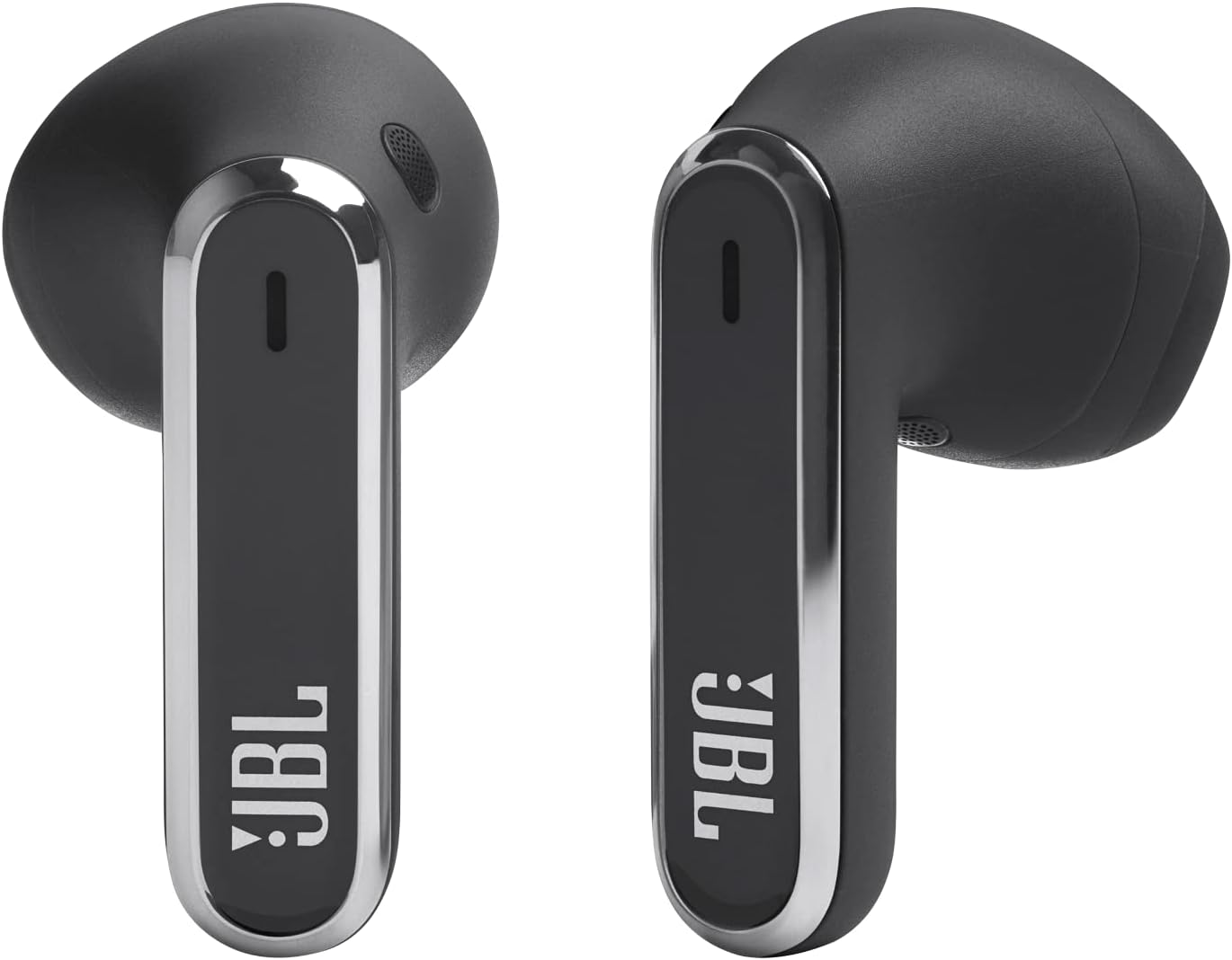
Image: The JBL Live Flex earbuds are shown resting in their charging case, with the LED indicators illuminated to show the charging status.
3.2 Bluetooth Pairing
To connect your JBL Live Flex headphones to a device:
- Open the charging case. The earbuds will automatically enter pairing mode.
- On your device (smartphone, tablet, etc.), go to Bluetooth settings.
- Select "JBL Live Flex" from the list of available devices.
- Once connected, you will hear an audible confirmation.
4. Operating Instructions
4.1 Controls
The JBL Live Flex headphones feature intuitive touch controls on each earbud. You can customize these controls via the JBL Headphones App.
- Play/Pause: Single tap on either earbud.
- Next Track: Double tap on the right earbud.
- Previous Track: Triple tap on the left earbud.
- Answer/End Call: Single tap on either earbud.
- Reject Call: Press and hold on either earbud.
- Activate Voice Assistant: Customizable via app (e.g., Hey Google, Alexa built-in).

Image: A close-up view of the JBL Live Flex earbuds, highlighting the touch-sensitive surfaces and the left and right indicators for proper placement.
4.2 Adaptive Noise Cancellation (ANC)
The JBL Live Flex features adaptive noise cancellation to minimize distractions from your surroundings. This technology adjusts to your environment in real-time, providing optimal noise reduction.

Image: This image shows an individual wearing the JBL Live Flex earbuds, demonstrating the effectiveness of the True Adaptive Noise Cancellation feature in a potentially noisy setting.
4.3 JBL Headphones App
Enhance your experience by downloading the JBL Headphones App. The app allows you to:
- Tailor your sound to your hearing profile with Personi-Fi 2.0.
- Customize touch controls and gestures.
- Adjust noise cancellation levels and Ambient Aware/TalkThru modes.
- Access JBL Spatial Sound settings.

Image: A smartphone screen displays the JBL Headphones App, showing various customization options for the JBL Live Flex earbuds, including sound profiles and control settings.
4.4 Crystal Clear Calls
The JBL Live Flex headphones are equipped with 6 beamforming microphones to ensure your voice is heard clearly during calls, even in noisy environments, by reducing background noise.
Video: This video highlights the key features of the JBL Live Flex, including sound quality, noise cancellation, and call clarity.
5. Maintenance
5.1 Cleaning
Regularly clean your earbuds and charging case to ensure optimal performance and hygiene. Use a soft, dry, lint-free cloth. For stubborn dirt, slightly dampen the cloth with water. Do not use harsh chemicals or abrasive materials.
5.2 Water and Dust Resistance
The JBL Live Flex headphones are IP54 rated, meaning they are protected against dust ingress and splashing water from any direction. This makes them suitable for workouts and outdoor activities. However, they are not designed for submersion in water.

Image: A side profile of a JBL Live Flex earbud, illustrating its ergonomic design for a comfortable and secure fit.
5.3 Storage
When not in use, store your earbuds in the charging case to protect them and keep them charged. Store the case in a cool, dry place away from direct sunlight and extreme temperatures.
6. Troubleshooting
| Issue | Possible Cause | Solution |
|---|---|---|
| No Sound | Earbuds not paired; low battery; volume too low. | Ensure earbuds are paired. Charge earbuds and case. Increase volume on device and earbuds. |
| Cannot Pair | Earbuds not in pairing mode; device Bluetooth off; interference. | Open case to enter pairing mode. Ensure Bluetooth is enabled on your device. Move away from other wireless devices. |
| Charging Issues | Cable not connected properly; dirty charging contacts. | Check USB-C cable connection. Clean charging contacts on earbuds and case with a dry cotton swab. |
| Poor Call Quality | Microphone obstruction; environmental noise. | Ensure microphones are clear. Try moving to a quieter environment. |
7. Specifications
| Feature | Detail |
|---|---|
| Brand | JBL |
| Model Number | JBLLIVEFLEXBLK |
| Connectivity Technology | Wireless (Bluetooth) |
| Bluetooth Version | 5.3 |
| Ear Placement | In-Ear |
| Noise Control | Active Noise Cancellation |
| Battery Life (Earbuds) | Up to 8 hours |
| Total Playtime (with Case) | Up to 40 hours (8 + 32) |
| Charging Time | 2 hours |
| Water Resistance Rating | IP54 (Waterproof and Dust-protected) |
| Microphones | 6 Beamforming Microphones |
| Frequency Range | 20 Hz - 20 kHz |
| Weight | 48 grams |
8. Warranty and Support
Your JBL Live Flex headphones come with a standard manufacturer's warranty. For detailed warranty information, product registration, or technical support, please visit the official JBL website or contact their customer service. Keep your proof of purchase for warranty claims.