
Soontrans Soontrans Ergonomic Office Chair (B0BWDWWGZG)
Soontrans Pink Ergonomic Office Chair User Manual
Model: Soontrans Ergonomic Office Chair (B0BWDWWGZG)
Brand: Soontrans
1. Introduction
This manual provides detailed instructions for the assembly, operation, and maintenance of your Soontrans Pink Ergonomic Office Chair. Please read this manual thoroughly before assembly and use to ensure proper function and safety. Keep this manual for future reference.

2. Safety Information
WARNING:
- This product requires assembly.
- Maximum weight capacity: 300 lbs. Do not exceed this limit.
- Improper assembly or use by persons over the maximum weight capacity may result in injury or product failure.
- Always follow assembly instructions carefully.
- Use caution when operating adjustable or swivel features to prevent pinching or unexpected movement.
- Ensure all bolts and screws are securely tightened before use and periodically check for looseness.
3. Package Contents
Before beginning assembly, verify that all parts listed below are present and undamaged. If any parts are missing or damaged, please contact Soontrans customer service.
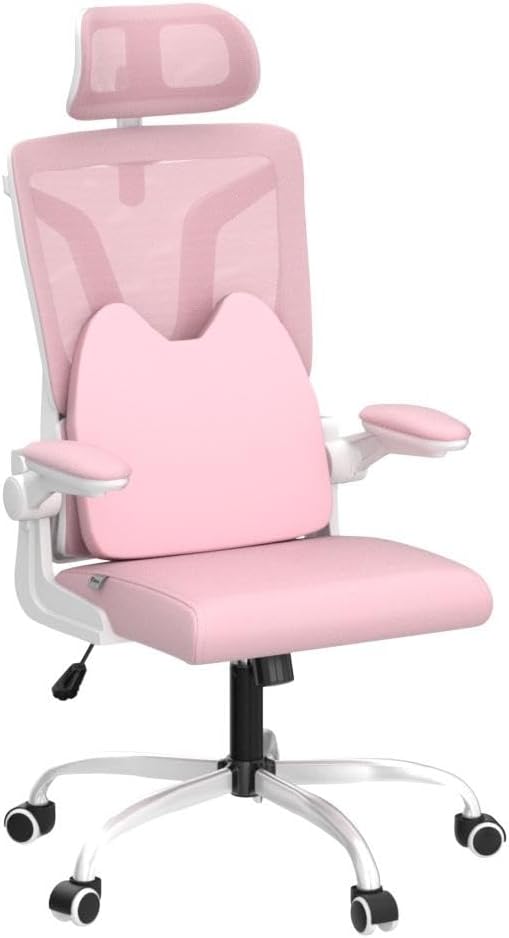
- Chair Parts (Backrest, Seat Cushion, Armrests, Headrest, Base, Casters, Gas Lift)
- Detailed Instruction Manual (this document)
- Extra Lumbar Pillow
- Assembly Tools (e.g., Allen wrench)
4. Assembly Instructions
Follow these steps carefully to assemble your Soontrans Ergonomic Office Chair. It is recommended to assemble the chair on a soft, clean surface to prevent damage.
- Attach Casters to Base: Insert each caster into the holes at the end of the chair base legs until they click securely into place.
- Insert Gas Lift: Place the gas lift cylinder into the center hole of the assembled chair base.
- Attach Mechanism to Seat: Align the seat mechanism with the pre-drilled holes on the underside of the seat cushion. Secure it with the provided screws, ensuring the front of the mechanism faces the front of the seat.
- Connect Seat to Gas Lift: Carefully place the assembled seat onto the gas lift cylinder, ensuring it is centered and stable.
- Attach Armrests to Seat: Secure the armrests to the sides of the seat cushion using the designated screws. Ensure they are oriented correctly for the flip-up function.
- Attach Backrest to Seat: Align the backrest with the mounting plates on the seat mechanism or armrests (depending on design). Secure with screws.
- Install Headrest: Slide the headrest into the designated slots at the top of the backrest. Adjust its height as needed.
- Attach Lumbar Pillow: Position the extra lumbar pillow against the backrest for additional support.
5. Operating Instructions
Your Soontrans Ergonomic Office Chair features multiple adjustments to customize your seating experience.
5.1. Height Adjustment
To adjust the chair height, locate the lever under the right side of the seat. While seated, pull the lever up to lower the chair. To raise the chair, stand up slightly and pull the lever up. Release the lever at the desired height.

5.2. Rocking Function
The chair offers a 20-degree rocking function. To activate or deactivate, use the lever located under the seat. Push the lever in to lock the chair in an upright position, and pull it out to enable rocking. The tension of the rocking motion can be adjusted by turning the round knob located under the front of the seat.

5.3. Flip-Up Armrests
The armrests can be flipped up to allow the chair to be pushed closer to a desk or to save space. Simply lift the armrests upwards until they lock into a vertical position. To return them to the down position, gently pull them down.

5.4. Headrest Adjustment
The headrest can be adjusted in height and angle to provide optimal neck support. Gently push or pull the headrest up or down to adjust its height. The angle can also be tilted for personalized comfort.

5.5. Lumbar Support
The chair includes an extra lumbar support pillow designed to relieve back pain caused by prolonged sitting. Position the pillow to best support your lower back.

6. Maintenance
Proper care will extend the life and appearance of your office chair.
- Cleaning: Wipe clean with a damp cloth. Avoid harsh chemicals or abrasive cleaners.
- Inspection: Periodically check all bolts and screws to ensure they are tight. Re-tighten if necessary.
- Casters: Keep casters free of debris (hair, dust) to ensure smooth movement.
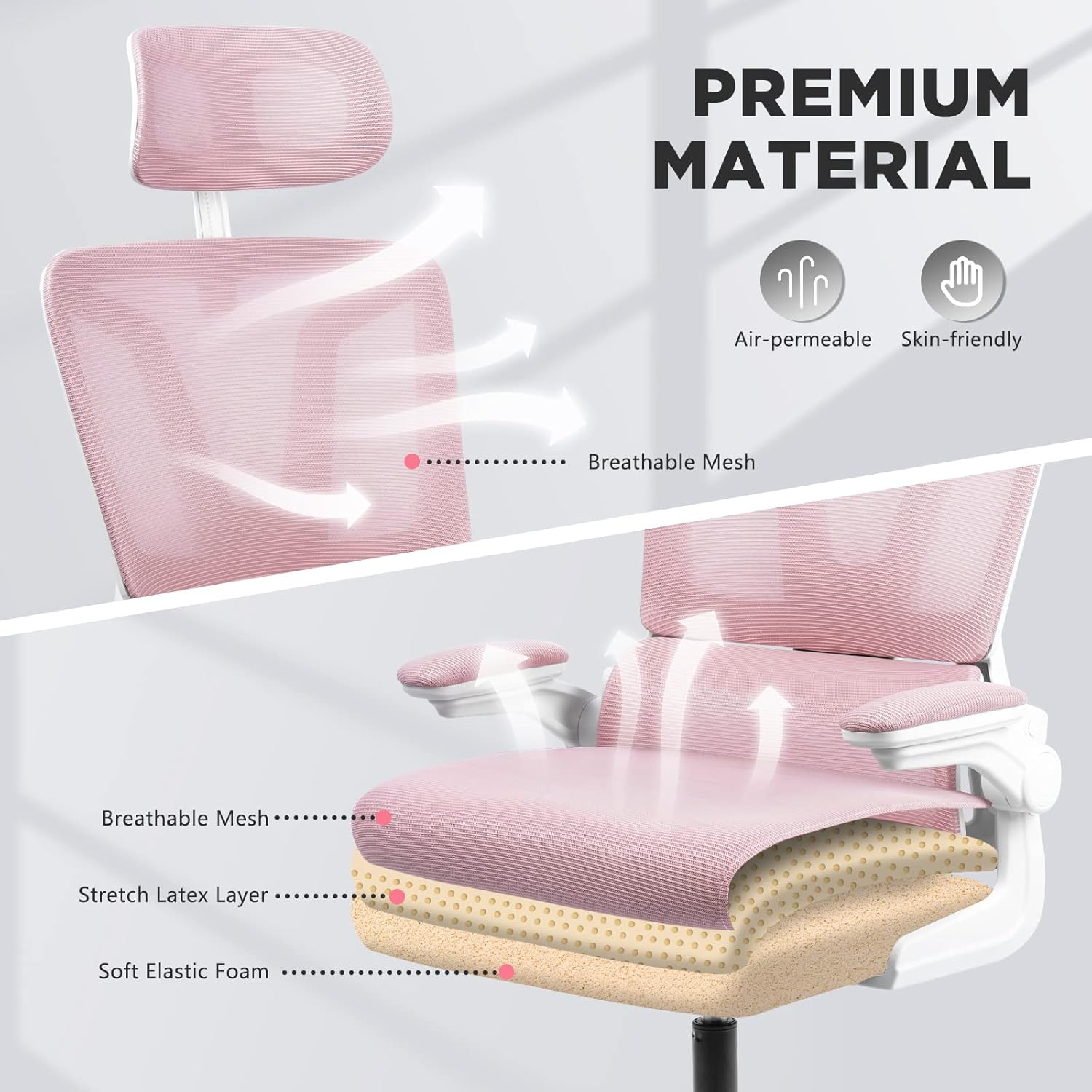
- Fabric Care: The breathable mesh and high-density elastic sponges are designed for durability. Avoid sharp objects that could damage the fabric.
7. Troubleshooting
If you encounter any issues with your chair, please refer to the following common solutions:
- Chair Sinks or Does Not Hold Height: Ensure the gas lift lever is fully engaged. If the issue persists, the gas lift may need replacement. Contact customer service.
- Chair Wobbles: Check all assembly screws and bolts, especially those connecting the seat to the mechanism and the base. Tighten any loose fasteners.
- Casters Not Rolling Smoothly: Inspect casters for trapped debris (hair, lint) and clean them. Ensure they are securely inserted into the base.
- Squeaking Noises: Apply a small amount of silicone lubricant to moving parts or connection points if squeaking occurs. Avoid oil-based lubricants on plastic components.
8. Specifications
| Feature | Specification |
|---|---|
| Brand | Soontrans |
| Color | Pink |
| Product Dimensions (D x W x H) | 18.89"D x 23.62"W x 40"H |
| Maximum Weight Recommendation | 300 Pounds |
| Special Features | Adjustable Height, Ergonomic, Extra Lumbar Pillow, Flip Up Armrests & Head Support, Swivel |
| Back Style | Solid Back with Mesh |
| Product Care Instructions | Wipe Clean |
| Item Weight | 32.7 pounds |
| Tilting | Yes (20-degree rocking function) |
| Arm Style | Flip Up Armrests |
| Recommended Uses | Office |

9. Warranty and Support
Soontrans provides a one-year warranty for your computer desk chair. This warranty covers manufacturing defects and functional issues under normal use.
If you experience any product problems, require replacement parts, or have questions regarding assembly or operation, please do not hesitate to contact Soontrans customer service. Contact information can typically be found on the product packaging or the official Soontrans website.