
1. Introduction
This manual provides essential instructions for the safe and effective use of your MineCtrl ZB-H290020-A Universal Recliner Power Supply. This AC/DC adapter is designed to power various reclining furniture and other compatible devices. Please read this manual thoroughly before installation and operation.
2. Safety Information
To ensure safe operation and prevent damage, please observe the following safety precautions:
- Do not expose the power supply to water or excessive moisture.
- Do not disassemble or modify the power supply. Unauthorized modifications can lead to electric shock or fire.
- Ensure the power supply is used within its specified input voltage range (100-240V).
- Avoid placing the power supply in poorly ventilated areas or near heat sources.
- Keep out of reach of children.
- If the power supply or cables are damaged, discontinue use immediately and seek a replacement.
- This device complies with Part 15 of the FCC Rules. Operation is subject to the condition that this device does not cause harmful interference.

Image: The power supply features multiple protection mechanisms including over-load, over-current, over-voltage, over-heat, and short-circuit protection, indicated by corresponding icons.
3. Package Contents
Verify that all items are present in the package:
- 1 x MineCtrl ZB-H290020-A Power Recliner Power Supply
- 1 x AC Power Cord (6.6ft)
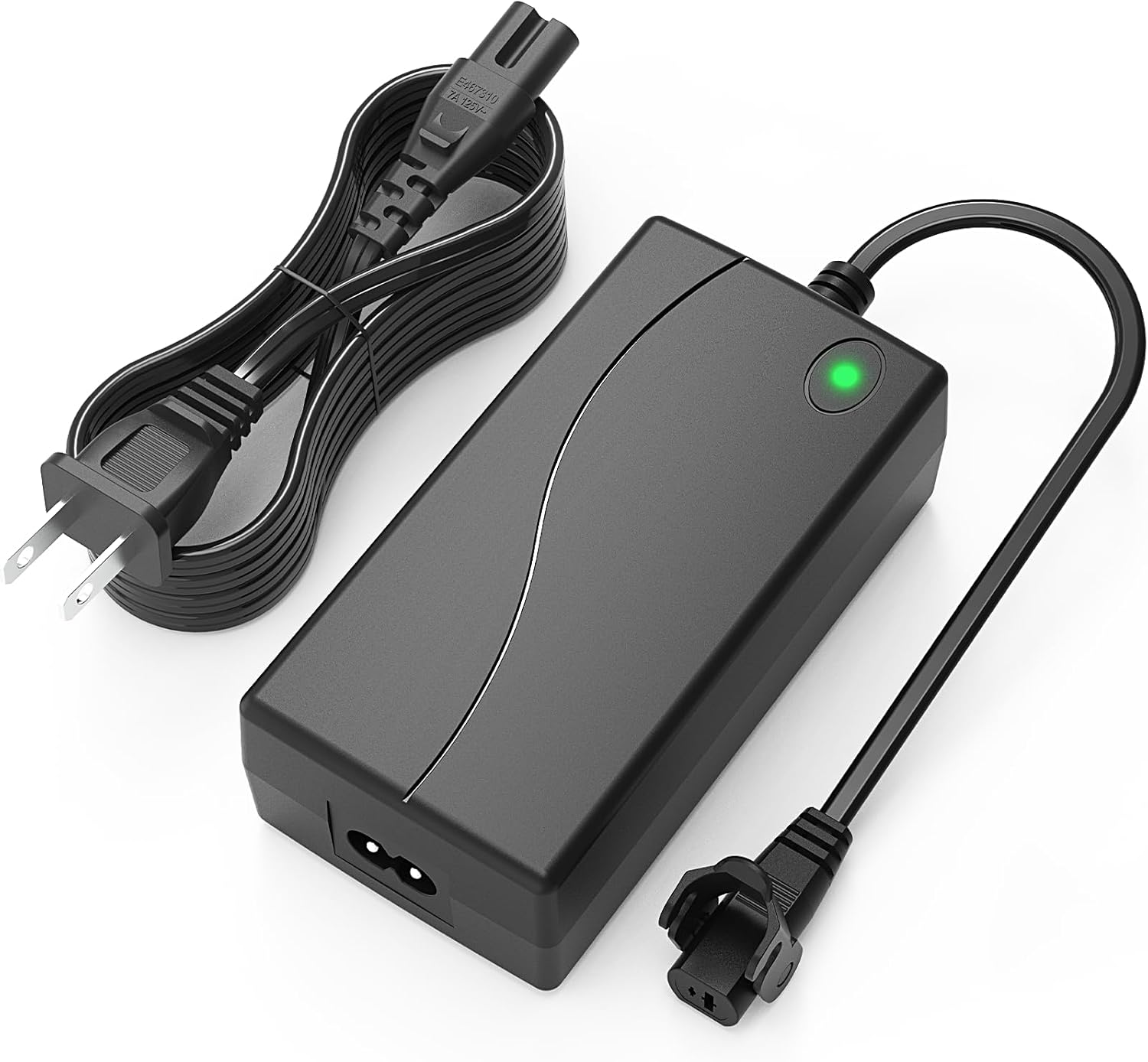
Image: The MineCtrl ZB-H290020-A power supply unit shown with its accompanying detachable AC power cord.
4. Specifications
| Feature | Specification |
|---|---|
| Model Number | ZB-H290020-A |
| Input Voltage | 100-240V~, 50-60Hz, 1.6A |
| Output Voltage | 29.0V |
| Output Current | 2.0A |
| Wattage | 58.0W |
| Connector Type | 2-Pin Flat Round Connection |
| AC Cord Length | 6.6 ft |
| Dimensions (L x W x H) | 4.6 x 2.3 x 1.5 inches (approximate) |
| Certifications | UL Listed, CE, FCC |

Image: The power supply unit is displayed alongside a table detailing its technical specifications, including input/output voltage and current, and physical dimensions.
5. Compatibility
The MineCtrl ZB-H290020-A power supply is designed for universal compatibility with most brands and models of power recliners and other devices requiring a 2-Pin Flat Round Connection. This includes, but is not limited to:
- Power Recliners
- Love Seats
- Sectional Sofas
- Lift Chairs
- Adjustable Beds
- Adjustable Desks
- Compatible with brands such as Okin, Kaidi, Limoss, Pride, Golden, Lazboy, Flexsteel, Ashley, Room to Go, Berkline, Med-lift, and Tranquil Ease.

Image: Illustration showing the wide range of reclining and adjustable furniture compatible with the power supply, including recliners, loveseats, lift chairs, adjustable desks, and beds.
6. Setup and Installation
Follow these steps to install your power supply:
- Identify the Connector: Locate the 2-pin flat round connection port on your recliner or compatible device.
- Connect the Power Supply: Insert the 2-pin connector from the MineCtrl power supply into the corresponding port on your furniture. Ensure a secure and firm connection.
- Connect the AC Power Cord: Plug the included AC power cord into the power supply unit.
- Plug into Wall Outlet: Insert the other end of the AC power cord into a standard 100-240V wall outlet.
- Verify Power: A green indicator light on the power supply unit should illuminate, indicating that power is being supplied.

Image: Detail of the 2-pin flat round connector, highlighting its secure cover design for a stable connection.

Image: Visual guide demonstrating the two-step process of connecting the power cord to the adapter and securing the connection with the cover.
7. Operation
Once the power supply is correctly installed and connected to a power outlet, your recliner or compatible device is ready for use. Operate your furniture as per its original instructions. The power supply will continuously provide the necessary power.
8. Maintenance
The MineCtrl ZB-H290020-A power supply requires minimal maintenance:
- Keep the unit clean and free from dust. Use a dry, soft cloth for cleaning.
- Regularly check the cables and connectors for any signs of wear or damage.
- Ensure adequate ventilation around the power supply to prevent overheating.
9. Troubleshooting
| Problem | Possible Cause | Solution |
|---|---|---|
| No power to recliner. | Power supply not plugged in, loose connection, or power outlet issue. |
|
| Green indicator light is off. | No power input or internal fault. |
|
| Recliner operates intermittently. | Loose connection or insufficient power. |
|
10. Warranty and Support
The MineCtrl ZB-H290020-A Power Recliner Power Supply comes with a one-year hassle-free replacement warranty. For product support, warranty claims, or any inquiries, please contact MineCtrl customer service. Your satisfaction is our priority.
For further assistance, please refer to the contact information provided with your purchase or visit the official MineCtrl website.


