
1. Introduction
Thank you for choosing the Wildcat BY-604-900-1 Modern LED Dimmable Ceiling Fan. This product combines efficient air circulation with versatile LED lighting, designed for modern living spaces. It features a silent motor, adjustable fan speeds, dimmable light with color temperature control, and convenient operation via remote control or a smartphone application.
This manual provides essential information for the safe installation, operation, and maintenance of your new ceiling fan.
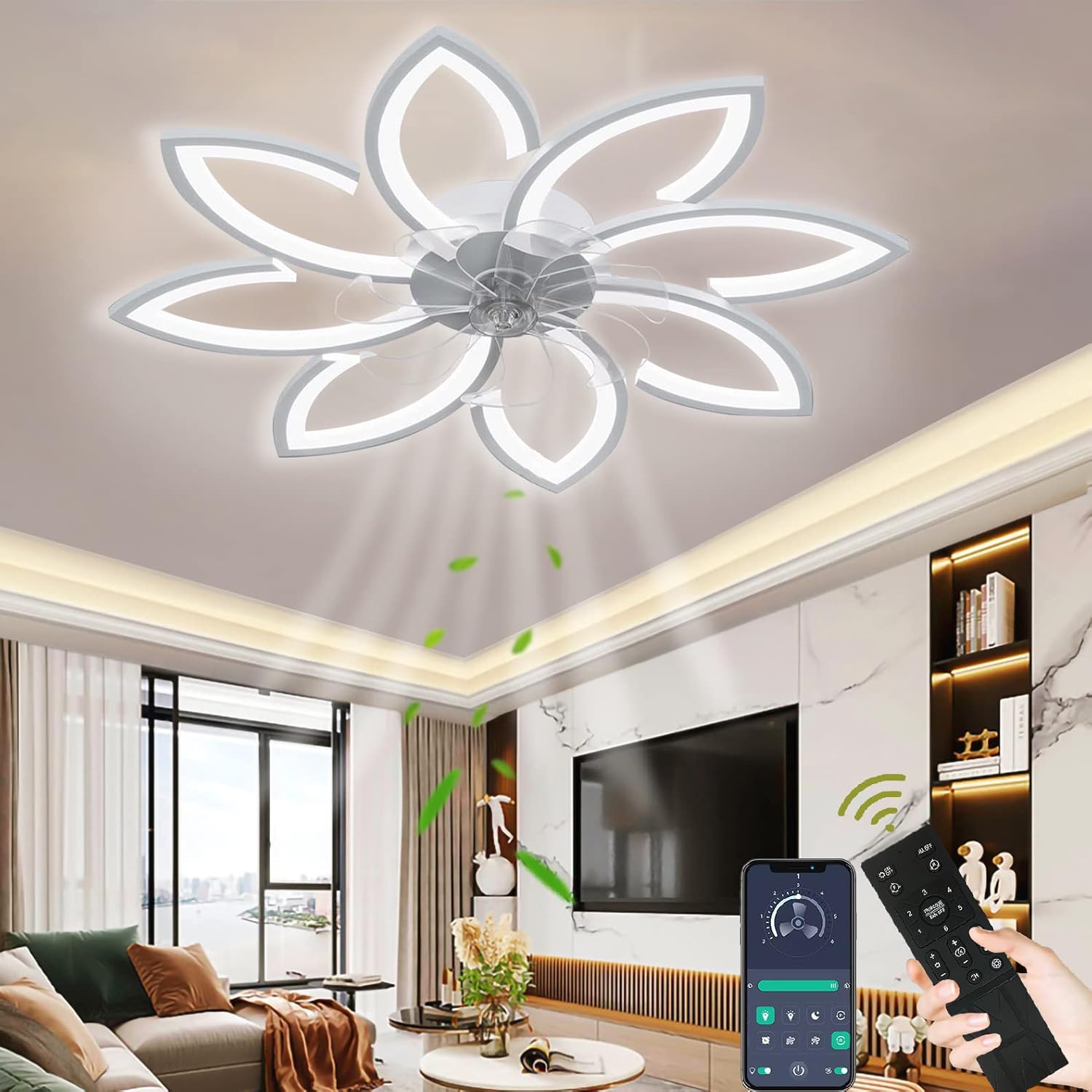
Image 1.1: The Wildcat Modern LED Dimmable Ceiling Fan with its unique flower-petal design, illuminating a contemporary living room.
2. Safety Information
Please read all safety instructions carefully before installation and use. Failure to follow these instructions may result in electric shock, fire, or personal injury.
- Electrical Safety: Ensure the main power supply is disconnected before installation, cleaning, or maintenance. Installation should be performed by a qualified electrician in accordance with local electrical codes.
- Voltage: This product operates on 220V. Verify your household voltage matches this requirement.
- Mounting: The ceiling fan must be securely mounted to a structural ceiling joist or a suitable support system capable of holding the fan's weight (3.52 kg).
- Clearance: Ensure there is adequate clearance between the fan blades and any obstructions (walls, furniture) to allow for safe and efficient operation.
- Children and Pets: Keep children and pets away from the fan during operation and installation.
- Cleaning: Always disconnect power before cleaning the fan or light fixture.
3. Package Contents
Verify that all components are present and undamaged before proceeding with installation:
- Ceiling Fan Unit (with integrated LED lighting)
- Remote Control
- Frosted Acrylic Lampshade
- All-Copper Driver
- Mounting Hardware (screws, anchors, etc.)
- Instruction Manual (this document)

Image 3.1: An overview of the Wildcat Ceiling Fan's main unit and associated components.
4. Setup (Installation)
Installation of this ceiling fan requires electrical wiring and secure mounting. It is highly recommended that installation be performed by a certified electrician.
Installation Steps:
- Prepare for Installation: Turn off power at the main circuit breaker. Ensure the power is completely disconnected before proceeding.
- Mount the Bracket: Securely attach the mounting bracket to a ceiling joist or a suitable electrical junction box rated for fan support. Use the provided mounting hardware.
- Wire the Fan: Connect the electrical wires from the ceiling to the fan's wiring according to the wiring diagram provided in the packaging. Ensure all connections are secure and properly insulated.
- Attach the Fan Body: Carefully lift the fan unit and attach it to the mounting bracket. Secure it with the designated screws.
- Install the Lampshade: Place the frosted acrylic lampshade onto the fan unit, ensuring it is properly seated and secured.
- Restore Power: Once installation is complete and all connections are checked, restore power at the main circuit breaker.
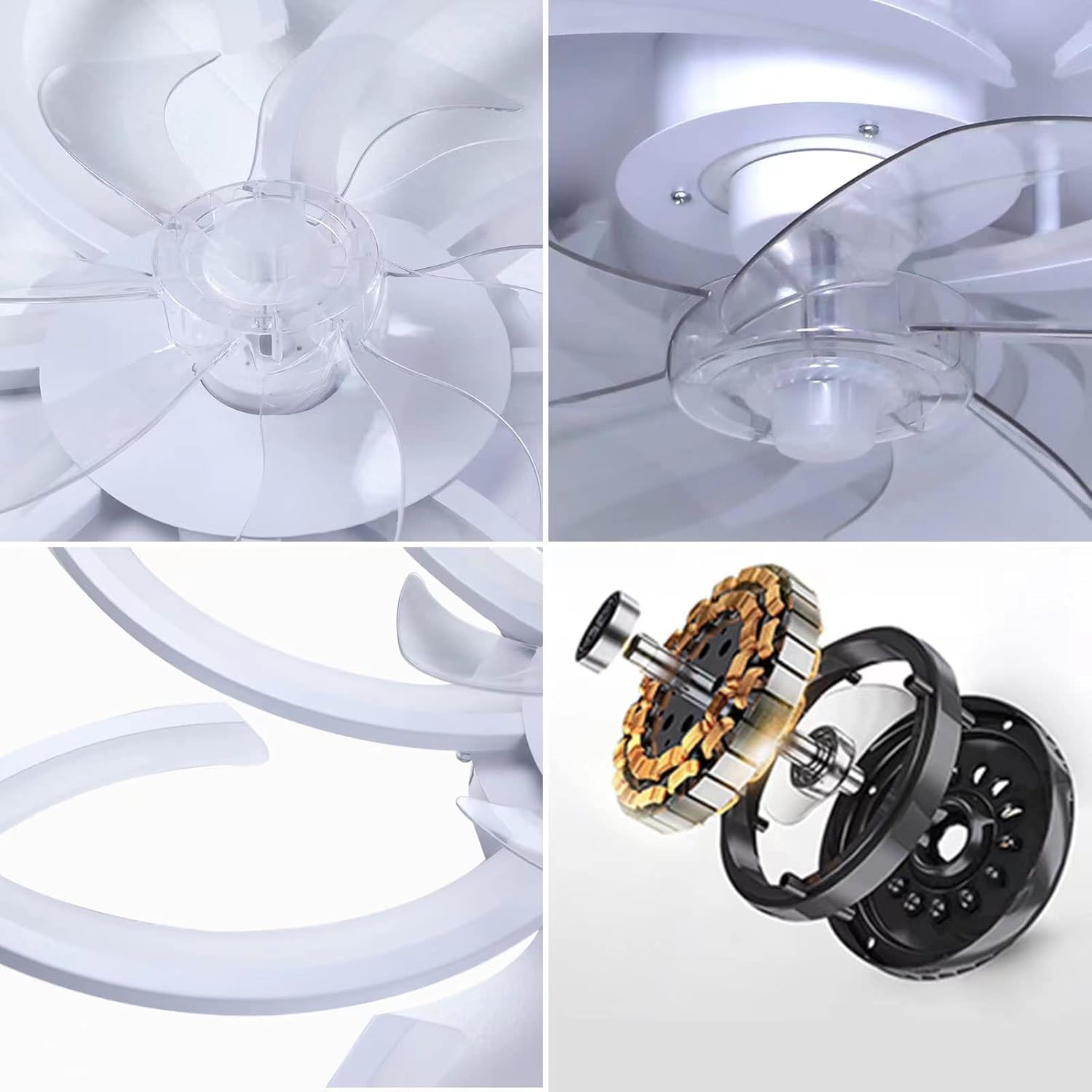
Image 4.1: Detailed views of the fan's internal structure, including the transparent ABS fan blades, LED light elements, and the all-copper motor driver.
5. Operating Instructions
Your Wildcat ceiling fan can be controlled using the included remote control or a compatible Bluetooth smartphone application.
5.1. Remote Control & App Operation
The remote control provides direct access to all fan and light functions. For app control, download the specified application (refer to packaging for app name) and pair it with your fan via Bluetooth.

Image 5.1: The physical remote control and a smartphone screen displaying the control application for the Wildcat Ceiling Fan.
5.2. Fan Functions
- Power On/Off: Press the dedicated fan power button on the remote or app.
- Speed Adjustment: Select from 6 available fan speeds to customize airflow.
- Direction Reversal: Use the reverse rotation button (often labeled with a circular arrow) to change the fan's direction. Forward rotation (counter-clockwise) is ideal for cooling in summer, while reverse rotation (clockwise) helps circulate warm air in winter.

Image 5.2: Visual representation of the fan's reversible function, showing airflow patterns for cooling in summer and circulating warm air in winter.
5.3. Light Functions
- Power On/Off: Press the dedicated light power button on the remote or app.
- Brightness Adjustment (Dimmable): Adjust the light intensity continuously from low to high to suit your preference.
- Color Temperature Adjustment: Change the light color from warm white (3000K) to neutral white (4000K) to cool white (6500K) to create different ambiances.
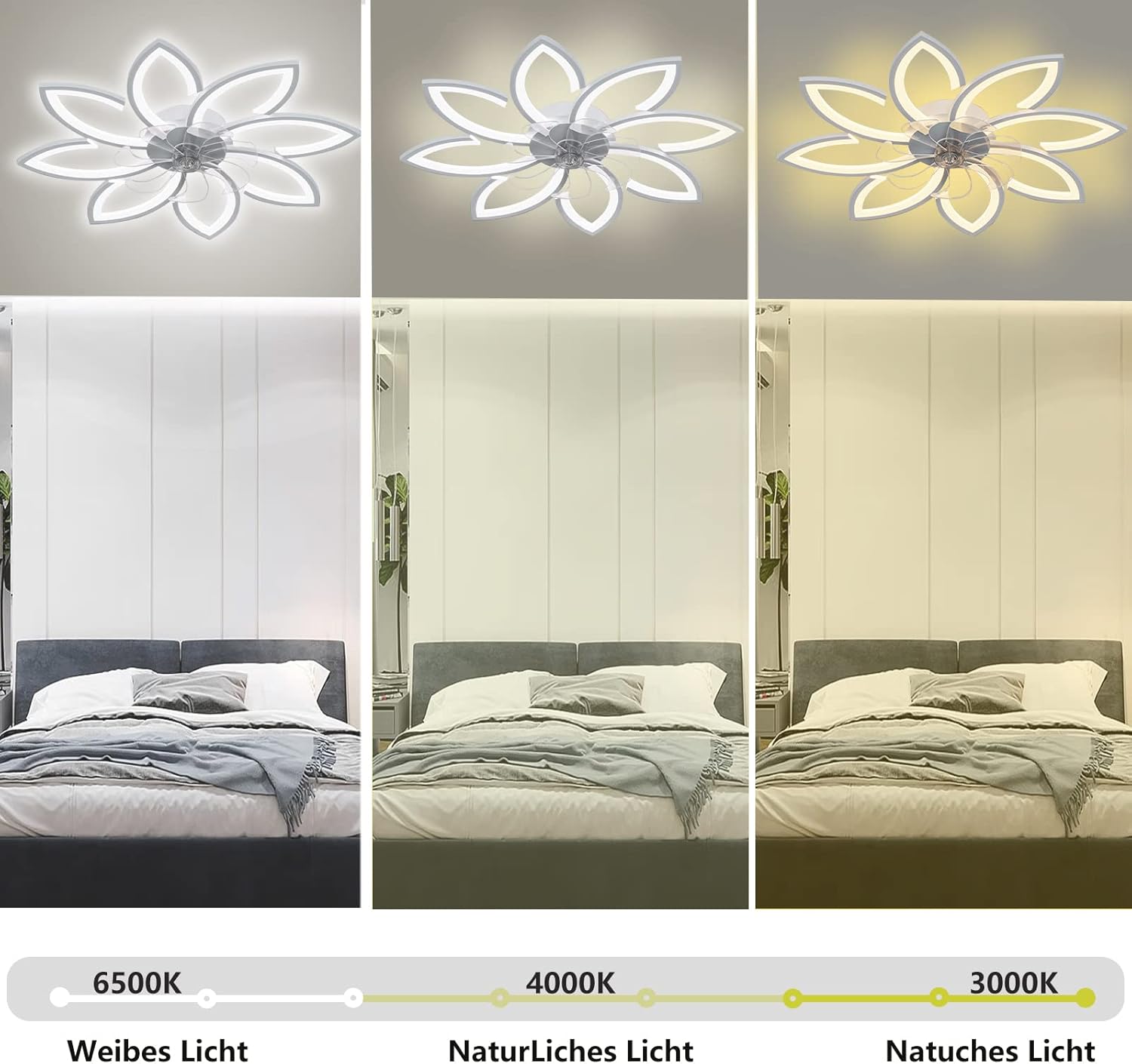
Image 5.3: The fan's LED lighting capability demonstrated across three color temperatures: 6500K (cool white), 4000K (neutral white), and 3000K (warm white).
5.4. Timer Function
The fan and light can be set to automatically turn off after 2 hours using the timer function on the remote or app.
6. Maintenance
Regular maintenance ensures optimal performance and longevity of your ceiling fan.
- Cleaning: Always disconnect power before cleaning. Use a soft, dry, or slightly damp cloth to wipe down the fan blades, motor housing, and lampshade. Avoid using harsh chemicals or abrasive cleaners.
- Tighten Fasteners: Periodically check and tighten all screws and fasteners to ensure the fan remains securely mounted.
- No Lubrication Required: The motor is permanently lubricated and does not require additional oiling.
7. Troubleshooting
If you encounter issues with your Wildcat ceiling fan, refer to the following common troubleshooting steps:
- Fan/Light Does Not Turn On:
- Check if the main power supply is connected and the circuit breaker is on.
- Ensure the remote control batteries are not depleted and are inserted correctly.
- Verify that the fan is properly wired and all connections are secure.
- Fan Makes Excessive Noise:
- Ensure all mounting screws are tight and the fan is securely attached to the ceiling.
- Check if any fan blades are bent or damaged.
- Verify that there are no obstructions interfering with the fan blades.
- Remote Control Not Responding:
- Replace the remote control batteries.
- Ensure there are no obstructions between the remote and the fan's receiver.
- Try re-pairing the remote control with the fan if applicable (refer to specific pairing instructions in the full manual).
If the problem persists after attempting these steps, please contact customer support.
8. Specifications
| Feature | Detail |
|---|---|
| Brand | Wildcat |
| Model Number | BY-604-900-1 |
| Dimensions (L x W x H) | 90 x 90 x 15 cm |
| Weight | 3.52 Kilograms |
| Voltage | 220 Volts |
| Power Consumption | 90 Watts |
| Light Source | Integrated LED (8 bulbs) |
| Lumen Output | 8640 Lumens (adjustable) |
| Color Temperature | 3000K - 6500K (Warm White to Cool White) |
| Fan Speeds | 6 speeds |
| Control Method | Remote Control, Bluetooth App |
| Material | Metal, Acrylic (lampshade), ABS (fan blades) |
| Special Features | Dimmable light, Timer function, Reversible fan direction, Silent operation |
| Certification | CE |
| Energy Efficiency Class | F |
| EPREL Database Link | https://eprel.ec.europa.eu/qr/1498050 |

Image 8.1: Dimensional drawing of the Wildcat Ceiling Fan, indicating a diameter of 90cm and a height of 15cm.

Image 8.2: Energy label for the Wildcat BY-604-900-1, indicating an energy efficiency class of F.
9. Warranty and Support
Wildcat is committed to providing quality products. If the item is damaged during transport or if a manufacturing defect is present, please contact us immediately. We will provide a satisfactory resolution.
For technical assistance, troubleshooting beyond this manual, or warranty claims, please refer to the contact information provided with your purchase or on the official Wildcat website.