
Introduction
Thank you for choosing the StitchGreen M25 BT5.3 Wireless Sport Earbuds. These earbuds are designed to provide a high-quality audio experience with advanced features such as Environmental Noise Cancelling (ENC) for clear calls, IPX7 waterproofing, and a unique sci-fi inspired design. This manual will guide you through the setup, operation, and maintenance of your new earbuds to ensure optimal performance.
Package Contents
- 2 x True Wireless Earbuds (Left and Right)
- 1 x USB-C Charging Case
- 1 x USB-C Charging Cable
- 1 x User Manual (English)
- 3 x Original Ear Caps (Sizes: S, M, L)
Product Overview
The StitchGreen M25 earbuds feature a robust design with a metal spray painting process for enhanced durability and a distinctive aesthetic. The charging case includes a digital display for battery status and a magnetic hatch cover for secure storage.

Figure 1: StitchGreen M25 Earbuds and Charging Case. The image displays the open charging case with both earbuds inside, showcasing the digital battery display and the overall design.

Figure 2: Metal Spray Painting Process. This image highlights the metallic finish of the charging case, emphasizing its corrosion resistance and sci-fi aesthetic.

Figure 3: Magnetic Hatch Cover. The image shows the charging case with its lid slightly open, illustrating the magnetic mechanism that allows for easy opening and secure closing.
Setup
1. Charging the Earbuds and Case
Before first use, fully charge the earbuds and the charging case. The case features a digital display indicating the battery percentage.
- Place the earbuds into the charging case. Ensure the sensitive metal contacts align for proper charging. The earbuds will show a charging indicator.
- Connect the USB-C charging cable to the charging port on the case and to a power source. The digital display on the case will show the charging progress.
- The charging case can also function as a portable power bank to charge other devices via its USB-A output port.
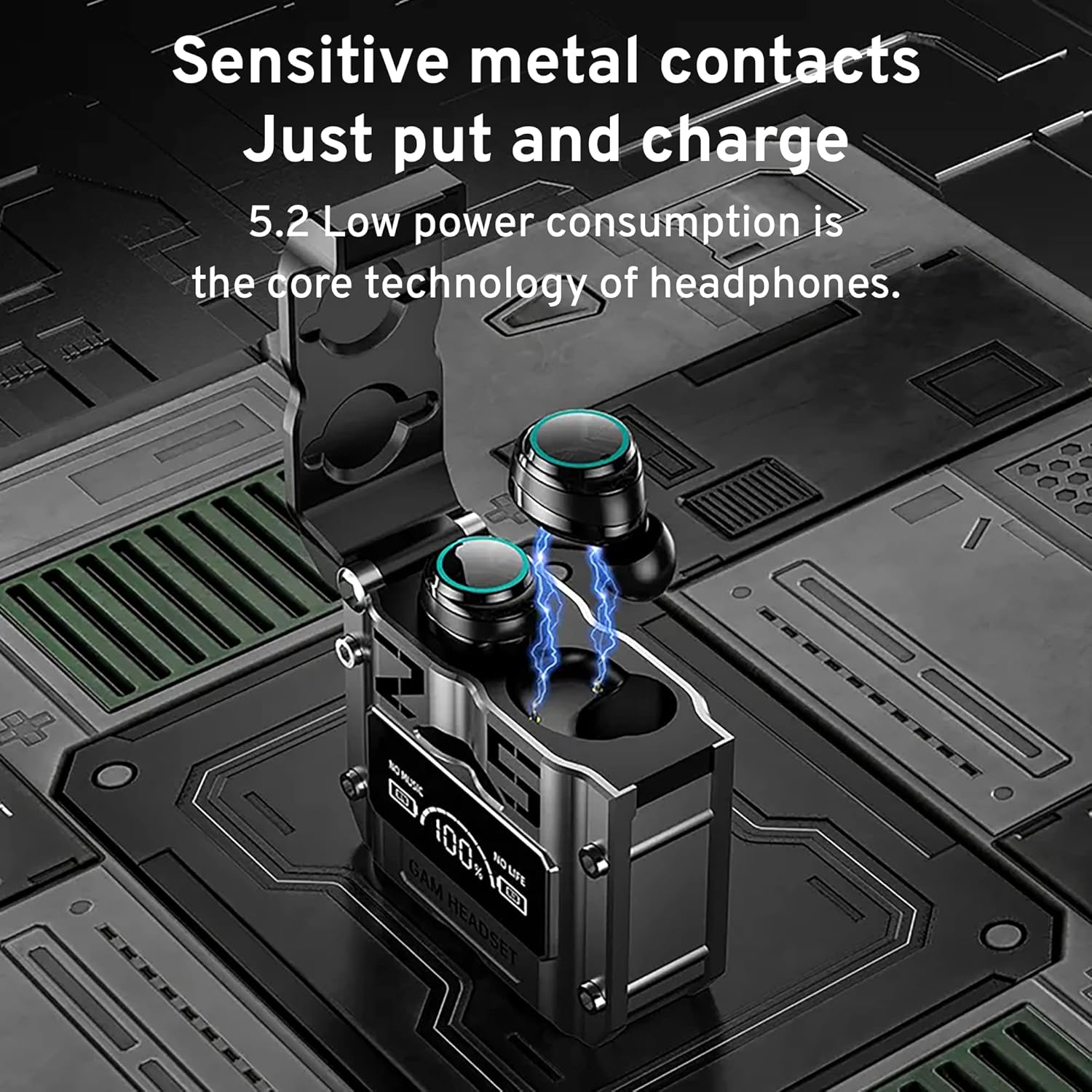
Figure 4: Sensitive Metal Contacts. This image illustrates the earbuds being placed into the charging case, highlighting the contact points for charging.

Figure 5: Portable Charging Box. The image shows the charging case connected via USB-C to a smartphone, demonstrating its capability to charge other devices.
2. Bluetooth Pairing
- Open the charging case. The earbuds will automatically power on and enter pairing mode.
- On your device (smartphone, tablet, etc.), enable Bluetooth.
- Search for "M25" in the list of available Bluetooth devices and select it to connect.
- Once connected, you will hear an audio prompt, and the earbuds' indicator lights will change.
Video 1: StitchGreen M25 Earbuds Overview. This video demonstrates the physical features of the M25 earbuds and charging case, including the LED display, magnetic lid, and how the earbuds are placed for charging.
Operating Instructions
The M25 earbuds feature touch controls for various functions. Refer to the diagram below for specific actions.

Figure 6: Earbud Touch Controls. This diagram illustrates the touch-sensitive areas on the earbuds and their corresponding functions for music and call management.
Music Playback
- Play/Pause: One tap on either earbud.
- Next Track: Double click on the right earbud.
- Previous Track: Double click on the left earbud.
Call Management
- Answer/Hang Up Call: One tap on either earbud.
- Reject Call: Press and hold either earbud for one second.
Voice Assistant
- Activate Voice Assistant (Siri/Google Assistant): Press and hold either earbud for 2 seconds.
Maintenance
Cleaning
- Regularly clean the earbuds and charging case with a soft, dry, lint-free cloth.
- Remove ear tips and clean them with mild soap and water, then dry thoroughly before reattaching.
- Ensure charging contacts on both earbuds and case are free of dust and debris.
Storage
- When not in use, store the earbuds in their charging case to protect them and keep them charged.
- Avoid storing the device in extreme temperatures or high humidity.
Water Resistance
The earbuds are IPX7 waterproof, meaning they can withstand immersion in water up to 1 meter for 30 minutes. However, the charging case is not waterproof. Do not expose the charging case to water.
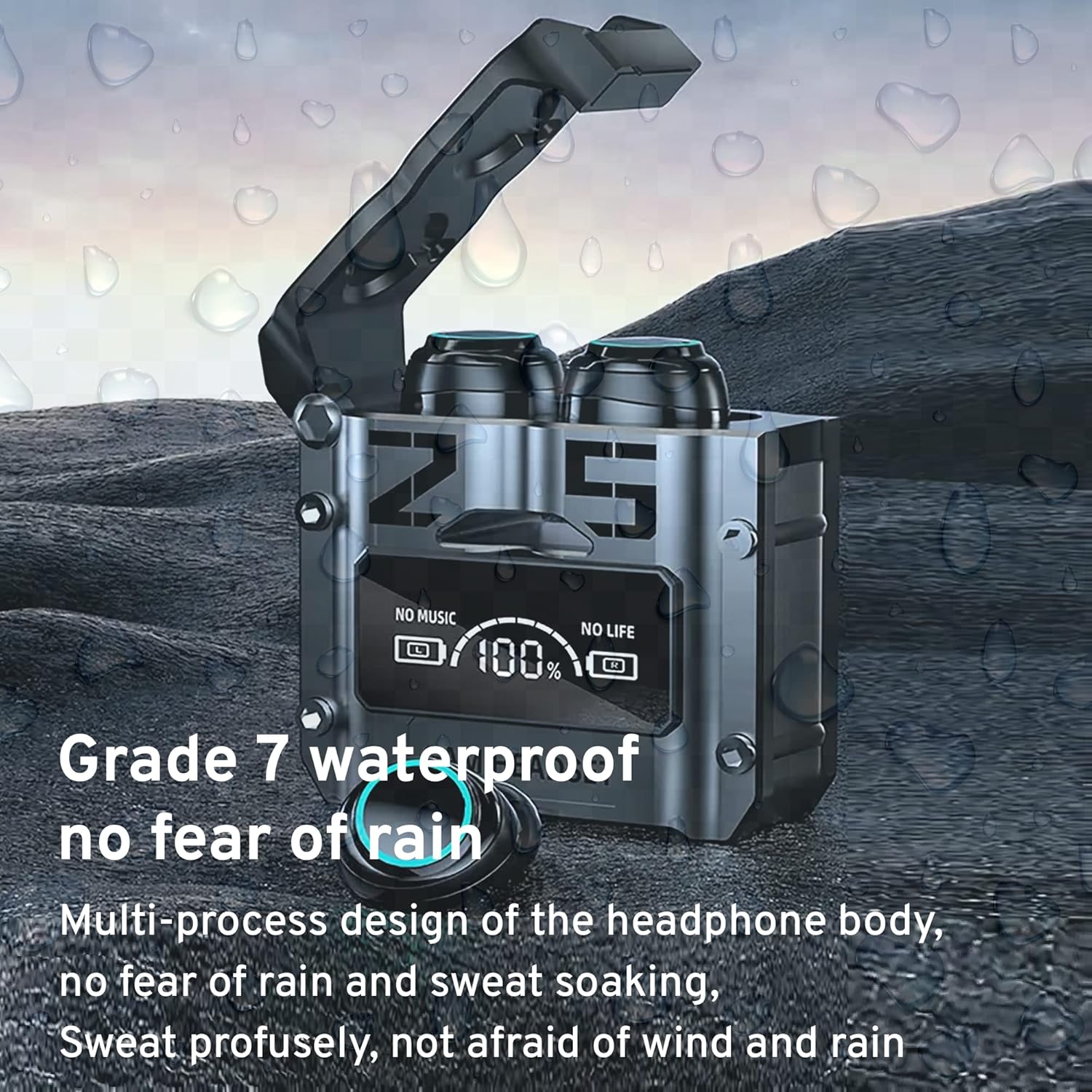
Figure 7: IPX7 Waterproof Earbuds. This image depicts the earbuds in a water droplet environment, illustrating their waterproof capability.
Troubleshooting
- Earbuds not pairing: Ensure both earbuds are charged. Place them back in the case, close the lid, then open it again to re-initiate pairing mode. Check your device's Bluetooth settings and try reconnecting.
- Only one earbud working: Try resetting the earbuds by placing them in the charging case and then taking them out. Ensure both are powered on and connected.
- Poor sound quality: Ensure earbuds are properly seated in your ears. Try different sized ear tips for a better seal. Check your device's volume and audio settings.
- Charging issues: Verify the USB-C cable and power adapter are working. Clean the charging contacts on both the earbuds and the case.
- Microphone issues during calls: Ensure the earbuds are positioned correctly. Check for any obstructions around the microphone openings.
Specifications

Figure 8: StitchGreen M25 Earbuds Specifications. This image provides a detailed table of the product's technical specifications.
| Feature | Specification |
|---|---|
| Model Name | M25 Wireless Earbud |
| Connectivity Technology | Wireless (Bluetooth 5.3) |
| Bluetooth Range | 10 Meters |
| Noise Control | Active Noise Cancellation (ENC for calls) |
| Water Resistance Level | IPX7 (Earbuds only) |
| Battery Life (Earbuds) | Up to 180 hours (with charging case) |
| Charging Time | Approximately 2 Hours |
| Charging Port | USB-C |
| Control Method | Touch |
| Audio Driver Type | Dynamic Driver (8mm) |
| Frequency Response | 20 Hz - 20 KHz |
| Material | ABS+PC, Plastic (Case: Metal) |
| Item Weight | 2.89 ounces |
Warranty and Support
For warranty information and customer support, please refer to the documentation included with your product or visit the official StitchGreen website. Keep your purchase receipt as proof of purchase for any warranty claims.