
MATIHUNO TC06
MATIHUNO TC06 Neck Air Conditioner User Manual
Model: TC06
1. Introduction
The MATIHUNO TC06 Neck Air Conditioner is a portable, wearable device designed to provide personal cooling and heating. Featuring a triple-core semiconductor cooling system and a powerful fan, it offers efficient temperature regulation for various environments. This manual provides detailed instructions for the safe and effective use of your device.
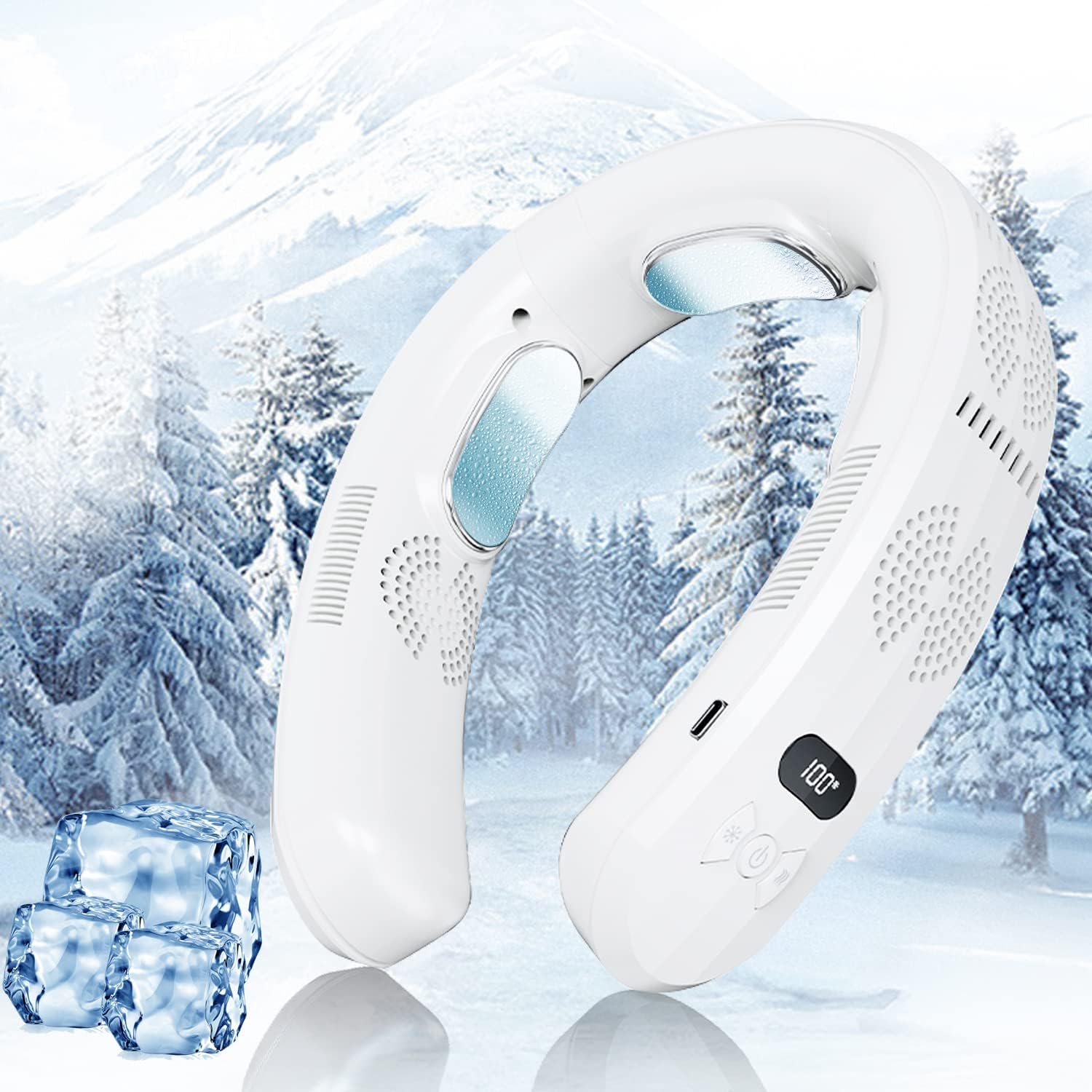
Figure 1.1: The MATIHUNO TC06 Neck Air Conditioner, a portable device for personal cooling and heating.
2. Safety Information
Please read all safety warnings and instructions carefully before using this product to prevent injury or damage.
- Do not disassemble, repair, or modify the device. Unauthorized modifications may cause malfunction or electric shock.
- Keep the device away from water and other liquids. Do not use in wet environments.
- Avoid exposing the device to direct sunlight or high temperatures for extended periods.
- Do not insert foreign objects into the air inlets or outlets.
- Ensure the charging cable is properly connected and disconnected to prevent damage to the port.
- Keep out of reach of children and pets.
- If the device malfunctions or emits smoke/unusual odors, immediately stop use and disconnect power.
3. Package Contents
Verify that all items are present in the package:
- MATIHUNO TC06 Neck Air Conditioner (1 unit)
- USB Type-C Charging Cable (1 unit)
- User Manual (this document)
4. Product Overview
Familiarize yourself with the components of your MATIHUNO TC06 Neck Air Conditioner.
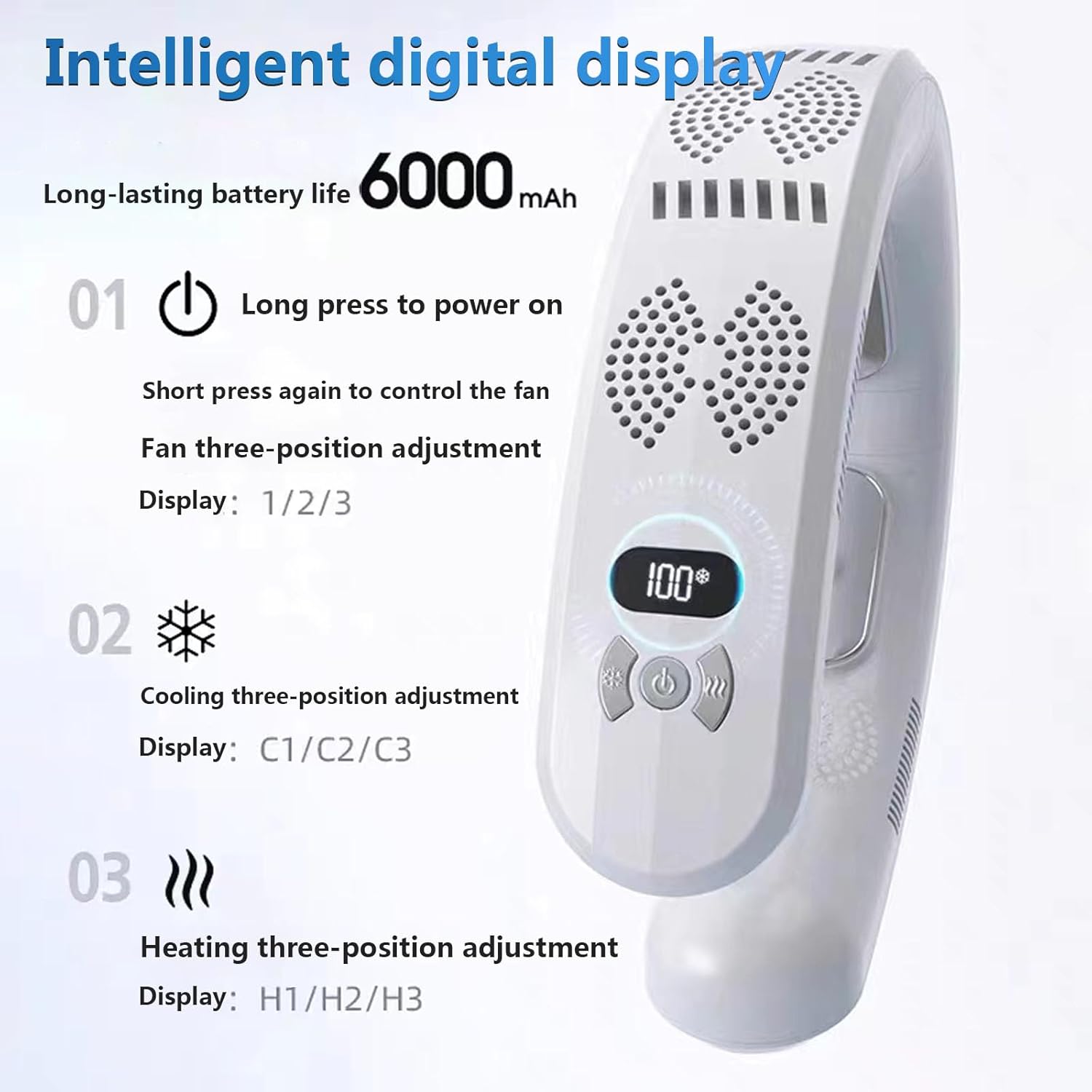
Figure 4.1: Intelligent Digital Display and Control Buttons.
- Digital Display: Shows current mode and battery level.
- Power Button: Long press to power on/off. Short press to control fan speed.
- Cooling Button: Adjusts cooling levels (C1/C2/C3).
- Heating Button: Adjusts heating levels (H1/H2/H3).
- Cooling Plates: Semiconductor cooling elements that provide direct cooling to the neck.
- Air Outlets: Direct airflow for fan function.
- USB-C Charging Port: For charging the device.

Figure 4.2: Illustration of the cooling, heating, and air supply mechanisms.
5. Setup and Charging
5.1 Initial Charge
Before first use, fully charge the device. The digital display will indicate the battery level.
- Connect the provided USB Type-C cable to the charging port on the device.
- Connect the other end of the cable to a compatible USB power adapter (5V/2A recommended, not included).
- The digital display will show charging progress. A full charge typically takes approximately 2.5 hours.

Figure 5.1: The device features multiple battery protection mechanisms including anti-over-voltage, anti-overcurrent, anti-leakage, anti-discharge, and no heat generation during operation.
6. Operating Instructions
6.1 Power On/Off
To power on the device, long press the Power Button. Long press again to power off.
6.2 Fan Operation
After powering on, short press the Power Button to cycle through fan speeds. There are three fan speed levels (1, 2, 3) indicated on the digital display.
6.3 Cooling Function
Press the Cooling Button (snowflake icon) to activate the cooling function. Each press cycles through three cooling levels (C1, C2, C3). The cooling plates will become cold, providing direct cooling to your neck.

Figure 6.1: The device's cooling technology effectively reduces body temperature, as shown by thermal imaging before and after use.
6.4 Heating Function
Press the Heating Button (wave icon) to activate the heating function. Each press cycles through three heating levels (H1, H2, H3). The heating plates will warm up, providing comfortable warmth to your neck.

Figure 6.2: The device offers a heating function, making it suitable for use in colder conditions.
6.5 Wearing the Device
The MATIHUNO TC06 is designed for comfortable wear around the neck. Its ergonomic design ensures a secure fit during various activities.

Figure 6.3: The ergonomic design ensures comfortable and stable wear, even during movement.
7. Maintenance and Care
Proper maintenance ensures the longevity and optimal performance of your device.
- Cleaning: Wipe the device with a soft, dry cloth. Do not use abrasive cleaners or immerse in water.
- Storage: Store the device in a cool, dry place away from direct sunlight when not in use.
- Air Vents: Periodically check and gently clean the air inlets and outlets to ensure unobstructed airflow.
8. Troubleshooting
If you encounter issues with your device, refer to the following common problems and solutions:
| Problem | Possible Cause | Solution |
|---|---|---|
| Device does not power on. | Low battery; device not charged. | Charge the device fully using the provided USB-C cable. |
| Cooling/Heating not effective. | Incorrect mode selected; low battery; obstructed cooling plates/air vents. | Ensure correct mode (Cooling/Heating) is selected. Charge the device. Clean cooling plates and air vents. |
| Fan not working or weak airflow. | Low battery; obstructed air inlets/outlets. | Charge the device. Clear any obstructions from air inlets and outlets. |
| Device makes unusual noise. | Foreign object in fan; internal malfunction. | Power off the device and check for any visible obstructions. If noise persists, discontinue use and contact support. |
9. Specifications
| Feature | Detail |
|---|---|
| Model Name | TC06 |
| Brand | MATIHUNO |
| Color | White-6000mAh |
| Power Source | Battery Powered |
| Battery Capacity | 6000mAh |
| Wattage | 10 watts |
| Voltage | 3.7 Volts |
| Noise Level | 30 dB |
| Dimensions (D x W x H) | 1.7"D x 6.8"W x 8.2"H |
| Item Weight | 1.1 Pounds (0.5 kg) |
| Control Method | Touch |
| Number of Power Levels | 9 (3 fan, 3 cooling, 3 heating) |
| Material | Plastic |
10. Warranty and Support
For warranty information or technical support, please contact MATIHUNO customer service through the retailer where you purchased the product. Keep your purchase receipt as proof of purchase.
For further assistance, you may also refer to the official MATIHUNO website or contact their support channels if available.
Ask a question about this manual
Ask about setup, troubleshooting, compatibility, parts, safety, or missing instructions. Manuals+ will review the question and use this page’s manual context to help answer it.