
Introduction
Thank you for choosing the MATIHUNO TC06 Wearable Neck Air Conditioner and Heater. This device is designed to provide personal cooling and heating comfort with its advanced semiconductor technology, long-lasting battery, and ergonomic design. Please read this manual thoroughly before use to ensure proper operation and maintenance.
Safety Information
- Do not disassemble, repair, or modify the device.
- Keep the device away from water and high humidity.
- Avoid exposing the device to direct sunlight or high temperatures for extended periods.
- Do not insert foreign objects into the air inlets or outlets.
- Use only the provided charging cable or a certified Type-C cable for charging.
- Keep out of reach of children.
- If the device malfunctions or shows signs of damage, discontinue use immediately.
Package Contents
- MATIHUNO TC06 Wearable Neck Air Conditioner and Heater
- USB Type-C Charging Cable
- User Manual
Product Features and Components

The MATIHUNO TC06 wearable neck air conditioner, presented in Pearl White, designed for personal cooling and heating. It features a sleek, ergonomic design for comfortable wear.

An alternative view of the MATIHUNO TC06, showcasing its modern dark gray finish and emphasizing its function as a wearable personal climate control device.
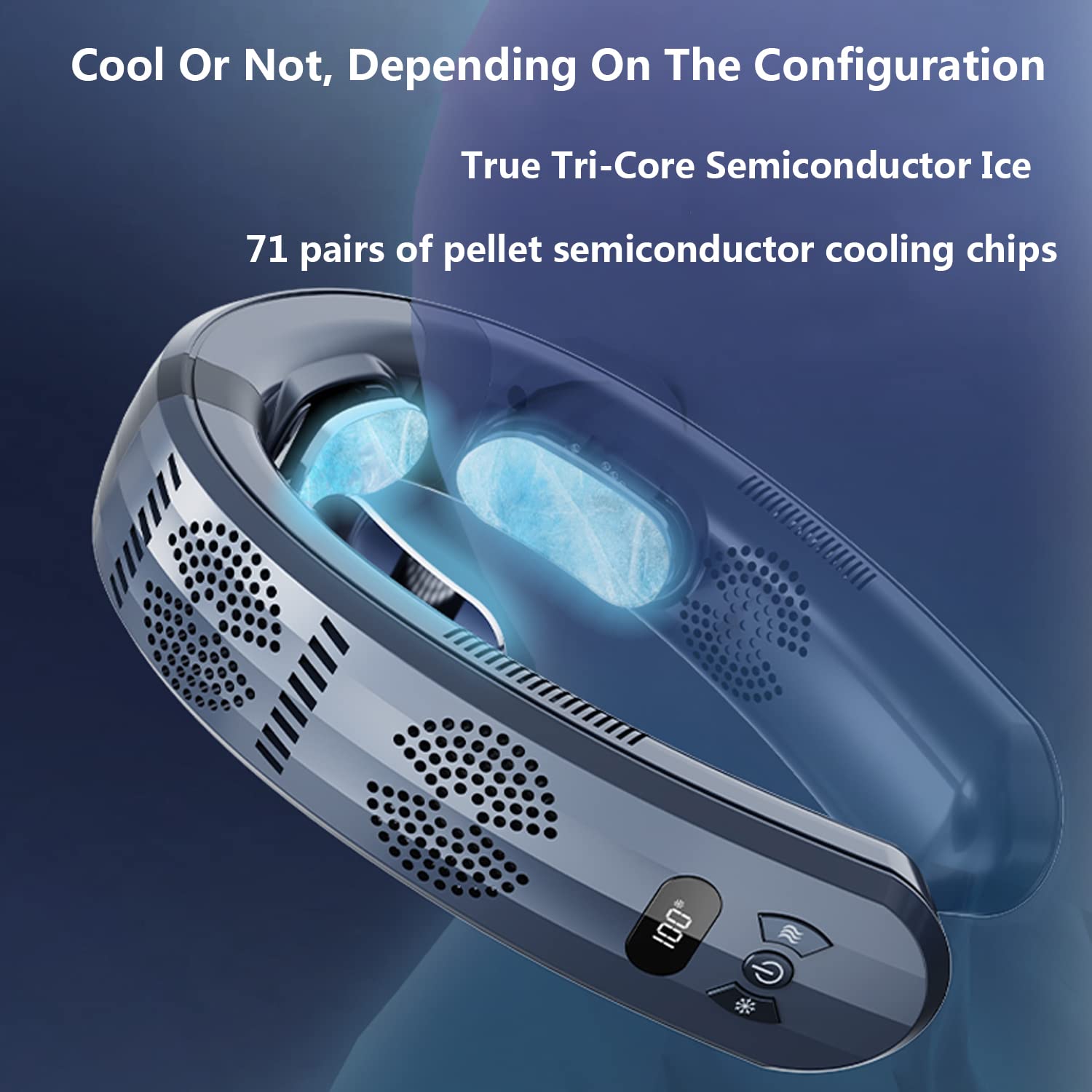
This image highlights the advanced cooling technology within the MATIHUNO TC06, featuring true tri-core semiconductor ice with 71 pairs of pellet cooling chips for efficient temperature regulation.
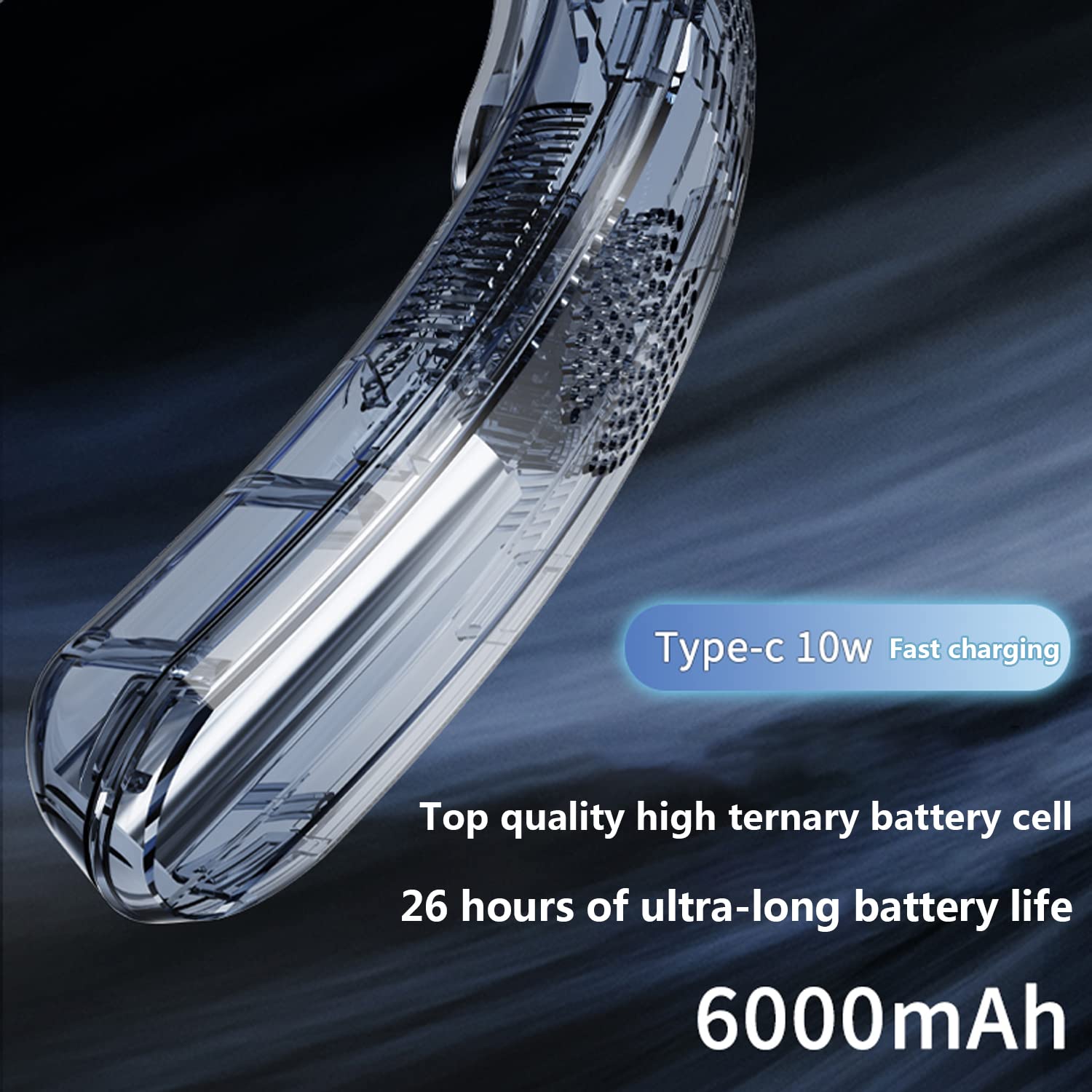
The MATIHUNO TC06 is equipped with a Type-C 10W fast charging port and a high-capacity 9600mAh battery, providing up to 26 hours of ultra-long operation.

The device features an intelligent digital display for clear status indication and intuitive one-piece operation buttons for easy control of modes and settings.

Designed with dual-channel fans, the MATIHUNO TC06 provides comprehensive airflow, directing cool air both upwards and downwards for multiplied cooling sensation.

Beyond cooling, the MATIHUNO TC06 also offers a heating function with a temperature sensing mode and high-precision sensors for dynamic and accurate warmth.
Setup
- Initial Charge: Before first use, fully charge the device using the provided Type-C cable and a compatible power adapter. The digital display will indicate charging status.
- Placement: Gently place the device around your neck, ensuring the cooling/heating plates are in contact with your skin. The adjustable neck arc allows for a comfortable and secure fit.
Operating Instructions
The MATIHUNO TC06 features a single-button operation for power and mode selection, along with dedicated buttons for cooling/heating and fan speed adjustment.
- Power On/Off: Press and hold the power button (usually the central button) for 2-3 seconds to turn the device on or off. The digital display will illuminate.
- Cooling Mode: Press the snowflake button to activate cooling. Repeated presses will cycle through different cooling intensity levels (e.g., Low, Medium, High). The digital display will show the current cooling level or temperature.
- Heating Mode: Press the wavy lines button to activate heating. Repeated presses will cycle through different heating intensity levels. The digital display will show the current heating level or temperature.
- Fan Mode: The device integrates fan functionality with cooling/heating. The fan speed can often be adjusted independently or in conjunction with temperature modes. Refer to the specific fan icon button if present, or cycle through modes to find fan-only operation.
- Digital Display: The intelligent digital display provides real-time information on battery level, current mode (cooling/heating), and intensity level.
Charging
- Connect the Type-C charging cable to the device's charging port.
- Connect the other end of the cable to a USB power source (e.g., wall adapter, computer USB port, power bank).
- The digital display will indicate the charging status. A full charge typically takes several hours.
- The 9600mAh battery provides up to 26 hours of operation, depending on the mode and intensity used.
Maintenance
- Cleaning: Wipe the device with a soft, dry cloth. Do not use abrasive cleaners or immerse the device in water. Ensure air inlets and outlets are free from dust and debris.
- Storage: Store the device in a cool, dry place when not in use. Avoid extreme temperatures.
- Battery Care: For optimal battery life, charge the device regularly and avoid completely draining the battery for extended periods.
Troubleshooting
| Problem | Possible Cause | Solution |
|---|---|---|
| Device does not turn on. | Low battery; Device not charged. | Charge the device fully. Ensure the power button is pressed and held for 2-3 seconds. |
| Cooling/Heating not effective. | Incorrect mode selected; Air inlets/outlets blocked; Environmental temperature too extreme. | Ensure the correct mode (cooling/heating) is selected and at a higher intensity. Check for obstructions. The device's effectiveness may vary in extremely hot or cold environments. |
| Device stops working unexpectedly. | Low battery; Overheating protection activated. | Recharge the device. If it overheats, allow it to cool down before resuming use. |
| Charging is slow or not working. | Faulty cable or adapter; Charging port obstruction. | Try a different Type-C cable and power adapter. Check the charging port for debris. |
Specifications
| Brand | MATIHUNO |
| Model Name | TC06 |
| Colour | Pearl White |
| Power Source | Battery Powered |
| Style | Modern |
| Special Feature | Portable |
| Recommended Uses | Travel |
| Cordless | Yes |
| Item Dimensions (LxWxH) | 43 x 173 x 208 Millimeters |
| Item Weight | 0.5 kilograms |
| Wattage | 10.0 Watts |
| Battery Capacity | 9600mAh |
| Battery Life | Up to 26 hours (depending on usage) |
| Cooling Technology | True Tri-Core Semiconductor Ice (71 pairs of pellet cooling chips) |
| Noise Level | ≤ 30dB |
Warranty and Support
For warranty information or technical support, please refer to the documentation provided with your purchase or contact MATIHUNO customer service through the retailer where the product was purchased. Keep your proof of purchase for warranty claims.