
1. Introduction
The Houdian Mini Indoor Thermometer Hygrometer provides accurate measurements of ambient temperature and humidity. Designed for various indoor environments, it features a clear digital display and a comfort indicator to help maintain optimal conditions. This manual provides instructions for setup, operation, and maintenance of your device.

Image 1.1: Two Houdian Mini Indoor Thermometer Hygrometers, showing temperature and humidity readings.
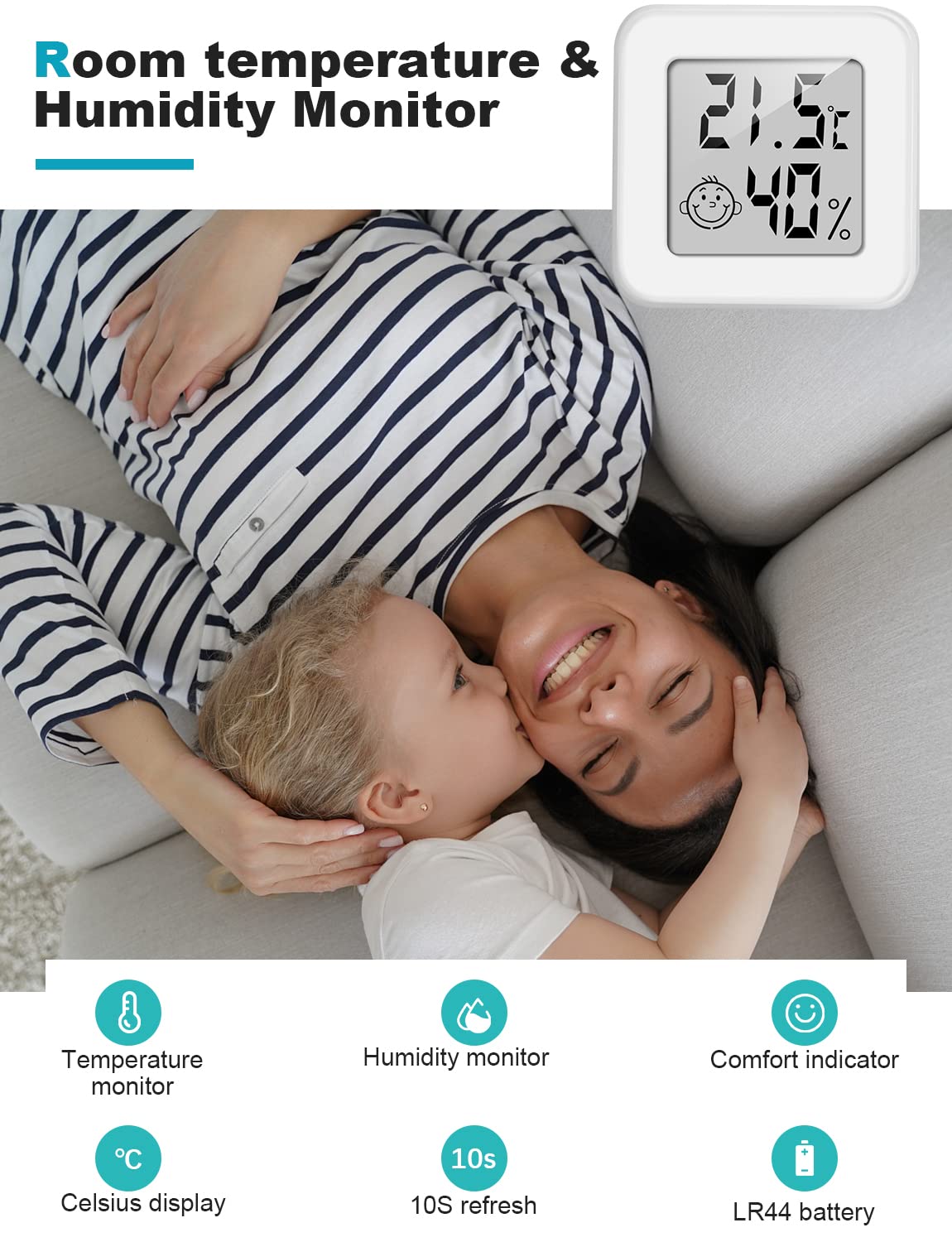
Image 1.2: Key features of the Houdian Mini Indoor Thermometer Hygrometer.
2. Setup
2.1 Battery Installation
- Locate the battery compartment on the back of the device.
- Open the battery compartment cover.
- Insert one LR44 battery (included), ensuring correct polarity (+/-).
- Close the battery compartment cover securely.

Image 2.1: Back of the device, highlighting the battery compartment.
2.2 Initial Calibration and Placement
Upon first use, allow the thermometer hygrometer to adapt to its environment for 20 to 30 minutes. This period enables the device to automatically calibrate ambient temperature and humidity. During this initial phase, expect a potential temperature error of approximately 1 ℃ and a humidity error of approximately 5%.
The device can be placed on a flat surface or mounted using double-sided tape (not included) on a wall or other suitable location.

Image 2.2: Examples of suitable environments for device placement.
3. Operating Instructions
Once the battery is installed, the device will automatically power on and begin displaying current temperature and humidity readings. The display refreshes approximately every 10 seconds.
3.1 Display Interpretation
- Current Temperature: Displayed in Celsius (℃) at the top of the screen.
- Current Humidity: Displayed as a percentage (%RH) at the bottom of the screen.
- Comfort Indicator: A facial icon located between the temperature and humidity readings indicates the comfort level of the environment.

Image 3.1: Detailed view of the display components.
3.2 Comfort Level Description
The comfort indicator provides a quick visual reference for environmental conditions:
- Dry: Humidity between 0% and 50% RH. (Indicated by a sad face icon)
- Comfortable: Humidity between 50% and 70% RH. (Indicated by a happy face icon 😊)
- Wet: Humidity between 71% and 99% RH. (Indicated by a sad face icon)

Image 3.2: Comfort indicator symbols and corresponding humidity ranges.
4. Maintenance
4.1 Battery Replacement
When the display becomes dim or stops functioning, it is time to replace the battery. Follow the battery installation steps in Section 2.1 to replace the LR44 battery.
4.2 Cleaning
Wipe the device gently with a soft, dry cloth. Do not use abrasive cleaners or immerse the device in water.
5. Troubleshooting
- Display is blank:
Check if the LR44 battery is correctly installed and has sufficient power. Replace the battery if necessary. - Readings appear inaccurate:
Ensure the device has had sufficient time (20-30 minutes) to adapt to its environment, especially after initial setup or relocation. Avoid placing the device near heat sources, direct sunlight, or strong drafts, which can affect accuracy.
6. Specifications
| Model Number | 1207DZ |
| Temperature Measurement Range | -50 ℃ to 70 ℃ |
| Temperature Measurement Accuracy | ± 1 ℃ |
| Temperature Resolution | 0.1 ℃ |
| Humidity Measurement Range | 10% RH to 99% RH |
| Humidity Measurement Accuracy | ± 5% RH |
| Humidity Resolution | 1% |
| Power Supply | 1 x LR44 Battery |
| Dimensions (L x W x H) | 4.3 cm x 4.3 cm x 1.5 cm |
| Weight | 60 grams |

Image 6.1: Device dimensions and size comparison.
7. Warranty and Support
7.1 Warranty Information
Please refer to the product packaging or the retailer's website for specific warranty details regarding your Houdian Mini Indoor Thermometer Hygrometer. Standard warranty terms typically cover manufacturing defects for a limited period from the date of purchase.
7.2 Customer Support
For further assistance, technical support, or inquiries not covered in this manual, please contact Houdian customer service through the contact information provided on the product packaging or the official Houdian website.