
1. Introduction
Thank you for choosing the XTGTP Solar Spot Lights. This manual provides essential information for the proper installation, operation, and maintenance of your new solar lights. Designed for outdoor use, these lights feature 21 LEDs, three brightness modes, and an IP67 waterproof rating, making them suitable for various landscape and garden lighting applications.

Image 1.1: Overview of XTGTP Solar Spot Lights and their main features.
2. Package Contents
Please verify that all components are present in your package:
- 2 x Solar Spotlights (with pre-assembled heads and holders)
- 2 x Ground Stakes
- 4 x Screws
- 4 x Wall Plugs
- 1 x User Manual

Image 2.1: Included components for the XTGTP Solar Spot Lights.
3. Features
The XTGTP Solar Spot Lights are equipped with advanced features for optimal performance:
- 21 Bright LEDs: Provides focused and bright illumination.
- 3 Lighting Modes: Low (18 hours), Medium (12 hours), and High (6 hours) for varied lighting needs.
- Auto On/Off Function: Integrated light sensor automatically charges during the day and illuminates at dusk.
- IP67 Waterproof Rating: Designed to withstand various weather conditions, including rain, snow, and heat.
- Adjustable Design: Both the solar panel and the light head are 180-degree rotatable for optimal sun exposure and lighting angle.
- High Efficiency Solar Panel: 1.5W silicon solar panel with up to 30% energy conversion rate for quick charging.
- Two Installation Options: Can be installed in the ground using stakes or mounted on a wall with screws.
- Durable Construction: Made from high-strength ABS material.
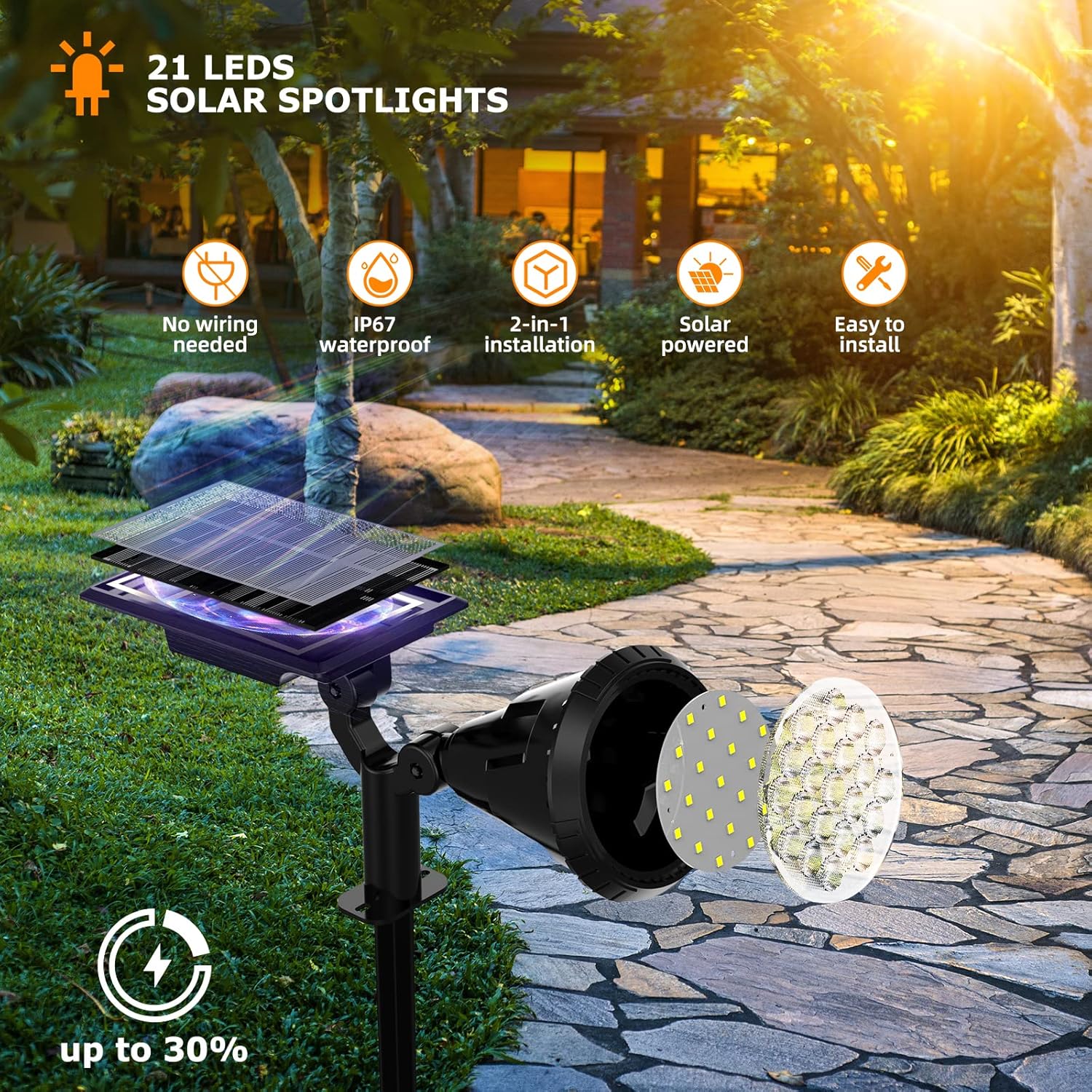
Image 3.1: Key features of the XTGTP Solar Spot Lights.

Image 3.2: Automatic charging during the day and lighting at night.
4. Setup and Installation
Follow these steps to properly set up your solar spot lights:
4.1 Initial Charging (Important)
Before first-time use, turn the lights OFF and place them under direct sunlight for more than 3 days to ensure a full initial charge. Do not forget to turn them ON after charging.
4.2 Choose an Installation Location
Select a location that receives direct sunlight for at least 6-8 hours daily. Ensure there are no obstructions like eaves or trees that could block sunlight from reaching the solar panel.
4.3 Installation Options
Your solar lights offer two installation methods:
- Ground Insertion:
- Connect the ground stake to the light head holder.
- Insert the assembled light firmly into the ground. Ensure the solar panel faces upwards towards the sun.


Image 4.1: Connecting the stake and inserting into the ground.
- Wall Mounting:
- Mark the desired drilling points on the wall.
- Drill holes and insert the wall plugs.
- Align the light's holder with the drilled holes and secure it to the wall using the provided screws.


Image 4.2: Drilling holes and fixing the light to the wall.
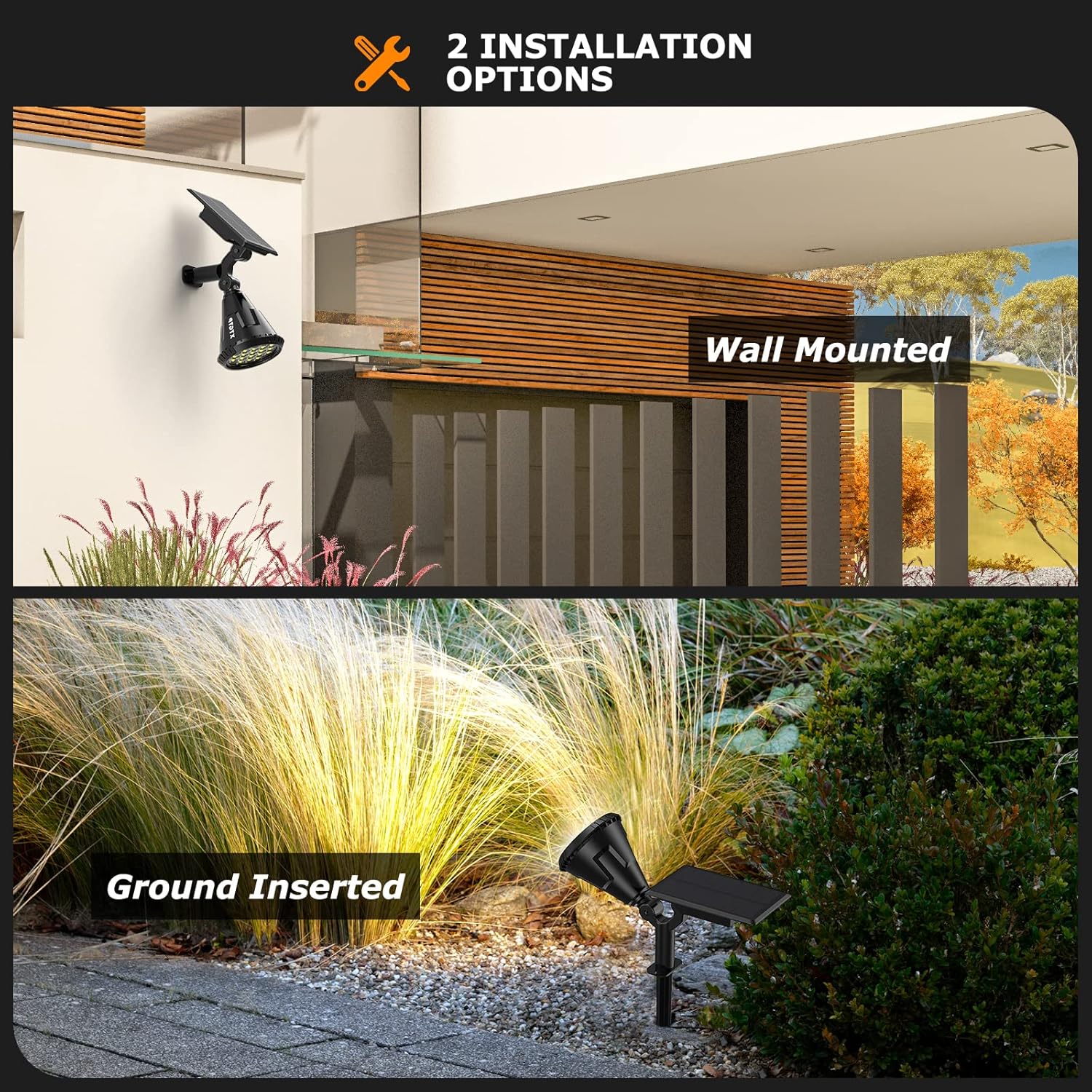
Image 4.3: Two installation options: Ground Inserted and Wall Mounted.
5. Operating Instructions
Your XTGTP Solar Spot Lights are designed for simple operation:
5.1 Power On/Off and Mode Selection
Locate the power button on the back of the light head. Press the button to cycle through the lighting modes:
- First Press: Low Light Mode (approx. 18 hours illumination)
- Second Press: Medium Light Mode (approx. 12 hours illumination)
- Third Press: High Light Mode (approx. 6 hours illumination)
- Fourth Press: Turn Off

Image 5.1: Cycling through the three brightness modes.
5.2 Automatic Operation
Once turned on and a mode is selected, the integrated light sensor will automatically:
- Charge the battery during daylight hours.
- Illuminate the light automatically when it gets dark or the ambient light is sufficiently dim.
To test the light during daylight, simply cover the solar panel to simulate darkness.
6. Maintenance
To ensure the longevity and optimal performance of your solar spot lights, consider the following maintenance tips:
- Clean Solar Panel: Regularly wipe the solar panel with a soft, damp cloth to remove dust, dirt, and debris. A clean panel ensures maximum sunlight absorption and charging efficiency.
- Clear Obstructions: Periodically check that no new obstructions (e.g., growing foliage, snow accumulation) are blocking direct sunlight from reaching the solar panel.
- Weather Resistance: The lights are IP67 waterproof and designed to withstand temperatures from -20°C to 50°C. While they are frost and heat resistant, ensure heavy snow is cleared from the solar panel for charging during winter months.

Image 6.1: The lights are built for all weather conditions.
7. Troubleshooting
If you encounter issues with your solar spot lights, refer to the following common problems and solutions:
| Problem | Possible Cause | Solution |
|---|---|---|
| Light does not turn on at night. | 1. Light is not switched ON. 2. Insufficient sunlight for charging. 3. Solar panel is dirty or obstructed. 4. Ambient light is too bright. | 1. Press the power button to turn ON the light and select a mode. 2. Ensure the light is placed in an area receiving 6-8 hours of direct sunlight daily. 3. Clean the solar panel and remove any obstructions. 4. Cover the solar panel to test if the light activates. Relocate if necessary. |
| Light duration is shorter than expected. | 1. Insufficient charging due to cloudy weather or short daylight hours. 2. Light mode set to High (shorter duration). 3. Solar panel is dirty. | 1. Allow more charging time, especially after cloudy days. Consider switching to a lower brightness mode. 2. Select Low or Medium light mode for longer illumination. 3. Clean the solar panel. |
| Moisture inside the lampshade. | Temperature differences causing condensation. | This is normal and does not affect the light's function or lifespan. The IP67 rating ensures internal components are protected. |
8. Specifications
Detailed technical specifications for the XTGTP Solar Spot Lights:
| Specification | Detail |
|---|---|
| Brand | XTGTP |
| Model Number | KY01 |
| Light Color | Cool White |
| Material | High-impact ABS Plastic |
| Power Source | Solar Powered |
| Wattage | 1.5 Watts |
| Voltage | 12 Volts (DC) |
| Water Resistance Level | IP67 Waterproof |
| Product Dimensions | 8.5"L x 7.3"W x 3.9"H |
| Item Weight | 1.26 pounds |
| Light Source Type | LED |
| Number of Light Sources | 21 |
| Operating Temperature | -20°C to 50°C |
9. Warranty and Support
For warranty information or technical support, please contact XTGTP customer service through the retailer where the product was purchased. Keep your purchase receipt as proof of purchase.