1. Introduction
1.1 Product Overview
The Yealink VCM36-W is a wireless full duplex microphone designed to enhance audio capture in medium and large meeting spaces. It features a 3-microphone array and Yealink's self-developed algorithm to provide a 20ft (6m) and 360° voice pickup range. Its wireless design offers flexibility in deployment, eliminating the need for extensive cabling.
1.2 Key Features
- Optimal HD Voice for clear communication.
- Full-Duplex technology for simultaneous two-way audio.
- 20-feet (6-meter) 360° voice pickup range.
- Capacitive mute touchpad for easy control.
- WiFi Technology (WPA2/AES128 Encryption) for secure wireless connectivity.
- Expansion Mic (Works with built-in mic) for extended coverage.
2. Package Contents
Please ensure all items are present in the package. The standard package includes the Yealink VCM36-W Wireless Microphone and its associated charging components. For a detailed list, refer to the product packaging.
3. Setup
3.1 Charging the Device
The VCM36-W microphone is battery-powered and requires charging before initial use and when the battery is low. Connect the charging pad to a power source using the provided USB cable. Place the microphone onto the charging pad to begin charging. The charging indicator light on the microphone will provide status updates.
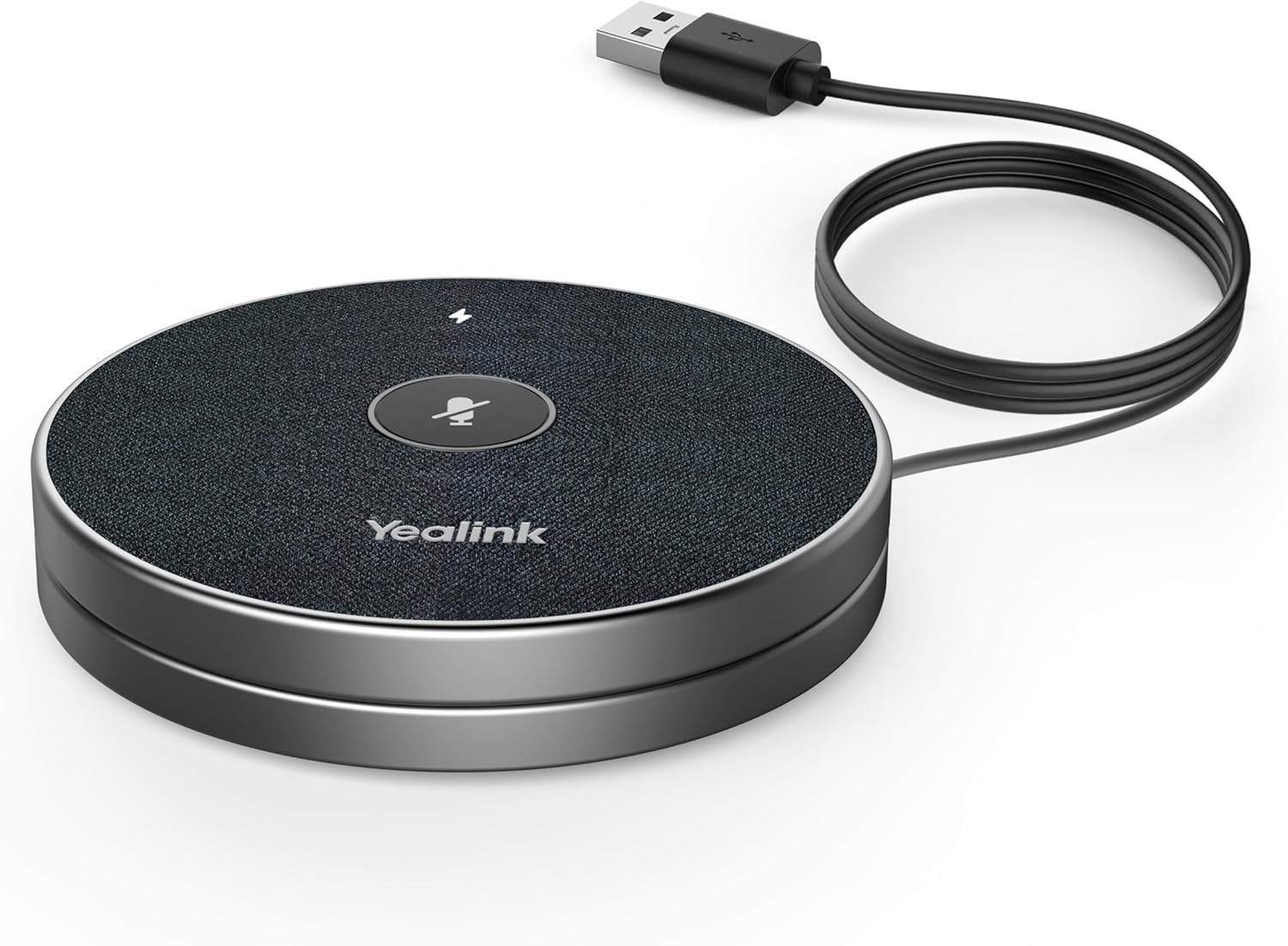
Figure 3.1: Yealink VCM36-W microphone connected to a USB cable for charging, showing the charging setup.
3.2 Wireless Connection
The VCM36-W utilizes wireless transmission for seamless integration into your meeting room setup. To connect, simply pair the microphone with your compatible Yealink meeting room devices. This pairing process typically needs to be done only once. Refer to your main Yealink device's manual for specific pairing instructions. Once paired, the microphone can be freely placed within its operational range without the need for physical cables to the main unit.
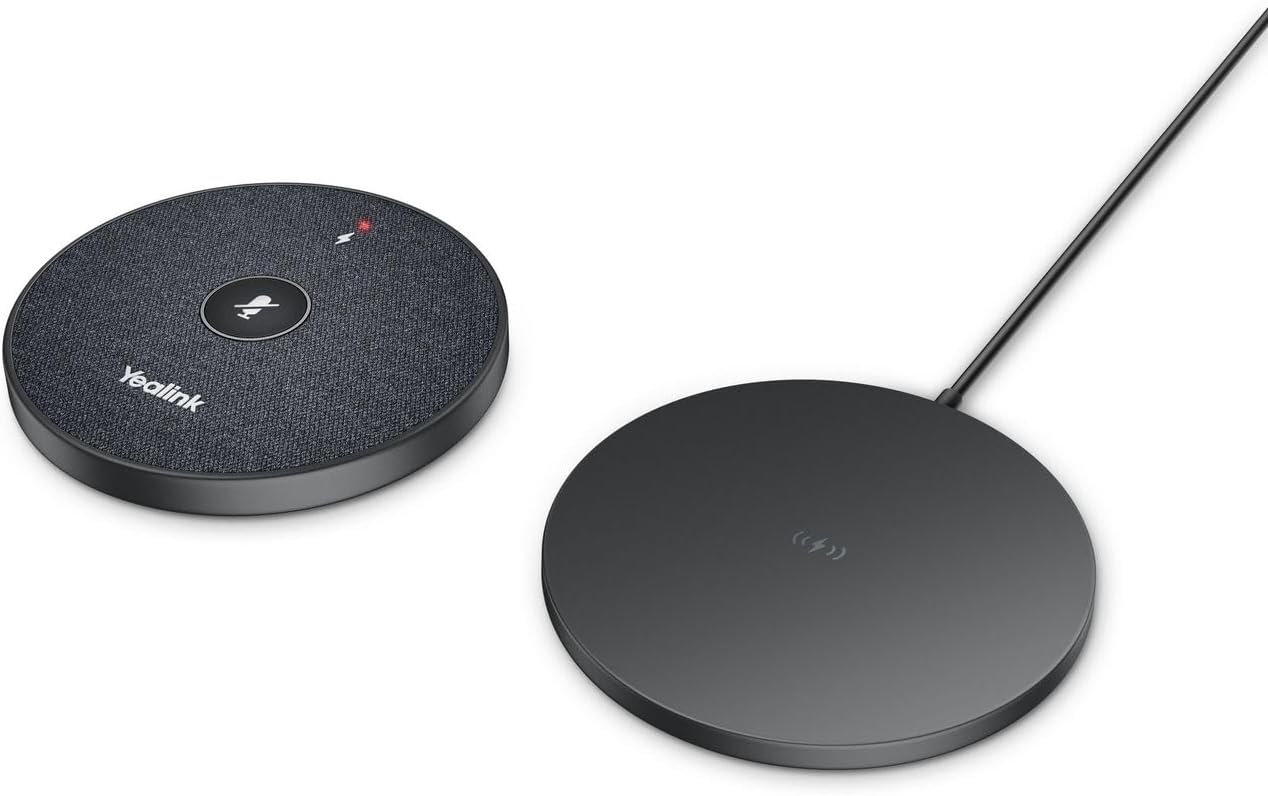
Figure 3.2: Yealink VCM36-W wireless microphone and its charging pad, illustrating the wireless nature of the device and its components.
4. Operating the Microphone
4.1 Voice Pickup
The VCM36-W is designed for 360° voice pickup, ensuring that voices from all participants within a 20-foot (6-meter) radius are clearly captured. Position the microphone centrally in your meeting space for optimal performance.
4.2 Mute Function
To mute or unmute the microphone, simply tap the capacitive mute touchpad located on the top surface of the device. The mute indicator light will change to reflect the microphone's status (e.g., red for muted, green for active).

Figure 4.1: Close-up view of the Yealink VCM36-W microphone's top surface, highlighting the central mute button and the lightning bolt charging indicator.
5. Maintenance
To ensure the longevity and optimal performance of your Yealink VCM36-W microphone, follow these maintenance guidelines:
- Cleaning: Use a soft, dry cloth to wipe the exterior of the microphone. Avoid using harsh chemicals, cleaning solvents, or abrasive materials, as these can damage the surface.
- Storage: When not in use for extended periods, store the microphone in a cool, dry place away from direct sunlight and extreme temperatures.
- Battery Care: To preserve battery life, avoid fully discharging the battery frequently. If storing for a long time, ensure the battery has a partial charge (around 50%).
6. Troubleshooting
This section addresses common issues you might encounter with your VCM36-W microphone. If you experience problems not covered here, please contact Yealink support.
| Problem | Possible Cause | Solution |
|---|---|---|
| Microphone not picking up audio. | Microphone is muted; Low battery; Not paired correctly; Out of range. | Tap the mute button; Charge the microphone; Re-pair with the main device; Move closer to the main device. |
| Audio quality is poor or distorted. | Environmental noise; Obstructions; Interference. | Ensure Yealink Noise Proof Technology is active; Remove obstructions; Check for other wireless devices causing interference. |
| Device not charging. | Charging cable or adapter faulty; Microphone not placed correctly on pad. | Check cable and adapter; Ensure microphone is centered on the charging pad. |
7. Specifications
| Feature | Detail |
|---|---|
| Model Name | VCM36-W Microphone |
| Microphone Form Factor | Table Array |
| Voice Pickup Range | 20-feet (6-meter) 360° |
| Connectivity Technology | Wi-Fi (WPA2/AES128 Encryption) |
| Power Source | Battery Powered (1 Lithium Ion battery included) |
| Item Dimensions (L x W x H) | 7.3 x 4.6 x 2.5 inches |
| Item Weight | 14.4 ounces (0.9 Pounds) |
| Signal-to-Noise Ratio | 90 dB |
| Special Feature | Noise Canceling |
| UPC | 841885107527 |
8. Warranty and Support
Warranty Information: This product comes with a standard manufacturer's warranty. Please refer to the warranty card included in your product packaging or visit the official Yealink website for detailed warranty terms and conditions.
Technical Support: For technical assistance, troubleshooting beyond this manual, or service inquiries, please contact Yealink customer support. You can find contact information on the official Yealink website or through your authorized reseller.
Online Resources: For the latest drivers, firmware updates, and additional documentation, please visit the official Yealink website.