
Hotpoint NSWM944CBSUKN
Hotpoint 9kg 1400rpm Freestanding Washing Machine - User Manual
Model: NSWM944CBSUKN
Introduction
Thank you for choosing the Hotpoint 9kg 1400rpm Freestanding Washing Machine. This manual provides essential information for the safe and efficient operation, installation, and maintenance of your appliance. Please read it thoroughly before first use and keep it for future reference.
This washing machine is designed for domestic use only and is suitable for washing textile products that are machine washable.
Safety Information
Always follow basic safety precautions when using electrical appliances to reduce the risk of fire, electric shock, or injury to persons.
- Ensure the appliance is properly earthed.
- Do not allow children to play with the appliance.
- Do not touch the appliance with wet hands or bare feet.
- Unplug the appliance before cleaning or performing any maintenance.
- Do not force the door open during a cycle.
- Keep packaging materials out of reach of children.
- Only use detergents and additives suitable for automatic washing machines.
Setup and Installation
Proper installation is crucial for the performance and longevity of your washing machine.
Unpacking
Remove all packaging materials and transport bolts from the rear of the appliance. Retain these for future transport if needed.
Positioning and Leveling
Place the washing machine on a flat, stable surface. Adjust the feet to ensure the appliance is perfectly level. This is essential to prevent excessive vibration and noise during operation, as noted by some users.
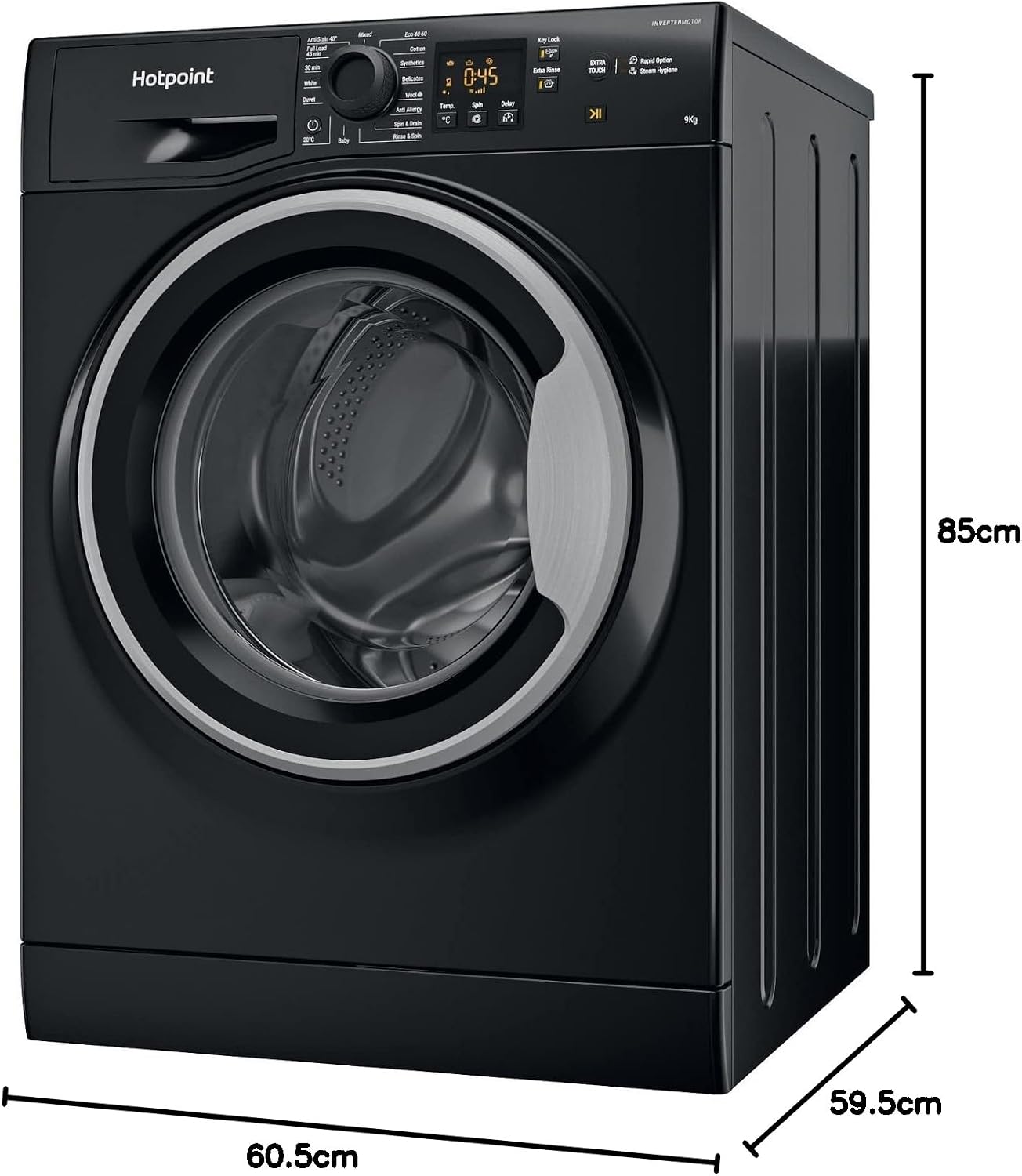
Image: Front view of the Hotpoint washing machine with its dimensions clearly marked, showing a width of 60.5cm, depth of 59.5cm, and height of 85cm.
Water and Electrical Connections
- Connect the water inlet hose to a cold water tap with a 3/4" thread. Ensure connections are tight to prevent leaks.
- Position the drain hose into a standpipe or secure it to a sink. Ensure it is not kinked.
- Plug the power cord into a properly earthed electrical socket. Do not use extension cords or adapters.
Operating Instructions
This section details how to use your Hotpoint washing machine effectively.

Image: The Hotpoint washing machine, showcasing its sleek black design and front-loading door.
Loading Laundry
Open the door and load laundry into the drum. The machine has a 9kg capacity, ideal for 3-4 people. Do not overload the machine as this can affect washing performance and cause excessive vibration.
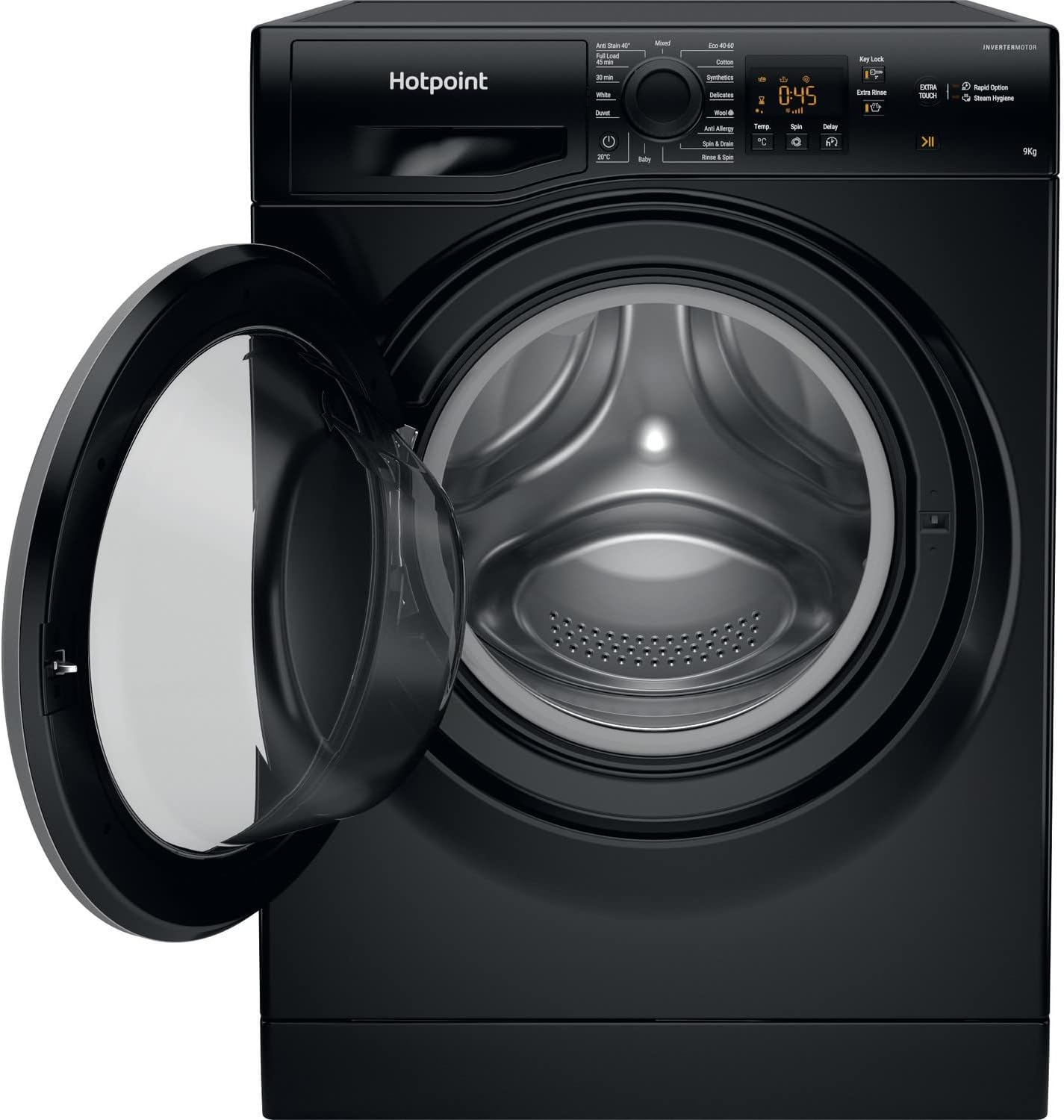
Image: The washing machine with its door ajar, providing a clear view of the large stainless steel drum interior.

Image: A detailed view of the washing machine's stainless steel drum, highlighting its perforated surface designed for efficient washing.
Adding Detergent
Pull out the detergent drawer located on the top left of the control panel. Add appropriate amounts of detergent and fabric softener to the designated compartments.

Image: The detergent drawer of the Hotpoint washing machine, extended to show its various compartments for laundry additives.
Control Panel Overview
The control panel features a program selector knob, a digital display, and various function buttons.

Image: A detailed shot of the washing machine's control panel, highlighting the central program selection dial, the digital timer display, and various function buttons.

Image: A broader perspective of the control panel, showing the Hotpoint branding, the detergent dispenser slot, and the full array of controls.
Washing Programs
Turn the program selector knob to choose your desired washing cycle. The digital display will show the estimated cycle time.
- Anti Stain 40°: Effectively removes common household stains without pre-treatment.
- Full Load 45 min: Washes a full load in as little as 45 minutes.
- 30 min: A rapid wash for small, lightly soiled items.
- White: For white cottons and linens.
- Duvet: Specific program for duvets and large items.
- 20°C: Energy-efficient wash at 20 degrees Celsius.
- Baby: Gentle cycle for baby clothes.
- Mixed: For mixed fabrics and colors.
- Eco 40-60: Energy-efficient program for cottons and mixed items washable at 40°C or 60°C.
- Cotton: Standard program for cotton items.
- Synthetics: For synthetic fabrics.
- Delicates: Gentle wash for delicate garments.
- Wool: Specific program for wool items.
- Anti Allergy: Helps remove allergens from fabrics.
- Spin & Drain: Drains water and performs a spin cycle.
- Rinse & Spin: Rinses and spins laundry.
Special Features
- Delay Timer: Up to 24-hour delay timer allows you to set the wash to start at a convenient time.
- Steam Hygiene Cycle: This cycle can remove 99.99% of viruses and bacteria, providing enhanced hygiene.
- Inverter Motor: The brushless inverter motor operates quieter and more efficiently, contributing to improved energy efficiency.
- Key Lock: Prevents accidental changes to settings during operation.
- Extra Rinse: Adds an additional rinse cycle.
- Rapid Option: Speeds up the selected wash cycle.
Press the Start/Pause button to begin the selected program.
Maintenance
Regular maintenance ensures the optimal performance and longevity of your washing machine.
Cleaning the Detergent Drawer
Periodically remove and clean the detergent drawer to prevent residue buildup. Rinse it under running water and use a brush if necessary.
Cleaning the Drum
The drum is made of stainless steel. To keep it clean and fresh, run a maintenance wash (e.g., a hot cycle with no laundry and a descaling agent or washing machine cleaner) once a month.
Cleaning the Filter
Locate the filter at the bottom front of the machine. Open the cover, place a shallow container underneath to catch water, and carefully unscrew the filter. Clean any lint or debris and re-secure it.
Exterior Cleaning
Wipe the exterior of the machine with a soft, damp cloth. Do not use abrasive cleaners or solvents.
Troubleshooting
Before contacting customer service, please refer to the following common issues and solutions.
| Problem | Possible Cause | Solution |
|---|---|---|
| Machine does not start | No power; Door not closed; Program not selected; Start/Pause not pressed. | Check power supply; Ensure door is firmly closed; Select a program; Press Start/Pause. |
| Excessive vibration/noise | Machine not level; Transport bolts not removed; Uneven load. | Adjust leveling feet; Remove transport bolts (if not already done); Redistribute laundry evenly. |
| Water not draining | Drain hose kinked or blocked; Filter clogged. | Check and clear drain hose; Clean the filter. |
| Detergent residue in drawer | Insufficient water pressure; Drawer clogged. | Check water supply; Clean the detergent drawer. |
Specifications
| Feature | Detail |
|---|---|
| Brand | Hotpoint |
| Model Number | NSWM944CBSUKN |
| Capacity | 9 kg |
| Maximum Rotational Speed | 1400 RPM |
| Product Dimensions (HxWxD) | 85 cm x 59.5 cm x 60.5 cm |
| Item Weight | 74.2 kg |
| Colour | Black |
| Drum Material | Stainless Steel |
| Special Features | Inverter Motor, High Efficiency, Steam Hygiene |
Warranty and Support
Your Hotpoint washing machine comes with a 10-year parts and 1-year labour guarantee, providing peace of mind. For technical assistance, repairs, or to claim warranty, please contact Hotpoint customer service. Ensure you have your model number (NSWM944CBSUKN) and serial number ready when contacting support.
For further information, please refer to the official Hotpoint website or your purchase documentation.
Related documentsNSWM944CBSUKN


Ask a question about this manual
Ask about setup, troubleshooting, compatibility, parts, safety, or missing instructions. Manuals+ will review the question and use this page’s manual context to help answer it.