
1. Introduction
This manual provides detailed instructions for the LOCOCO UHF Wireless Microphone (Model: LCC-LH01). Please read this manual carefully before using the product to ensure proper operation and to prevent damage.
The LOCOCO UHF Wireless Microphone system is designed for clear audio transmission, featuring stable UHF wireless technology, a convenient mute function, and broad compatibility with various audio devices.
2. Package Contents

This image displays the LOCOCO wireless microphone and its USB receiver, which are the primary components of the system. The microphone is black with a blue power button and a red ring, and the receiver is a compact black USB dongle with a red indicator light.
- 1 x LOCOCO UHF Wireless Microphone
- 1 x USB Wireless Receiver
- 1 x USB Charging Cable
- 1 x Type-C Adapter (for receiver compatibility)
- 1 x 3.5mm Audio Cable (for receiver connection)
- 1 x User Manual
3. Product Features
- UHF Wireless Transmission: Utilizes the latest UHF wireless technology for stable signal transmission up to 50 meters (in open spaces). Features 15 adjustable channels to prevent interference.
- One-Button Mute Function: Convenient and quick mute control directly on the microphone.
- Wide Compatibility: USB receiver compatible with computers, mobile phones, and various speaker equipment. Includes a Type-C adapter for broader device support.
- Rechargeable Battery: Built-in 1200mAh rechargeable battery provides 6-8 hours of use on a full charge.
- Ergonomic Design: Comfortable grip with intelligent noise reduction for clear sound quality.

This image illustrates the wireless transmission range of up to 50 meters, showing the microphone connected to a speaker system.

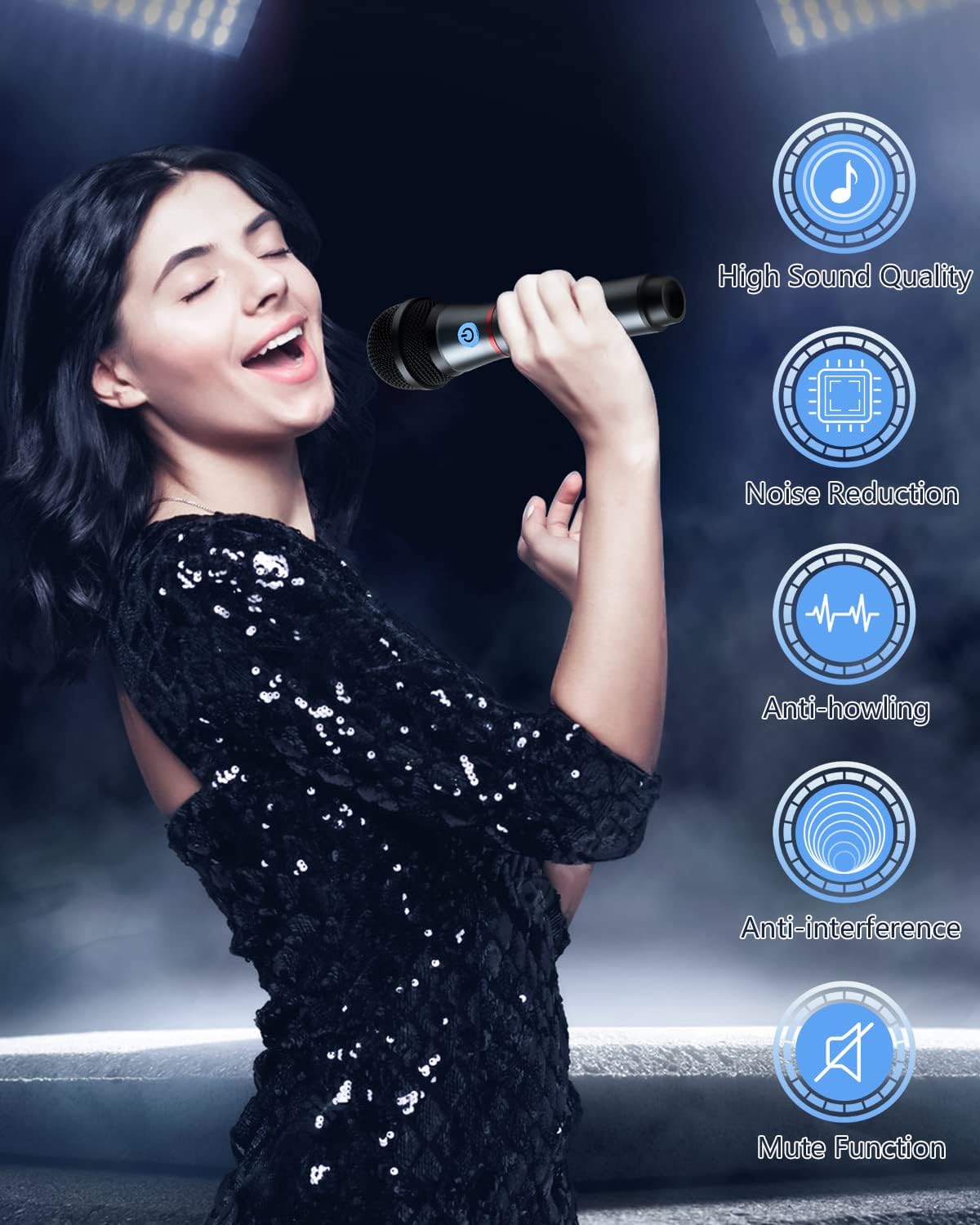
This image highlights key features: high sound quality, noise reduction, anti-howling, anti-interference, and a mute function, depicted alongside a person using the microphone.
4. Setup Guide
4.1 Charging the Microphone
- Connect the USB charging cable to the charging port on the microphone.
- Connect the other end of the USB cable to a standard USB power adapter (not included) or a computer USB port.
- The indicator light on the microphone will show charging status. A full charge typically takes 2-3 hours.
- Once fully charged, the microphone can be used for 6-8 hours.
This image provides a cutaway view of the microphone, illustrating its large capacity internal rechargeable battery.
4.2 Connecting the Receiver
- Insert the USB wireless receiver into a compatible USB port on your audio equipment (e.g., speaker, computer, game console). If your device has a Type-C port, use the provided Type-C adapter.
- For optimal audio output, connect the 3.5mm audio cable from the receiver's audio output jack to the audio input jack of your speaker system or audio device.
- Ensure the receiver's indicator light is on, indicating it is powered and ready for pairing.

This image demonstrates the wide compatibility of the microphone system with various devices, including PCs, mobile phones, Nintendo Switch, PlayStation, Xbox, and general audio equipment.
5. Operating Instructions
5.1 Powering On/Off
- To power on the microphone, press and hold the power button (usually indicated by a power symbol) on the microphone handle until the indicator light illuminates.
- To power off, press and hold the power button again until the indicator light turns off.
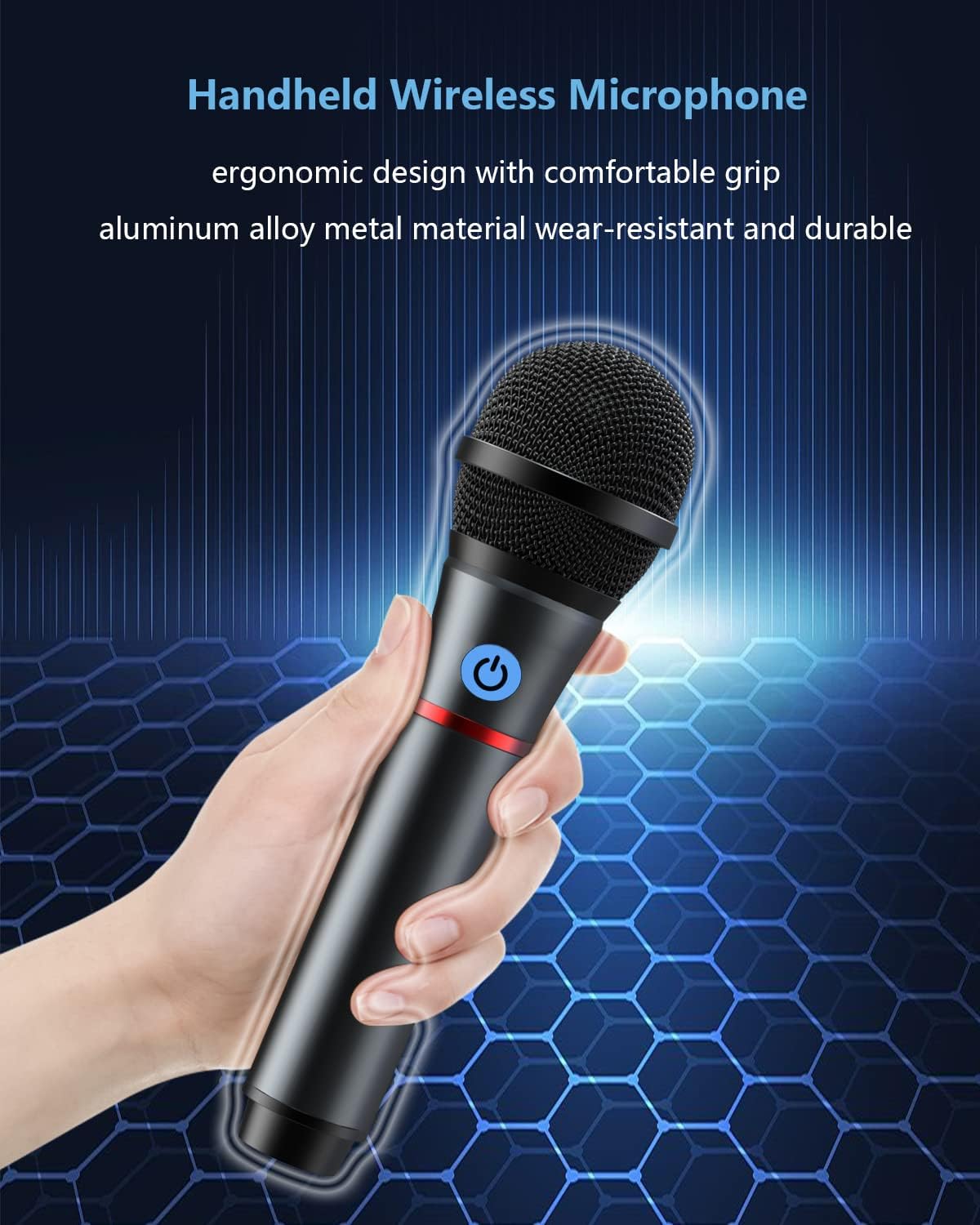
This image shows a close-up of the microphone's power button, which also functions as the mute button.
5.2 Mute Function
- While the microphone is on, a short press of the power button will toggle the mute function.
- When muted, the microphone will not pick up sound, but it will remain powered on.
5.3 Channel Adjustment
The microphone system supports 15 adjustable UHF channels to avoid interference. If you experience signal interference, you may need to change the operating channel. Refer to the specific instructions for channel adjustment, which may involve a combination of button presses on the microphone and receiver (details not provided in product description, assume automatic pairing or simple adjustment).
5.4 Usage Scenarios
- Family Karaoke: Connect to a karaoke machine or smart TV for home entertainment.
- Conference Speech: Ideal for presentations and meetings, ensuring clear voice projection.
- Outdoor Performance: Suitable for small outdoor gatherings or performances due to its stable wireless range.
- Indoor Recording: Can be used for recording vocals or instruments when connected to a computer or recording device.

This composite image illustrates the versatility of the microphone, showing its use in family karaoke, outdoor performances, conference speeches, and indoor recording setups.
6. Maintenance
- Cleaning: Use a soft, dry cloth to clean the microphone and receiver. Do not use abrasive cleaners or solvents.
- Storage: Store the device in a cool, dry place away from direct sunlight and extreme temperatures.
- Battery Care: To prolong battery life, avoid fully discharging the microphone frequently. Charge it regularly, even if not in use for extended periods.
- Handling: Handle the microphone with care. Avoid dropping it or subjecting it to strong impacts.
7. Troubleshooting
| Problem | Possible Cause | Solution |
|---|---|---|
| No sound from microphone | Microphone is off or muted. Receiver not properly connected or powered. Low microphone battery. | Ensure microphone is powered on and not muted. Check receiver connection and power. Charge microphone battery. |
| Sound interference/static | Other wireless devices operating on the same frequency. Obstacles between microphone and receiver. | Change the operating channel of the microphone system. Reduce distance or remove obstacles. |
| Short operating time | Microphone battery not fully charged. Battery degradation over time. | Ensure microphone is fully charged before use. If battery life significantly decreases, contact support. |
| Receiver not recognized by device | Incorrect USB port. Device driver issue. | Try a different USB port. Ensure your device's audio input is correctly configured. Restart the device. |
8. Specifications
| Feature | Detail |
|---|---|
| Model Number | LCC-LH01 |
| Wireless Technology | UHF |
| Wireless Range | Up to 50 meters (open space) |
| Number of Channels | 15 adjustable channels |
| Microphone Battery Capacity | 1200 mAh Lithium-polymer |
| Operating Time | 6-8 hours (after full charge) |
| Charging Interface | USB |
| Receiver Interface | USB (with Type-C adapter) |
| Microphone Form Factor | Handheld |
| Polar Pattern | Omnidirectional |
| Impedance | 600 ohms |
| Weight | 300 Grams |
| Color | Black |
9. Warranty and Support
LOCOCO products come with a standard manufacturer's warranty. For specific warranty terms and conditions, please refer to the warranty card included in your product packaging or visit the official LOCOCO website.
For technical support, troubleshooting assistance, or any inquiries regarding your LOCOCO UHF Wireless Microphone, please contact LOCOCO customer service. Contact information can typically be found on the product packaging or the official LOCOCO website.
Note: Information regarding spare parts availability and software updates is not available at this time.