Important Safety Information
Please read this manual carefully before operating your Tenamic safe box. Retain this manual for future reference.
- Do not store the emergency keys inside the safe. Keep them in a secure, separate location.
- Ensure the safe is securely mounted to a wall or floor to prevent unauthorized removal.
- Replace batteries promptly when the low battery indicator appears to avoid being locked out.
- This safe is designed for security against theft and unauthorized access. It is not water-resistant.
- Avoid exposing the safe to extreme temperatures or humidity.
Package Contents
Verify that all items are present in the package:
- 1 x Tenamic Electronic Digital Security Safe Box (2.0 Cuft)
- 2 x Emergency Keys
- 1 x External Battery Compartment
- 2 x Mounting Screws
- 1 x User Manual

Figure 1: Included Package Contents
The package includes the main safe unit, two emergency keys for manual access, an external battery compartment for emergency power, two mounting screws for securing the safe, and this user manual for instructions.
Product Overview
The Tenamic HB42 Electronic Digital Security Safe Box is designed to protect your valuables with a robust alloy steel construction and an advanced electronic locking system.
Key Features:
- Stronger Material: Constructed from solid alloy steel with a pry-resistant steel door and concealed hinges for enhanced security.
- Reliable Locking System: Features an electronic keypad that supports two user-defined passwords and an emergency key override.
- Internal Light: A built-in LED light illuminates the interior automatically upon opening, aiding visibility in low-light conditions.
- Alarm System: Activates an audio alarm after three consecutive incorrect password entries.
- Carpeted Interior: Protects stored items from scratches and damage.
- Mounting Capability: Pre-drilled holes allow for secure mounting to a wall or floor.

Figure 2: Tenamic Safe Box with Door Open
This image displays the safe with its door open, showcasing the spacious interior suitable for various valuables. The electronic keypad is visible on the door.
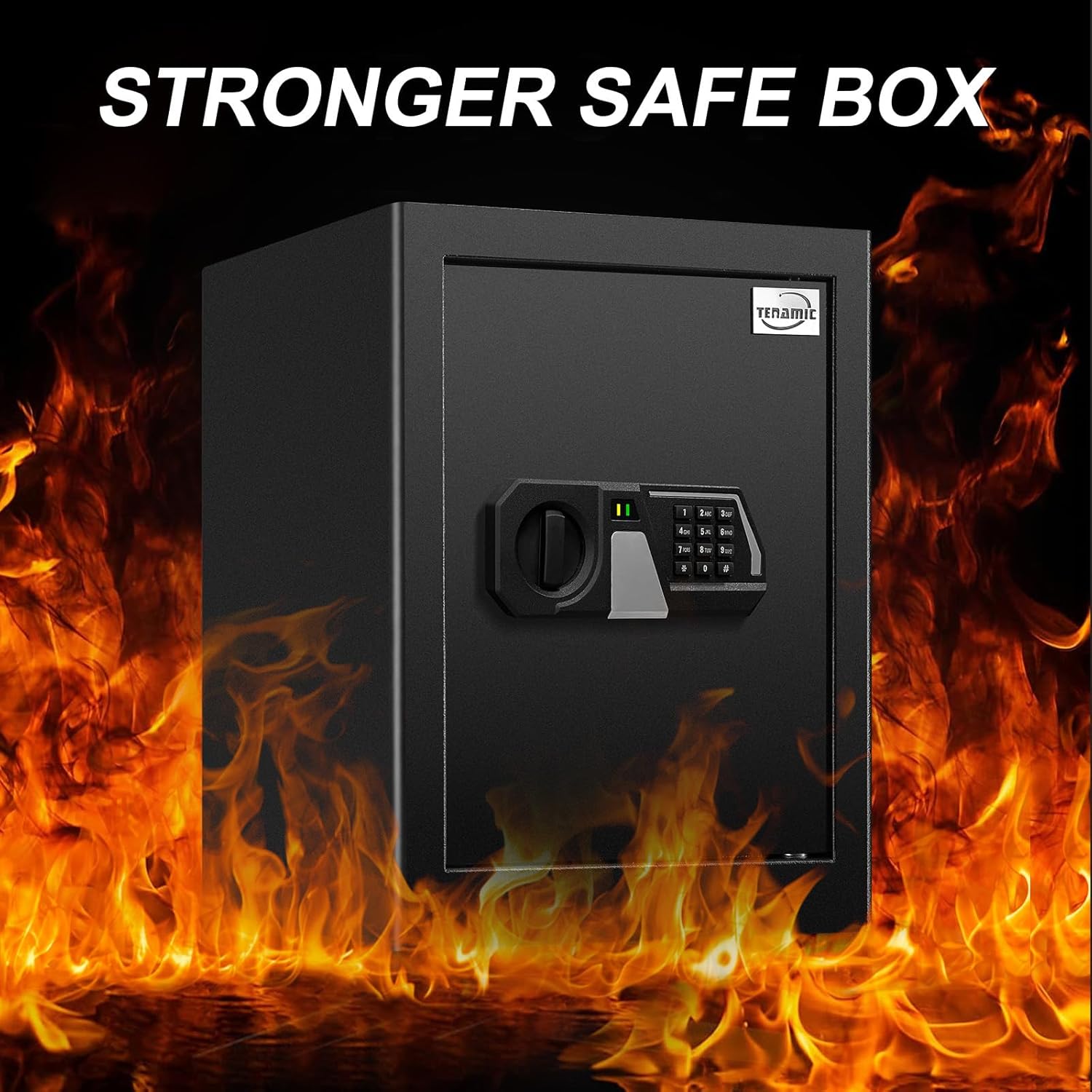
Figure 3: Stronger Safe Box Construction
This image highlights the robust construction of the safe, indicating its durability and resistance to external forces.

Figure 4: Reliable Locking System Features
The image details the electronic keypad, illustrating its physical buttons for faster response, the ability to set two passwords, and the wrong entry alert system to prevent unauthorized access.

Figure 5: Internal LED Light and Reset Button
This diagram points out the location of the internal LED light, which provides illumination, and the reset button, used for programming the safe.
Setup
1. Battery Installation
The safe requires 4 AA batteries (not included) for the electronic keypad to function. Install them before first use.
- Open the safe door using the emergency key (refer to 'Opening the Safe for the First Time' section if needed).
- Locate the battery compartment on the inside of the safe door.
- Insert 4 AA batteries, ensuring correct polarity (+/-).
- Close the battery compartment cover.

Figure 6: Battery Installation Steps
This diagram illustrates the process of inserting batteries into the external battery compartment and then connecting it to the safe's keypad for initial power.
2. Mounting the Safe
For optimal security, it is recommended to mount the safe to a solid surface such as a wall or floor.
- Choose a suitable location for mounting.
- Open the safe door and locate the pre-drilled mounting holes on the back or bottom panel.
- Mark the drilling points on the wall or floor through the holes.
- Drill pilot holes using an appropriate drill bit for your surface type.
- Align the safe with the drilled holes and secure it using the provided mounting screws.
- Ensure the safe is firmly attached and stable.

Figure 7: Safe Dimensions and Mounting Hardware
This image provides the external dimensions of the safe and displays the mounting screws included for secure installation.
Operating Instructions
1. Opening the Safe for the First Time (Emergency Key)
Before setting your personal password, you will need to open the safe using the emergency key.
- Locate the keyhole cover on the electronic keypad.
- Remove the keyhole cover.
- Insert one of the emergency keys into the keyhole.
- Turn the key clockwise while simultaneously rotating the knob clockwise to open the door.
- Once open, remove the key and replace the keyhole cover.

Figure 8: Opening with Emergency Key
This diagram illustrates the three steps to open the safe using the emergency key: removing the cover, inserting and turning the key, and then rotating the knob.
2. Setting/Changing User Passwords
The safe allows you to set two different passwords. The default initial password is '159'.
- With the safe door open, press the red reset button located on the inside of the door (refer to Figure 5).
- The keypad will beep, and the indicator light will flash.
- Enter your desired new password (3-8 digits) on the keypad.
- Press the '#' key to confirm. The safe will beep twice, indicating successful password change.
- To set a second password, repeat steps 1-4.
- Test the new password with the door open before closing it.
3. Opening the Safe with Password
- Enter your programmed password on the keypad.
- Press the '#' key.
- The indicator light will turn green. Within 5 seconds, rotate the knob clockwise to open the door.

Figure 9: Opening with Password
This image illustrates the two simple steps to open the safe using the electronic keypad: first, entering the correct password, and then rotating the knob to unlock the door.
4. Emergency Opening (External Battery Compartment)
If the internal batteries are depleted and you cannot open the safe with your password, use the external battery compartment.
- Insert 4 AA batteries into the external battery compartment.
- Plug the external battery compartment's cable into the emergency power port on the keypad.
- Enter your password on the keypad and press '#'.
- Rotate the knob clockwise to open the door.
- Once open, replace the internal batteries immediately.
Maintenance
- Battery Replacement: Replace all 4 AA batteries when the low battery indicator light appears on the keypad. Always use new, high-quality alkaline batteries.
- Cleaning: Wipe the safe's exterior with a soft, damp cloth. Avoid abrasive cleaners or solvents that could damage the finish.
- Keyhole Maintenance: Keep the emergency keyhole clean and free of debris. Do not lubricate the lock mechanism unless specifically instructed by the manufacturer.
- Interior Care: The carpeted interior can be vacuumed or wiped gently to remove dust.
Troubleshooting
| Problem | Possible Cause | Solution |
|---|---|---|
| Safe does not open with password. | Incorrect password entered; Batteries are low or dead. | Re-enter the correct password. Replace batteries or use the external battery compartment. |
| Keypad does not respond. | Dead batteries; Loose battery connection. | Replace batteries. Ensure batteries are correctly inserted and connections are secure. |
| Alarm sounds after multiple attempts. | Three consecutive incorrect password entries. | The alarm will stop after a short period. Use the correct password or emergency key to open. |
| Door does not open after entering correct password. | Knob not rotated within 5 seconds; Mechanical obstruction. | Ensure the knob is rotated clockwise immediately after the green light appears. Check for any obstructions. |
| Emergency key does not turn. | Key not fully inserted; Obstruction in keyhole. | Ensure the key is fully inserted and aligned. Check for any debris in the keyhole. |
Specifications
| Feature | Detail |
|---|---|
| Brand | Tenamic |
| Model Number | HB42 Safe Box |
| Exterior Dimensions (D x W x H) | 12.99" x 13.78" x 17.72" |
| Interior Dimensions (D x W x H) | 12.8" x 13.58" x 17.52" |
| Capacity | 2.0 Cubic Feet |
| Lock Type | Electronic Keypad with Emergency Key |
| Material | Alloy Steel |
| Color | Black |
| Power Source | 4 x AA Batteries (not included) |
| Mounting Type | Floor Mount, Wall Mount |
| Alarm | Audio Alert for incorrect password entries |
| Water Resistance Level | Not Water Resistant |
Figure 10: Product Dimensions
This image provides a visual representation of the safe's external dimensions, crucial for planning its placement and installation.
Warranty and Support
Tenamic products are manufactured to high-quality standards. For specific warranty details, please refer to the documentation included with your purchase or contact Tenamic customer support.
If you encounter any issues or have questions regarding your Tenamic HB42 Electronic Digital Security Safe Box, please contact our customer support team for assistance. Contact information can typically be found on the Tenamic official website or through your purchase platform.


