
1. Introduction
This manual provides essential information for the safe and efficient use of your LG C3 Series 77-Inch Class OLED evo Smart TV. Please read this manual thoroughly before operating your TV and retain it for future reference. The LG C3 OLED evo TV features an a9 AI Processor Gen6 for enhanced picture and sound, Brightness Booster technology, and the webOS 23 smart platform with built-in Alexa.

Image: Front view of the LG C3 Series OLED evo Smart TV, showcasing its vibrant display.
2. What's in the Box
Verify that all components are present in the packaging:
- LG C3 Series 77-Inch OLED evo Smart TV
- Magic Remote
- Remote Control Battery (AA x 2EA)
- Power Cable
- Quick Start Guide
- Stand (if included with your specific model)

Image: Diagram showing the dimensions of the 77-inch LG C3 TV and a list of included accessories.
3. Setup
3.1 Physical Installation
Before installation, ensure the TV is placed on a stable, level surface or securely mounted to a wall. For stand installation, follow the instructions provided in the Quick Start Guide. For wall mounting, use a VESA-compliant mount and consult a professional installer if unsure.
3.2 Connecting Peripherals
Connect your external devices (e.g., cable box, Blu-ray player, gaming console) to the HDMI ports on the back of the TV. The LG C3 features four HDMI 2.1 inputs, supporting advanced features like 4K at 120Hz.

Image: Close-up of the rear panel of the LG C3 TV, highlighting the various input and output ports including HDMI, USB, LAN, and optical audio.
3.3 Initial Power On and Network Connection
- Plug the power cable into the TV and a wall outlet.
- Press the power button on the remote control or the TV.
- Follow the on-screen instructions to complete the initial setup, including language selection, time zone, and network connection.
- Select your Wi-Fi network and enter the password, or connect an Ethernet cable for a wired connection.
4. Operating the TV
4.1 Magic Remote Overview
The LG Magic Remote allows for intuitive control of your TV. Point and click, use voice commands, or navigate with the scroll wheel. Familiarize yourself with the buttons for power, volume, channel, home, settings, and quick access to streaming services.

Image: The LG Magic Remote, displaying its various buttons for navigation, voice control, and direct access to streaming apps.
4.2 Smart TV Features (webOS 23 & AI)
Your LG C3 TV runs on webOS 23, providing a user-friendly interface for accessing apps, content, and settings. The a9 AI Processor Gen6 optimizes picture and sound in real-time, while built-in Alexa offers voice control for various functions.
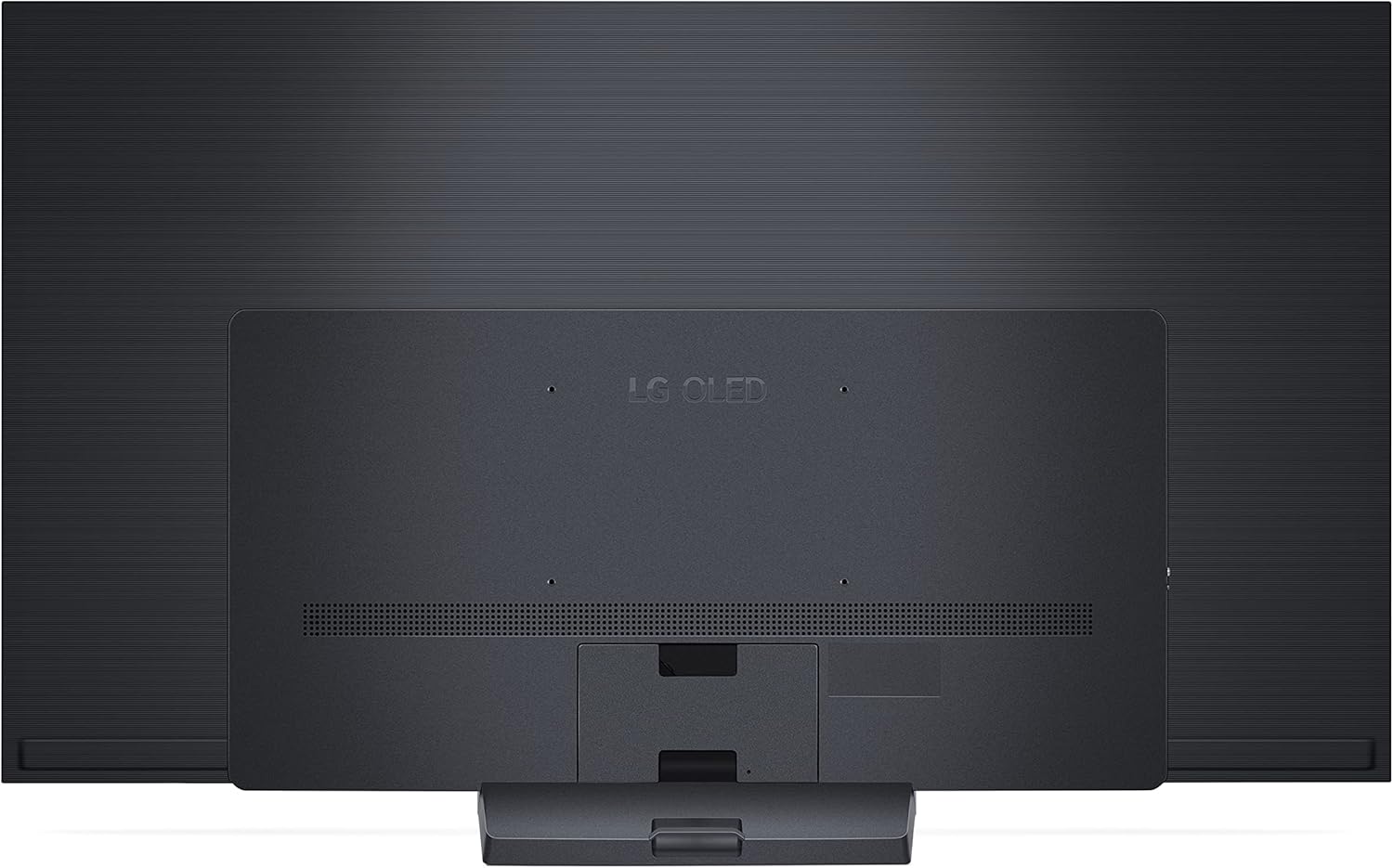
Image: Screenshot of the LG webOS 23 home screen, showing various applications and the ThinQ AI integration with Alexa.
4.3 Picture Settings
The LG C3 OLED evo TV delivers exceptional picture quality with self-lit pixels, infinite contrast, and 100% color fidelity. The Brightness Booster enhances luminance, even in well-lit environments. Access picture modes (e.g., Standard, Vivid, Cinema, FILMMAKER MODE) through the settings menu to suit your viewing preferences.

Image: A visual comparison demonstrating the superior contrast and color of Self-Lit OLED 4K compared to conventional displays.

Image: Graphic illustrating the Brightness Booster technology, highlighting its Light Boosting Algorithm and Light Control Architecture.
4.4 Sound Settings
Experience immersive audio with Dolby Atmos support and the LG Audio System. Adjust sound modes (e.g., AI Sound Pro, Cinema, Game Optimizer) and equalizer settings in the sound menu to optimize your listening experience.

Image: Depiction of the LG Audio System creating a multi-surround sound experience in a living room setting.
4.5 Gaming Features
The LG C3 is equipped with features for an optimal gaming experience, including a 0.1ms response time, 120Hz refresh rate, NVIDIA G-Sync, AMD FreeSync Premium, and Variable Refresh Rate (VRR) support. Access the Game Dashboard and Game Optimizer for quick adjustments.

Image: Three individuals playing video games on an LG C3 TV, highlighting features like AMD FreeSync Premium, NVIDIA G-SYNC, and GeForce NOW.
5. Maintenance
5.1 Cleaning the TV
To clean the screen, gently wipe it with a soft, dry microfiber cloth. For stubborn marks, lightly dampen the cloth with water or a screen-specific cleaning solution. Avoid using harsh chemicals or abrasive materials. Clean the TV frame and stand with a soft, dry cloth.
5.2 Software Updates
Ensure your TV's software is up to date for optimal performance and security. The TV can be set to automatically download and install updates when connected to the internet. You can also manually check for updates through the TV's settings menu.
6. Troubleshooting
If you encounter issues with your LG C3 TV, refer to the following common troubleshooting steps:
- No Power: Check if the power cable is securely connected to both the TV and the wall outlet. Ensure the outlet is functional.
- No Picture/Sound: Verify that the correct input source is selected. Check all cable connections between the TV and external devices. Restart the TV and any connected devices.
- No Internet Connection: Check your Wi-Fi router and modem. Restart network equipment. Re-enter your Wi-Fi password in the TV's network settings.
- Remote Control Not Working: Replace the batteries in the Magic Remote. Ensure there are no obstructions between the remote and the TV.
- Picture Quality Issues: Adjust picture settings (e.g., brightness, contrast, sharpness). Try different picture modes.
For more detailed troubleshooting, consult the full electronic manual available through your TV's help menu or on the LG support website.
7. Specifications
| Feature | Specification |
|---|---|
| Brand | LG |
| Model Number | OLED77C3PUA |
| Screen Size | 77 Inches (196 cm diagonal) |
| Display Technology | OLED |
| Resolution | 4K (3840 x 2160) |
| Refresh Rate | 120 Hz |
| Processor | a9 AI Processor 4K Gen6 |
| Special Features | AI Picture, AI Upscaling, Dimming Technology, Dolby Vision, Dynamic Tone Mapping, FILMMAKER MODE, HDR (High Dynamic Range), Picture Processor, Brightness Booster |
| Connectivity Technology | Bluetooth, Ethernet, HDMI (x4 HDMI 2.1), USB, Wi-Fi |
| Speaker Type | Built-In (Dolby Atmos support) |
| Product Dimensions (without stand) | 67.4"W x 38.7"H x 1.9"D |
| Product Dimensions (with stand) | 67.4"W x 40.7"H x 10.5"D |
| Item Weight | 59.7 Pounds |
| Voltage | 120 Volts |
| Energy Consumption | 313 Kilowatt Hours Per Year (estimated) |
8. Warranty and Support
Your LG C3 Series OLED evo Smart TV is covered by LG's standard limited warranty. Please refer to the warranty card included with your product or visit the official LG website for detailed warranty terms and conditions.
For technical support, service inquiries, or additional assistance, please contact LG Customer Service. Contact information can be found on the LG website or in your Quick Start Guide.
Online resources, including a comprehensive e-manual and FAQs, are available at www.lg.com/us/support.