
Samsung HW-Q900C/ZA
SAMSUNG HW-Q900C/ZA 7.1.2 Channel Bluetooth Soundbar User Manual
Model: HW-Q900C/ZA
Brand: Samsung
Introduction
This user manual provides comprehensive instructions for the setup, operation, and maintenance of your Samsung HW-Q900C/ZA 7.1.2 Channel Bluetooth Soundbar. Please read this manual thoroughly before using the product to ensure safe and optimal performance. Keep this manual for future reference.

Figure 1: Samsung HW-Q900C/ZA Soundbar and Wireless Subwoofer.
What's in the Box
Verify that all components are present in the packaging:
- Soundbar Unit
- Wireless Subwoofer
- Remote Controller
- Battery for Remote Controller
- HDMI Cable
- Wallmount Kit

Figure 2: Visual representation of the soundbar, subwoofer, remote, and included accessories. Dimensions are also shown for the soundbar (48.5" W x 2.7" H x 5.4" D) and subwoofer (8.7" W x 16.3" H x 16.1" D).
Setup
Follow these steps to set up your Samsung Soundbar:
- Placement: Position the soundbar directly in front of your TV, centered. Place the wireless subwoofer in a corner or against a wall for optimal bass performance. The soundbar can also be wall-mounted using the included kit.
- Connections:
- Connect the soundbar to your TV using the provided HDMI cable via the HDMI eARC/ARC port for the best audio quality and control.
- Alternatively, use an optical cable for audio connection if HDMI ARC is not available.
- Ensure both the soundbar and subwoofer are connected to a power outlet. The subwoofer connects wirelessly to the soundbar.
- Initial Power On: Power on the soundbar and your TV. The soundbar and subwoofer should automatically pair. If not, refer to the troubleshooting section for manual pairing instructions.
- Q-Symphony Setup (Optional): If you have a compatible 2020-2023 Samsung TV, enable Q-Symphony in your TV's sound settings to synchronize the soundbar with your TV speakers for an enhanced audio experience.

Figure 3: Q-Symphony feature illustrating how the soundbar and compatible Samsung TV speakers work together.
Operating
Your Samsung Soundbar offers various features for an immersive audio experience:
- 7.1.2 Channel True Dolby Atmos Sound: Experience lifelike, multi-dimensional audio that fills the room with powerful depth and clarity.
- Wireless Dolby Atmos: Enjoy immersive Dolby Atmos sound without the need for cumbersome HDMI cables, allowing for flexible placement.
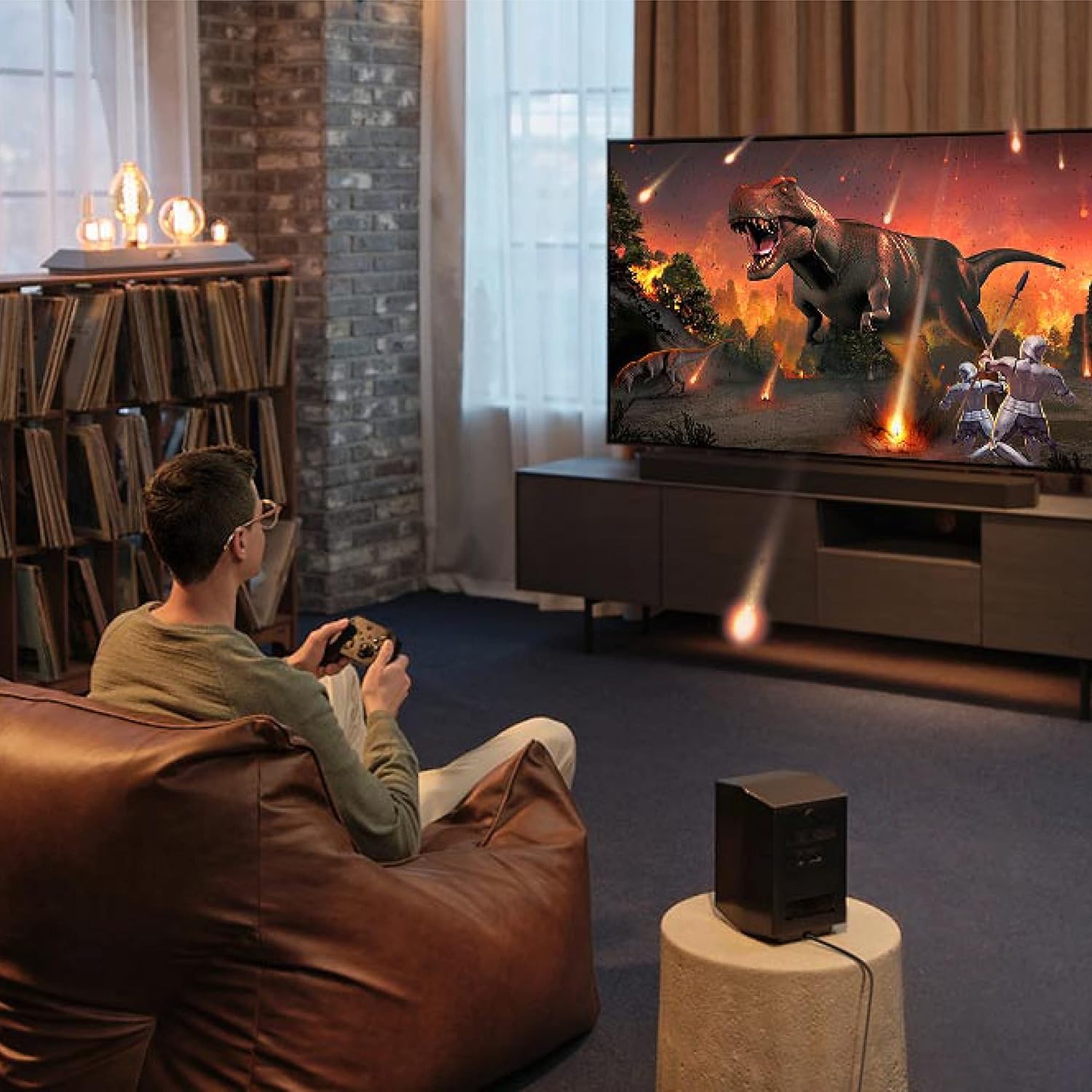
Figure 4: Wireless Dolby Atmos setup, showing the soundbar's sleek integration without visible cables.
- SpaceFit Sound Pro: The soundbar analyzes your room's environment and automatically optimizes the audio for a calibrated, room-filling sound.

Figure 5: SpaceFit Sound Pro in action, adapting sound to the room's acoustics.
- Acoustic Lens Subwoofer: The innovative design of the subwoofer delivers fine-tuned bass dispersion for a smooth and refined low-frequency experience.
- Built-in Voice Assistant: Activate hands-free control of your soundbar and TV using integrated voice assistants like Amazon Alexa. You can also connect via AirPlay 2 for music streaming from Apple devices.
- Adaptive Sound: Intelligently optimized audio ensures clear dialogue even at low volumes by analyzing scenes in real-time and prioritizing important audio based on content type.
- Game Mode Pro: For gamers, powerful up-firing speakers and acoustic beam technology provide 3D optimized sound. The soundbar automatically activates Game Mode when synced with your TV.

Figure 6: Game Mode Pro enhancing the gaming audio experience.
- AVA (Active Voice Analyzer): Ensures dialogue is not drowned out by background noise by breaking down room noise and optimizing onscreen voices.
Official Product Videos:
Video 1: Overview of the Samsung Q-Series Soundbar features, including its design and core functionalities. This video is provided by the vendor SAMIT.
Video 2: Demonstrates the immersive theater experience provided by the Samsung Soundbar. This video is provided by the seller SKG USA.
Maintenance
To ensure the longevity and optimal performance of your soundbar, follow these maintenance guidelines:
- Cleaning: Use a soft, dry cloth to clean the surfaces of the soundbar and subwoofer. Do not use liquid cleaners or abrasive materials.
- Ventilation: Ensure proper ventilation around the units to prevent overheating. Do not block any ventilation openings.
- Environment: Avoid exposing the soundbar to extreme temperatures, humidity, or direct sunlight. Keep it away from sources of water or moisture.
- Firmware Updates: Periodically check for and install firmware updates through the Samsung SmartThings app to ensure your device has the latest features and bug fixes.
Troubleshooting
If you encounter issues with your Samsung Soundbar, try the following solutions:
| Problem | Possible Solution |
|---|---|
| No Sound |
|
| Subwoofer Not Connecting |
|
| Sound Distortion |
|
| Remote Control Not Working |
|
Specifications
| Feature | Detail |
|---|---|
| Model Name | E1SAMHWQ900CRB |
| Mounting Type | Wall Mount |
| Speaker Type | Soundbar |
| Surround Sound Channel Configuration | 7.1.2 |
| Connectivity Technology | Bluetooth, Wi-Fi |
| Wireless Communication Technology | Bluetooth, Wi-Fi |
| Subwoofer Connectivity Technology | Wireless |
| Subwoofer Diameter | 10 Inches |
| Speaker Maximum Output Power | 446 Watts |
| Frequency Response | 4000 Hz |
| Product Dimensions (Soundbar) | 48.5" W x 2.7" H x 5.4" D |
| Item Weight | 42.8 Pounds |
| Included Components | Remote Controller, HDMI Cable, Wallmount Kit, Battery for Remote Controller |
Warranty and Support
Your Samsung Soundbar comes with a Limited Warranty. For detailed warranty information, please refer to the documentation included with your product or visit the official Samsung support website.
For customer support, technical assistance, or to inquire about protection plans, please contact your retailer or Samsung customer service. Protection plans are available for purchase to extend coverage beyond the standard warranty period.
- 2-Year Protection Plan: Available for $59.99
- 3-Year Protection Plan: Available for $78.99
- Complete Protect: Monthly plan for $16.99/month covering eligible past and future purchases.
This product is eligible for 30-day easy returns through authorized sellers.
Ask a question about this manual
Ask about setup, troubleshooting, compatibility, parts, safety, or missing instructions. Manuals+ will review the question and use this page’s manual context to help answer it.