
1. Introduction
Thank you for choosing the Shkalacar Car HUD Head-Up Display. This device provides real-time driving speed information using GPS and BeiDou dual-mode positioning, enhancing driving awareness without obstructing your view. This manual provides detailed instructions for installation, operation, and maintenance to ensure optimal performance and longevity of your device.
2. What's in the Box
Please verify that all components are present in the package:
- Shkalacar Car HUD Head-Up Display Unit
- USB Power Cable
- USB Dual Quick Car Charger
- Anti-slip Mat / Adhesive Pads

Figure 2.1: Package contents including the HUD unit, USB cable, USB car charger, and adhesive pads.
3. Product Features
- Real-time Speed Display: Shows current driving speed with a large, easy-to-read LED font.
- Dual-Mode Positioning: Utilizes GPS and BeiDou systems for stable and accurate speed measurement with quick refresh rates.
- Integrated Shading Plate: Designed to minimize glare and reflections, ensuring clear visibility of the display in various lighting conditions, day or night.
- Compact and Lightweight Design: Allows for non-destructive installation without obstructing the driver's line of sight, contributing to safer driving.
- Universal Compatibility: USB plug-and-play functionality, automatically starting and stopping with the vehicle. Suitable for a wide range of vehicles including cars, trucks, SUVs, buses, and motorcycles.

Figure 3.1: The HUD unit displaying speed, visible from the driver's perspective.
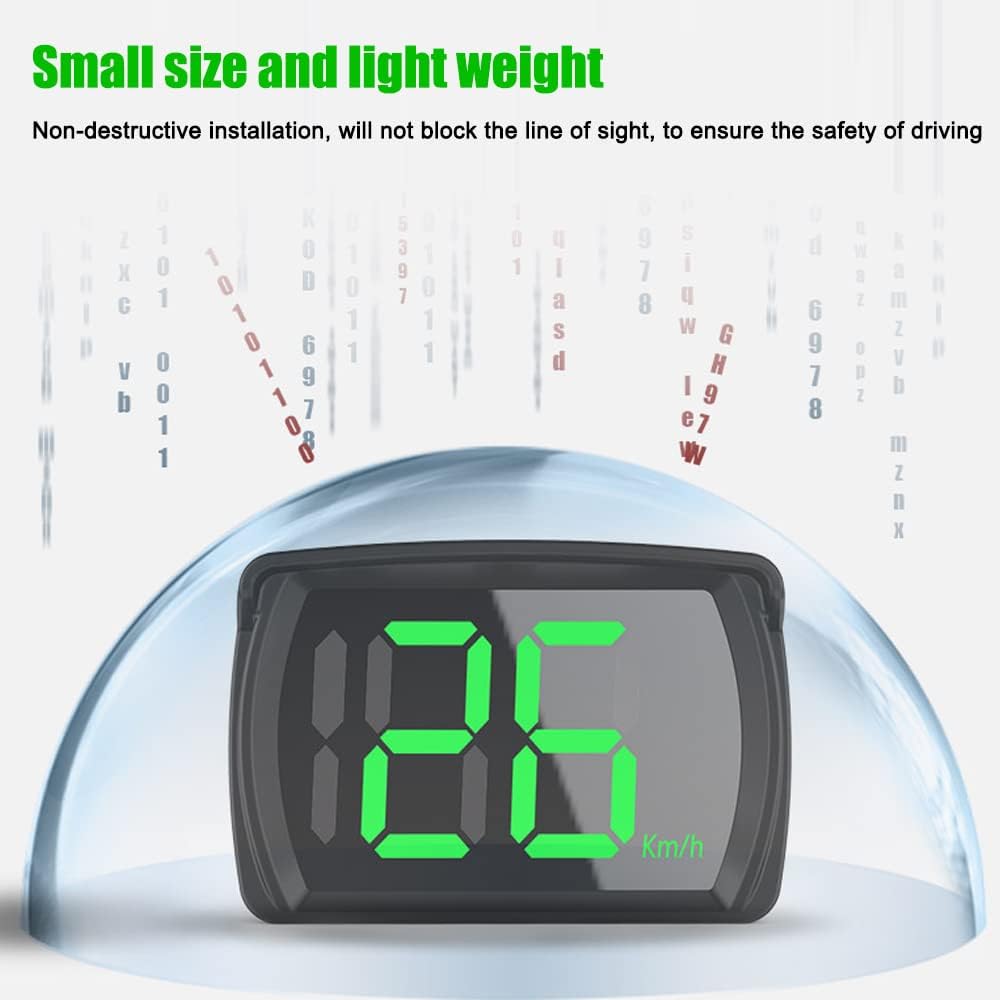
Figure 3.2: The compact design of the HUD unit, emphasizing its small size and light weight for easy placement.

Figure 3.3: The HUD unit utilizing GPS and BeiDou dual-mode positioning for accurate speed measurement.

Figure 3.4: Detailed view of the HUD unit, highlighting the sunshade and USB charging port, along with its dimensions.
4. Setup Guide
Follow these steps to install and set up your Shkalacar Car HUD Head-Up Display:
- Connect USB Cable: Insert the small end of the provided USB cable into the USB charging port on the side of the HUD unit.
- Connect to Power: Plug the USB car charger into your vehicle's 12V power outlet (cigarette lighter socket). Then, plug the larger end of the USB cable into one of the USB ports on the car charger.
- Apply Anti-slip Mat: Peel off the protective film from the adhesive pads and attach them to the bottom of the HUD unit. This will help secure the device on your dashboard.
- Position the HUD: Place the HUD unit on your dashboard in a location that does not obstruct your view of the road or your vehicle's instruments. Ensure it is stable and the display is clearly visible.
- Power On and GPS Acquisition: Once connected to power, the HUD will automatically turn on. It will begin searching for a GPS signal. This process may take up to 20-30 seconds, especially during the first use or in areas with weak satellite reception. The display will show '0' or a similar indicator once a signal is acquired.
Video 4.1: Demonstration of connecting the HUD unit and car charger, and initial power-on sequence.
Video 4.2: Visual guide on installing the anti-slip mat and placing the HUD on the dashboard, showing it in operation.
5. Operating Instructions
The Shkalacar HUD is designed for simple, automatic operation:
- Automatic Power On/Off: The device will automatically power on when your vehicle starts and power off when the vehicle is turned off, provided it remains connected to a switched power source.
- Speed Display: Once a GPS signal is acquired, the current driving speed will be displayed in large, green LED digits. This model displays speed in Miles Per Hour (MPH).
- Unit Switching (if applicable): Some models may offer a switch or button to toggle between KM/H and MPH. Refer to the specific product variant for this functionality. This particular model is set to MPH.
- Shading Plate: The integrated sunshade helps maintain display clarity by reducing reflections and glare from sunlight.

Figure 5.1: The HUD unit displaying speed in MPH (right) compared to a KM/H variant (left).
6. Maintenance
To ensure the longevity and optimal performance of your HUD, follow these simple maintenance guidelines:
- Cleaning: Use a soft, dry cloth to wipe the display screen and the unit's exterior. Avoid using abrasive cleaners, solvents, or harsh chemicals, as these can damage the surface.
- Avoid Extreme Temperatures: Do not expose the device to extreme heat or cold for prolonged periods, as this can affect its electronic components.
- Secure Placement: Ensure the HUD is always securely placed on the dashboard to prevent it from moving or falling during driving, which could cause damage.
- Cable Care: Handle the USB cable and car charger with care. Avoid bending or crimping the cable excessively, which can lead to internal damage.
7. Troubleshooting
If you encounter issues with your Shkalacar HUD, refer to the following common problems and solutions:
| Problem | Possible Cause | Solution |
|---|---|---|
| Display shows '0' or no speed | No GPS signal acquired. | Ensure the vehicle is outdoors with a clear view of the sky. GPS acquisition can take 20-30 seconds, especially on first use or after a long period of inactivity. Move to an open area if indoors or in a covered parking structure. |
| Inaccurate speed reading (slight variation) | GPS accuracy can vary slightly due to environmental factors (e.g., tall buildings, heavy tree cover) or satellite signal strength. | The device is generally accurate, but minor discrepancies (e.g., 2-3 MPH) compared to your vehicle's speedometer can occur due to different measurement methods. This is typically within acceptable limits for GPS devices. |
| Device does not power on | No power supply or faulty connection. | Check if the USB car charger is properly inserted into the vehicle's 12V outlet and if the outlet is receiving power. Ensure the USB cable is securely connected to both the HUD and the car charger. Test the car charger with another device if possible. |
| Display is dim or hard to read | Excessive glare or direct sunlight. | The integrated shading plate helps, but in extreme direct sunlight, repositioning the unit slightly or adjusting your driving angle may improve visibility. Ensure the screen is clean. |
8. Specifications
| Feature | Detail |
|---|---|
| Brand | Shkalacar |
| Model Number | MPH |
| Item Weight | 1.59 ounces (45 Grams) |
| Material | Acrylonitrile Butadiene Styrene (ABS) |
| Positioning System | GPS and BeiDou Dual Mode |
| Display Type | LED Large Font |
| Power Source | USB Plug and Play (via 12V car outlet) |
| First Available Date | February 15, 2023 |
9. Warranty and Support
For warranty information or technical support, please refer to the retailer's return policy or contact Shkalacar customer service through the platform where the product was purchased. Keep your purchase receipt as proof of purchase.