
FREESEA 45W/800GPH
FREESEA 45W/800GPH Submersible Water Pump User Manual
Model: 45W/800GPH
1. Introduction
This manual provides essential instructions for the safe and efficient operation, installation, and maintenance of your FREESEA 45W/800GPH Submersible Water Pump. This pump is designed for various aquatic applications including aquariums, ponds, fish tanks, fountains, waterfalls, and hydroponic systems. Please read this manual thoroughly before use and retain it for future reference.

Image 1.1: FREESEA 45W/800GPH Submersible Water Pump with included accessories.
2. Important Safety Instructions
To reduce the risk of injury, observe the following safety precautions:
- Electrical Safety: Before using the pump, ensure the rated voltage marked on the nameplate matches your power supply. Do not operate if the voltage is inconsistent.
- Water Immersion: This pump is designed for submersible use only. Ensure the pump is fully submerged in water during operation to prevent overheating.
- Power Cord: Do not pull or carry the pump by its power cord. Always grasp the plug to disconnect from the outlet.
- Maintenance: Always disconnect the power supply before performing any maintenance, cleaning, or when the pump is not in use.
- Liquid Type: This pump is suitable for use exclusively in fresh water or seawater. Do not operate it in corrosive, flammable, or explosive liquids.
- Temperature: Do not operate the pump in water temperatures exceeding 35°C (95°F) or below 0°C (32°F).
- Children and Pets: Keep the pump and its power cord out of reach of children and pets.
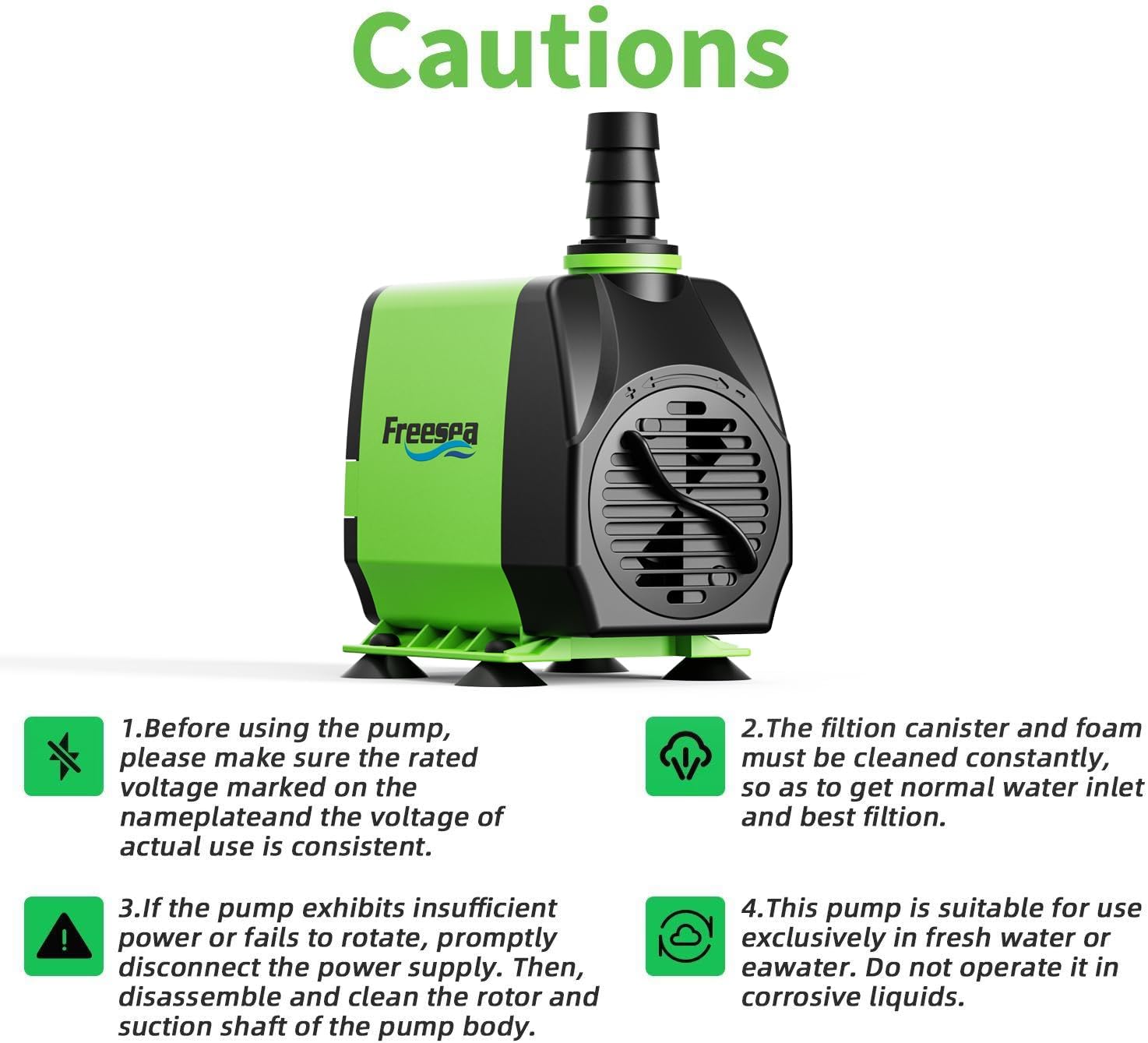
Image 2.1: Visual representation of key safety cautions for the water pump.
3. Package Contents
Verify that all items are present and in good condition:
- 1 x FREESEA 800GPH Water Pump
- 1 x 1/2" Nozzle
- 1 x 2/3" Nozzle
- 1 x 3/4" Nozzle
- 1 x 5ft Tubing

Image 3.1: Contents of the FREESEA water pump package, including pump, tubing, and various nozzles.
4. Product Specifications
| Feature | Specification |
|---|---|
| Brand | FREESEA |
| Model | 45W/800GPH |
| Voltage | 110 Volts |
| Power | 45 Watts |
| Maximum Flow Rate | 800 Gallons Per Hour (GPH) / 13.3 Gallons Per Minute |
| Maximum Lifting Height | 10 Feet |
| Power Cord Length | 6 Feet |
| Tubing Length | 5 Feet |
| Product Dimensions (LxWxH) | 4.1" x 2.6" x 3.5" |
| Item Weight | 2.53 Pounds |
| Material | Plastic |
| Noise Level | Less than 20 decibels |

Image 4.1: Detailed dimensions and specifications of the pump and its components.

Image 4.2: Internal view of the pump's high-quality motor.
5. Setup Instructions
5.1. Attaching Nozzles and Tubing
- Select the appropriate nozzle size (1/2", 2/3", or 3/4") for your application.
- Thread the chosen nozzle onto the pump's outlet. Ensure it is securely tightened.
- Connect the provided 5ft tubing to the nozzle. If using a different hose, ensure it fits snugly to prevent leaks.

Image 5.1: The three interchangeable nozzles for various flow requirements.

Image 5.2: The 5-foot tubing included for various applications.
5.2. Placement and Securing the Pump
- Place the pump in the desired location within your aquarium, pond, or water feature.
- Ensure the pump is fully submerged in water.
- The pump is equipped with suction cups on its base. Press the pump firmly against a clean, smooth surface (e.g., glass, plastic) to secure it in place.

Image 5.3: Suction cups on the pump's base for stable installation.
6. Operating Instructions
6.1. Powering On
Once the pump is correctly installed and fully submerged, plug the power cord into a suitable electrical outlet. The pump will begin operating immediately.
6.2. Adjusting Flow Rate
The pump features an adjustable flow rate knob. Locate the knob on the front of the pump. Rotate the knob to increase or decrease the water flow to your desired level. The maximum flow rate is 800 GPH, and the maximum lift height is 10 feet.

Image 6.1: Visual guide to the adjustable flow rate feature and pump performance.

Image 6.2: The adjustable flow control dial for precise water output.
6.3. Quiet Operation
The pump is designed for ultra-quiet operation, producing less than 20 decibels of noise, ensuring a peaceful environment for your aquatic setup.

Image 6.3: Illustration of the pump's low noise level during operation.
7. Maintenance
7.1. Regular Cleaning
Regular cleaning is crucial for optimal performance and longevity. The filtration canister and foam must be cleaned constantly to ensure normal water inlet and best filtration.
- Disconnect Power: Always unplug the pump from the power outlet before cleaning.
- Disassemble: The pump features a detachable design for easy cleaning. Carefully remove the regulating flow valve, impeller cover, impeller, and back cover. No tools are required for disassembly.
- Clean Components: Rinse all parts under clean water. Use a soft brush to remove any debris, algae, or mineral buildup from the impeller, impeller cover, and pump housing.
- Inspect Impeller: Check the impeller and its shaft for any signs of wear or damage. The impeller is corrosion-resistant, but regular inspection is recommended.
- Reassemble: Once all parts are clean, reassemble the pump in reverse order. Ensure all components are securely fitted.
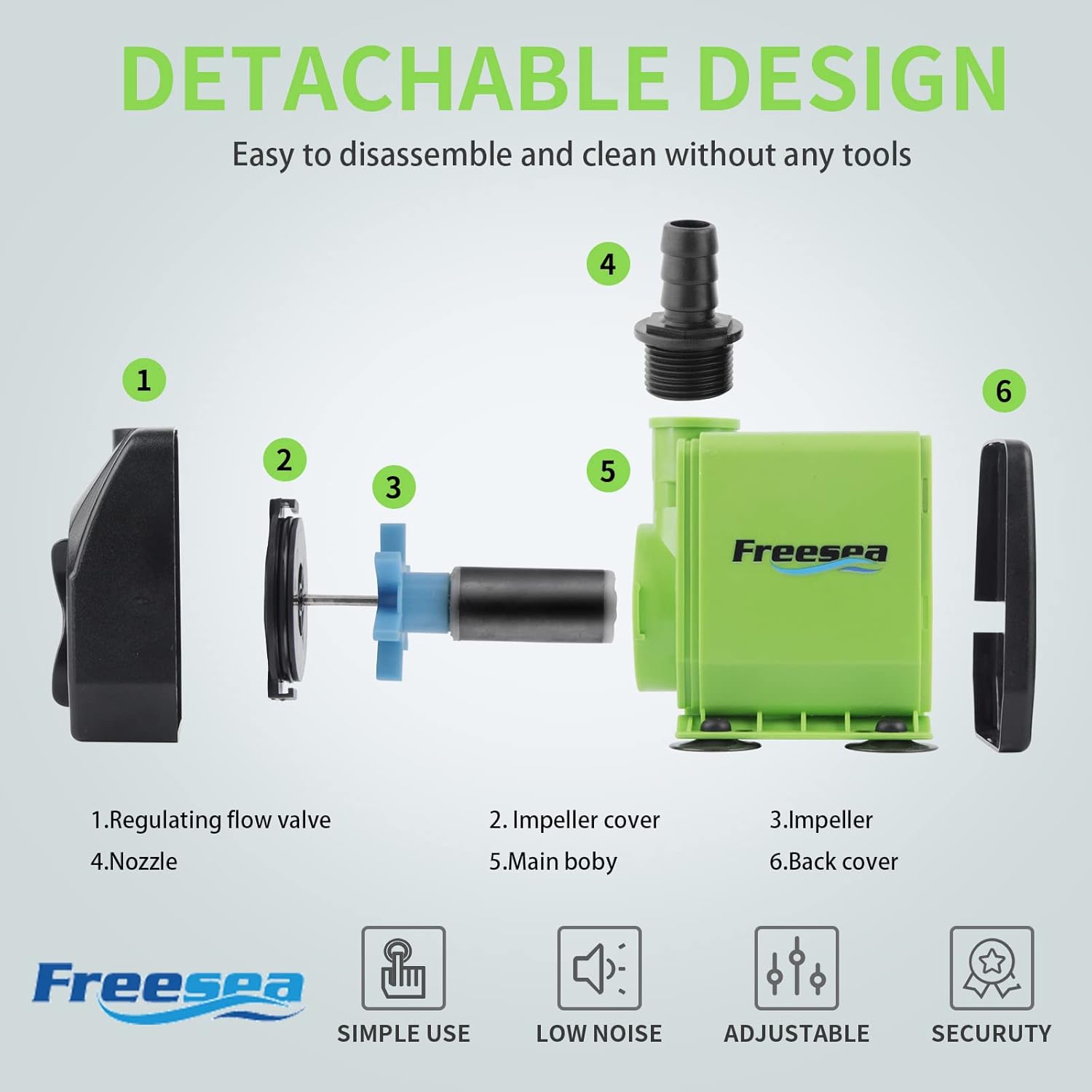
Image 7.1: Detachable design for easy disassembly and cleaning.

Image 7.2: The corrosion-resistant impeller, a key component for pump durability.
7.2. Winter Storage (for outdoor use)
If the ambient temperature is expected to drop below 0°C (32°F), remove the water pump from the water immediately. Discharge any accumulated water in the pump to prevent damage from freezing.
7.3. Long-Term Storage
If the pump will not be used for an extended period, remove it from the water, allow it to run in clean water for a moment to flush out any remaining debris, then clean all parts thoroughly and wipe them dry before storing in a cool, dry place.
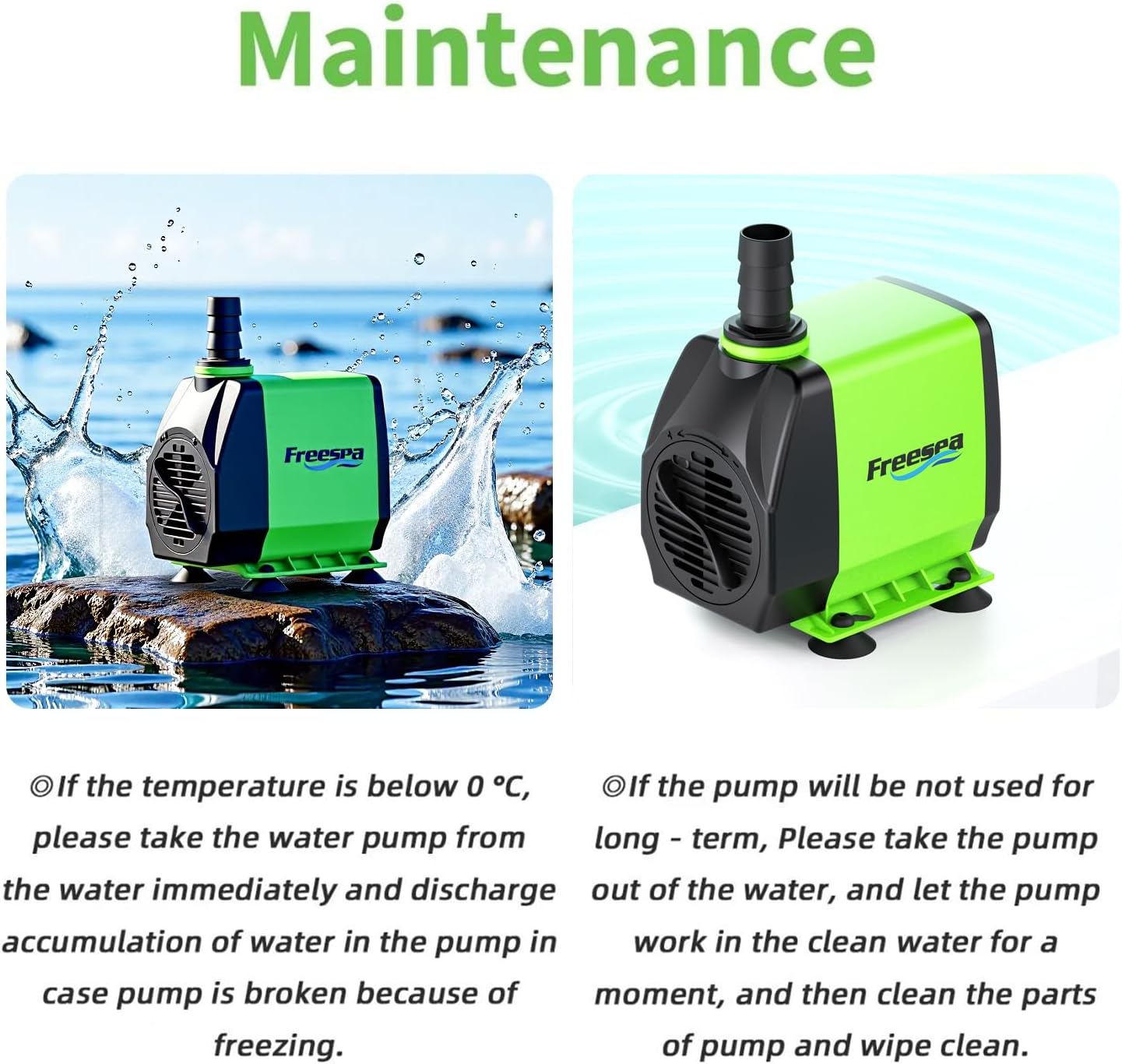
Image 7.3: Visual guidance for pump maintenance and storage.
8. Troubleshooting
If you encounter issues with your pump, refer to the following table for common problems and solutions:
| Problem | Possible Cause | Solution |
|---|---|---|
| Pump does not start or operate | No power; Impeller jammed; Power supply voltage inconsistent. | Check power connection; Disconnect power, clean impeller and rotor; Verify voltage matches pump specifications. |
| Reduced water flow | Clogged intake/filter; Impeller dirty; Flow rate knob set too low. | Clean intake and filter foam; Disconnect power, clean impeller; Adjust flow rate knob to a higher setting. |
| Pump is noisy | Impeller obstructed; Pump not fully submerged; Air in pump. | Disconnect power, clean impeller; Ensure pump is fully submerged; Gently shake pump to release trapped air. |
| Pump stops intermittently | Overheating due to low water level (dry running); Impeller partially jammed. | Ensure pump is fully submerged; Disconnect power, clean impeller and rotor. The pump has protection against dry heating. |

Image 8.1: The pump's integrated protection against dry heating.
9. Warranty and Customer Support
9.1. Warranty Information
This FREESEA water pump comes with a 1-year warranty from the date of purchase, covering manufacturing defects. Please retain your proof of purchase for warranty claims.
9.2. Customer Support
For any questions, concerns, or assistance with your FREESEA pump, please do not hesitate to contact our professional after-sales service team. We offer 24-hour professional after-sales service to ensure your satisfaction.
Please refer to the contact information provided with your product packaging or visit the official FREESEA website for support details.
Ask a question about this manual
Ask about setup, troubleshooting, compatibility, parts, safety, or missing instructions. Manuals+ will review the question and use this page’s manual context to help answer it.