
Product Overview
The Arrow Dancer AD X15 Wireless Earbuds are designed to provide a high-fidelity audio experience with advanced features for daily use, sports, and office environments. These earbuds offer extended playtime, clear call quality, and a comfortable, secure fit, making them suitable for various activities.

Image: AD X15 Wireless Earbuds in their charging case, displaying battery levels.
Key Features:
- 35 Hours Battery Life: Extended playtime for music and calls.
- Crystal Clear Calls: Advanced noise-cancelling technology for clear conversations.
- Ergonomic Design: Comfortable and secure fit with interchangeable silicone caps.
- Seamless Connectivity: Latest Bluetooth technology for stable pairing.
- Premium Sound Quality: High-fidelity audio with deep bass and crisp highs.
- IPX7 Waterproof: Designed to withstand sweat and and light rain.
- Digital LED Display: Shows battery levels of the charging case and individual earbuds.
- Smart Touch Control: Intuitive touch interface for managing functions.
What's in the Box
Please check the package contents to ensure all items are present:
- Wireless Earbuds (Left and Right)
- Wireless Charging Case
- User Manual
- Type C Charging Cable
- Extra Eartips (Sizes S, M, L)

Image: All components included in the AD X15 Wireless Earbuds package: earbuds, charging case, user manual, Type-C cable, and extra eartips.
Setup Guide
1. Initial Charging
Before first use, fully charge the earbuds and the charging case. Connect the Type-C charging cable to the charging port on the case and a USB power source. The digital LED display on the case will show the charging progress.
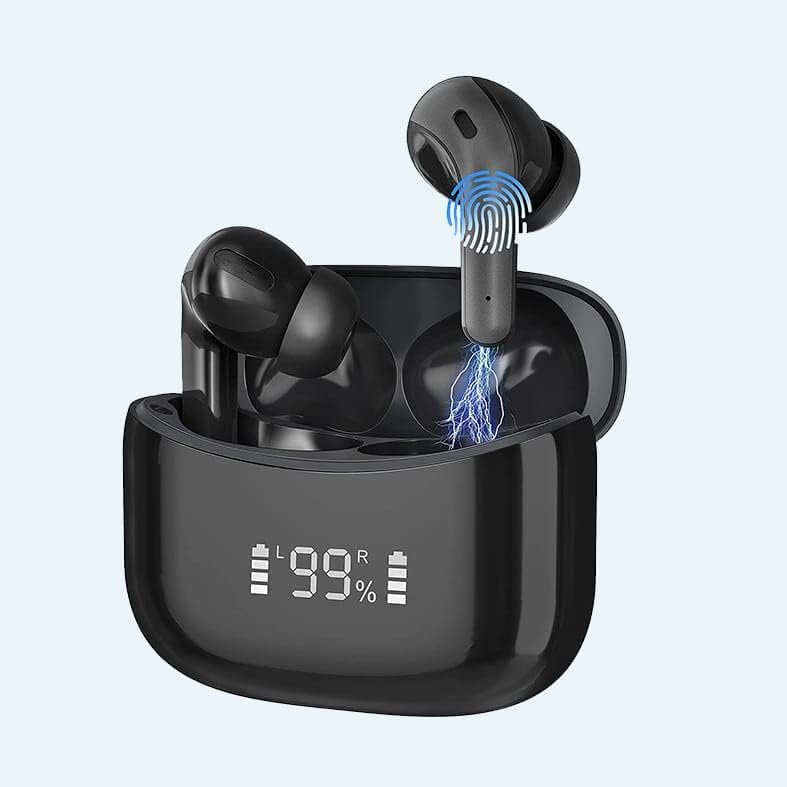
Image: The AD X15 charging case with its digital LED display indicating the battery level.
2. Pairing with Your Device (One-Step Auto Pairing)
- Ensure your device's Bluetooth is turned on.
- Open the charging case. The earbuds will automatically turn on and enter pairing mode.
- On your device, search for Bluetooth devices and select "AD X15" or "ADX15-S" from the list.
- Once connected, you will hear a confirmation tone, and the earbuds will be ready for use.
Note: After the initial pairing, the earbuds will automatically connect to the last paired device when removed from the charging case.

Image: A smartphone screen showing the AD X15 earbuds connected via Bluetooth, next to the open charging case with earbuds inside.
Operating Instructions
Smart Touch Controls
The AD X15 earbuds feature intuitive touch controls on each earbud. Refer to the diagram below for specific functions:
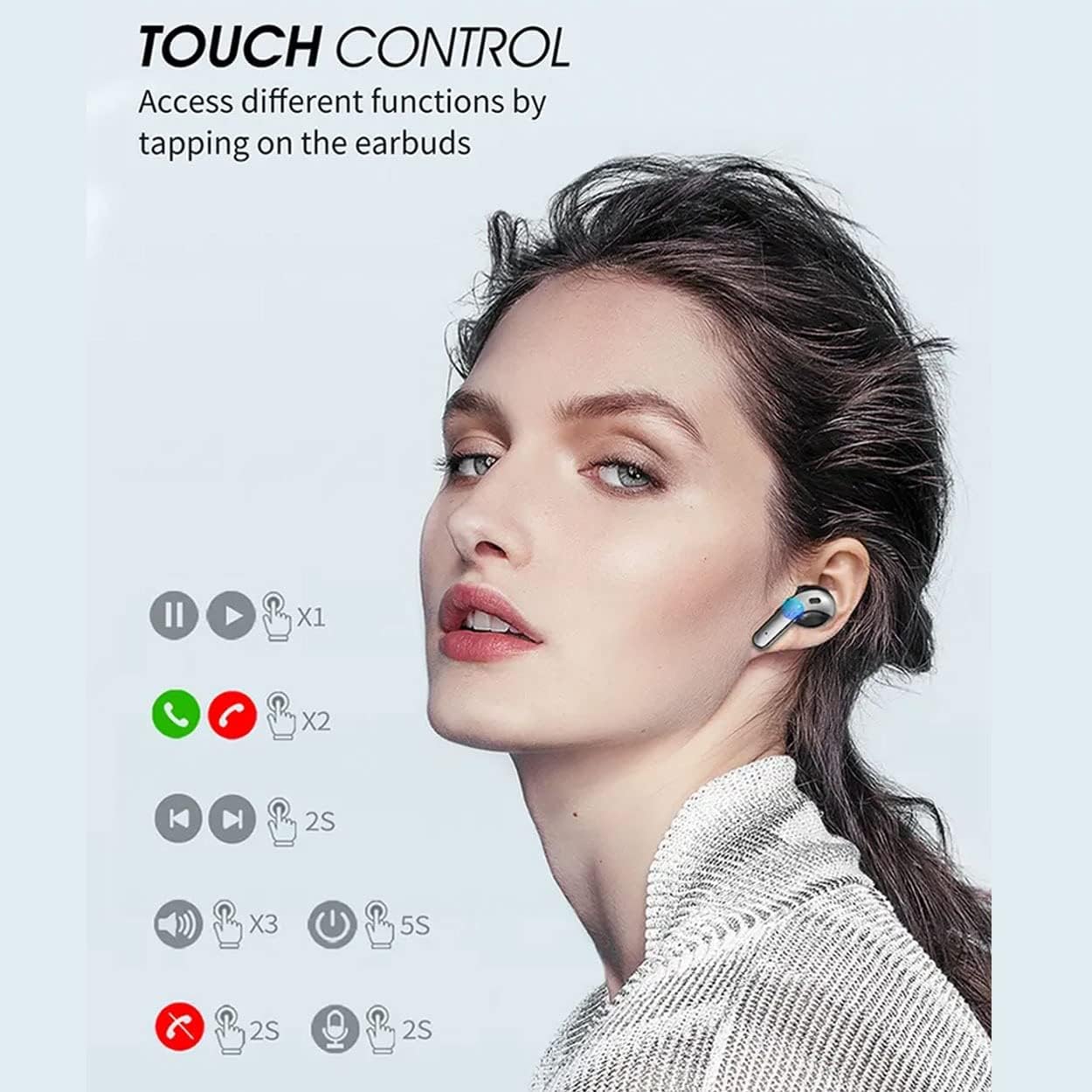
Image: A diagram illustrating the various touch control functions on the AD X15 earbuds, including playback, call management, and voice assistant activation.
| Action | Function |
|---|---|
| Single Tap (L/R) | Play/Pause Music, Answer Call |
| Double Tap (L/R) | End Call, Reject Call |
| Triple Tap (L) | Volume Down |
| Triple Tap (R) | Volume Up |
| Long Press 2s (L/R) | Next Track (R), Previous Track (L) |
| Long Press 5s (L/R) | Power On/Off |
Maintenance
Cleaning
Regular cleaning helps maintain sound quality and hygiene. Use a soft, dry, lint-free cloth to wipe the earbuds and charging case. For stubborn dirt, slightly dampen the cloth with water. Do not use abrasive cleaners or submerge the devices in liquid.
Storage
When not in use, store the earbuds in their charging case to protect them and keep them charged. Store the case in a cool, dry place away from extreme temperatures.
Water Resistance (IPX7)
The AD X15 earbuds are rated IPX7 waterproof, meaning they can withstand submersion in up to 1 meter of water for 30 minutes. This makes them suitable for workouts and light rain. However, they are not designed for swimming or prolonged submersion. Ensure the earbuds are dry before placing them back in the charging case to prevent damage.
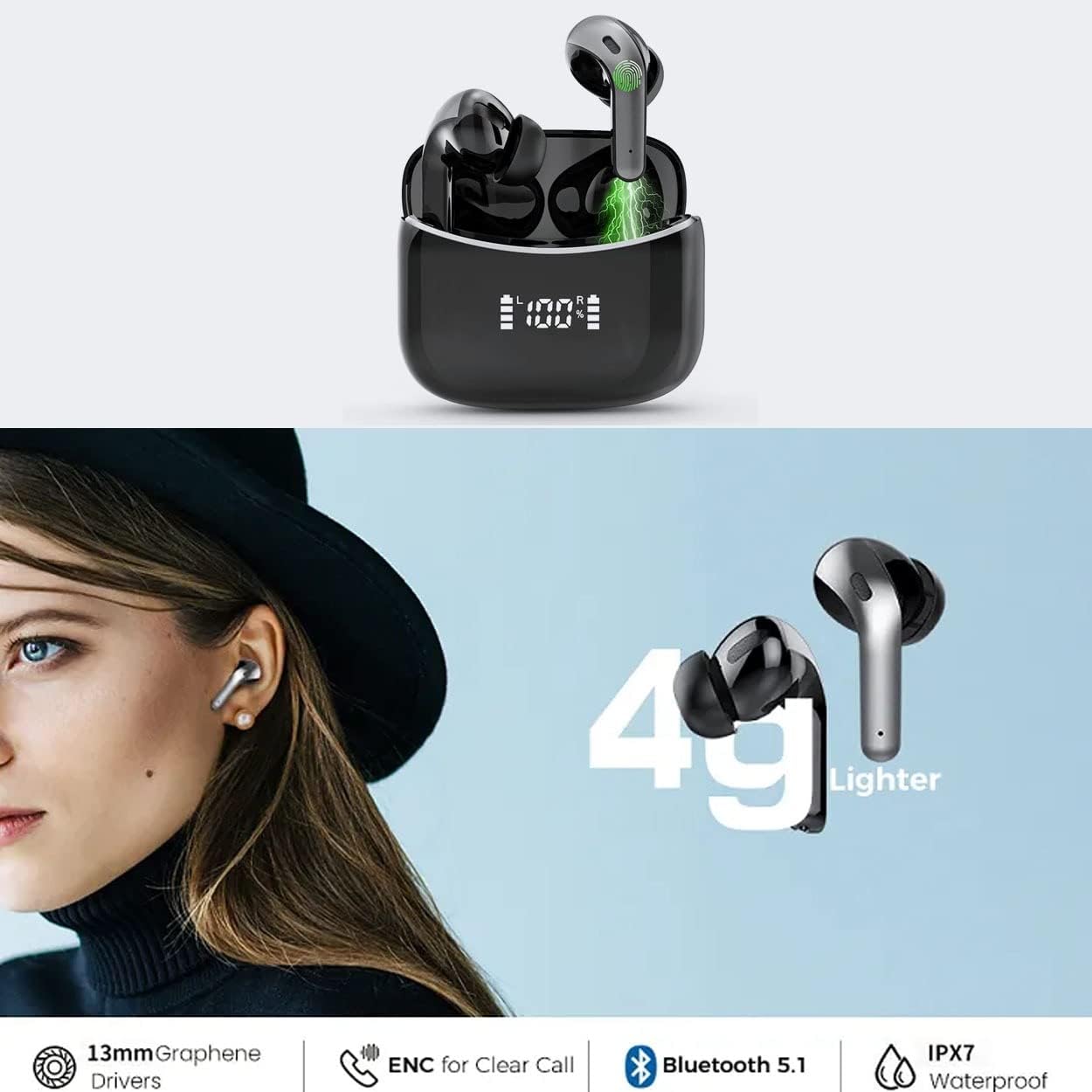
Image: An illustration showing the AD X15 earbuds being exposed to water, highlighting their IPX7 waterproof rating.
Troubleshooting
| Problem | Possible Cause | Solution |
|---|---|---|
| Earbuds not pairing | Low battery, out of range, not in pairing mode, previously paired to another device. | Ensure earbuds are charged. Place them back in the case and open the lid to activate pairing mode. Turn off Bluetooth on other nearby devices. Forget "AD X15" from your device's Bluetooth list and re-pair. |
| Only one earbud working | One earbud not charged, not connected to each other, or connection issue. | Ensure both earbuds are charged. Place both earbuds back in the charging case, close the lid for 5 seconds, then open it again. This often resets the connection between them. |
| No sound or low volume | Device volume too low, earbuds not properly seated, or connection issue. | Increase volume on your device and the earbuds. Ensure earbuds are securely in your ears. Reconnect the earbuds to your device. |
| Charging case not charging | Faulty cable, power adapter, or charging port. | Try a different Type-C cable and USB power adapter. Ensure the charging port is clean and free of debris. |
Specifications
| Feature | Detail |
|---|---|
| Model Name | AD X15 Earbuds |
| Item Model Number | AD-X15-S-TWS-Black |
| Connectivity Technology | Wireless (Bluetooth) |
| Bluetooth Version | 5.3 |
| Ear Placement | In Ear |
| Control Type | In-Ear, Touch Control |
| Water Resistance Level | IPX7 Water Resistant |
| Battery Life (Earbuds) | 3 Hours (single charge) |
| Total Playtime (with case) | Up to 35 Hours |
| Charging Time | 60 Minutes |
| Item Weight | 3.2 ounces (earbuds + case) |
| Product Dimensions | 3.9 x 3.9 x 1.34 inches |
| Material | Metal, Plastic, Rubber |
| Included Components | Wireless Earbuds, Wireless Charging Case, User Manual, Type C Cable, Extra Eartips (S,M,L) |
Warranty and Support
Specific warranty information for the Arrow Dancer AD X15 Wireless Earbuds is not provided in this manual. Please refer to the product packaging or the official Arrow Dancer website for detailed warranty terms and conditions.
For technical support, troubleshooting assistance, or any product-related inquiries, please contact Arrow Dancer customer service through their official channels. Contact information can typically be found on the product packaging or the manufacturer's website.
You can visit the Arrow Dancer Store for more information: Arrow Dancer Store