
1. Introduction
Thank you for choosing the Arrow Dancer BX17 Wireless Earbuds. These earbuds are designed to provide a superior audio experience with advanced features such as Bluetooth 5.3 connectivity, long playtime, and a comfortable, secure fit. This manual will guide you through the setup, operation, and maintenance of your new earbuds to ensure optimal performance and longevity.
2. Safety Information
- Do not expose the earbuds or charging case to extreme temperatures, direct sunlight, or high humidity.
- Avoid dropping, hitting, or disassembling the device.
- Keep away from children and pets.
- Use only the provided charging cable or a certified equivalent.
- Clean the earbuds and case with a soft, dry cloth. Do not use harsh chemicals.
- Prolonged listening at high volume levels may cause hearing damage. Adjust volume to a safe level.
3. What's in the Box
Please check the package contents to ensure all items are present:
- Arrow Dancer BX17 Wireless Earbuds (Left and Right)
- Charging Case with Digital LED Display
- USB Type-C Charging Cable
- Ear Cushions (S, M, L sizes)
- User Manual

Image: All components included in the Arrow Dancer BX17 package.
4. Product Overview
The Arrow Dancer BX17 earbuds feature an over-ear hook design for a secure and comfortable fit, ideal for sports and active use. The charging case includes a digital LED display to show battery levels for both the case and individual earbuds.

Image: Rose Gold BX17 Earbuds and Charging Case.
5. Setup
5.1 Charging the Earbuds and Case
Before first use, fully charge the earbuds and the charging case. The digital LED display on the case indicates the battery percentage of the case and charging status of each earbud.
- Place the earbuds into the charging case.
- Connect the USB Type-C charging cable to the charging port on the case and a power source.
- The LED display will show charging progress. A full charge for the earbuds takes approximately 30 minutes, and the case takes about 45 minutes.
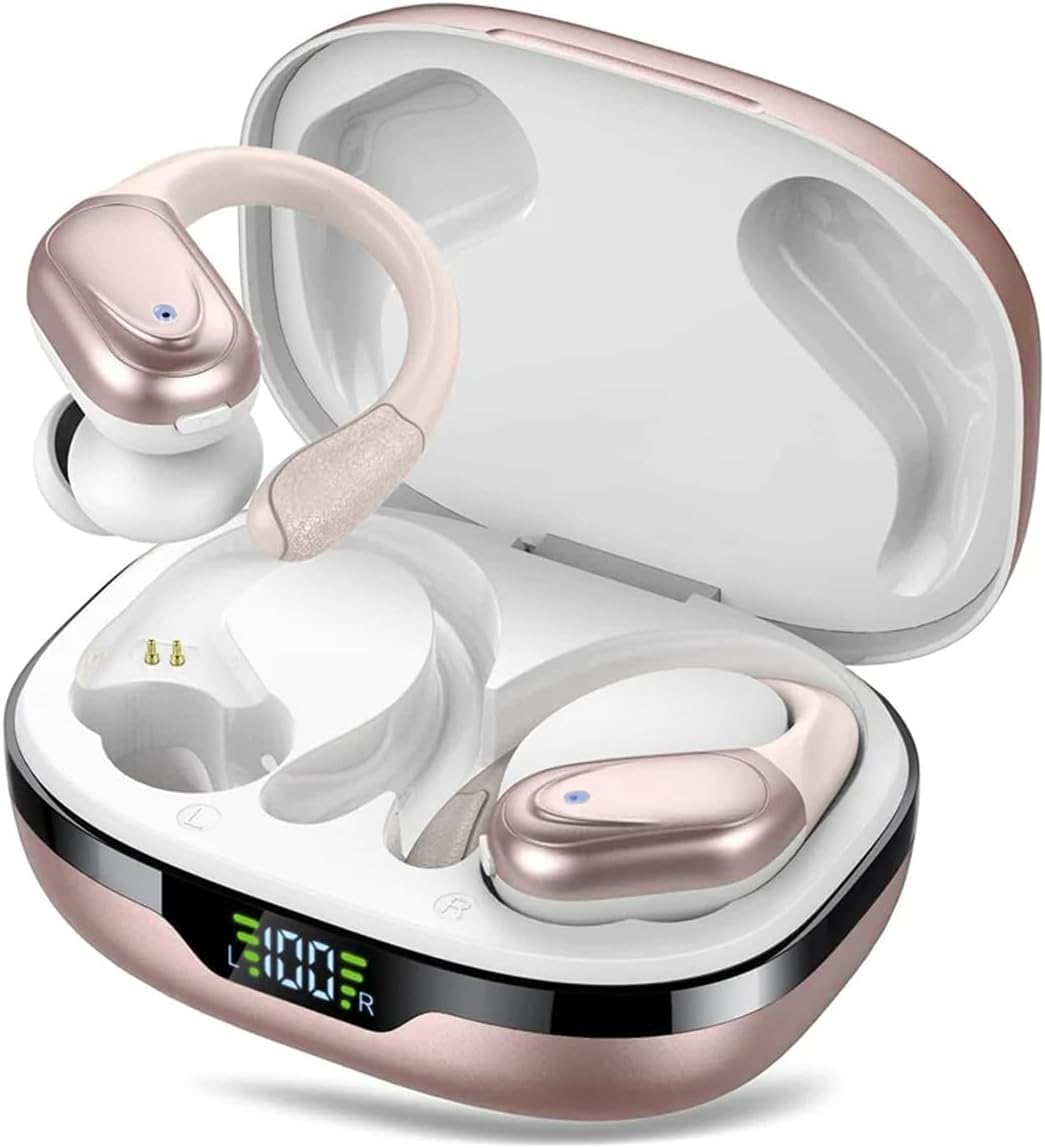
Image: Digital Power Display on the charging case.
The earbuds offer up to 10 hours of playtime on a single charge, with the charging case providing an additional 50 hours, totaling 60 hours of combined playtime.

Image: 60 Hours Long Playtime capability.
5.2 Pairing with Your Device
The BX17 earbuds feature automatic pairing for convenience.
- Open the lid of the charging case. The earbuds will automatically enter pairing mode.
- On your device (smartphone, tablet, laptop), enable Bluetooth.
- Search for available Bluetooth devices and select "BX17" from the list.
- Once connected, you will hear a confirmation prompt, and the earbuds will be ready for use.
Video: Demonstrates automatic pairing and basic features of the BX17 Wireless Earbuds.
6. Operating Instructions
6.1 Wearing the Earbuds
The BX17 earbuds are designed with soft silicone ear hooks for a comfortable and secure fit, preventing them from falling off during activities.

Image: Comfortable Fit, IPX7 Waterproof, and Compact Design features.
6.2 Touch Controls
The earbuds feature intuitive touch controls for easy management of music and calls.

Image: One Button Control diagram for earbud functions.
- Play/Pause: Click once on either earbud.
- Next Track: Hold for 2 seconds on the Right earbud.
- Previous Track: Hold for 2 seconds on the Left earbud.
- Volume Up: Click once on the Right earbud.
- Volume Down: Click once on the Left earbud.
- Answer/End Call: Click once on either earbud.
- Reject Call: Double click on either earbud.
- Activate Voice Assistant (Siri): Hold for 2 seconds on either earbud.
- Power On/Off: Hold for 5 seconds on either earbud.
6.3 Call Management
The built-in high-quality microphone with ENC (Environmental Noise Cancellation) ensures crystal clear calls, making conversations feel like face-to-face interactions.

Image: ENC for HD Voice technology.
6.4 Mono/Binaural Mode
You can use either earbud independently (mono mode) or both together (binaural mode) for a seamless audio experience.
7. Maintenance
7.1 Cleaning
Regular cleaning helps maintain the performance and hygiene of your earbuds.
- Wipe the earbuds and charging case with a soft, dry, lint-free cloth.
- Remove ear tips and clean them with mild soap and water if necessary, then dry thoroughly before reattaching.
- Ensure charging contacts on both earbuds and case are clean and dry.
7.2 Water Resistance
The earbuds are IPX7 waterproof, meaning they can resist sweat and rain during exercise. However, they are not designed for swimming or submersion in water.

Image: IPX7 Waterproof feature for resistance against sweat and rain.
7.3 Storage
When not in use, store the earbuds in their charging case to protect them and keep them charged.
8. Troubleshooting
If you encounter any issues with your Arrow Dancer BX17 earbuds, please refer to the following common problems and solutions:
| Problem | Possible Solution |
|---|---|
| Earbuds not pairing | Ensure earbuds are charged. Place them back in the case, close the lid, then open it again to re-enter pairing mode. Check your device's Bluetooth settings and forget/remove "BX17" if previously connected, then try pairing again. |
| No sound from one earbud | Ensure both earbuds are charged and connected. Try placing both back in the case and taking them out again. Restart your device. |
| Charging case not charging | Check the USB-C cable and power adapter. Ensure the cable is securely connected to both the case and the power source. |
| Poor sound quality | Ensure earbuds are properly seated in your ears. Try different sized ear tips for a better seal. Clean the earbuds. Move closer to your connected device to avoid interference. |
| Touch controls not responding | Ensure your fingers are clean and dry. Try restarting the earbuds by placing them in the case and taking them out. |
9. Specifications
| Feature | Detail |
|---|---|
| Model Name | AD BX 17 Wireless Earbuds |
| Bluetooth Version | 5.3 |
| Bluetooth Range | 10 Meters |
| Playtime (Single Charge) | Up to 10 hours |
| Total Playtime (with Case) | Up to 60 hours |
| Earbud Charging Time | Approx. 30 minutes |
| Case Charging Time | Approx. 45 minutes |
| Water Resistance | IPX7 |
| Audio Driver Size | 13.4 mm |
| Frequency Range | 20 Hz - 20,000 Hz |
| Control Type | Touch, Button |
| Microphone | Built-in, with ENC |
| Material | Plastic, Rubber |
| Color | Rose Gold |
10. Warranty and Support
Arrow Dancer products are built with quality and reliability in mind. For warranty information, technical support, or any inquiries regarding your BX17 Wireless Earbuds, please refer to the contact information provided on the product packaging or visit the official Arrow Dancer website. Please retain your proof of purchase for warranty claims.