
Introduction
This manual provides essential information for the safe and efficient use of your NASTIMA 12V 6000mAh Lithium Iron Phosphate (LiFePO4) Power Bank. This rechargeable battery pack offers versatile power solutions with multiple DC and USB outputs, designed for various electronic devices. Please read this manual thoroughly before operating the device.
Safety Information
- Do not disassemble, crush, or puncture the battery pack.
- Keep away from fire and water.
- Ensure proper ventilation during charging and operation.
- The power bank features built-in Short Circuit Protection, Over Current Protection, and Over Voltage Protection for enhanced safety.
- Use only the provided 14.6V 1.5A charger for recharging the power bank.
- Always turn on the battery switch (position "-") for charging.
Package Contents
- 1 x NASTIMA 12V 6000mAh LiFePO4 Battery Pack
- 1 x 14.6V 1.5A Charger
- 1 x DC5525 Plug Cable (for 12V output)
- 1 x DC4017 Plug Cable (for 9V output)

Image: The NASTIMA 12V 6000mAh LiFePO4 Power Bank, its dedicated charger, and two DC output cables, along with the instruction manual.
Product Overview

Image: A detailed view of the power bank's top panel, highlighting the input/output switch, 12V In/Out port, 5V USB Output, 9V Output, and battery capacity display lamps.
- Input/Output Switch: Controls the power flow for both charging and discharging.
- 12V In/Out Port (DC5525): Provides 10-14.6V 5A MAX output and accepts 14.6V 2A MAX input for charging.
- 5V USB Output: Provides 5V 2A MAX output for USB-powered devices.
- 9V Output (DC4017): Provides 9V 1.5A MAX output.
- Battery Capacity Display Lamps: Indicates the remaining battery charge level.
Setup
Initial Charging
- Connect the provided 14.6V 1.5A charger to the 12V In/Out port (DC5525) on the power bank.
- Plug the charger into a standard wall outlet.
- Ensure the Input/Output switch on the power bank is in the "-" (ON) position for charging to commence.
- The battery capacity display lamps will illuminate to indicate charging progress. All lamps will be solid when fully charged.
Connecting Devices
- For 12V devices, use the DC5525 plug cable and connect it to the 12V In/Out port.
- For 9V devices, use the DC4017 plug cable and connect it to the 9V Output port.
- For 5V USB devices, connect your device's USB cable directly to the 5V USB Output port.
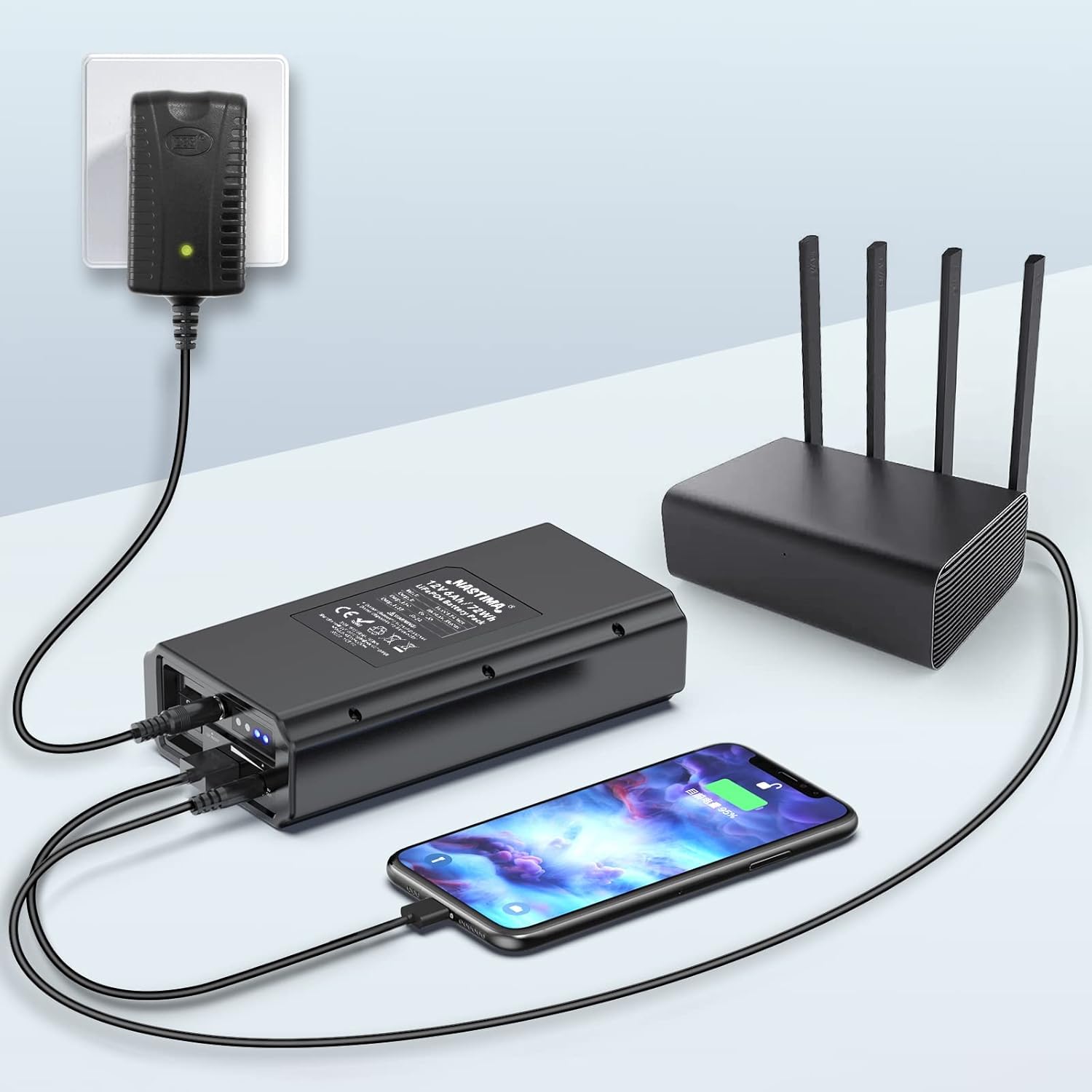
Image: The power bank connected to a wall outlet for charging, while simultaneously providing power to a router via a DC cable and a mobile phone via a USB cable.
Operating Instructions
- Power On/Off: Toggle the Input/Output switch to the "-" position to turn the power bank ON and enable output. Toggle to the "O" position to turn it OFF.
- Checking Battery Level: Press the small button next to the battery capacity display lamps to illuminate the LEDs, indicating the current charge level.
- Using Outputs: Once powered on, connect your devices to the appropriate DC (12V or 9V) or USB (5V) output ports.
Applications
The NASTIMA 12V 6000mAh LiFePO4 Power Bank is compatible with a wide range of devices, providing portable power for various needs:
- Slide and film viewers
- Digital/CCTV cameras
- 12-volt HDTVs and portable TVs
- Booth lighting
- 12V/9V pumps (e.g., Spectra S2 breast pumps)
- Fish finders
- LED strips
- Routers, modems, and printers
- Mobile phones and other 5V USB devices

Image: A central image of the power bank surrounded by icons representing various compatible devices such as routers, CCTV cameras, and other electronics.
Maintenance
- Cleaning: Wipe the exterior with a soft, dry cloth. Do not use harsh chemicals or abrasive materials.
- Storage: Store the power bank in a cool, dry place away from direct sunlight and extreme temperatures. For long-term storage, charge the battery to approximately 50-70% and recharge every 3-6 months to maintain battery health.
- Battery Life: The Lithium Iron Phosphate (LiFePO4) battery offers a long cycle life of over 2000 cycles, ensuring extended usability.
Troubleshooting
- Power Bank Not Charging: Ensure the provided charger is correctly connected to the 12V In/Out port and plugged into a working outlet. Verify the Input/Output switch is in the "-" (ON) position.
- No Output from Ports: Check if the power bank is turned ON (switch in "-" position). Ensure the connected device is compatible with the output voltage (12V, 9V, or 5V USB) and that the cables are securely connected.
- Charge Indicator Inaccuracy: The LED indicator provides an approximate charge level. For precise monitoring, ensure the unit is fully charged and discharged periodically to recalibrate.
- Device Not Powering On: Confirm the power bank has sufficient charge. Some devices may require a specific current or voltage not supported by the power bank.
Specifications
| Feature | Detail |
|---|---|
| Model Number | PS12-BK60-LF60NA |
| Battery Type | Lithium Iron Phosphate (LiFePO4) |
| Battery Capacity | 6000mAh (12.8V 6AH 76.8WH) |
| DC 12V Output | DC5525, 10-14.6V, 5A MAX |
| DC 9V Output | DC4017, 9V, 2A MAX |
| USB 5V Output | 5V, 2A MAX |
| Charger Input | 14.6V, 1.5A |
| Product Dimensions | 3.5 x 1.69 x 1.69 inches (168*89*43mm) |
| Item Weight | 1.65 pounds (750g) |
| Cycle Life | 2000+ cycles |
| Safety Features | Short Circuit Protection, Over Current Protection, Over Voltage Protection |

Image: Visual representation of the power bank's dimensions, indicating its compact size.
Warranty and Support
NASTIMA offers a 1-year warranty for this product. Additionally, a 35-day money-back guarantee is provided for customer satisfaction. If you encounter any issues or have questions, please contact NASTIMA customer support through Amazon for assistance. Support is available 24 hours a day to help resolve any problems.


