
Arrow Dancer AD-X17-TWS
User Manual
Arrow Dancer TWS BX 17 Bluetooth 5.3 Wireless Earbuds
Model: AD-X17-TWS
1. Introduction
Welcome to the user manual for your new Arrow Dancer TWS BX 17 Bluetooth 5.3 Wireless Earbuds. These earbuds are designed to provide a superior audio experience with advanced features like long playtime, IPX7 waterproofing, and clear call quality. Please read this manual carefully to ensure proper use and maintenance of your device.
Safety Information
- Do not expose the earbuds or charging case to extreme temperatures (hot or cold).
- Keep the device dry. Do not immerse in water for extended periods, despite its IPX7 rating.
- Avoid dropping or subjecting the device to strong impacts.
- Do not attempt to disassemble or repair the device yourself. Contact qualified service personnel.
- Keep out of reach of children.
2. What's in the Box
Your Arrow Dancer TWS BX 17 package includes the following items:
- 1 x Pair of Arrow Dancer TWS BX 17 Wireless Earbuds
- 1 x Charging Box (Charging Case)
- 1 x Type C Charging Cable
- 1 x Set of Ear Cushions (S, M, L sizes)
- 1 x User Manual (this document)

Image: The Arrow Dancer TWS BX 17 Wireless Earbuds and their charging case, showcasing the digital power LED display.
3. Product Overview
The Arrow Dancer TWS BX 17 earbuds feature an ergonomic design with secure ear hooks, ensuring comfort and stability during various activities. The compact charging case includes a digital LED display to show battery levels for both the case and individual earbuds.
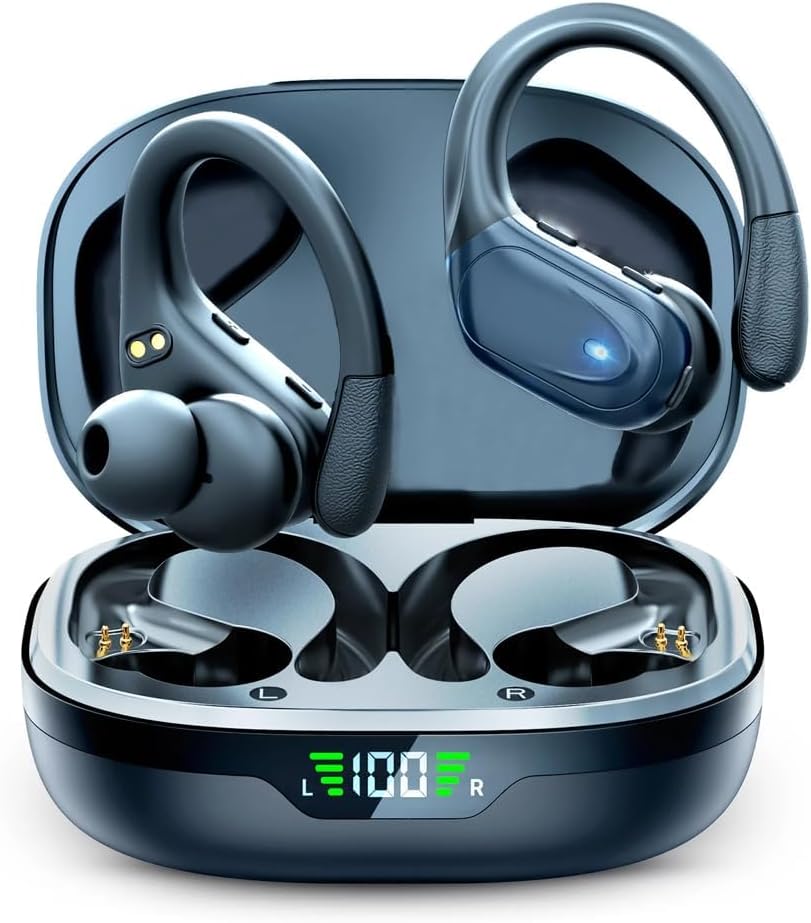
Image: The charging case opened, revealing the left and right earbuds nestled inside, with the LED display showing battery percentage.
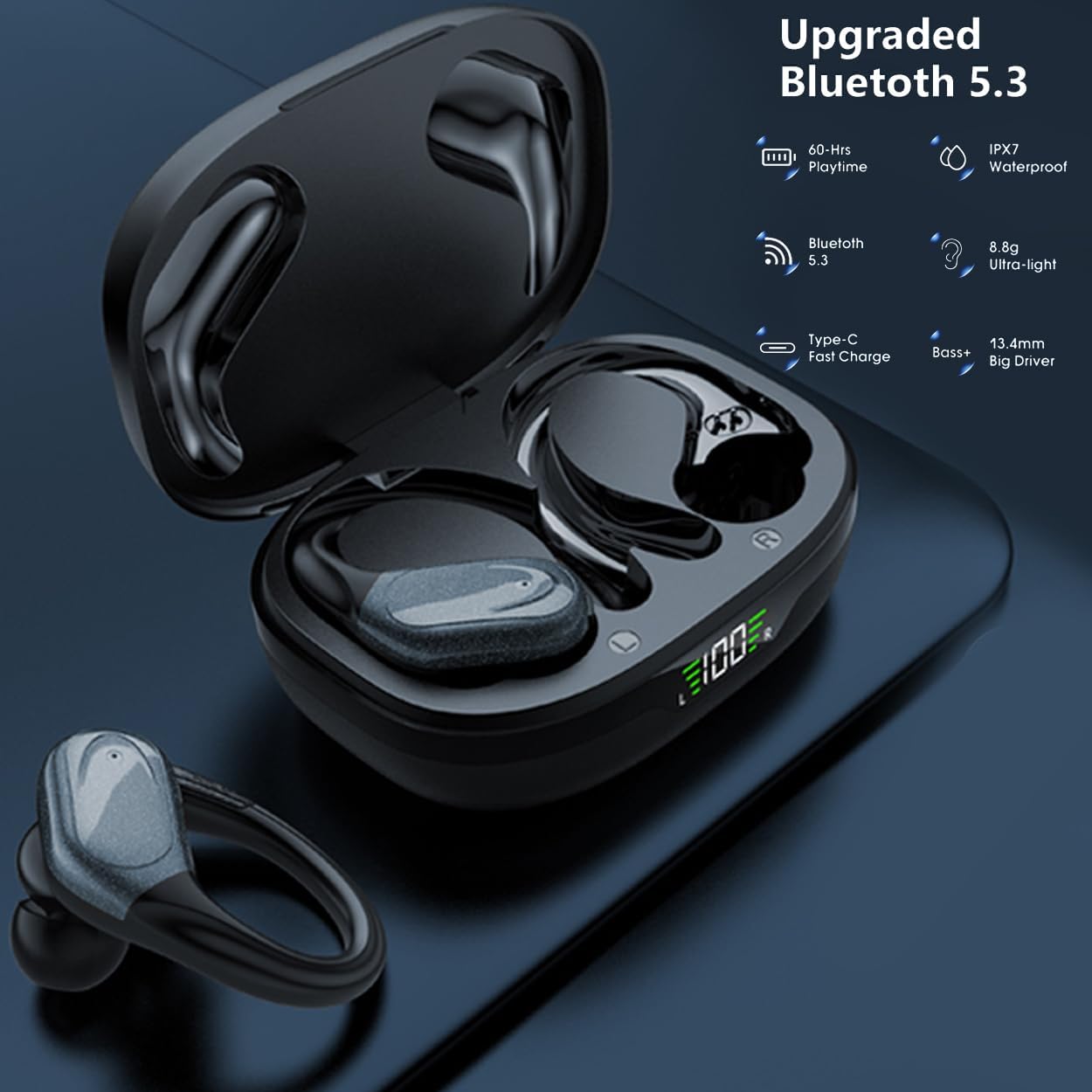
Image: A graphic highlighting key features such as 60-hour playtime, IPX7 waterproof rating, Bluetooth 5.3, ultra-light design, Type-C fast charge, and 13.4mm big driver.
4. Setup
4.1. Charging the Earbuds and Case
Before first use, fully charge the earbuds and the charging case. The digital LED display on the case will indicate the charging status and battery level.
- Connect the provided Type-C charging cable to the charging port on the case.
- Plug the other end of the cable into a USB power adapter (not included) or a computer's USB port.
- Place the earbuds into their respective slots in the charging case. Ensure they are properly seated to initiate charging.
- The LED display will show the charging progress. A full charge typically takes about 60 minutes for the case.
Video: Demonstrates how to charge the Arrow Dancer BX17 Wireless Earbuds and their charging case using the provided Type-C cable.

Image: Illustrates the 60-hour total playtime, with 10 hours from a single earbud charge and an additional 50 hours from the charging case, also showing the Type-C fast charging port.
4.2. Bluetooth Pairing
The earbuds utilize Bluetooth 5.3 for a stable and efficient connection. They support automatic pairing with open lid.
- Initial Pairing: Open the charging case. The earbuds will automatically enter pairing mode (indicated by flashing lights on the earbuds).
- On your device (smartphone, tablet, laptop), go to the Bluetooth settings.
- Search for available devices and select "BX17" from the list.
- Once connected, the earbuds will indicate successful pairing, and the lights will stop flashing.
- Automatic Reconnection: After the initial pairing, the earbuds will automatically connect to the last paired device when you open the charging case.
Video: Shows the automatic pairing process of the AD-X17 S Bluetooth Earbuds with a smartphone upon opening the charging case, and demonstrates activating voice assistant.
5. Operating Instructions
5.1. Wearing the Earbuds
For optimal sound quality and secure fit, choose the correct size ear tips and adjust the ear hooks.
- Select the ear tips (S, M, L) that provide a comfortable and snug fit in your ear canal.
- Place the earbud into your ear, ensuring the ear hook goes over the top of your ear.
- Gently twist and adjust the earbud and hook until it feels secure and comfortable.
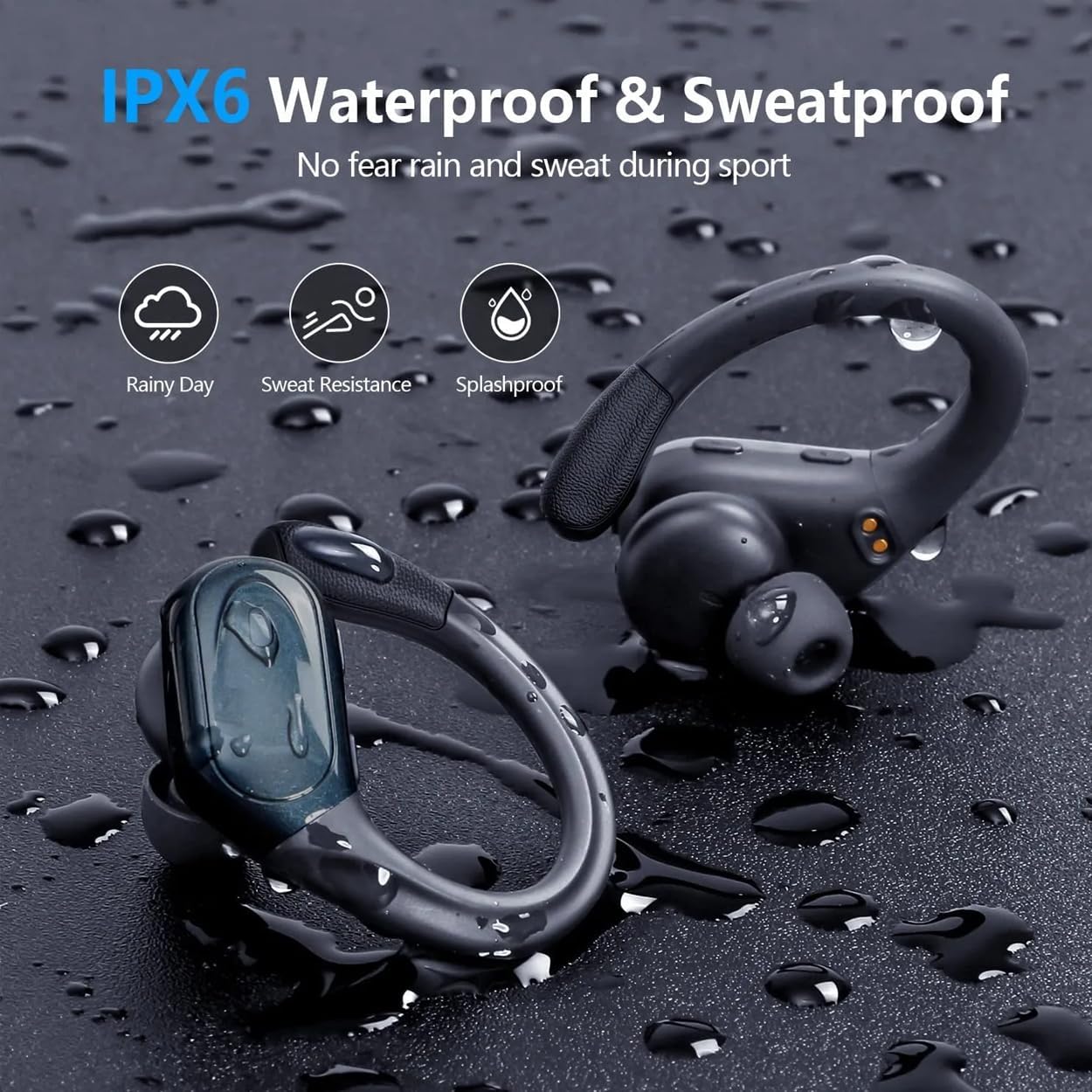
Image: A person wearing the earbuds with ear hooks, emphasizing the comfortable and unshakable fit, along with icons for ergonomics and three sizes of ear tips.

Image: Step-by-step guide on how to properly wear the sport headphones with comfort over-ear ear hooks, including choosing ear tips, wearing the ear hook, and twisting to fit.
5.2. Button Controls
The earbuds feature intuitive touch controls for managing audio playback, calls, and voice assistant activation.
| Action | Left Earbud | Right Earbud |
|---|---|---|
| Play/Pause | Click Once | Click Once |
| Next Track | Hold for 2 seconds | |
| Previous Track | Hold for 2 seconds | |
| Volume Up | Click Once | |
| Volume Down | Click Once | |
| Answer/End Call | Click Once | Click Once |
| Reject Call | Double Click | Double Click |
| Activate Voice Assistant (Siri/Google Assistant) | Hold for 2 seconds | Hold for 2 seconds |
| Power On/Off | Hold for 5 seconds | Hold for 5 seconds |

Image: A detailed diagram illustrating the one-button control functions for music playback, call management, and voice assistant activation on both earbuds.
5.3. Mono/Binaural Mode
The earbuds can be used individually (mono mode) or together (binaural mode) for flexible listening.
- To use a single earbud: Simply take one earbud out of the case. It will automatically connect to your device if previously paired.
- To use both earbuds: Take both earbuds out of the case. They will automatically connect to each other and then to your device.

Image: Demonstrates the wide compatibility of the earbuds with various devices and the flexibility of using each earbud individually (single, dual, switch modes).
5.4. IPX7 Waterproof Feature
The earbuds are rated IPX7 waterproof, meaning they can withstand sweat, splashes, and rain, making them ideal for sports and outdoor activities. However, the charging case is not waterproof.
- Ensure the earbuds are dry before placing them back into the charging case to prevent damage.
- Do not use the earbuds for swimming or showering.

Image: A graphic illustrating the IPX7 waterproof and sweatproof capabilities, showing the earbuds in water droplets and icons for rainy day, sweat resistance, and splashproof.

Image: A man wiping sweat from his face while wearing the earbuds, with text indicating IPX7 waterproof rating and a reminder to wipe and dry charging contacts after use.
5.5. Call Features
The built-in microphone and ENC (Environmental Noise Cancellation) technology ensure clear hands-free calls.
- Answer/End Call: Click either earbud once.
- Reject Call: Double click either earbud.

Image: A graphic highlighting ENC (Environmental Noise Cancellation) for HD voice, indicating the use of 2 microphones to reduce noise interference during calls.
6. Maintenance
To ensure the longevity and optimal performance of your earbuds, follow these maintenance guidelines:
- Cleaning: Regularly clean the earbuds and charging contacts with a soft, dry, lint-free cloth. Do not use harsh chemicals or abrasive materials.
- Ear Tips: Remove and clean the ear tips periodically with mild soap and water. Ensure they are completely dry before reattaching.
- Storage: When not in use, store the earbuds in their charging case to protect them from dust and damage. Store the case in a cool, dry place.
- Battery Care: To preserve battery life, avoid fully discharging the earbuds and charging case frequently. Charge them regularly, even if not in constant use.
7. Troubleshooting
If you encounter any issues with your Arrow Dancer TWS BX 17 earbuds, please refer to the following common solutions:
| Problem | Possible Solution |
|---|---|
| Earbuds not pairing with device |
|
| Only one earbud working |
|
| No sound or low volume |
|
| Charging case not charging |
|
| Earbuds not charging in case |
|
If the problem persists after trying these solutions, please contact customer support for further assistance.
8. Specifications
| Feature | Specification |
|---|---|
| Model Name | AD BX17 Wireless Earbuds |
| Connectivity Technology | Wireless |
| Wireless Communication Technology | Bluetooth |
| Bluetooth Version | 5.3 |
| Bluetooth Range | 10 Meters |
| Ear Placement | In Ear |
| Water Resistance Level | IPX7 (Water Resistant) |
| Battery Life (Earbuds) | 12 Hours |
| Carrying Case Battery Average Life | 36 Hours (Total playtime with case: 48-72 hours) |
| Charging Time (Case) | 60 Minutes |
| Control Type | Media Control, Button |
| Microphone | Built-in (with ENC) |
| Frequency Response | 20 Hz - 20,000 Hz |
| Sensitivity | 95 dB |
| Impedance | 140 Ohm |
| Material | Plastic, Rubber |
| Item Weight | 0.26 Pounds (Earbuds and Case) |
| Product Dimensions | 2 x 3 x 1 inches |
9. Warranty and Support
Arrow Dancer products are manufactured to the highest quality standards. For information regarding warranty coverage, technical support, or service inquiries, please refer to the contact information provided on the product packaging or visit the official Arrow Dancer website. Please retain your proof of purchase for warranty claims.
Ask a question about this manual
Ask about setup, troubleshooting, compatibility, parts, safety, or missing instructions. Manuals+ will review the question and use this page’s manual context to help answer it.