
BaBylissPRO FX673NS
BaBylissPRO LithiumFX Cord/Cordless Lithium Ergonomic Hair Clippers User Manual
Model: FX673NS
Product Overview
The BaBylissPRO LithiumFX Hair Clipper is a professional-grade, cord/cordless grooming tool designed for precision hair cutting. It features a durable titanium tri-blade, a long-life ball bearing motor, and ergonomic housing for comfortable use. This clipper is equipped with a lithium-ion battery providing over 2 hours of runtime, and a 5-position taper control for versatile cutting lengths.
Setup
Unpacking
Carefully remove all components from the packaging. Ensure all items listed below are present:
- BaBylissPRO LithiumFX Hair Clipper
- Charging Adapter (FXCORD)
- Set of Guide Combs (various sizes)
- Cleaning Brush
- Blade Oil
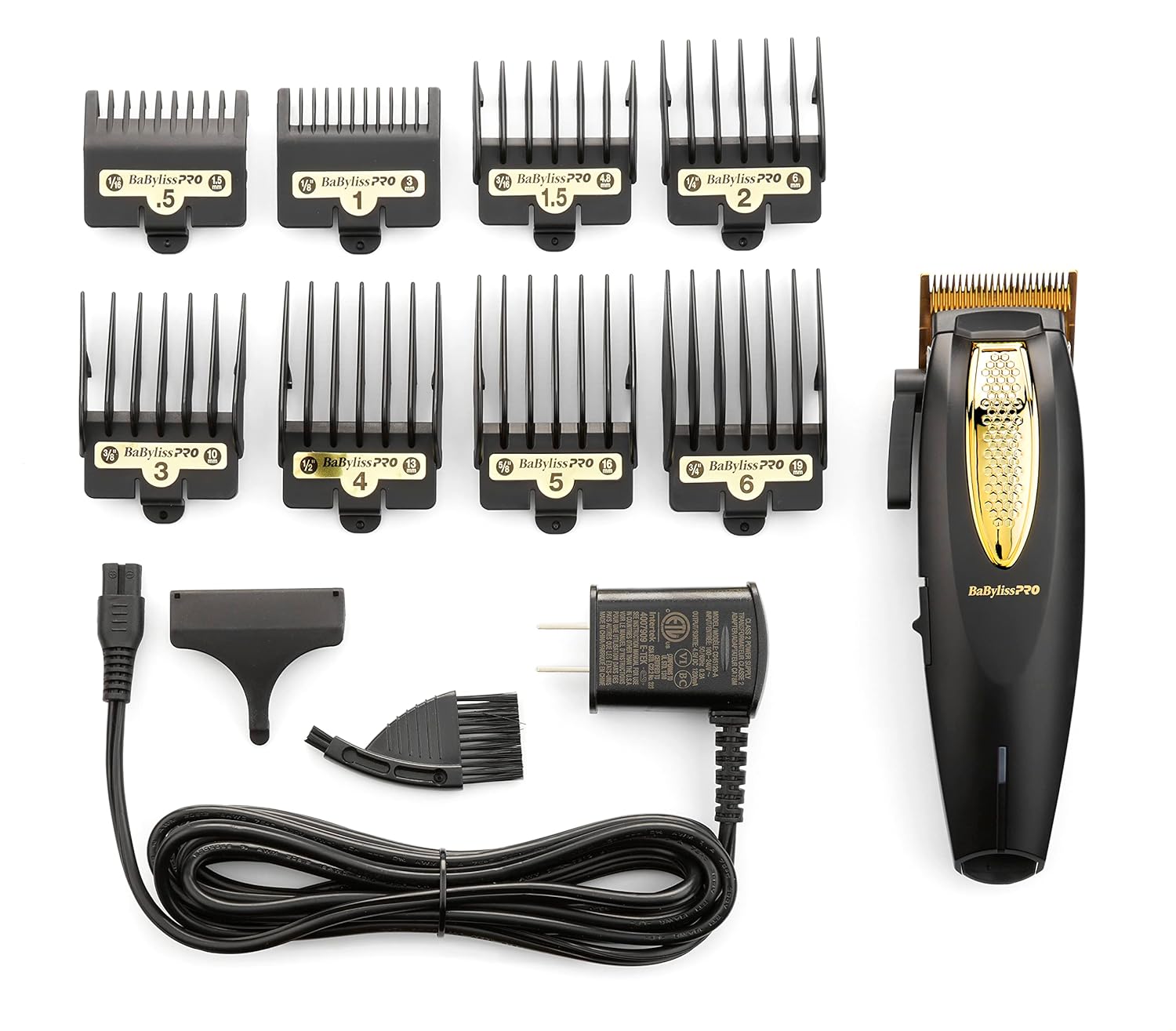
Image: The BaBylissPRO LithiumFX Hair Clipper shown with its complete set of accessories, including guide combs, charging adapter, and cleaning tools.
Initial Charge
Before first use, fully charge the clipper for optimal battery performance.
- Connect the charging adapter (FXCORD) to the charging port located at the bottom of the clipper.
- Plug the adapter into a suitable electrical outlet.
- The LED low battery indicator will illuminate during charging. Allow the clipper to charge until the indicator shows a full charge (refer to specific model's indicator behavior for full charge).
- A full charge provides over 2 hours of cordless runtime.

Image: Side view of the BaBylissPRO LithiumFX Hair Clipper, highlighting the Lithium-Ion battery and the FXCORD charging port for corded or cordless use.
Operating Instructions
Attaching Guide Combs
Guide combs are essential for achieving desired hair lengths.
- Select the appropriate guide comb size for your desired hair length.
- Align the guide comb with the clipper blade and firmly snap it into place. Ensure it is securely attached before use.
- To remove, gently lift the back of the comb and slide it off the blade.
Using the Taper Lever
The 5-position taper control lever allows for precise blending and fine-tuning of cutting lengths without changing guide combs.
- Move the lever up for a shorter cut and down for a longer cut.
- The lever extends up to 4.2 mm, providing a wide range of taper control lengths.
- Utilize the markings on the lever for consistent length adjustments.

Image: Close-up of the BaBylissPRO LithiumFX Hair Clipper's extended taper lever, illustrating its length markings for precise blending.
Corded and Cordless Operation
The BaBylissPRO LithiumFX clipper offers flexibility with both corded and cordless operation.
- Cordless Use: Ensure the clipper is fully charged. Turn on the clipper using the redesigned on/off switch.
- Corded Use: If the battery is low or you prefer continuous power, connect the FXCORD charging adapter to the clipper and a power outlet. The clipper can be used while charging.
Hair Cutting Techniques
For best results, follow these general guidelines:
- Ensure hair is clean and dry before cutting.
- Always start with a longer guide comb and gradually switch to shorter ones if needed.
- Use smooth, overlapping strokes against the direction of hair growth.
- Regularly clear hair from the blade during use to maintain cutting efficiency.

Image: Detailed view of the BaBylissPRO LithiumFX Hair Clipper's Gold Titanium Tri-Blade (FX603G), a short and steep wedged-shaped blade suitable for fade, taper, or neutral cuts.
Maintenance
Cleaning the Blades
Regular cleaning ensures optimal performance and longevity of your clipper.
- After each use, turn off the clipper and remove any attached guide comb.
- Use the provided cleaning brush to brush away loose hair from the blades and the clipper body.
- For a more thorough cleaning, the blades can be carefully removed (refer to specific instructions for blade removal if necessary).
- Wipe the clipper body with a clean, damp cloth. Do not submerge the clipper in water.
Oiling the Blades
To maintain cutting efficiency and prevent blade wear, oil the blades regularly.
- After cleaning, apply 2-3 drops of the provided blade oil across the top of the blades.
- Turn the clipper on for a few seconds to allow the oil to distribute evenly.
- Wipe off any excess oil with a clean cloth.
Battery Care
To maximize the life of your lithium-ion battery:
- Avoid completely draining the battery before recharging.
- Store the clipper in a cool, dry place when not in use.
- If storing for an extended period, ensure the battery has some charge.
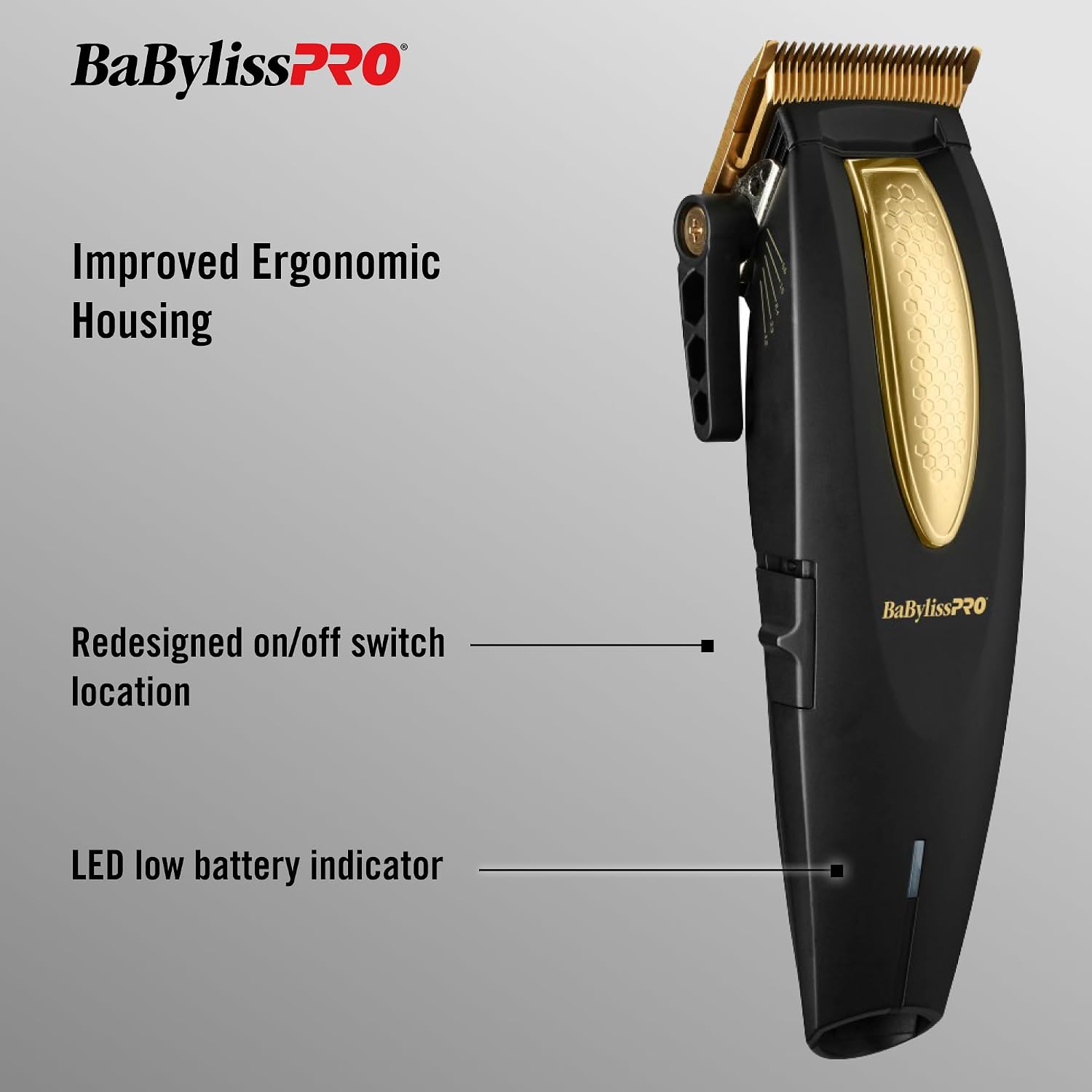
Image: Back view of the BaBylissPRO LithiumFX Hair Clipper, showcasing its ergonomic housing and overall design.
Troubleshooting
| Problem | Possible Cause | Solution |
|---|---|---|
| Clipper does not turn on | Battery is depleted; Power switch is off | Charge the clipper fully; Ensure the on/off switch is in the 'on' position |
| Clipper pulls hair or cuts poorly | Blades are dull or dirty; Blades are not oiled; Guide comb not properly attached | Clean and oil the blades; Ensure guide comb is securely attached; Consider professional blade sharpening or replacement if blades are dull |
| Clipper runs slowly or weakly | Low battery; Hair buildup in motor area | Recharge the clipper; Clean out any hair debris from around the motor and blade area |
| Excessive noise or vibration | Blades are not properly aligned or oiled | Ensure blades are clean and well-oiled; Check for proper blade alignment |
Specifications
- Model Number: FX673NS
- Power Source: Cord/Cordless (Lithium-Ion Battery)
- Blade Type: Gold Titanium Tri-Blade (FX603G)
- Motor: Long-Life Ball Bearing DC Motor, 6,800 RPM
- Taper Control: 5-Position, extends up to 4.2 mm
- Runtime: Over 2 hours (cordless)
- Dimensions: 8.74 x 5.28 x 3.43 inches
- Weight: 1.54 Pounds
- Manufacturer: Conair Corporation
- UPC: 074108466808
Warranty and Support
Warranty Information
The BaBylissPRO LithiumFX Hair Clipper comes with a 2-Year Limited Warranty from the date of purchase. This warranty covers defects in materials and workmanship under normal use. Please retain your proof of purchase for warranty claims. For full warranty terms and conditions, refer to the documentation included with your product or contact customer support.
Customer Support
For technical assistance, troubleshooting not covered in this manual, or warranty service, please contact BaBylissPRO customer support. Contact information can typically be found on the product packaging or the official BaBylissPRO website.
Ask a question about this manual
Ask about setup, troubleshooting, compatibility, parts, safety, or missing instructions. Manuals+ will review the question and use this page’s manual context to help answer it.