
1. Introduction
This manual provides detailed instructions for the installation, operation, and maintenance of the EPLZON DC 12-60V 20A PWM Motor Speed Controller. This device is designed to precisely control the speed and direction (forward/reverse) of DC brush motors within the specified voltage and current ranges. It features a soft start protection function to reduce inrush current and extend motor life, along with efficient energy utilization.
2. Safety Information
- Always disconnect power before installation or maintenance to prevent electric shock.
- Ensure the input voltage (DC 12-60V) and output current (max 20A, continuous 12A) are within the controller's specifications. Exceeding these limits can damage the device and connected motor.
- Verify all wiring connections are secure and correct before applying power. Incorrect wiring can lead to malfunction or damage.
- Install the controller in a well-ventilated area to prevent overheating.
- This device is suitable for DC brush motors only. Do not use with other motor types.
- Keep the device away from moisture, dust, and corrosive substances.
3. Product Features
- Wide Voltage Range: Supports DC 12V to 60V input.
- High Current Capacity: Maximum output current of 20A, with a continuous current of 12A.
- Adjustable PWM Control: Pulse Width Modulation (PWM) allows for precise speed adjustment from 0% to 100%.
- Forward/Reverse/Stop Control: Integrated switch for easy direction change and motor stop.
- Soft Start Protection: Reduces inrush current, protecting the motor and extending its lifespan.
- Efficient Design: Improves energy utilization during speed regulation.
- Compact Size: Designed for easy installation in narrow spaces.
- Durable Construction: Made with high-quality electronic components for stable and reliable performance.

Figure 1: Control Panel Features
4. Product Components and Controls
The controller consists of the main unit with wiring terminals and a front panel with control elements.
- Power Indicator: An LED light that illuminates when the controller is powered on.
- Speed Adjustment Knob: A rotary knob to adjust the motor speed from low to high (0-100% PWM). This knob also acts as a switch to turn the controller on/off.
- Forward/Stop/Reverse Switch: A three-position toggle switch to select the motor's direction or stop its operation.
- Wiring Terminals: Screw terminals for connecting power input and motor output. Each terminal is clearly marked.
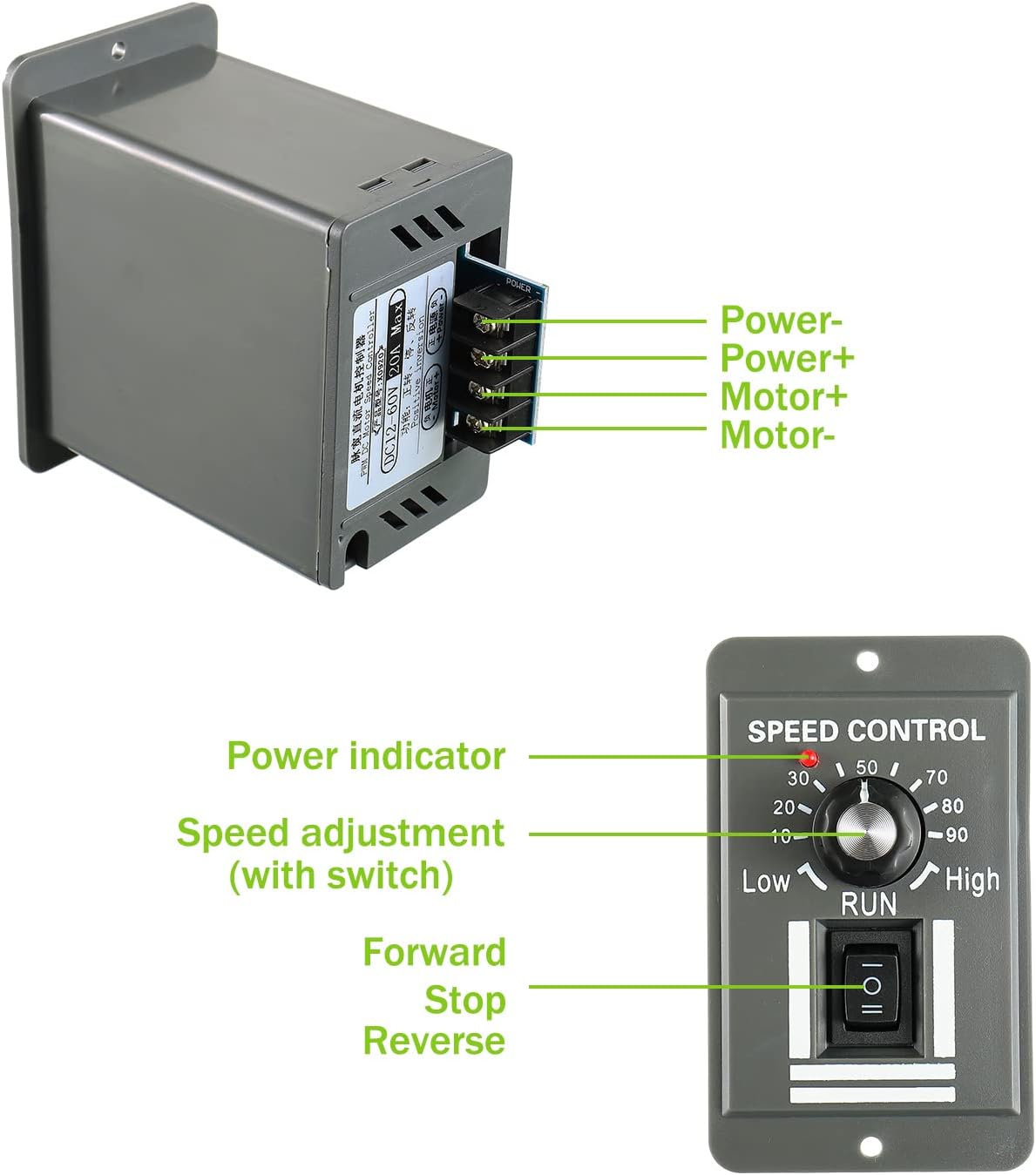
Figure 2: Controller Components and Wiring Diagram
5. Specifications
| Specification | Value |
|---|---|
| Input Voltage | DC 12-60V |
| Output Current (Max) | 20A |
| Continuous Current | 12A |
| PWM Pulse Width Range | 0% - 100% |
| Control Function | Forward / Stop / Reverse |
| Dimensions (L*W*H) | 60 * 90 * 99mm (2.36 * 3.54 * 3.9in) |
| Installation Size | 52 * 81mm (2.05 * 3.19in) |
| Material | Copper |
| Color | Gray |
| Model Number | EP-PEM-ZLDJ |
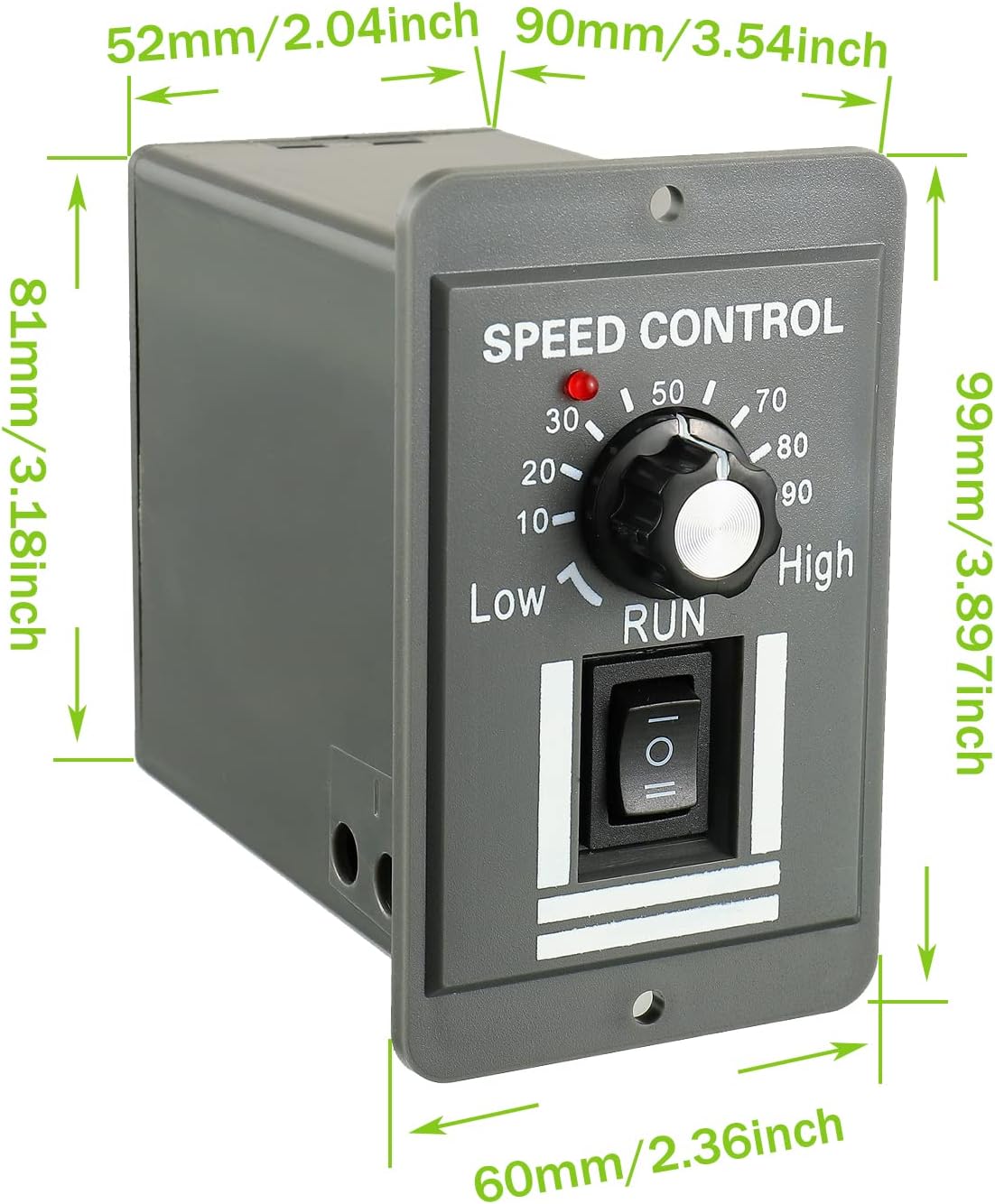
Figure 3: Product Dimensions
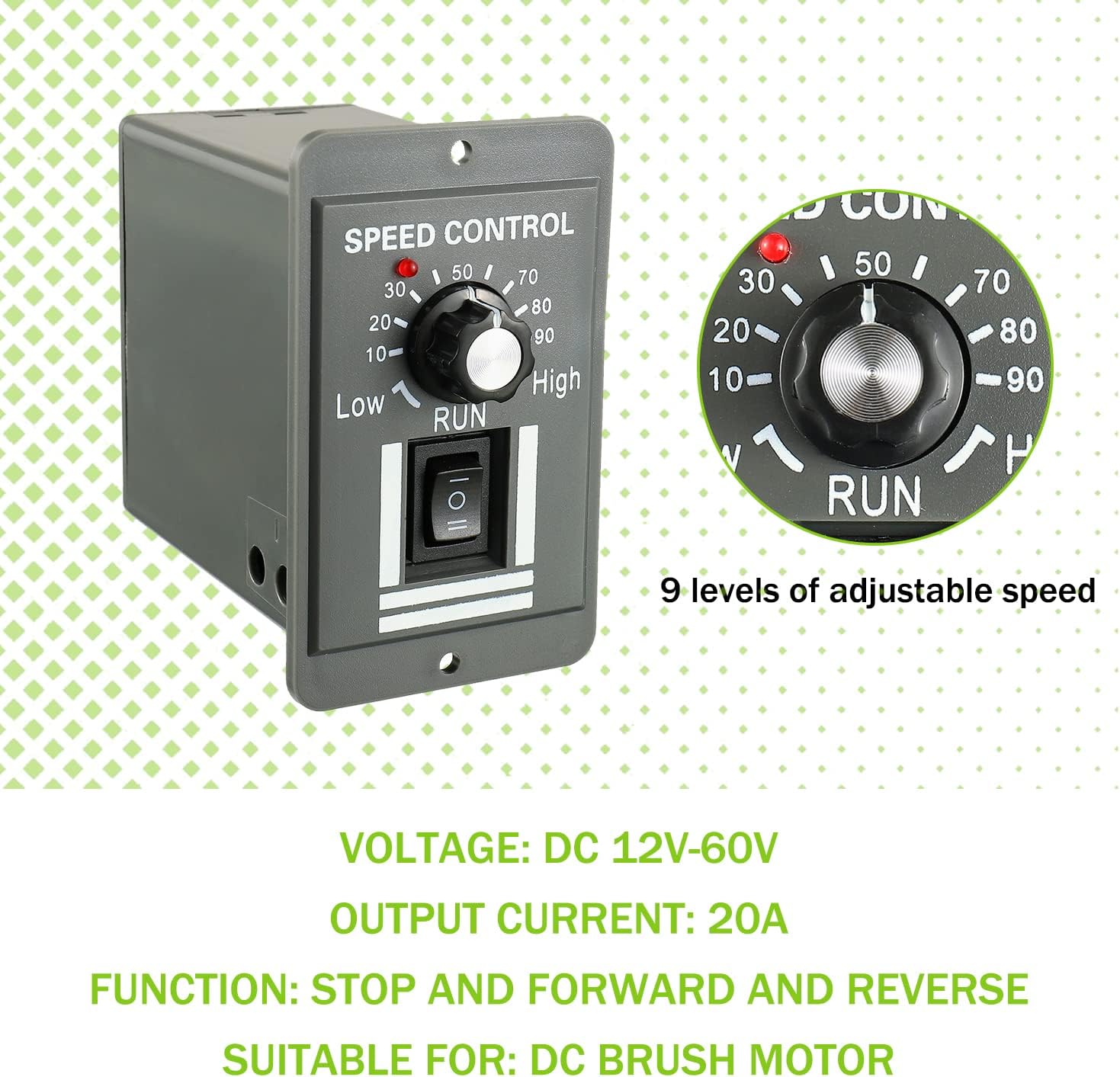
Figure 4: Key Specifications Overview
6. Setup and Wiring
Follow these steps for proper installation and wiring of the motor speed controller:
- Mounting: The controller has an installation size of 52 x 81mm (2.05 x 3.19in), allowing for easy integration into control panels or enclosures. Secure the unit using appropriate fasteners.
- Power Connection: Connect your DC power supply to the terminals labeled 'Power+' and 'Power-'. Ensure correct polarity. 'Power+' connects to the positive (+) terminal of your DC power source, and 'Power-' connects to the negative (-) terminal.
- Motor Connection: Connect your DC brush motor to the terminals labeled 'Motor+' and 'Motor-'.
- Verify Connections: Double-check all wiring for correctness and secure connections to prevent short circuits or damage. The terminal blocks are fence-type design with safety covers and clear wiring marks. Always follow these marks.

Figure 5: Detailed Wiring Terminals
7. Operating Instructions
Once the controller is correctly wired and power is supplied:
- Power On: Turn the speed adjustment knob clockwise from the 'OFF' position. The power indicator LED will light up.
- Select Direction: Use the three-position toggle switch to select the desired motor direction:
- Forward: Move the switch to the 'Forward' position.
- Reverse: Move the switch to the 'Reverse' position.
- Stop: Move the switch to the 'Stop' (middle) position to halt the motor.
- Adjust Speed: Rotate the speed adjustment knob to increase or decrease the motor speed. Turning it clockwise increases speed (towards 'High'), and counter-clockwise decreases speed (towards 'Low'). The PWM range is 0% to 100%.
- Power Off: To turn off the controller, rotate the speed adjustment knob fully counter-clockwise until it clicks into the 'OFF' position.
8. Applications
The EPLZON DC 12-60V 20A PWM Motor Speed Controller is versatile and widely used in various industrial and commercial applications, including but not limited to:
- Industrial DC motor speed regulation
- DC fan control
- Packaging machinery
- Printing equipment
- Electronics manufacturing
- Instrumentation
- Clothing machinery
- Medical machinery
- Conveying systems
- Automobile industry applications
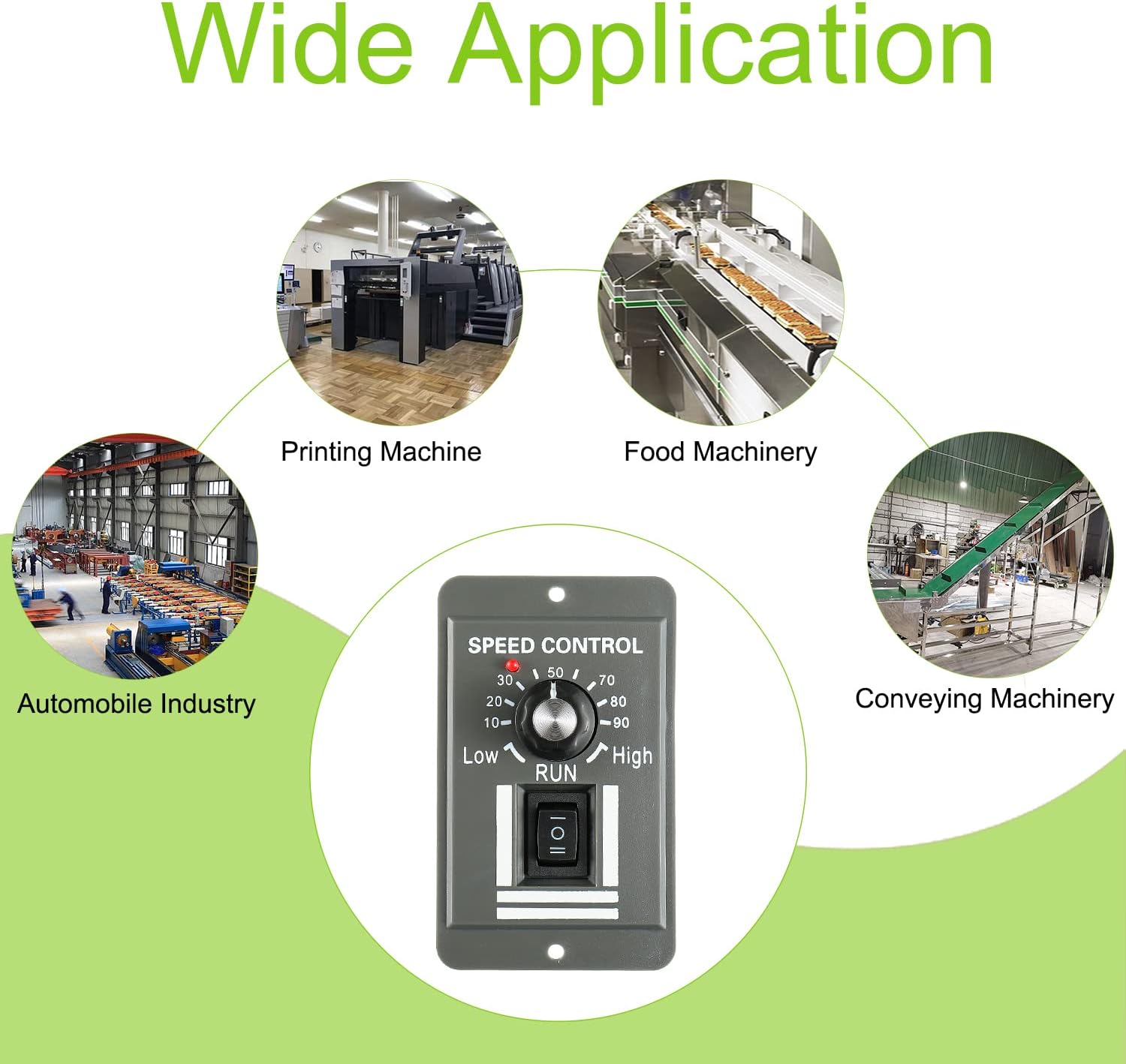
Figure 6: Wide Range of Applications
9. Maintenance
To ensure optimal performance and longevity of your motor speed controller:
- Cleaning: Periodically clean the exterior of the controller with a dry, soft cloth. Do not use liquid cleaners or solvents.
- Ventilation: Ensure that the ventilation openings are not obstructed to allow for proper heat dissipation.
- Connection Checks: Regularly inspect wiring connections for any signs of loosening or corrosion. Tighten connections as needed.
- Environmental Conditions: Operate the controller within its specified environmental conditions (temperature, humidity) to prevent damage.
10. Troubleshooting
If you encounter issues with your motor speed controller, refer to the following common problems and solutions:
- Motor Not Running:
- Check if the power indicator LED is on. If not, verify power supply connections and voltage.
- Ensure the speed adjustment knob is turned clockwise from the 'OFF' position.
- Confirm the Forward/Stop/Reverse switch is not in the 'Stop' position.
- Inspect motor wiring for secure connections and correct polarity.
- Verify the motor itself is functional.
- Incorrect Speed Control:
- Ensure the motor is a DC brush motor, as this controller is not compatible with other types.
- Check for any mechanical resistance in the motor or load that might prevent smooth speed changes.
- Overheating:
- Ensure the continuous current draw of your motor does not exceed 12A. While the peak is 20A, sustained operation above 12A can cause overheating.
- Verify adequate ventilation around the controller.
- Reduce the load on the motor if possible.
- Motor Runs in Wrong Direction:
- Adjust the Forward/Stop/Reverse switch to the desired position.
- If the switch is in the correct position but the motor direction is opposite, reverse the 'Motor+' and 'Motor-' connections.
If these steps do not resolve the issue, please contact customer support.
11. Warranty and Support
For warranty information, technical support, or any inquiries regarding your EPLZON DC 12-60V 20A PWM Motor Speed Controller, please contact EPLZON customer service through the retailer's platform or the official EPLZON website. Please have your model number (EP-PEM-ZLDJ) and purchase details ready when contacting support.