Introduction
This user manual provides essential information for the safe and efficient operation of your Jessier Electric Cooktop. Please read all instructions carefully before use and retain this manual for future reference.
Important Safety Information
Always follow basic safety precautions when using electrical appliances to reduce the risk of fire, electric shock, or injury.
- Electrical Connection: This appliance requires a 220-240V hard-wired connection. Installation must be performed by a qualified electrician in accordance with all local codes and ordinances. Do not attempt to install without professional assistance.
- Hot Surface: The cooktop surface will remain hot after use. Allow sufficient time for cooling before cleaning or touching. Use caution to avoid burns.
- Child Safety: Keep children away from the cooktop during operation and while it is cooling. Utilize the child lock feature to prevent accidental activation.
- Cookware: Ensure cookware is suitable for electric ceramic cooktops. Avoid sliding heavy or rough-bottomed pans across the glass surface to prevent scratches.
- Ventilation: Ensure proper ventilation around the cooktop as specified in the installation instructions.
- Cleaning: Disconnect power before cleaning. Use only recommended cleaning agents and methods to avoid damage to the glass surface.
What's in the Box
- 2 Burner Electric Cooktop x 1
- Manual x 1
- Scraper x 1
Specifications
| Feature | Detail |
|---|---|
| Brand | Jessier |
| Model Info | DE-JSI-B33396 |
| Item Model Number | JSC-D23036-BB |
| Item Weight | 9.09 pounds |
| Product Dimensions | 20.47 x 11.81 x 2.36 inches |
| Installation Type | Built-in & Countertop |
| Special Features | Adjustable Temperature, Automatic Shut-Off, Hot Surface Indicator, Safety Lock, Timer |
| Burner Type | Radiant |
| Heating Elements | 2 |
| Color | 2 Zones / 220-240v / Touch |
| Voltage | 220 Volts |
| Wattage | 3000.0 |
| Fuel Type | electric |
| Material Type | Tempered Glass |
Setup and Installation
The Jessier Electric Cooktop is designed for both built-in and countertop installation. Due to its 220-240V hard-wired power requirement, professional installation by a qualified electrician is mandatory to ensure safety and compliance with electrical codes.
Electrical Connection
This cooktop operates on 220-240V and does not come with a plug. It must be hard-wired directly into your electrical system. Please consult a certified electrician for proper wiring to avoid electrical hazards.

Image: Diagram showing the 220V hard-wire connection points (L, N, Ground).
Dimensions and Cut-out Size
Before installation, verify that the cut-out dimensions in your countertop are suitable for the cooktop. The cooktop dimensions are 20.5 inches (520mm) x 11.4 inches (290mm) x 1.7 inches (44mm). The required cut-out size is 19.3 inches (490mm) x 10.6 inches (270mm).

Image: Detailed diagram illustrating the cooktop's overall dimensions and the required countertop cut-out size for built-in installation.
Installation Video
Video: An official demonstration of the Jessier 220V 2 Burner Electric Cooktop, showcasing its features and potential installation scenarios. This video provides a visual guide to the product's design and functionality.
For detailed installation instructions, please refer to the dedicated Installation Manual (PDF) provided with your product or available online via the manufacturer's website.
The cooktop can be used as a built-in unit or as a countertop appliance. The built-in design integrates seamlessly into your kitchen, while the countertop option offers flexibility.

Image: Comparison showing the cooktop installed as a built-in unit and as a countertop appliance, highlighting its versatility.
Operating Instructions
Your Jessier Electric Cooktop features intuitive sensor touch controls for easy operation.
Control Panel Overview

Image: Close-up of the cooktop's touch control panel, showing buttons for power, heating levels, timer, pause, and child lock.
Basic Operation
- Power On/Off: Touch the On/Off button to activate or deactivate the cooktop.
- Adjusting Heating Levels: Select a cooking zone, then use the + or - buttons to choose from 9 heating levels. The cooktop offers a total power of 3000W (1800W + 1200W).
- Timer Function: Set a cooking duration up to 99 minutes using the timer controls. The cooktop will automatically shut off when the timer expires.
- Pause Function: Temporarily pause cooking by touching the Pause button. Touch it again to resume cooking at the previous settings.
Safety Features
- Child Lock: Activate the child lock to prevent accidental operation, especially useful in households with children. Hold the lock button for 5 seconds to activate or deactivate.
- Automatic Shut-Off: The cooktop will automatically turn off if left unattended for an extended period or if overheating is detected.
- High Temperature Warning: An indicator will alert you if the cooktop surface is hot, even after it has been turned off.
- Overheat Protection: Built-in sensors prevent the cooktop from reaching dangerously high temperatures.

Image: Visual representation of key features such as sensor touch, child lock, overheat protection, 3000W high power, high temperature warning, suitability for all pans, 99-minute timer, and 220V hard-wired connection.
Cookware Compatibility
Unlike induction cooktops, the Jessier Electric Ceramic Cooktop is compatible with all types of cookware, including iron, stainless steel, copper, ceramic, and glass. This provides greater flexibility in your cooking.

Image: Examples of compatible cookware types, including cast iron, stainless steel, concave base, enamelled iron, aluminum, copper, ceramic, and glass cookware.
Maintenance and Cleaning
Maintaining your Jessier Electric Cooktop is simple due to its smooth glass surface and metal protection frame. Regular cleaning will ensure its longevity and appearance.
- Daily Cleaning: After the cooktop has cooled, wipe the glass surface with a damp cloth and mild detergent. Dry thoroughly with a clean cloth.
- Stubborn Stains: For burnt-on food or stubborn stains, use the provided scraper or a ceramic cooktop cleaner. Follow the cleaner's instructions carefully.
- Metal Frame: The metal frame around the glass provides added protection. Clean it with a soft cloth and non-abrasive cleaner.
- Avoid Abrasives: Do not use abrasive pads, scouring powders, or harsh chemicals, as these can scratch or damage the glass surface.
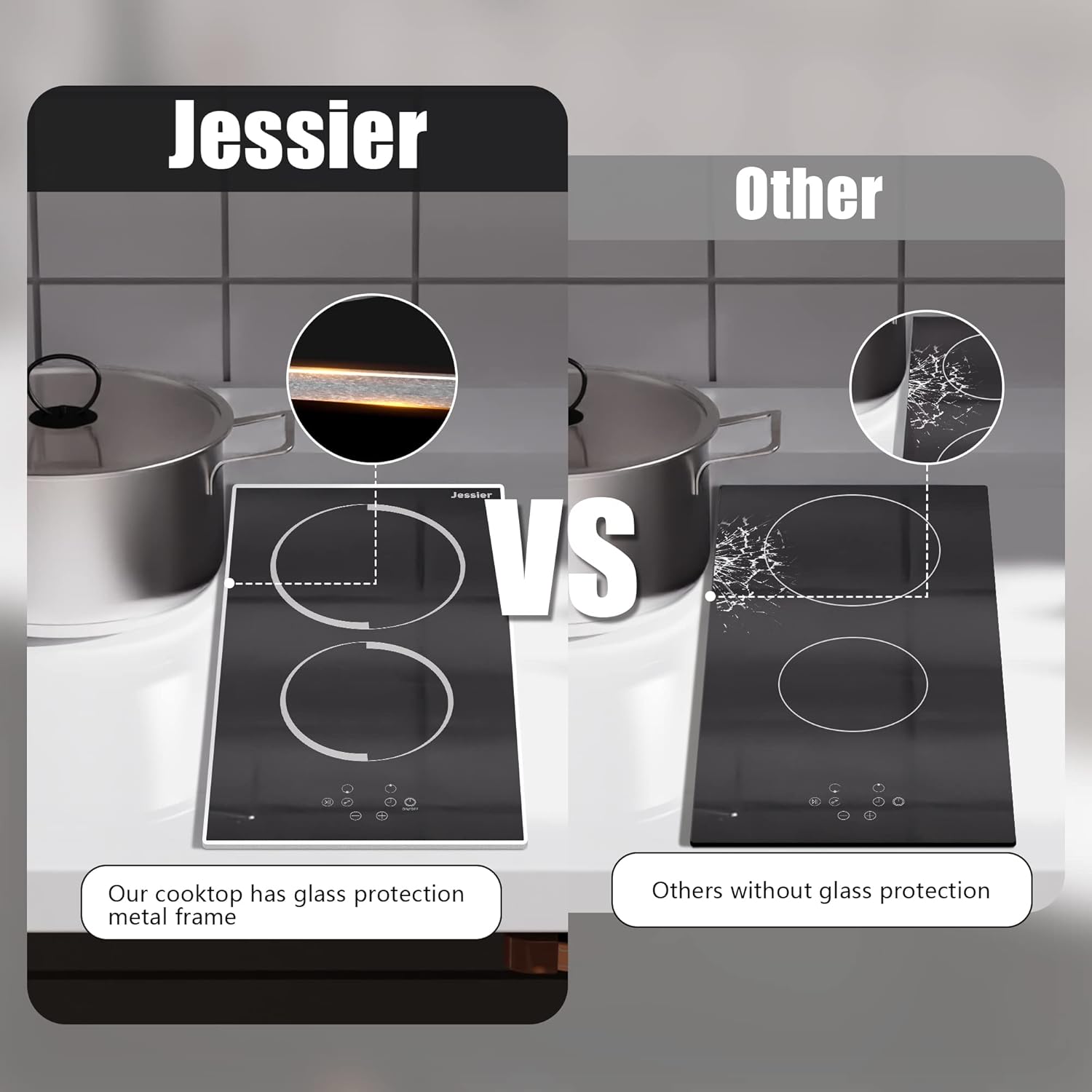
Image: A person cleaning the smooth glass surface of the cooktop with a sponge, demonstrating its ease of maintenance. A scraper tool is also shown, indicating its inclusion for cleaning.
Troubleshooting
If you encounter any issues with your cooktop, please refer to the following common troubleshooting tips. For more complex problems, contact customer support.
| Problem | Possible Cause | Solution |
|---|---|---|
| Cooktop does not turn on. | No power supply; Child lock activated; Incorrect operation. | Check circuit breaker; Deactivate child lock (hold for 5 seconds); Ensure correct power-on sequence. |
| Heating element not heating. | Cookware not properly placed; Overheat protection activated. | Ensure cookware is centered; Allow cooktop to cool down. |
| Error code displayed. | Specific internal fault. | Refer to the full manual for specific error code meanings or contact customer support. |
Warranty and Support
For warranty information, please refer to the documentation included with your purchase or contact Jessier customer support directly. Keep your proof of purchase for any warranty claims.
If you require technical assistance, replacement parts, or have any questions not covered in this manual, please contact Jessier customer service. Contact details can typically be found on the product packaging or the official Jessier website.