
Introduction
The SAMCOM T2 GMRS Walkie Talkies are designed for reliable long-range communication, suitable for various outdoor and indoor activities. These radios feature FCC Certification Part 95, ensuring compliance with GMRS frequency regulations. With high and low power modes, NOAA weather alerts, and group call functionality, the T2 model provides versatile communication options for personal and professional use.
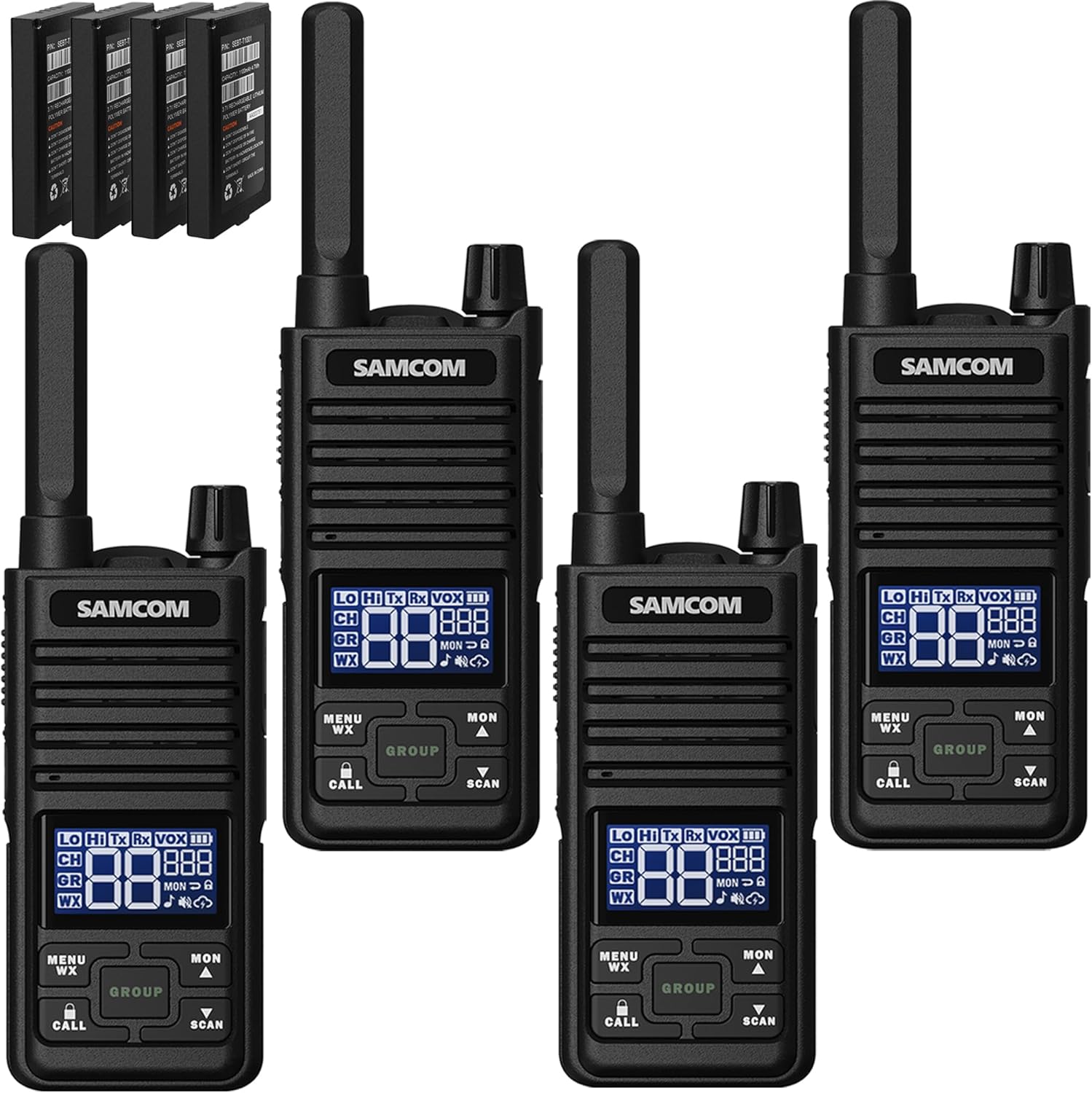
Image: Four SAMCOM T2 GMRS Walkie Talkies, showcasing the compact design and included batteries.
Package Contents
Verify that all items listed below are included in your package:
- T2 GMRS 2-way radio x4
- 1100mAh Battery x4
- Type-C Y-cable cable x2
- Charge Adapter x2
- Belt Clip x4
- USB-C earpiece x4
Product Overview and Features
The SAMCOM T2 GMRS Walkie Talkie is equipped with a multi-function LCD display and intuitive controls for ease of use. Key features include:
- FCC Certified: Part 95 compliant (FCC ID: 2AFC8T2).
- High Power GMRS: Channels 1-7 and 15-30 operate at 2W for wider range and stronger signal penetration.
- Low Power Mode: Channels 8-14 offer extended battery standby time.
- USB-C Charging: Convenient charging with included Type-C cable and adapter.
- GROUP Function: Allows simultaneous communication with members on different channels.
- NOAA Weather Alert: Automatically scans and receives weather reports from 11 weather channels.
- Built-in LCD Screen: Provides clear display of channel, power, and other settings.
- Flashlight: Integrated for convenience in low-light conditions.
- 3 VOX Levels: Voice-activated transmission for hands-free operation.
- Keypad Lock: Prevents accidental changes to settings.
- PTT Button: Push-to-Talk button for easy communication.
- Channel Scan: Scans for active channels.

Image: Detailed view of the multi-function LCD display, indicating various icons and their meanings for receiving, transmitting, channel, group, VOX, power levels, and more.

Image: The compact size of the walkie talkie, highlighting the location of the Push-To-Talk (PTT) button, flashlight key, and other control buttons.
Setup
Battery Installation and Charging
The SAMCOM T2 radios come with 1100mAh Lithium Polymer batteries. Ensure the batteries are properly installed before use. For initial use, it is recommended to fully charge the batteries.
- Insert the 1100mAh Lithium Polymer battery into the back compartment of the radio, ensuring it clicks into place.
- Locate the USB-C charging port on the side of the radio.
- Connect one end of the provided Type-C Y-cable to the radio's USB-C port.
- Connect the other end of the Y-cable to the included charge adapter, and then plug the adapter into a power outlet. The Y-cable allows simultaneous charging of two radios.
- The battery indicator on the LCD screen will show charging status.
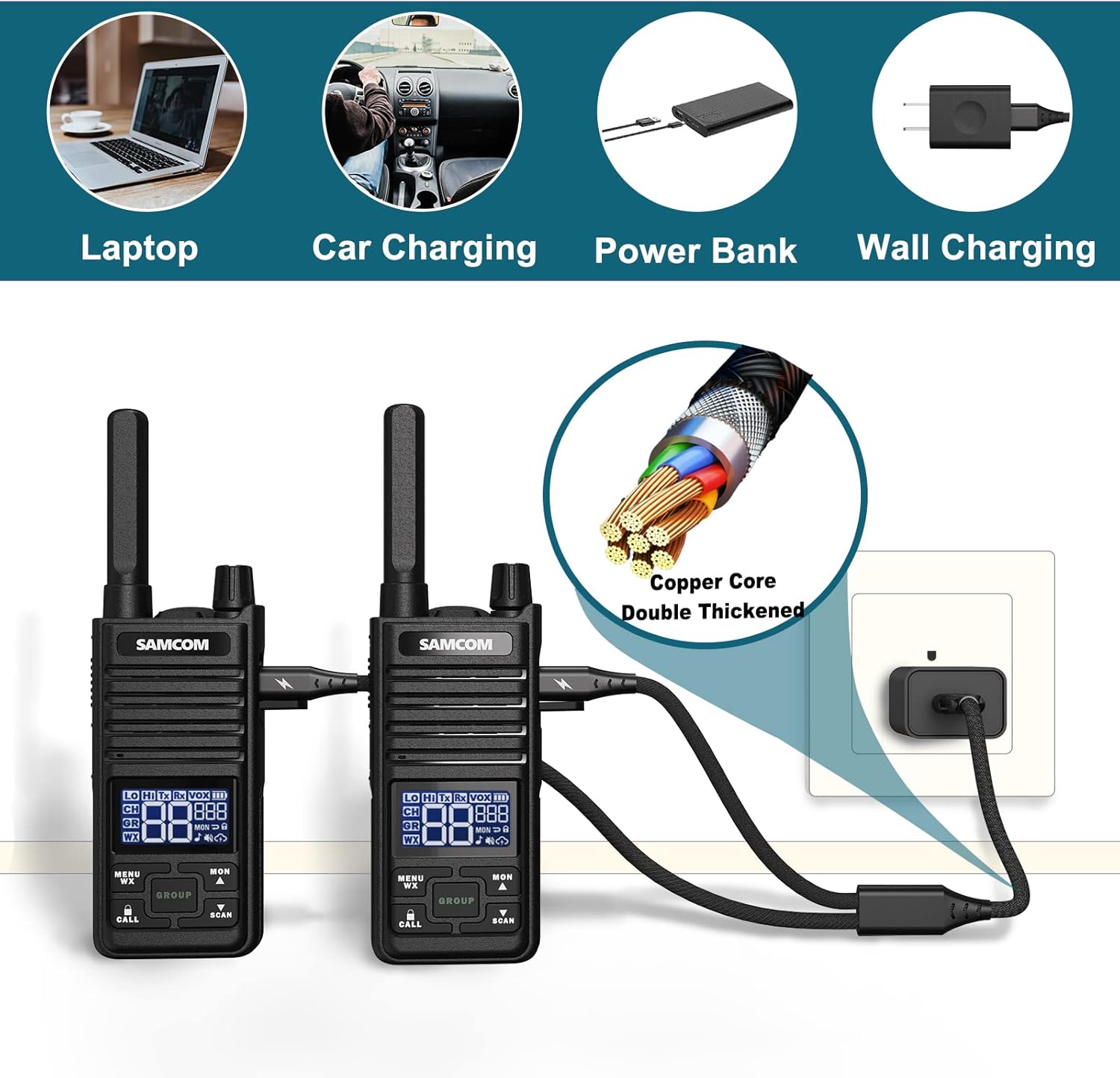
Image: Various charging options for the walkie talkies, including laptop, car charging, power bank, and wall charging, highlighting the durable USB-C cable.
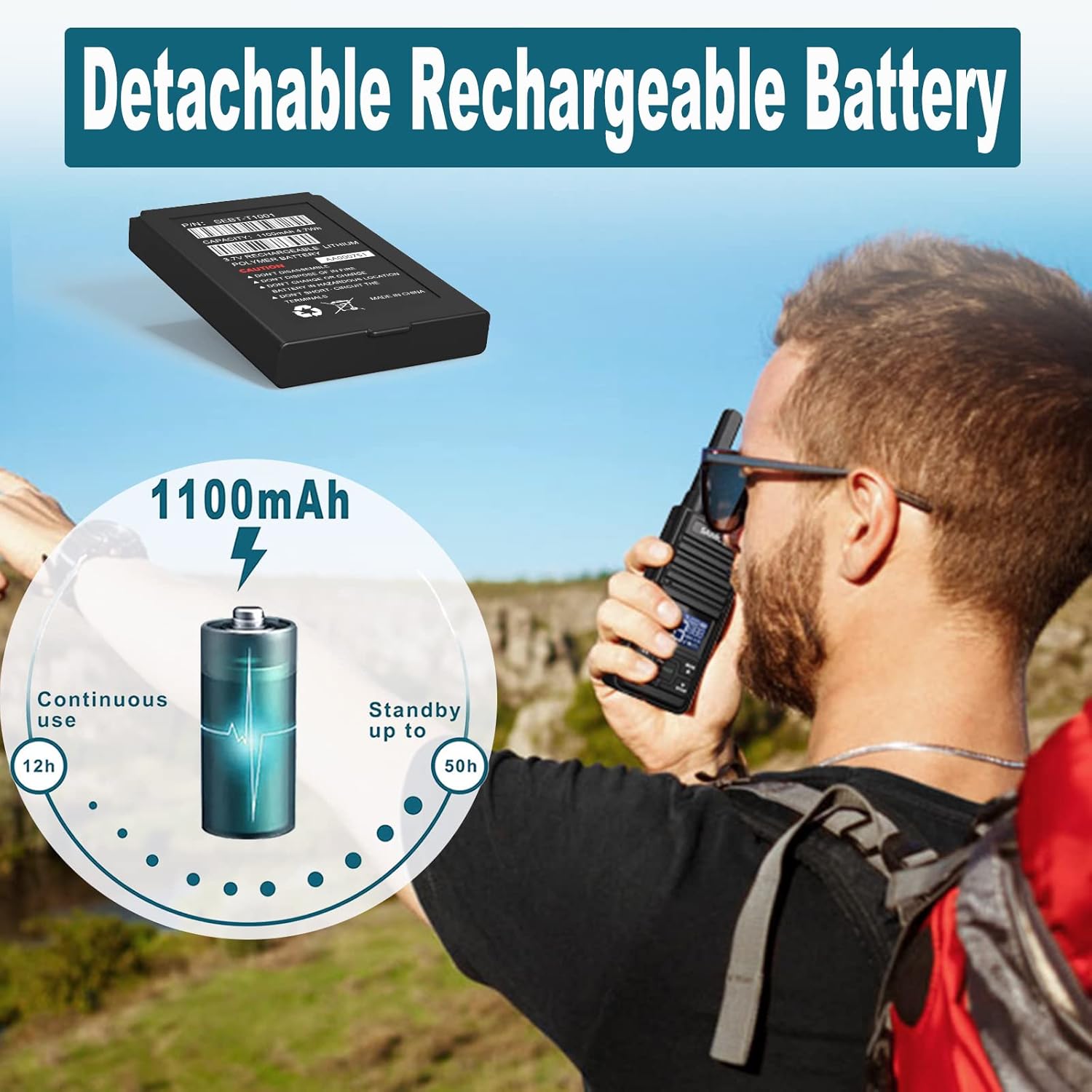
Image: The detachable 1100mAh Lithium Polymer battery, illustrating its capacity and estimated usage times for continuous operation and standby.
Attaching Accessories
The SAMCOM T2 radios support various accessories for enhanced usability.
- Belt Clip: To attach the belt clip, align the clip with the slot on the back of the radio and slide it down until it clicks securely into place. To remove, pull back the release lever and slide the clip upwards.
- USB-C Earpiece: Open the rubber cover on the side of the radio to reveal the USB-C port. Insert the USB-C plug of the earpiece into this port. The earpiece features a PTT button and microphone for hands-free communication, along with a clip to secure it to clothing.
Video: Demonstrates how to connect the Type-C USB Speaker Mic to the T2 GMRS Walkie Talkie, showing the plug and port connection.

Image: Animated demonstration of attaching and detaching the belt clip for secure carrying.
Operating Instructions
Power On/Off
To power on the radio, rotate the power/volume knob clockwise until you hear a click and the display illuminates. To power off, rotate the knob counter-clockwise until it clicks off.
Channel Selection and Power Modes
The SAMCOM T2 offers 30 GMRS channels with varying power modes:
- High Power (2W): Channels 1-7 and 15-30 provide a wider transmission range and stronger signal penetration.
- Low Power (0.5W): Channels 8-14 offer extended battery standby time.
To change channels:
- Press the MENU/WX button once. The channel number on the LCD display will begin to flash.
- Use the MON ▲ (Up) or SCAN ▼ (Down) buttons to select your desired channel.
- Press the MENU/WX button again to confirm your selection.
Video: Demonstrates channel selection and the difference between high and low power channels on the SAMCOM T2 GMRS Walkie Talkie.
Group Function
The unique "GROUP" function allows you to communicate simultaneously with multiple radios, even if they are set to different individual channels. This is ideal for team events or large group coordination.
- To activate the Group function, press the GROUP button.
- All radios within the group, regardless of their current channel setting, will receive the transmission.

Image: Illustration of the Group function, enabling multiple users to communicate simultaneously across different channels, useful for team activities.
NOAA Weather Alert
Stay informed about severe weather conditions with the built-in NOAA Weather Alert feature.
- To access weather channels, press and hold the MENU/WX button for 3 seconds. The radio will automatically scan and tune into the nearest NOAA weather channel.
- To toggle the weather alert function on or off, press the MENU/WX button twice while in WX mode. Use the MON ▲ or SCAN ▼ buttons to select ON or OFF.

Image: The NOAA Weather Radio feature, emphasizing its importance for timely weather warnings during outdoor activities and work.
Video: Comprehensive demonstration of the NOAA Weather Alert and Channel Scanning features on the GMRS Two-Way Radio.
Channel Scan
The channel scan feature allows you to quickly find active channels.
- To activate channel scan, press and hold the SCAN ▼ button for 3 seconds. The radio will begin cycling through channels.
- The scan will stop on any active channel. To resume scanning, press the SCAN ▼ button again.
Other Functions
- VOX Levels: Adjust the Voice Operated Exchange (VOX) sensitivity (3 levels) through the menu to enable hands-free transmission.
- Keypad Lock: Press and hold the CALL button to lock or unlock the keypad, preventing accidental button presses.
- Flashlight: Press the dedicated flashlight key on the side of the radio to turn the built-in flashlight on or off.
Maintenance
Proper maintenance ensures the longevity and optimal performance of your SAMCOM T2 Walkie Talkies.
- Cleaning: Use a soft, damp cloth to clean the radio's exterior. Avoid harsh chemicals or abrasive cleaners.
- Battery Care:
- Always use the original 1100mAh Lithium Polymer batteries and charging accessories.
- Do not disassemble, dispose of in fire, or short-circuit the battery terminals.
- Store batteries in a cool, dry place when not in use.
- Storage: When storing the radios for extended periods, ensure batteries are partially charged (around 50%) and remove them from the radios.
Troubleshooting
| Problem | Possible Cause | Solution |
|---|---|---|
| Radio does not power on. | Battery is low or not installed correctly. | Ensure battery is fully charged and properly seated. |
| Cannot transmit or receive. | Incorrect channel/privacy code, out of range, or battery low. | Verify channel and privacy code settings. Move closer to other radios. Charge battery. |
| Poor audio quality. | Obstructions, interference, or low signal strength. | Move to an open area. Check for sources of interference. |
| Keypad is unresponsive. | Keypad lock is activated. | Press and hold the CALL button to unlock the keypad. |
Specifications
- Model Number: T2-04
- Item Weight: 0.303 ounces
- Product Dimensions: 1.97 x 0.78 x 6.3 inches
- Batteries: 1 Lithium Polymer batteries required (included)
- Display Type: LCD
- Number of Channels: 30
- Frequency Range: 462.5625~467.7250 MHz
- Talking Range Maximum: 3 Mile (terrain dependent)
- Tuner Technology: UHF
- Voltage: 3.7 Volts
- Water Resistance Level: Water Resistant
- Manufacturer: Sancon Inc
- Country of Origin: China
Warranty and Support
SAMCOM T2 GMRS Walkie Talkies come with a 3 Year Warranty from the manufacturer, Sancon Inc. For any support inquiries, troubleshooting assistance, or warranty claims, please refer to the official SAMCOM support channels or the provided Instructions for Use (IFU) document.
Additional support documents may be available on the manufacturer's website or through your point of purchase.
For a detailed Instructions for Use (IFU) document, please refer to the PDF available at: SAMCOM T2 IFU PDF
