
Introduction
Thank you for choosing the Giantex Mobile File Cabinet. This cabinet is designed to provide versatile storage for your home or office, featuring a lockable drawer, open shelves, and a single door compartment. Its mobile design with lockable wheels allows for flexible placement and stability. This manual provides essential information for assembly, operation, and maintenance to ensure safe and efficient use of your product.

Image: The Giantex Mobile File Cabinet, showcasing its white and dark brown design with a curved knob, a spacious top surface, open shelves, a single door cabinet, and a lockable file drawer.
Safety Information
- Always keep the key with you and do not leave it in the lock when not in use to prevent unauthorized access.
- For added safety, use the provided anti-toppling devices to secure the cabinet to the wall. This prevents accidental tipping, especially in households with children or pets.
- Do not attempt to mount the cabinet on the wall if it is not designed for wall mounting. This product is intended for freestanding use with anti-toppling devices.
- Ensure all screws and fasteners are tightened securely during assembly and periodically check for looseness.
- Do not exceed the maximum weight capacity of 154 lbs for the entire unit. Distribute weight evenly.
Package Contents
Your Giantex Mobile File Cabinet package includes all necessary components and hardware for assembly, along with a detailed instruction manual. Please verify that all parts are present and undamaged before beginning assembly. If any parts are missing or damaged, please contact customer support.
Setup and Assembly Instructions
Assembly of this file cabinet is required. Please refer to the separate, detailed instruction manual included in your package for step-by-step guidance. Follow all diagrams and written instructions carefully to ensure correct and safe assembly.
Key Assembly Points:
- Tools Required: Ensure you have the necessary tools as specified in the assembly manual.
- Part Identification: Identify all parts and hardware before starting. Lay them out on a clean, soft surface to prevent scratches.
- Drawer Assembly: Pay close attention to the drawer slide installation for smooth operation. Ensure the adjustable hanging bars are correctly positioned for your file size (Letter/Legal/A4).
- Wheel Installation: Attach the five universal wheels, ensuring the two lockable wheels are placed as indicated for stability. The center anti-tipping wheel provides additional support.
- Anti-Toppling Devices: Install the two anti-toppling devices as instructed and secure the cabinet to a wall stud to prevent tipping.
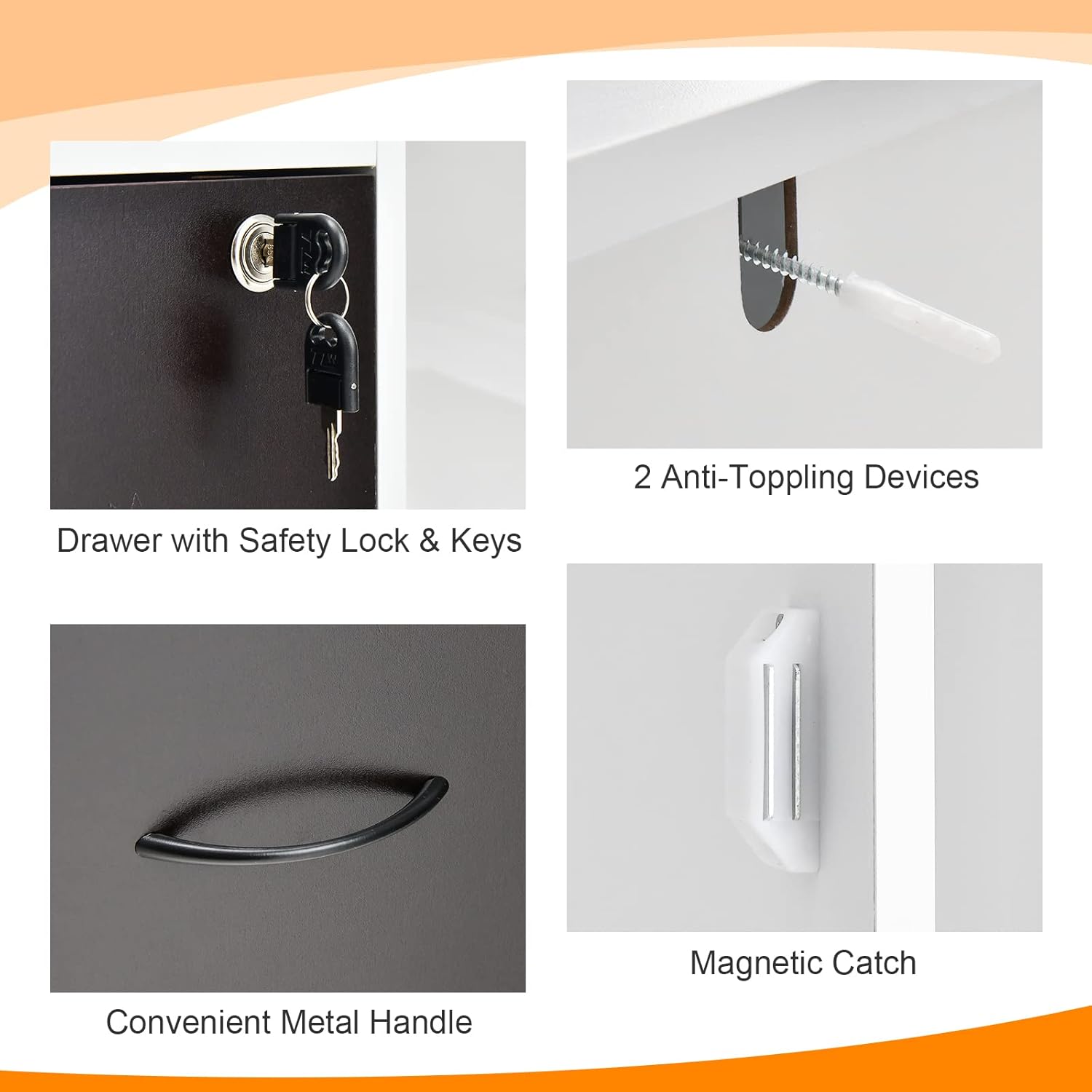
Image: Detailed view of the drawer with safety lock and keys, two anti-toppling devices for wall attachment, a convenient metal handle, and a magnetic catch for the cabinet door.

Image: Illustration of the five universal wheels, highlighting their 360-degree swivel capability, the central anti-tipping wheel for enhanced stability, and the two lockable wheels for securing the cabinet in place.
Operating Instructions
Using the File Drawer:
- The large drawer is equipped with adjustable hanging bars to accommodate Letter, Legal, or A4 size files. Adjust the bars as needed to fit your documents.
- The drawer features smooth slides for easy opening and closing.
- To secure your documents, use the integrated lock and provided keys. Turn the key to lock and unlock the drawer. Remove the key after locking.
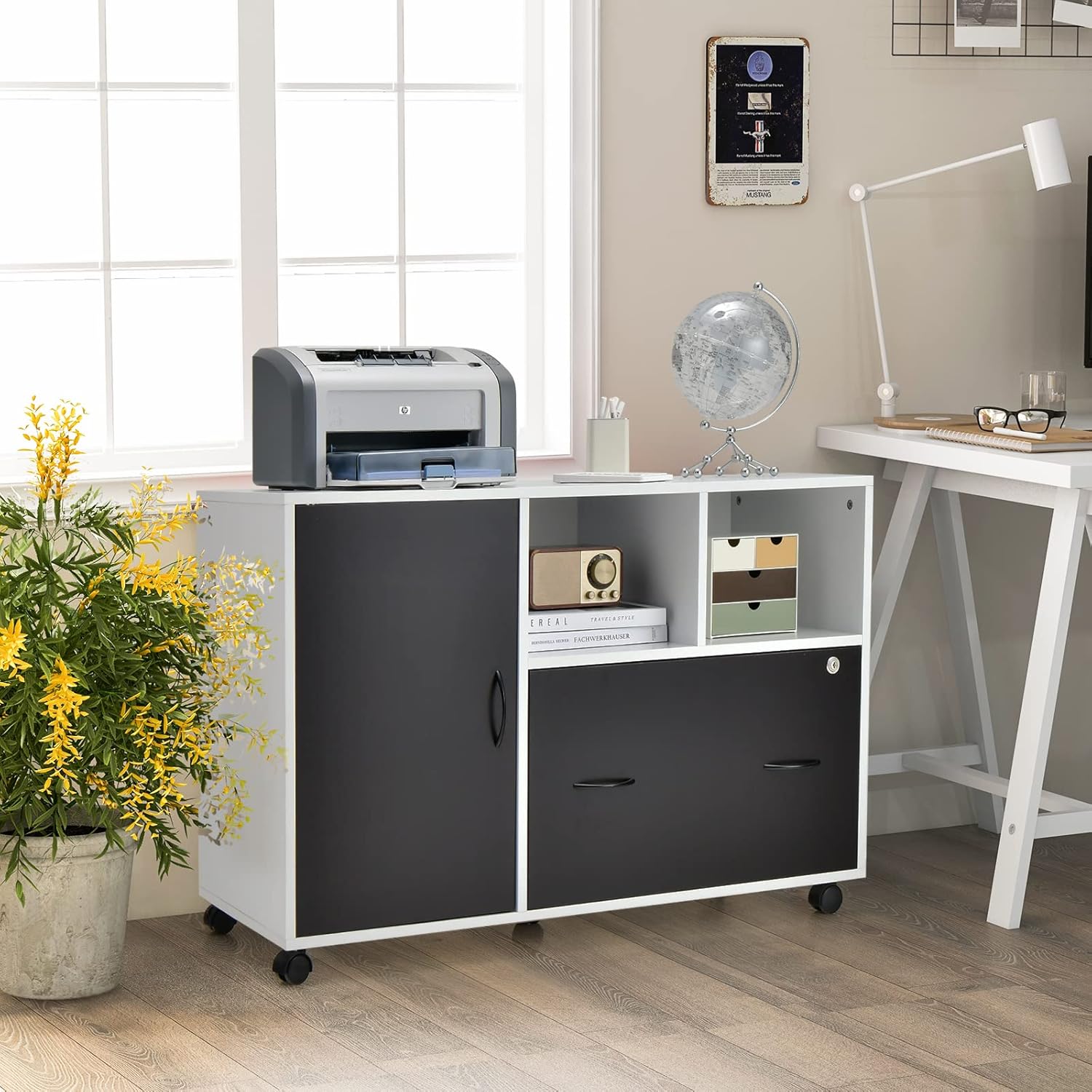
Image: The file drawer shown with adjustable hanging bars, demonstrating its capacity for Letter, Legal, and A4 size files, and highlighting the smooth drawer slides for easy access.
Utilizing Storage Areas:
- The 40-inch wide top surface can hold a printer, scanner, or other office equipment and decorations.
- Two open compartments provide easy access storage for books, office supplies, or decorative items.
- The single door cabinet offers concealed storage for items you wish to keep out of sight. The magnetic catch ensures the door stays closed.
Mobility and Stability:
- The five universal wheels allow the cabinet to be moved smoothly across various floor surfaces.
- To stabilize the cabinet, engage the brakes on the two lockable wheels. To move, release the brakes.
- The center anti-tipping wheel provides additional support and stability during movement.

Image: A collage of images illustrating the file cabinet's versatile use in different settings, including a study room, a living room, and an office environment.
Maintenance
- Cleaning: Wipe the surfaces of the cabinet with a damp cloth. Avoid using harsh chemicals or abrasive cleaners, which can damage the finish.
- Hardware Check: Periodically check all screws and fasteners to ensure they remain tight. Retighten as necessary to maintain structural integrity.
- Drawer Slides: If drawer slides become stiff, a small amount of silicone-based lubricant can be applied to ensure smooth operation.
- Wheel Care: Keep wheels free of debris to ensure smooth movement.
Troubleshooting
Common Issues and Solutions:
- Difficulty with Assembly: If you encounter difficulties during assembly, carefully re-read the included instruction manual and review the diagrams. Ensure all parts are oriented correctly. Contact customer support if issues persist.
- Files Not Fitting in Drawer: Ensure the adjustable hanging bars are correctly installed and positioned for the specific file size (Letter, Legal, or A4) you are using. Adjust the bars as needed.
- Drawer Sticking/Not Sliding Smoothly: Check for any obstructions in the drawer slides. Ensure all assembly screws for the slides are properly tightened. A small amount of lubricant can be applied to the slides if necessary.
- Cabinet Wobbles: Ensure all assembly screws are fully tightened. Verify that the cabinet is placed on a level surface. If installed, confirm the anti-toppling devices are securely fastened to the wall. Engage the brakes on the lockable wheels.
- Lock Not Functioning: Ensure the drawer is fully closed before attempting to lock. Check if the key is fully inserted and turned correctly. Do not force the lock.
Specifications
| Model Number | GT66500-HW |
| Brand | Giantex |
| Product Dimensions (L x W x H) | 40" x 16" x 26" (101.6 cm x 40.6 cm x 66 cm) |
| Drawer Dimension (L x W x H) | 21.5" x 13.5" x 11" (54.6 cm x 34.3 cm x 27.9 cm) |
| Material | Engineered Wood, MDF |
| Color | White + Dark Brown |
| Net Weight | 65 lbs (29.5 kg) |
| Total Weight Capacity | 154 lbs (70 kg) |
| Number of Drawers | 1 (Lockable) |
| Number of Open Compartments | 2 |
| Number of Doors | 1 |
| File Sizes Supported | Letter, Legal, A4 |
| Wheels | 5 Universal Wheels (2 Lockable, 1 Anti-tipping) |
| Assembly Required | Yes |

Image: A detailed diagram illustrating the key dimensions of the file cabinet, including its overall length (40"), depth (16"), height (26"), and the internal measurements of the drawer and open shelves.
Customer Support
For any questions, concerns, or assistance with your Giantex Mobile File Cabinet, please refer to the contact information provided in your product packaging or visit the official Giantex store online. Please have your model number (GT66500-HW) ready when contacting support.
Online Store: Visit the Giantex Store


