
Introduction
This manual provides detailed instructions for the installation and operation of your MAODANER Dreamcolor Acrylic Interior Car LED Strip Light kit. This 14-in-1 kit features wireless APP control, RGB Smart IC technology for dynamic lighting effects, and a sound-active function to enhance your vehicle's interior ambiance.
Package Contents
Please verify that all items listed below are included in your package:
- 14-in-1 Acrylic Car Light Kit (4x 29.5-inch strips, 1x 43.3-inch strip, 1x 14-inch strip)
- 4x Footwell Lamps (2x 44.5-inch, 2x 64.2-inch)
- 4x Door Handle Lights
- 1x Pry Tool
- 1x Main Controller
- 4x Sub Controllers
- Car Tape (Adhesive)
- Host Power Cord/Touch Button (47.2-inch / 19.7-inch)
- Auxiliary Power Cord (19.7-inch)
- Extension Cord (78.7-inch)
- Scraper

Image: Overview of the MAODANER Dreamcolor 14-in-1 kit components, including acrylic light strips, footwell lamps, door handle lights, main and sub controllers, wiring, and installation tools.
Setup and Installation
Proper installation ensures optimal performance and aesthetic appeal. Follow these steps carefully.
1. Planning and Preparation
Before beginning, plan the desired locations for your LED strips. Identify crevices and gaps in your car's interior where the acrylic strips can be securely inserted. Ensure the main controller and sub-controllers can be discreetly placed with access to power.
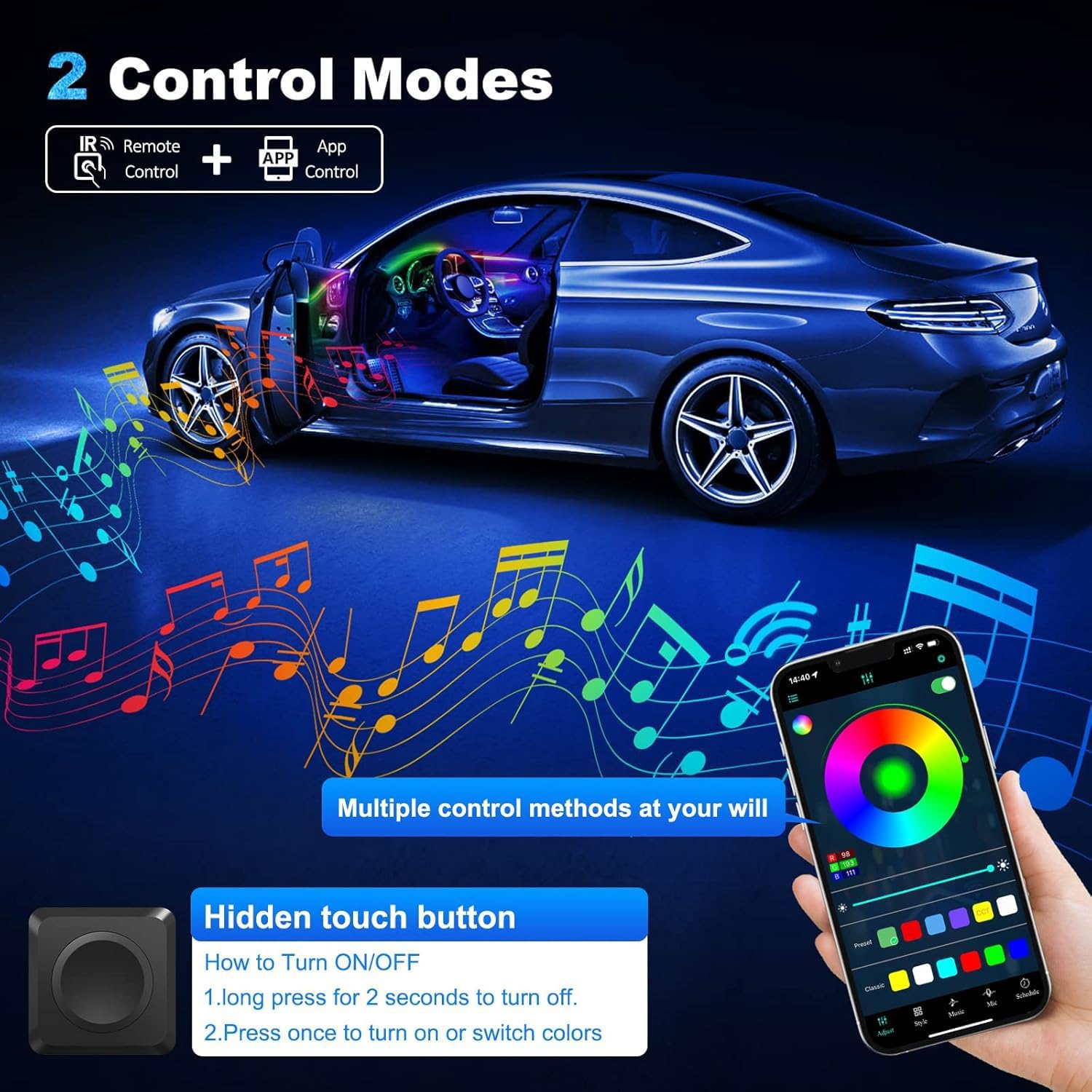
Image: Illustration of recommended installation areas within a car's interior, highlighting dashboard, door panels, and footwell regions for ambient lighting.
2. Installing the Acrylic Light Strips
The acrylic light strips are designed to be flexible and can be cut to your desired length.
- Use the provided pry tool to gently open gaps in your car's trim, such as along the dashboard, door panels, or center console.
- Carefully insert the acrylic LED light strip into the gap. Push the strip in firmly as you go, ensuring it is flush with the trim.
- Leave a small portion of the light strip exposed at the ends where it will connect to the black cables of the controllers.
- For areas requiring custom lengths, cut the acrylic strip with scissors. Ensure cuts are clean.

Image: Visual guide demonstrating the process of installing the acrylic light strips into car interior panels using a pry tool to create space and then inserting the strip.
3. Connecting Controllers and Power
The main controller manages the overall lighting system, while sub-controllers are used for individual sections like door handle lights.
- Connect the main controller's power cable (red and black wires) to a 12V power source in your vehicle (e.g., fuse panel accessory power). The red wire is positive (+), and the black wire is negative (-).
- Connect the ends of the acrylic light strips to the appropriate ports on the main controller and sub-controllers.
- The sub-controllers require individual 12V constant power (one for each door, for example) but communicate wirelessly with the main controller for color control.
- Secure all controllers and excess wiring using the provided car tape or cable ties to ensure a tidy and safe installation.
Video: A seller-provided video demonstrating the installation process of the interior car LED lights, including wiring and placement of components. This video shows the physical components and how they connect.
Operating Instructions
Your MAODANER Dreamcolor LED Strip Light kit offers multiple control options for a personalized experience.
1. App Control ("Magic Lantern" APP)
The primary method of control is via the "Magic Lantern" app, compatible with both iOS and Android devices.
- Download the "Magic Lantern" app by scanning the QR code on the main controller or searching your device's app store.
- Ensure Bluetooth is enabled on your smartphone.
- Open the app and connect to the device.
- Use the app to select from 16 million colors, adjust brightness, choose various dynamic modes (chase, bounce, dance, flash), or select a static color mode.
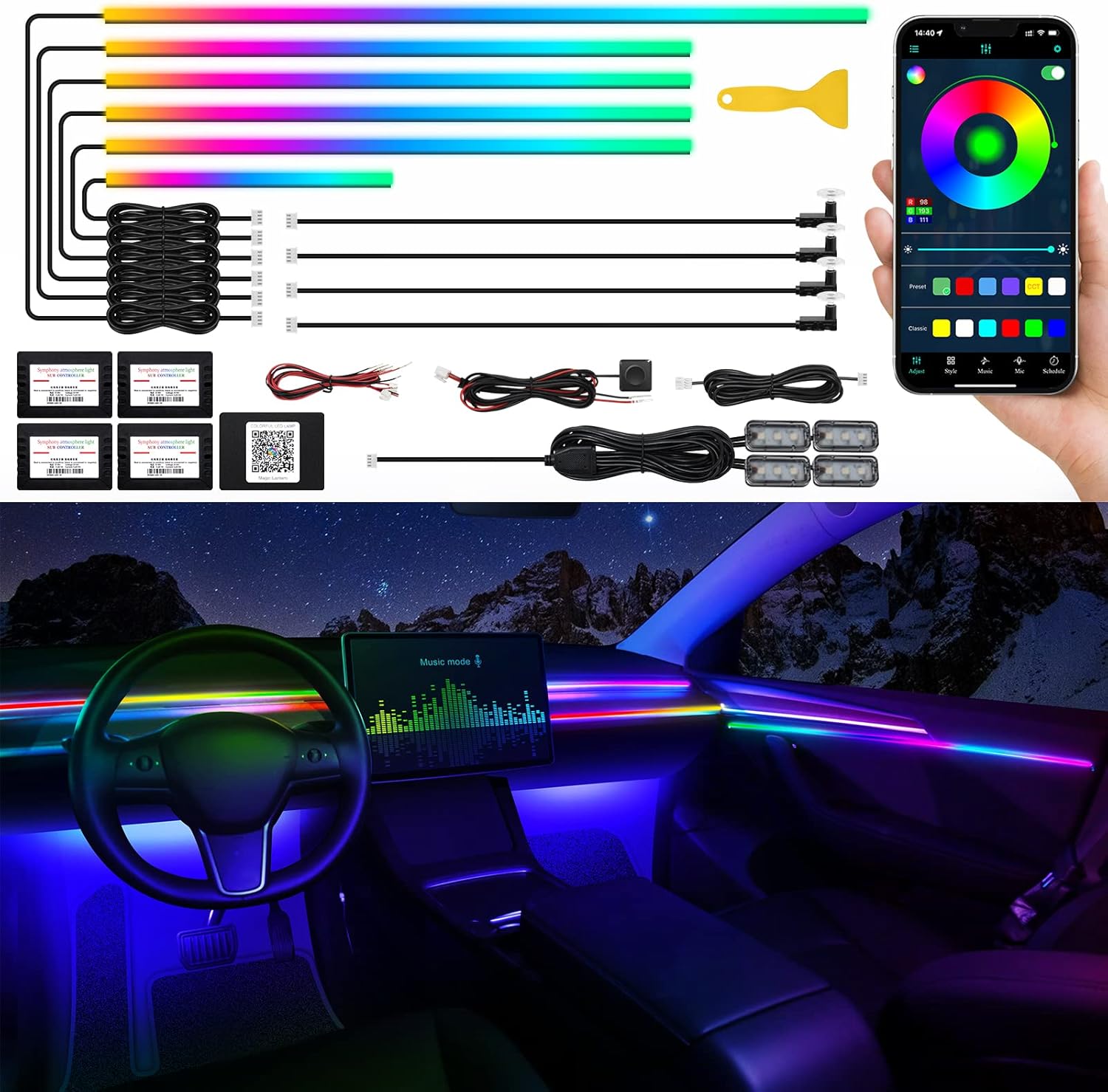
Image: The product kit laid out with a smartphone showing the "Magic Lantern" app, illustrating the wireless control capabilities for color and mode selection.

Image: A car interior at night, brightly lit by the Dreamcolor LED strips, demonstrating the visual impact of the ambient lighting.
2. Hidden Touch Button Control
The main controller's power cable includes a hidden touch button for basic control.
- To turn the lights ON or switch colors: Press the button once.
- To turn the lights OFF: Press and hold the button for 1-2 seconds.

Image: Close-up of the hidden touch button, detailing its function for power and color changes.
3. Music Sensor Function
The built-in sound-sensitive function allows the lights to synchronize with music or voice.
- Activate the music mode via the "Magic Lantern" app.
- The lights will change colors and patterns according to the rhythm of any sound captured by the microphone.

Image: A car interior with dynamic, colorful lighting effects, illustrating the music synchronization feature of the ambient lights.
Maintenance
To ensure the longevity and optimal performance of your LED strip lights:
- Keep the light strips and controllers clean and free from dust and debris. Use a soft, dry cloth for cleaning.
- Avoid exposing the components to extreme temperatures or direct sunlight for prolonged periods.
- The LED strips are waterproof, but the controllers should be protected from direct water exposure.
- Regularly check wiring connections to ensure they remain secure.
Troubleshooting
If you encounter issues with your LED strip light kit, refer to the following common solutions:
Lights Not Turning On
- Check Power Connection: Ensure the main controller is correctly wired to a 12V power source and that the connection is secure.
- Verify Fuse: Check the vehicle's fuse box for any blown fuses related to the power source.
- Controller Connection: Confirm that all light strips are properly connected to the main and sub-controllers.
Lights Not Responding to App/Button
- Bluetooth Connection: For app control, ensure your phone's Bluetooth is on and connected to the device in the "Magic Lantern" app.
- App Restart: Close and reopen the "Magic Lantern" app.
- Controller Reset: Disconnect and reconnect the main controller's power to perform a soft reset.
Inconsistent Lighting/Colors
- Strip Connection: Check the connection points of the affected light strips to their respective controllers. A loose connection can cause inconsistent lighting.
- Power Fluctuation: Ensure a stable 12V power supply to the main controller.
Lights Flash Rainbow Pattern at Startup (Dreamcolor models)
- This is a default feature for Dreamcolor kits. If a static color at startup is preferred, an RGB kit (not Dreamcolor) would be required. Contact customer support for alternative options if this is not desired.
Specifications
| Feature | Detail |
|---|---|
| Brand | MAODANER |
| Model | Dreamcolor 14 in 1 |
| Color Type | Dreamcolor (RGB Smart IC) |
| Control Method | Wireless APP ("Magic Lantern"), Hidden Touch Button |
| Voltage | 12V |
| Material | Acrylic |
| Water Resistance | Waterproof (strips) |
| Special Features | Breath Effect, Multi-Color, Sound Active Function |
| Included Components | 14-in-1 Acrylic car light kit (4*29.5inch+1*43.3inch+1*14inch), 4x Footwell lamps, 4x Door handle lights, 1x Pry tool |
Warranty and Support
For warranty information or technical assistance, please refer to the product packaging or contact MAODANER customer support directly. Keep your purchase receipt for warranty claims.
For additional resources and app downloads, visit: http://www.easytrack.net.cn/download_Mgc/139HUIZHOURONGSHUO