
1. Introduction and Overview
The STIGMA Wireless Rotary Tattoo Pen Machine, Model EE ST-M2-E42-01, is a versatile and advanced tattooing device designed for professional use. It features a wireless power supply with a 1000mAh battery and also supports an RCA plug connection for continuous operation. The machine is engineered for precision, power, and quiet performance, making it suitable for various tattooing styles, including lining and shading.

Figure 1: Overview of the STIGMA Wireless Rotary Tattoo Pen Machine.
2. Product Features
- Visible LCD Screen: The STIGMA EE wireless pen features a clear LCD screen for easy voltage adjustment and monitoring of settings.
- Durable Construction: Crafted with a CNC engraved aluminum frame, ensuring durability and a comfortable grip. The entire unit is detachable for easy maintenance and part replacement.
- Dual Power Options: Operates wirelessly with a 1000mAh battery, providing 2-4 hours of working time. It also includes an RCA interface for quick switching to a wired power supply if preferred.
- Custom Coreless Motor: Equipped with an advanced direct-drive coreless motor, offering powerful, precise, and quiet operation.
- Adjustable Stroke and Cartridge Length: Features a standard stroke length of 3.5mm and an adjustable cartridge needle length from 0-4mm by simply rotating the grip. This versatility makes it suitable for both lining and shading.
- Ergonomic Design: Designed to reduce muscle fatigue, enhancing comfort during extended use.

Figure 2: Comparison of the machine's length and weight with battery section (142mm, 182g) versus RCA section (107mm, 158g).

Figure 3: Illustration of the 9-level output (73Hz-148Hz) and 1000mAh battery capacity, supporting 2-4 hours of operation.

Figure 4: Detail of the standard size bayonet (12x10.5mm) for cartridge matching and the detachable grip designed to reduce muscle fatigue.
3. Package Contents
Upon opening the package, please verify that all the following items are included:
- 1 x STIGMA EE Wireless Rotary Pen with Custom Motor
- 1 x Fast Charging USB Cable
- 1 x RCA Cord
- 1 x RCA Interface
- 1 x User Manual (this document)
4. Setup
- Charging the Battery: Before first use, fully charge the machine's internal battery using the provided USB cable. Connect the USB cable to the charging port on the machine and to a compatible USB power adapter (5V 2A recommended). The LCD screen will indicate charging status.
- Attaching the Power Source:
- Wireless Operation: Ensure the battery section is securely attached to the machine body.
- Wired Operation: If you prefer to use a wired power supply, detach the battery section and connect the provided RCA interface. Then, connect an RCA cord from your external power supply to the RCA interface.
- Inserting the Needle Cartridge: Gently push a compatible needle cartridge into the machine's bayonet slot until it clicks securely into place.
- Adjusting Needle Depth: Rotate the grip of the machine clockwise or counter-clockwise to adjust the needle protrusion (0-4mm) to your desired depth.
5. Operating Instructions
- Power On/Off: Press and hold the power button (usually the central button) for a few seconds to turn the machine on or off. The LCD screen will illuminate upon power-on.
- Adjusting Voltage/Output: Use the '+' and '-' buttons on the machine to increase or decrease the voltage. The LCD screen will display the current voltage setting. The machine supports 9 output levels, ranging from 73Hz to 148Hz.
- Starting/Pausing Operation: Once the desired voltage is set, press the power button briefly to start or pause the machine's operation.
- Monitoring Battery Life: The LCD screen will also display the remaining battery life during wireless operation. Recharge the machine when the battery indicator is low.
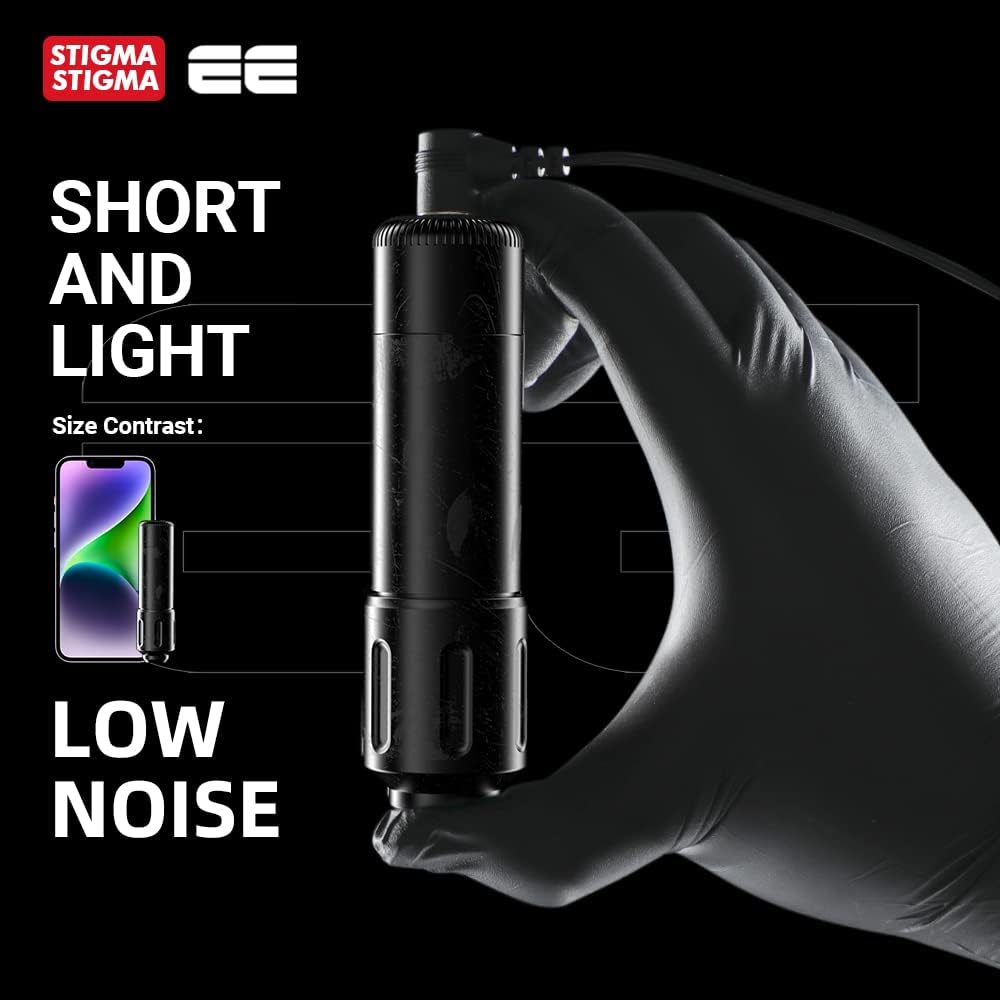
Figure 5: The compact and lightweight design of the machine, contributing to low noise operation.
6. Maintenance
Proper maintenance ensures the longevity and optimal performance of your STIGMA tattoo machine.
- Cleaning: After each use, thoroughly clean the machine. The detachable design allows for easy disassembly for cleaning. Use appropriate sterilization solutions for tattoo equipment. Avoid submerging the entire machine in liquid.
- Lubrication: Periodically apply a small amount of machine oil to moving parts as recommended by professional tattoo equipment maintenance guidelines to ensure smooth operation of the coreless motor.
- Storage: Store the machine in a clean, dry, and cool environment, away from direct sunlight and extreme temperatures. Use the original packaging or a protective case for storage.
- Part Replacement: The modular design facilitates easy replacement of parts if necessary. Refer to authorized service centers or the manufacturer for genuine replacement parts.
7. Troubleshooting
| Problem | Possible Cause | Solution |
|---|---|---|
| Machine does not turn on. | Low battery; Loose connection; Power button not pressed correctly. | Charge the battery fully; Ensure battery section or RCA interface is securely connected; Press and hold the power button for a few seconds. |
| Machine runs intermittently or weakly. | Low battery; Loose RCA connection; Needle cartridge issues; Motor obstruction. | Recharge battery; Check RCA cord and interface connection; Replace needle cartridge; Inspect for debris or obstruction in the motor area (if safely accessible). |
| Needle depth adjustment is difficult. | Grip mechanism dirty or damaged. | Clean the grip adjustment area; Ensure no foreign objects are obstructing the mechanism. |
| Unusual noise or vibration. | Loose parts; Motor issue; Damaged needle cartridge. | Check all connections and ensure parts are securely fastened; Replace needle cartridge; If problem persists, contact customer support. |
8. Specifications
| Name | STIGMA*EE |
| Material | Aluminum |
| Length (with Battery) | 142mm / 5.59 inches |
| Length (with RCA) | 107mm / 4.21 inches |
| Grip Diameter | Φ31mm |
| Weight (with Battery) | 182g / 6.42 oz |
| Weight (with RCA) | 158g / 5.57 oz |
| Battery Capacity | 1000mAh Lithium-polymer |
| Output Level | 1-9 levels (73Hz-148Hz) |
| Input Specifications | 5V 2A |
| Charging Interface | USB-C |
| Stroke Length | 3.5mm |
| DC Power Supply Range | 4.4V-10.7V |
| DC Power Supply Type | RCA / Battery |
| Drive | Coreless motor |
| Noise Level | <65db |
| Model Number | ST-M2-E42 |
| ASIN | B0BV6LHR4V |

Figure 6: Visual representation of the machine's specifications and included accessories.
9. Warranty and Support
The STIGMA Wireless Rotary Tattoo Pen Machine comes with a professional one-year warranty from the date of purchase. This warranty covers manufacturing defects and ensures friendly customer service.
For any questions, technical assistance, or warranty claims, please contact STIGMA customer support through the retailer or the official STIGMA website. Please have your purchase receipt and product model number (EE ST-M2-E42-01) ready when contacting support.
For further guidance on tattooing techniques, STIGMA recommends consulting reputable resources such as YouTube tutorials. If you require assistance with the proper use of STIGMA machines, please reach out to customer service for detailed instructions.