
1. Introduction
This manual provides detailed instructions for the DuLingKer Wireless PC/PS3 Game Controller (Model: NS-A90802). Please read this manual thoroughly before using the product to ensure proper operation and to maximize your gaming experience. Keep this manual for future reference.
2. Package Contents
Verify that all items are present in the package:
- 1x DuLingKer Wireless Game Controller
- 1x 2.4G USB Receiver
- 1x USB Charging Cable (Type-C)
- 2x Thumbstick Grips (Optional)
- 1x User Manual (This document)
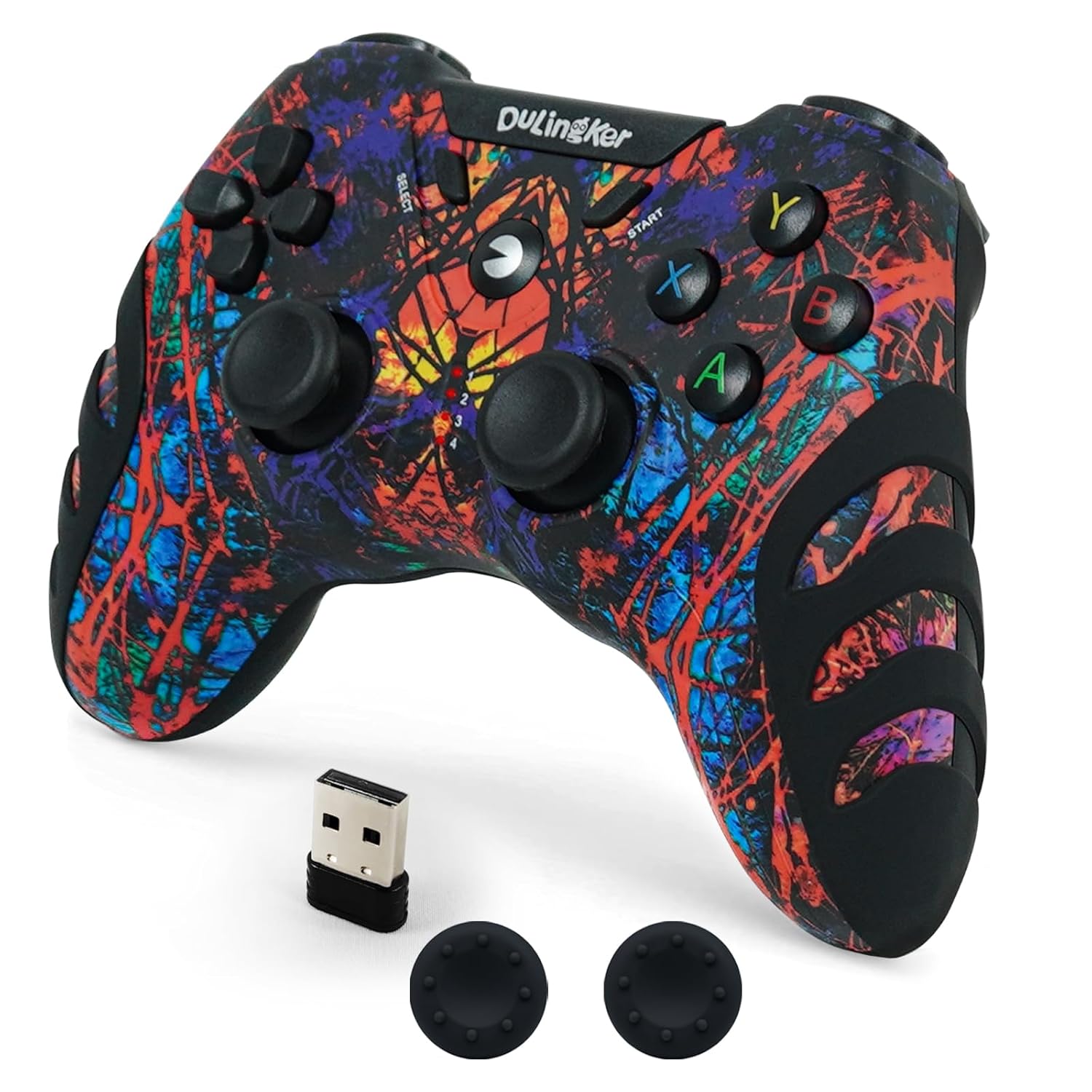
Image: The DuLingKer Wireless Game Controller, its 2.4G USB receiver, and two optional thumbstick grips.
3. Product Overview
The DuLingKer Wireless Game Controller features a standard gamepad layout with dual analog sticks, a D-pad, action buttons (A, B, X, Y), shoulder buttons (L1, R1), and triggers (L2, R2). It also includes a SELECT, START, and HOME button. The controller is designed for comfortable use during extended gaming sessions.

Image: Front view of the DuLingKer Wireless Game Controller, showing the Hall Effect joysticks, D-pad, action buttons, and central DuLingKer logo button.

Image: Side view of the DuLingKer Wireless Game Controller, illustrating the ergonomic design and textured non-slip grips.
4. Setup Guide
The DuLingKer Wireless Game Controller utilizes 2.4GHz wireless technology for a stable connection. Follow these steps to set up your controller:
4.1. Initial Connection
- Charge the Controller: Before first use, connect the controller to a USB power source using the provided Type-C charging cable. The charging indicator will show the charging status.
- Insert the 2.4G USB Receiver: Plug the 2.4G USB receiver into an available USB port on your PC, PS3, Android Smart TV, TV Box, or Raspberry Pi.
- Power On the Controller: Press the HOME button (DuLingKer logo) on the controller to power it on. The controller will automatically attempt to connect to the USB receiver.
- Connection Confirmation: Once connected, the indicator lights on the controller will stabilize, indicating a successful pairing.
Note: For Windows 7 users, driver installation may be required. For Windows 8/10/11, PS3, Android TV, Steam, and Raspberry Pi, the controller is generally plug-and-play, requiring no additional drivers.
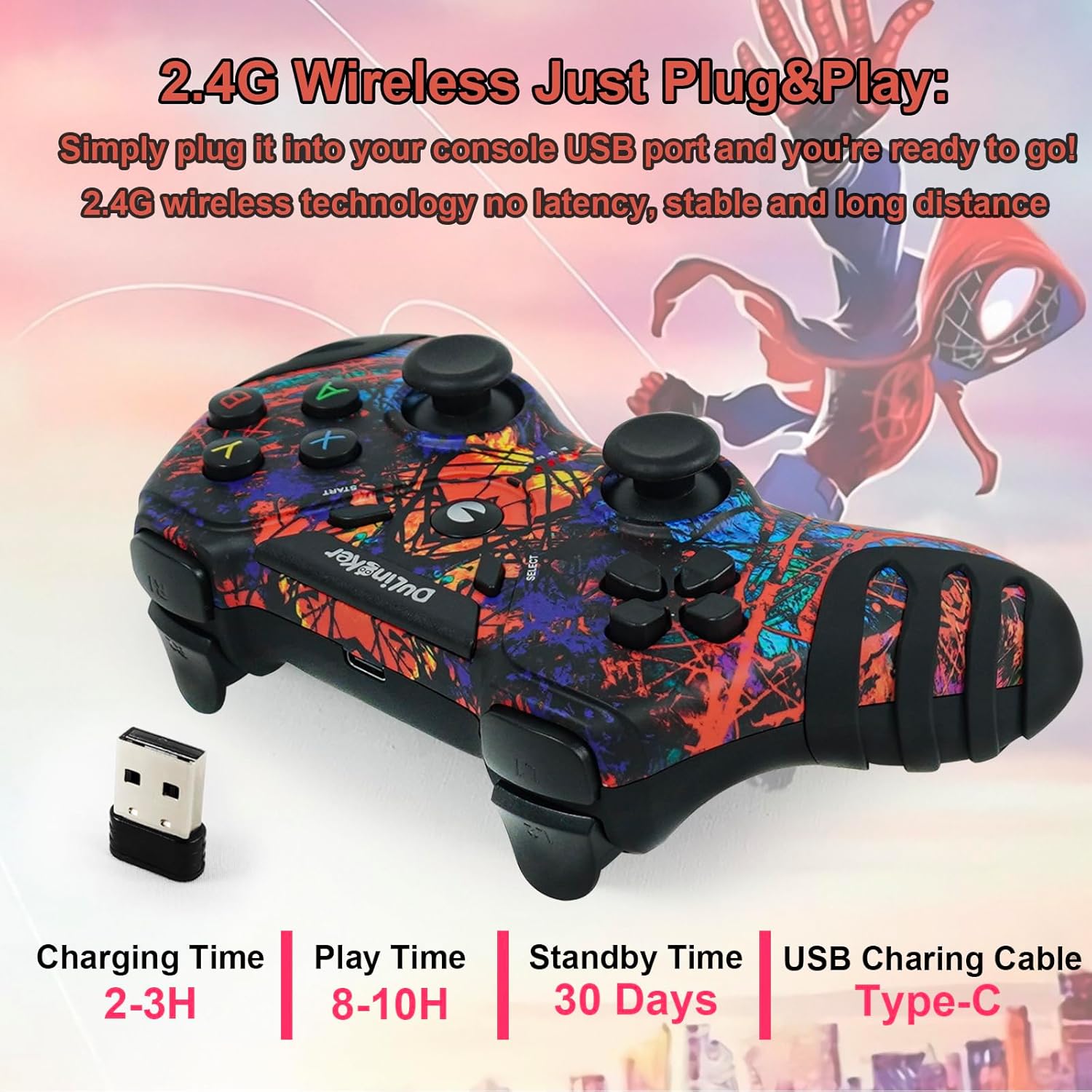
Image: The DuLingKer controller with its 2.4G USB receiver and a USB Type-C charging cable, illustrating the plug-and-play setup.
5. Operating Instructions
5.1. Power On/Off
- Power On: Press the HOME button once.
- Power Off: Press and hold the HOME button for 5-8 seconds until the indicator lights turn off. The controller will also automatically power off after a period of inactivity to conserve battery.
5.2. Mode Switching (if applicable)
This controller is designed for broad compatibility. In most cases, it will automatically detect the connected device (PC, PS3, Android TV). If you experience issues, ensure the USB receiver is properly connected and the controller is powered on.
5.3. Gaming Experience
Once connected, the controller functions as a standard gamepad. Utilize the dual analog sticks for movement and camera control, the D-pad for precise directional input, and the action buttons for in-game commands. The Hall Effect joysticks provide precise, drift-free control.

Image: A user holding the DuLingKer controller, engaged in a football game on a television, demonstrating active use.
6. Charging and Battery Information
The controller is equipped with a built-in rechargeable Lithium Polymer battery.
- Charging Time: Approximately 2-3 hours for a full charge.
- Play Time: Up to 8-10 hours on a full charge, depending on usage (e.g., vibration intensity).
- Standby Time: Up to 30 days.
- Charging Indicator: Refer to the controller's indicator lights for charging status. Typically, lights will blink while charging and become solid or turn off when fully charged.
To charge, connect the provided USB Type-C cable to the controller's charging port and the other end to a USB power source (e.g., PC, USB wall adapter).

Image: The DuLingKer controller with its USB Type-C charging cable, illustrating charging and battery life specifications.
7. Key Features
7.1. Hall Effect Joysticks
The controller is equipped with Hall Effect joysticks, which use magnetic sensors instead of traditional potentiometers. This technology provides:
- No Dead Zone: Enhanced responsiveness and precision.
- Drift-Free: Eliminates stick drift issues common with traditional joysticks.
- Longer Lifespan: Reduced wear and tear due to contactless operation.
7.2. Dual Vibration Motors
Experience immersive feedback with dual vibration motors. These motors provide tactile responses to in-game actions such as collisions, explosions, and other effects, enhancing the realism of your gaming sessions on PC and PS3.
7.3. 2.4GHz Wireless Technology
The 2.4GHz wireless connection offers a stable, low-latency gaming experience. Enjoy uninterrupted gameplay from up to 8 meters (approximately 26 feet) away from your device, providing flexibility and comfort.
7.4. Ergonomic Design
Designed for comfort, the controller features a non-slip grip and an ergonomic shape that fits naturally in your hands. This design minimizes fatigue during prolonged gaming sessions, allowing for extended play.
8. Troubleshooting
If you encounter issues with your DuLingKer Wireless Game Controller, refer to the following common solutions:
| Problem | Possible Cause | Solution |
|---|---|---|
| Controller does not connect. | Low battery, receiver not properly inserted, out of range, interference. |
|
| Controller disconnects frequently. | Low battery, signal interference, too far from receiver. |
|
| Buttons or joysticks are unresponsive. | Connection issue, software conflict, controller malfunction. |
|
| Vibration function not working. | Game does not support vibration, vibration disabled in game settings, or controller issue. |
|
9. Specifications
| Feature | Detail |
|---|---|
| Model Number | NS-A90802 |
| Connectivity | 2.4GHz Wireless USB Receiver |
| Compatibility | PC (Windows 7/8/10/11), PS3, Android Smart TV, TV Box, Steam, Raspberry Pi |
| Joystick Type | Hall Effect Joysticks |
| Vibration | Dual Motor Vibration (PC & PS3) |
| Battery Type | Built-in Lithium Polymer |
| Charging Interface | USB Type-C |
| Wireless Range | Up to 8 meters (26 feet) |
| Dimensions | 6.93 x 5.55 x 2.72 inches |
| Weight | 10.2 ounces |
| Manufacturer | DuLingKer |
10. Warranty and Support
DuLingKer products are designed and manufactured to the highest quality standards. For warranty information and customer support, please refer to the documentation included with your purchase or contact DuLingKer customer service directly.
If you experience any issues or have questions regarding your controller, please reach out to our support team. Contact details can typically be found on the product packaging or the official DuLingKer website.