
Rychi TMUS-MD319
Rychi NOAA Weather Radio Instruction Manual
Model: TMUS-MD319
Introduction
The Rychi NOAA Weather Radio (Model TMUS-MD319) is an essential device designed to provide timely and localized weather and emergency alerts. Utilizing S.A.M.E. (Specific Area Message Encoding) digital technology, this radio can be programmed to receive warnings specific to your area, ensuring you are informed of severe weather hazards such as tornadoes, hurricanes, floods, and thunderstorms. It features multiple alert modes, flexible power options, and an integrated alarm clock with snooze functionality, making it a reliable tool for preparedness.
Key Features
- NOAA Weather Radio + Alert: Scans 7 available weather (WX) band channels. Automatically activates and alerts for over 80 types of severe weather and emergency hazards, including tornadoes, hurricanes, floods, and thunderstorms.
- 3-Mode Programming: Offers ALL, SINGLE, and MULTIPLE programming modes. S.A.M.E. technology allows precise localized programming to your county's warning system. The MULTIPLE mode allows programming for up to 23 counties, filtering out irrelevant information. Features S.A.M.E. code permanent memory.
- 3 Warning Mode Options: Choose between VOICE (3-minute weather broadcast), SIREN (5-minute alarm), or DISPLAY (only the "WARNING/WATCH/ADVISORY" light illuminates). The radio can store up to 20 missed alarm messages.
- Enhanced Signal & Visibility: Equipped with an external antenna interface for improved signal coverage and sensitivity in remote areas. An external alarm flashing light significantly increases alarm visibility.
- Emergency Power Back Up: Operates primarily via AC power adapter (included). Features a 4AA battery compartment (batteries not included) for emergency power during outages, ensuring continuous operation. Settings are maintained for 10 seconds during power switching.
- Alarm Clock + Snooze Function: Includes a built-in clock with alarm and snooze capabilities for daily use.
What's in the Box
- Rychi NOAA Weather Radio Unit (Model TMUS-MD319)
- AC Power Adapter
- External Antenna
- External Warning Light
- Owner's Manual
Setup Guide
Follow these steps for initial setup of your Rychi NOAA Weather Radio:
- Powering the Unit:
Insert 4 AA batteries (not included) into the battery compartment on the underside of the unit for emergency backup power. Connect the included AC power adapter to the DC Jack port on the back of the radio and plug it into a standard 110V AC outlet. The radio is designed to operate continuously with AC power, with batteries serving as backup during outages.

The radio can be powered by the included AC adapter or 4 AA batteries (not included) for backup.
- Antenna Setup:
Extend the telescopic antenna on the unit to its full length for optimal reception. For improved signal coverage, especially in remote areas, connect the external antenna to the 'ANT' port on the back of the radio. Position the external antenna as high as possible for best results.

Connect the external antenna and warning light to the designated ports on the back of the radio.
- Setting Date and Time:
Press the 'MENU' button. Use the arrow buttons to navigate to 'SET UP TIME' and press 'SELECT'. Adjust the hour, minute, and AM/PM using the arrow buttons, then press 'SELECT' to confirm each setting. Repeat for 'SET UP DATE' to set the month, day, and year.
- Finding Your County Code (S.A.M.E.):
To receive localized alerts, you need your county's S.A.M.E. code. Visit www.weather.gov/nwr/counties on a computer or smartphone. Select your state and then your county to find the corresponding 6-digit S.A.M.E. code.
Watch this video for a quick guide on setting up your NOAA Weather Radio, including finding county codes.
- Programming S.A.M.E. Codes:
Press 'MENU', navigate to 'COUNTY CODE', and press 'SELECT'. You can choose from three programming modes:
- ALL: Receives all NWS weather and hazard alerts for all S.A.M.E. country codes within range.
- SINGLE: Set only one specific county code to receive alerts for your immediate area.
- MULTIPLE: Program up to 23 different county codes to receive alerts for specific areas of interest (e.g., family, work, vacation homes).
Enter the 6-digit S.A.M.E. code(s) using the number buttons and press 'SELECT' to confirm each. Refer to the owner's manual for detailed instructions on entering multiple codes.

Choose between Single, All, or Multiple programming modes for S.A.M.E. alerts.
- Setting Alert Modes:
Press 'MENU', navigate to 'ALERT MODE', and press 'SELECT'. Choose your preferred alert notification type:
- VOICE: An 8-second warning tone followed by a 3-minute weather broadcast.
- SIREN: A loud alarm that lasts for 5 minutes.
- DISPLAY: Only the 'WARNING/WATCH/ADVISORY' light will illuminate, providing a silent alert.

Select your preferred alert method: Voice, Siren, or Display.
Operating Instructions
Once set up, operating your Rychi NOAA Weather Radio is straightforward:
- Turning On/Off & Channel Selection:
Press the 'WEATHER/HAZARD ON/OFF' button to turn the radio on or off. Use the 'CHANNEL' button and arrow keys to cycle through the 7 available WX band channels (162.400 MHz, 162.425 MHz, 162.450 MHz, 162.475 MHz, 162.500 MHz, 162.525 MHz, 162.550 MHz) to find the strongest signal in your area.
- Volume Adjustment:
Use the 'VOL+' and 'VOL-' buttons to adjust the audio volume of broadcasts and alarms.
- Alarm Clock & Snooze:
The radio features a built-in alarm clock. To set the alarm, press 'MENU' and navigate to 'SET ALARM'. Use the arrow keys to set the desired alarm time. When the alarm sounds, press the 'SNOOZE' button for an additional 9 minutes of sleep before the alarm sounds again.
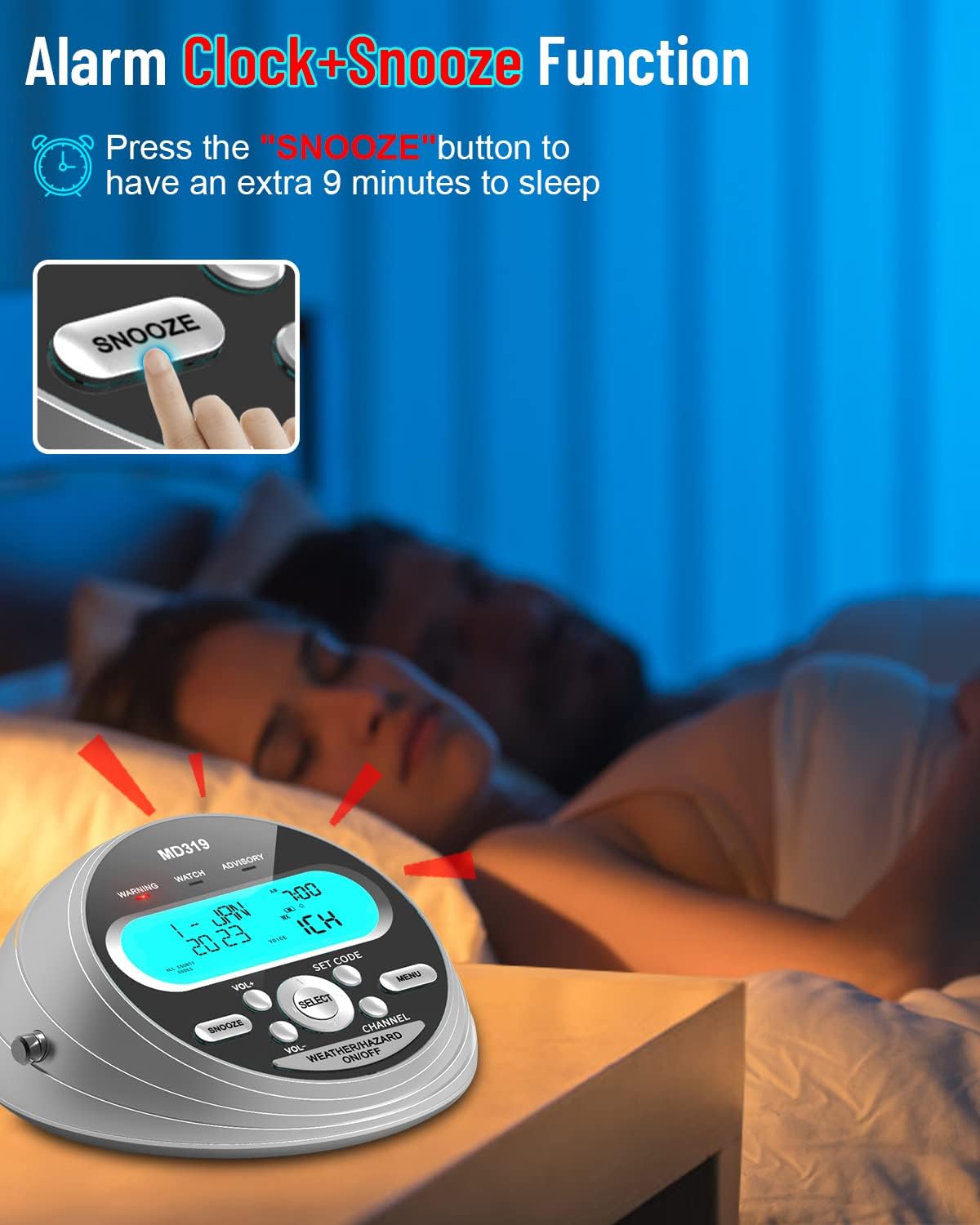
Utilize the alarm clock and snooze function for daily convenience.
- Reviewing Missed Alerts:
The radio can store up to 20 different alarms. To check for missed alarm messages, refer to the owner's manual for specific navigation steps within the menu.
- Customizing Alert Types:
Beyond the default alert settings, you can customize which specific emergency alerts you wish to receive (e.g., turn off flood alerts if you live on high ground). This is done through the 'MESSAGE' setting in the menu. Refer to the detailed chart in your owner's manual (pages 10-12) for a full list of selectable alert types and their default status (ON/OFF).
- Using Earphones:
For private listening, connect standard 3.5mm earphones to the 'EARPHONE' jack on the back of the unit. This will mute the radio's internal speaker.
Maintenance
- Cleaning: Use a soft, dry cloth to clean the radio's exterior. Avoid using abrasive cleaners or solvents.
- Battery Replacement: If using batteries for backup, check them periodically and replace all 4 AA batteries when the low battery indicator appears or if the radio fails to power on during an outage.
- Storage: Store the radio in a cool, dry place away from direct sunlight and extreme temperatures. If storing for extended periods, remove the batteries to prevent leakage.
Troubleshooting
| Problem | Possible Cause | Solution |
|---|---|---|
| No power/Radio not turning on | AC adapter unplugged or faulty; Batteries dead or incorrectly inserted. | Ensure AC adapter is securely plugged in. Check and replace AA batteries if necessary. |
| Poor reception/Static | Antenna not fully extended; Radio too far from broadcast tower; Interference. | Fully extend the telescopic antenna. Connect and position the external antenna higher. Try relocating the radio to a different spot. |
| Not receiving alerts | Incorrect S.A.M.E. code programmed; Alert mode set to 'Display' only; Specific alert type disabled. | Verify your S.A.M.E. county code. Check 'ALERT MODE' setting (Voice/Siren recommended for audible alerts). Review 'MESSAGE' settings to ensure desired alerts are enabled. |
| Alarm sounds unexpectedly | Test alert or actual emergency in programmed area. | This indicates the radio is functioning correctly. Check the display for alert details. |
Specifications
- Model Number: TMUS-MD319
- Dimensions: 6.02 x 5.59 x 2.95 inches
- Weight: 1.21 pounds
- Color: Silver Grey
- Power Source: AC 110V Adapter, 4 AA batteries (backup)
- Radio Bands Supported: WX (Weather Band)
- Tuner Technology: WX
- Special Features: Built-In Clock, S.A.M.E. Localized Programming, External Warning Light, External Antenna Interface
- Alerts: 80+ Emergency Alerts
Warranty & Support
Rychi stands behind the quality of its products. This NOAA Weather Radio comes with an 18-month replacement warranty. If you encounter any issues or are not satisfied with your product, please contact our customer service team. Our dedicated support is available 24/7 to assist you with any questions or concerns.
For assistance, please refer to the contact information provided in your product packaging or visit the Rychi brand store on Amazon.